smiesguy
Well-Known Member
Does anyone with an R1S reservation have anything other than "vehicleID": null? Seems like R1T res holders have a vehicle id. Could be a tell of how close they actually are to delivering the R1S.You'll want to be in Edge or Chrome for these instructions - other browsers can do it but the steps may vary. Note - DevTools are safe but can be scary and intimidating.
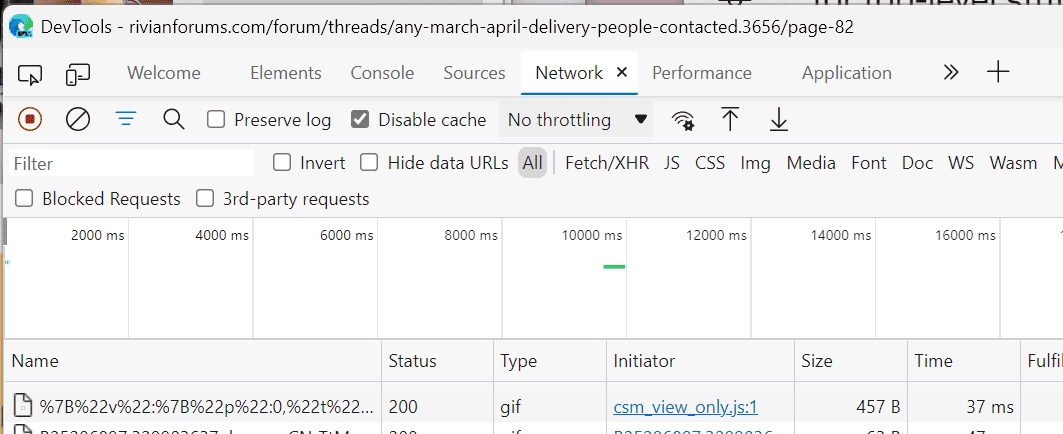
Open a new window and hit the F12 key, or right-click on the page and select "inspect." A new pane or window should open up called DevTools or similar. You should see a row of tabs along the top. Click the "Network" tab. Check the "disable cache" box at the top. Should look something like this.

In the new tab, go to rivian.com and sign into your account, then navigate to the vehicle reservation (the icon that says "R1T 01" on the left).
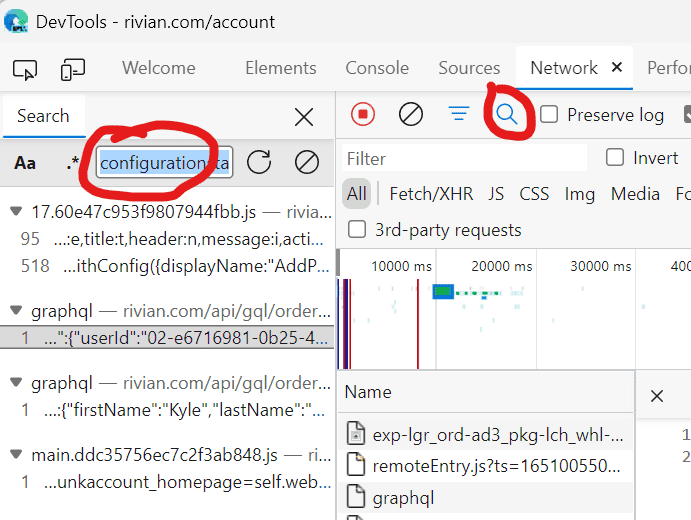
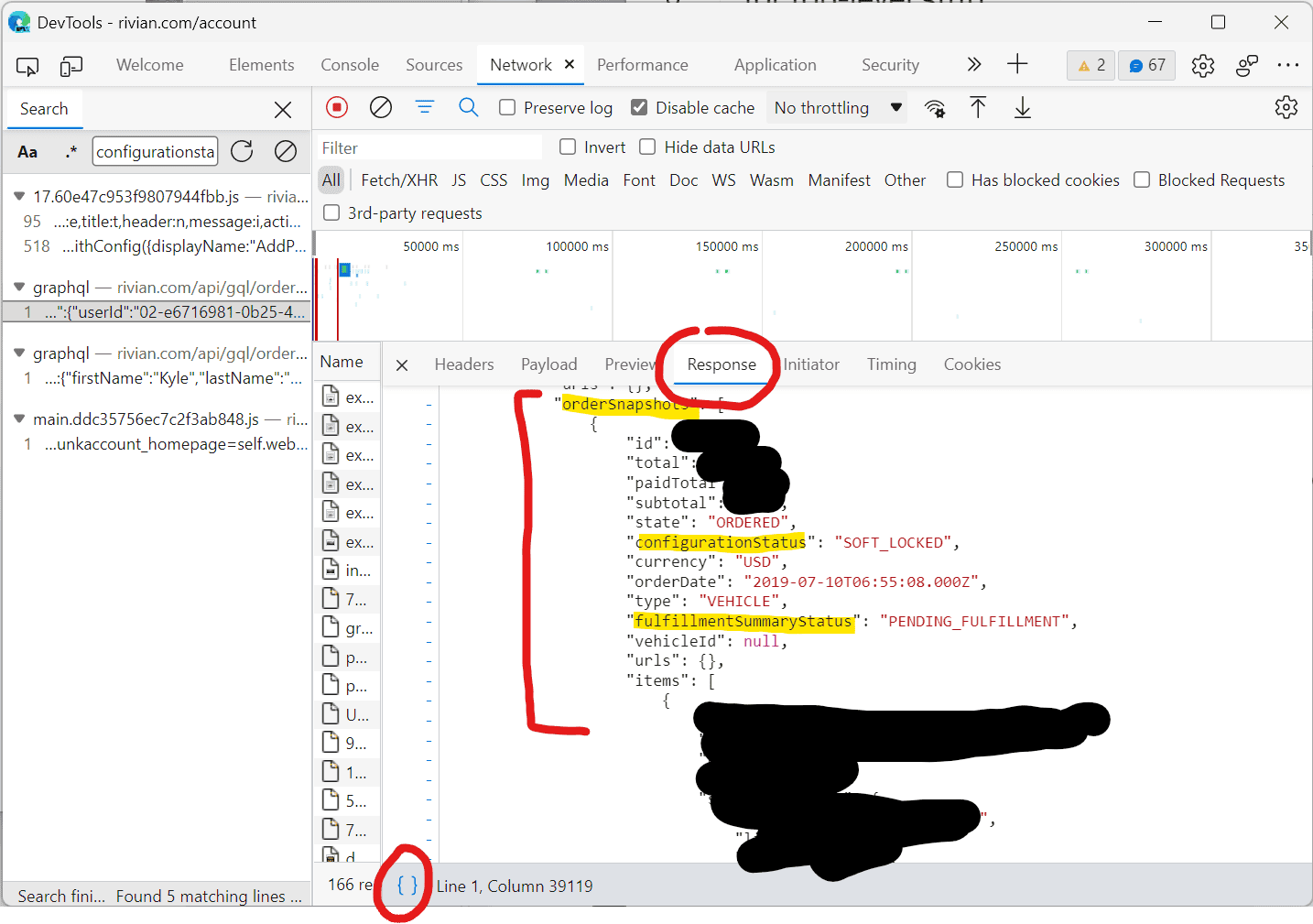
Go back to DevTools, hit the magnifying glass icon, and type configurationStatus. The list below should filter to one or a few items. You want an entry or entries that start with "graphql". Click the text below graphql.

In the right-hand pane, click the "response" tab and then click the little {} button at the bottom to pretty-print this response so it is readable. You should see a structured JSON payload with the properties and values we're comparing here (and a bunch of personal data like your address, preordered accessories, configuration, etc.). The pertinent info should be under "orderSnapshots". If you don't see it, try clicking the other graphql responses in the left-hand pane.

Once you're done, close DevTools so it doesn't sit there recording network activity for no reason ?
Be careful sharing screenshots or copied text from this view - there's a lot of your personal information in there including various GUIDs, your name and address, etc.
Sponsored