Sponsored

Juicebox 48 Load Sharing Setup

timesinks

Well-Known Member
Joined
Sep 20, 2020
Threads
6
Messages
570
Reaction score
1,851
Location
Seattle
Vehicles
R1T, ID.4, Sprinter
I've gotten a few questions about our charging configuration, so figured I'd share a more detailed write up.

With the R1T, we now have two EVs. We had been driving a Volt for about 5 years and swapped it out for an ID.4 last summer. When we first moved into our house shortly after buying the Volt, we installed a Chargepoint Home 32A plug & cord on a 40A breaker to a garage receptacle. Considering the Volt's onboard charger was only 3kW, this was perfectly fine. But we also started to realize that our garage is just a little too small to store tools and bikes and still be able to comfortably roll vehicles in and out (typical Seattle even though it was new construction). So for years, we've been running the charge cord under the garage door at the expansion joint.

Late last year, with the Rivian coming s00n, the ID.4 also supporting 11.5kW charging, and the the EVSE tax credit scheduled to lapse, I decided it was a good time to get a pair of higher amperage chargers installed outside. I think the load calculations would have let me install two separate 48A chargers (we have a 400A service and they're fed from a 200A main panel), but 96A out of 160A continuous is a big chunk of the panel capacity (and the hot tub goes in later this month ?), so I opted for a load sharing configuration that tops out at 48A total. There aren't very many units on the market that support load sharing as of yet, and with the help of the Tom Moloughney reviews, I landed on the juiceboxes. They were also backordered everywhere, so as soon as I found some in stock in November, I pulled the trigger.

Edit to add: Load sharing means both EVSEs are on the same 60A circuit and share the same 48A cap. They actively communicate with each other. If both are being used, they'll either prioritize one vehicle or they'll split the 48A evenly. Once one vehicle is fully charged or unplugged, any capacity it was using can shift to the other. Basically it's magic.

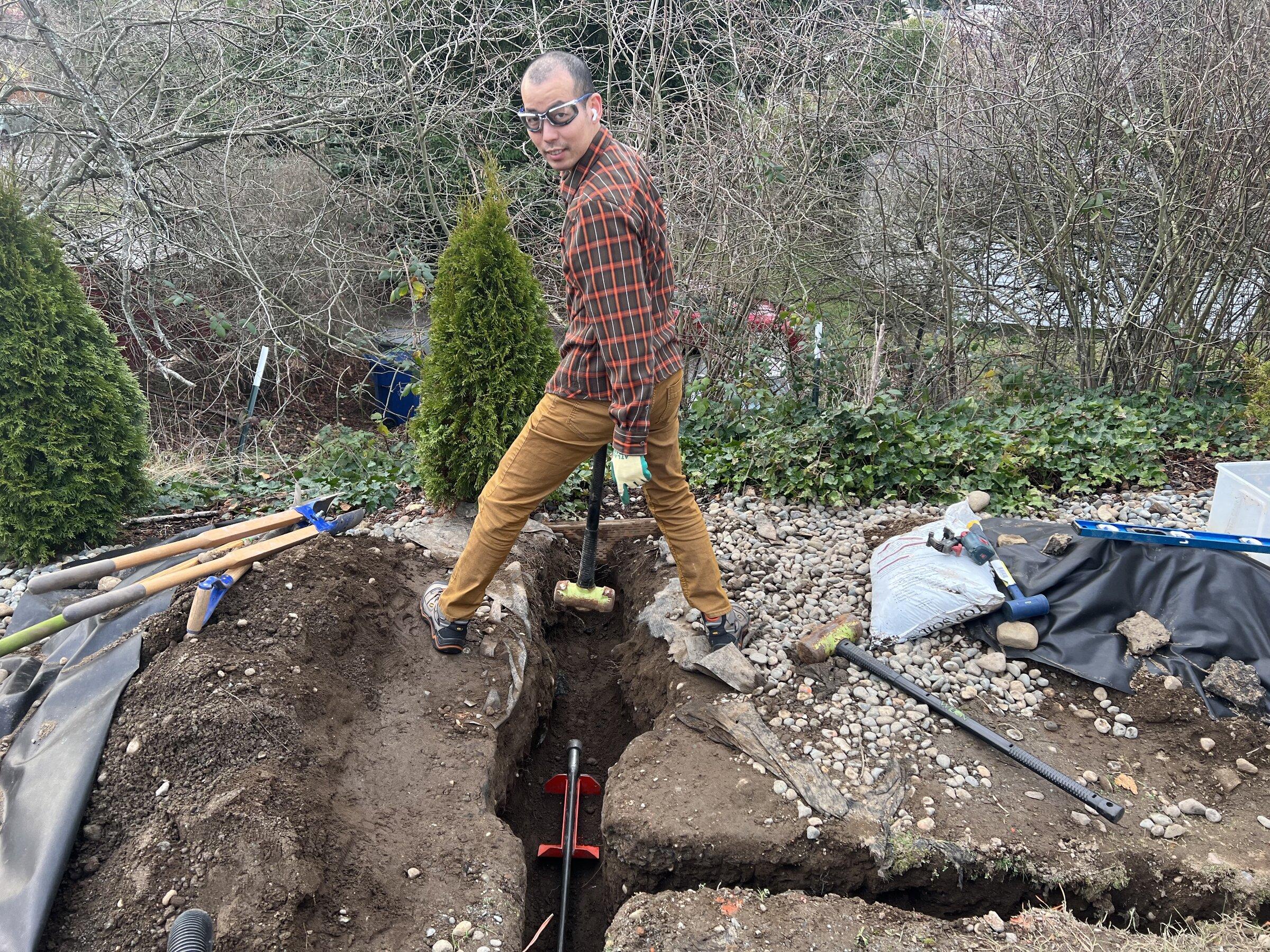
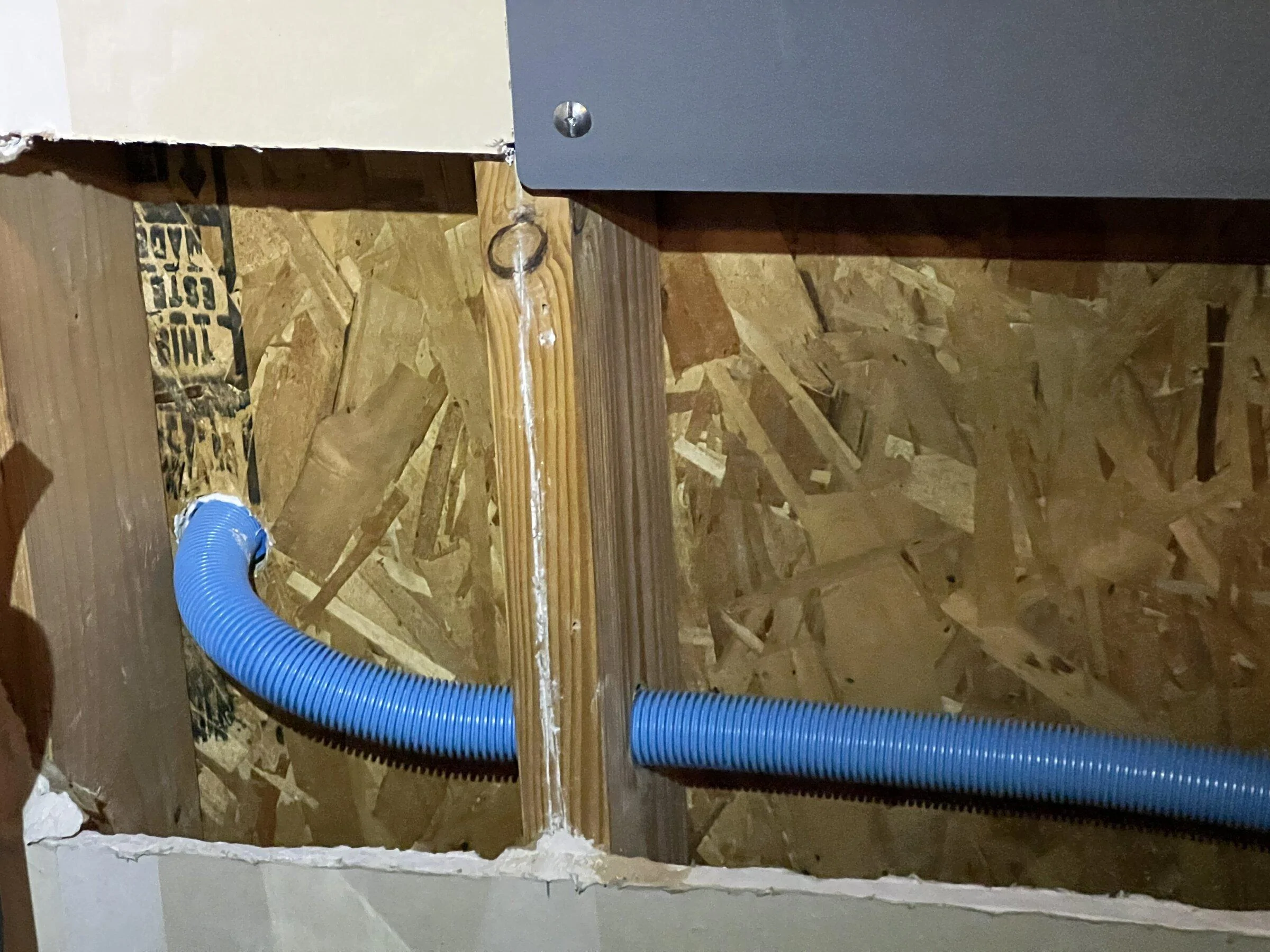
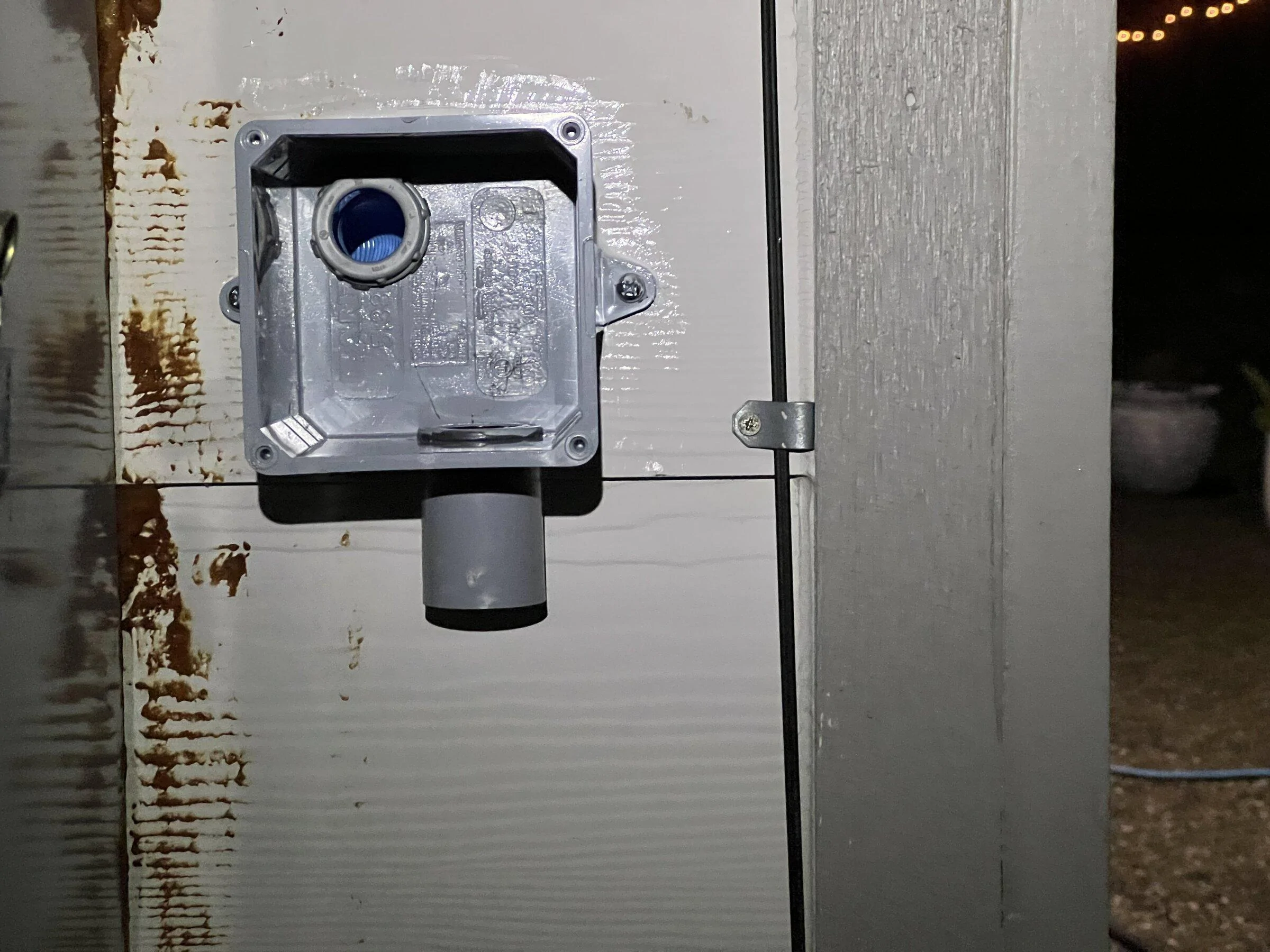
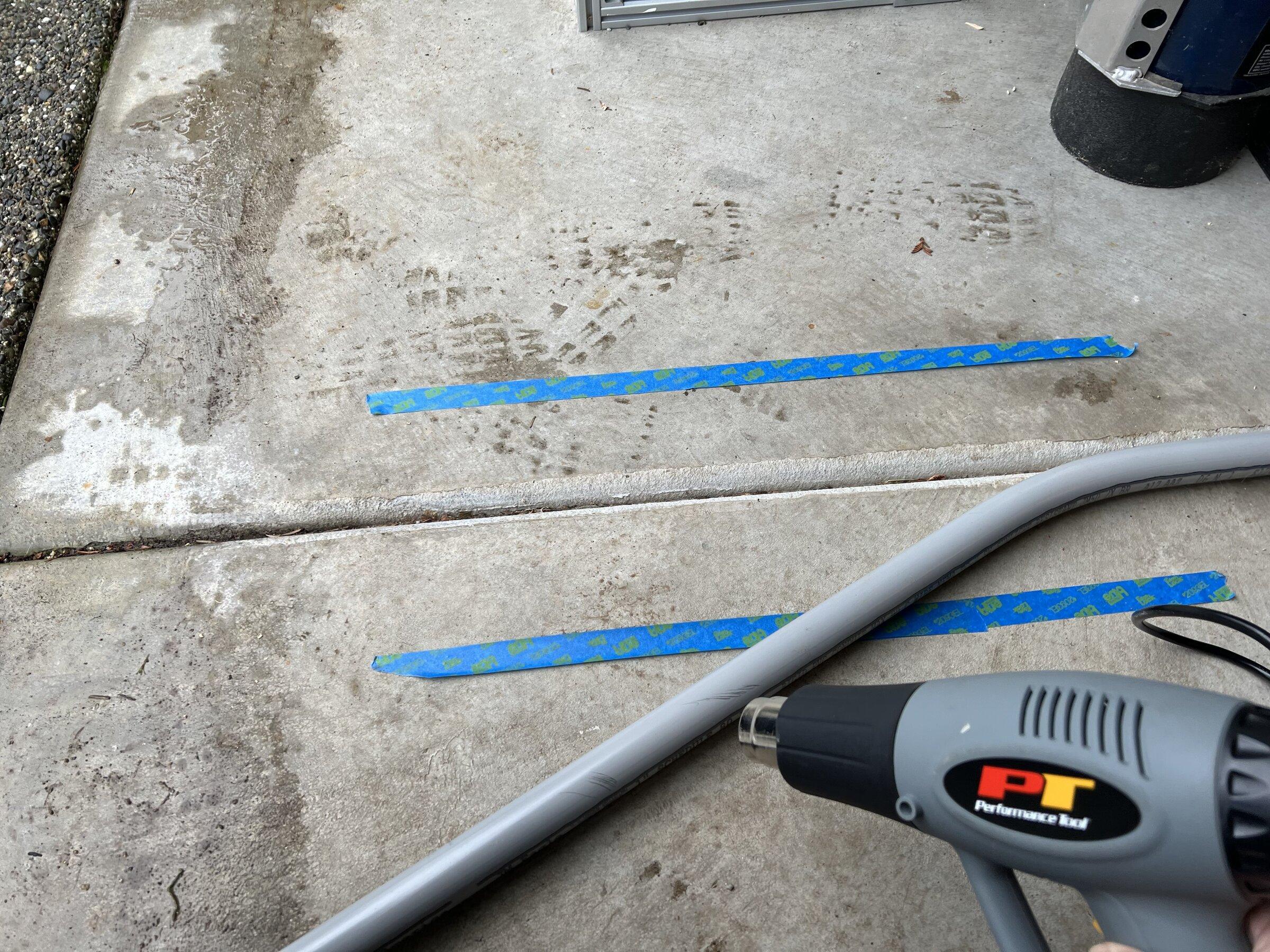
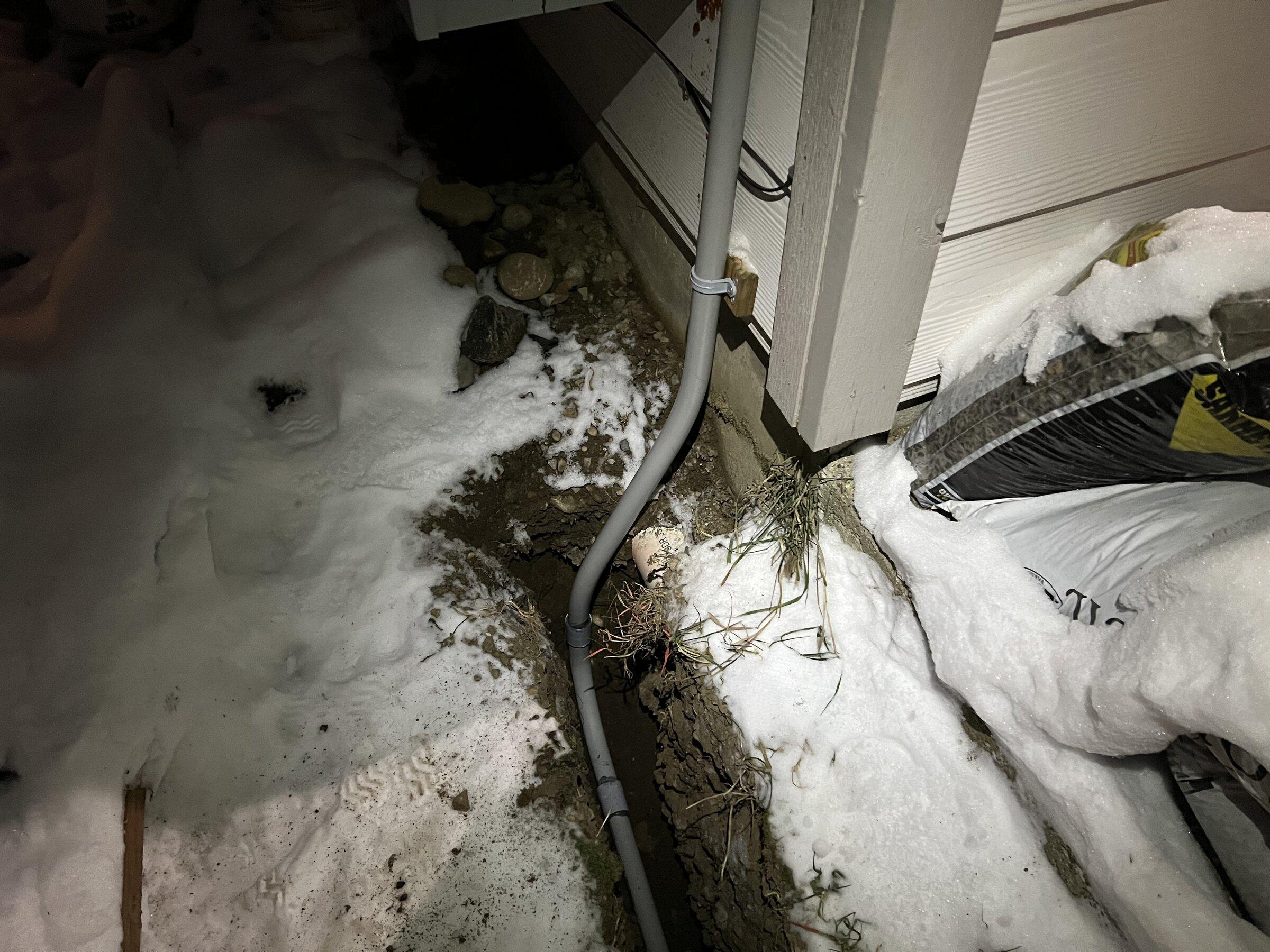
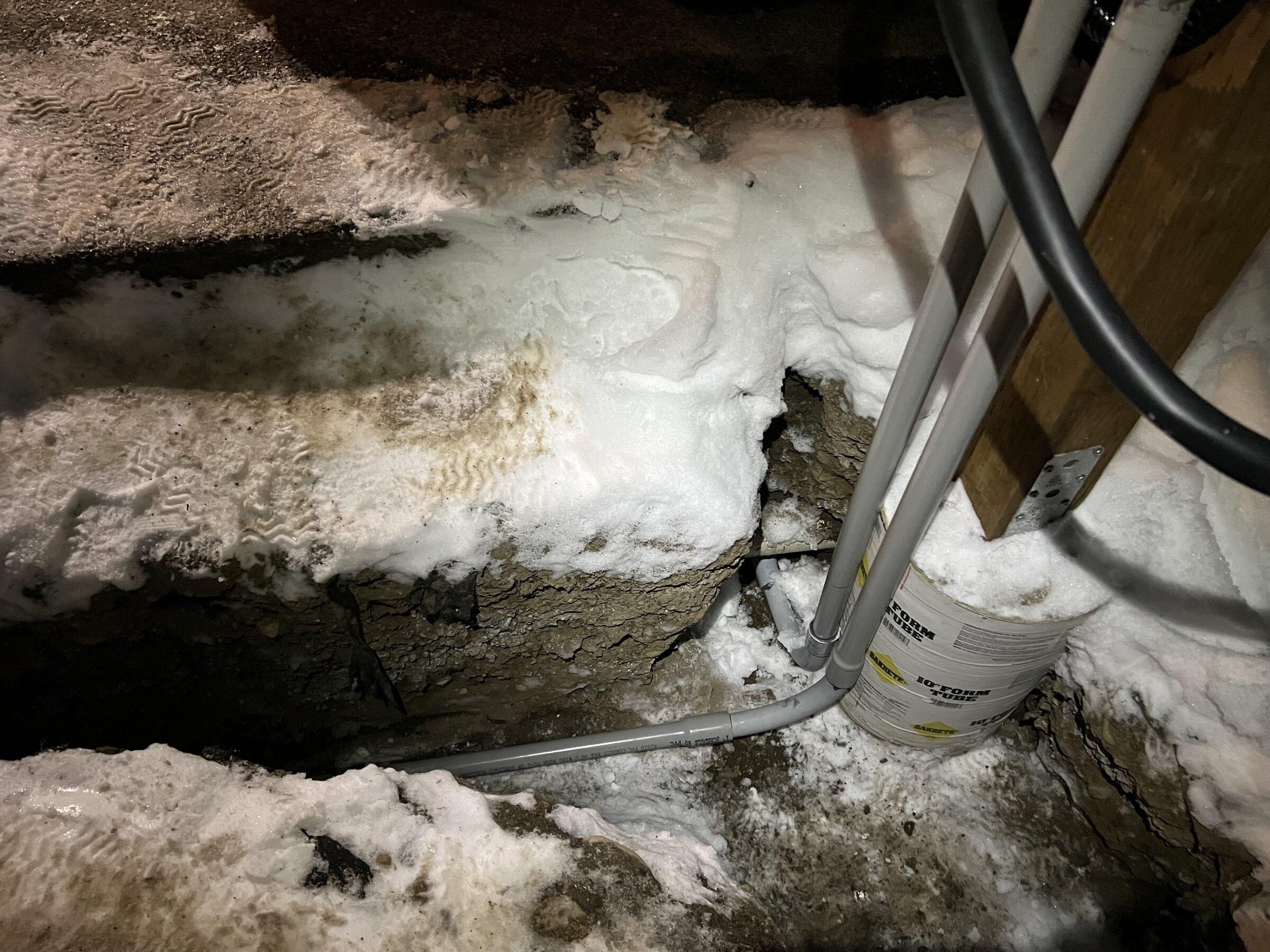
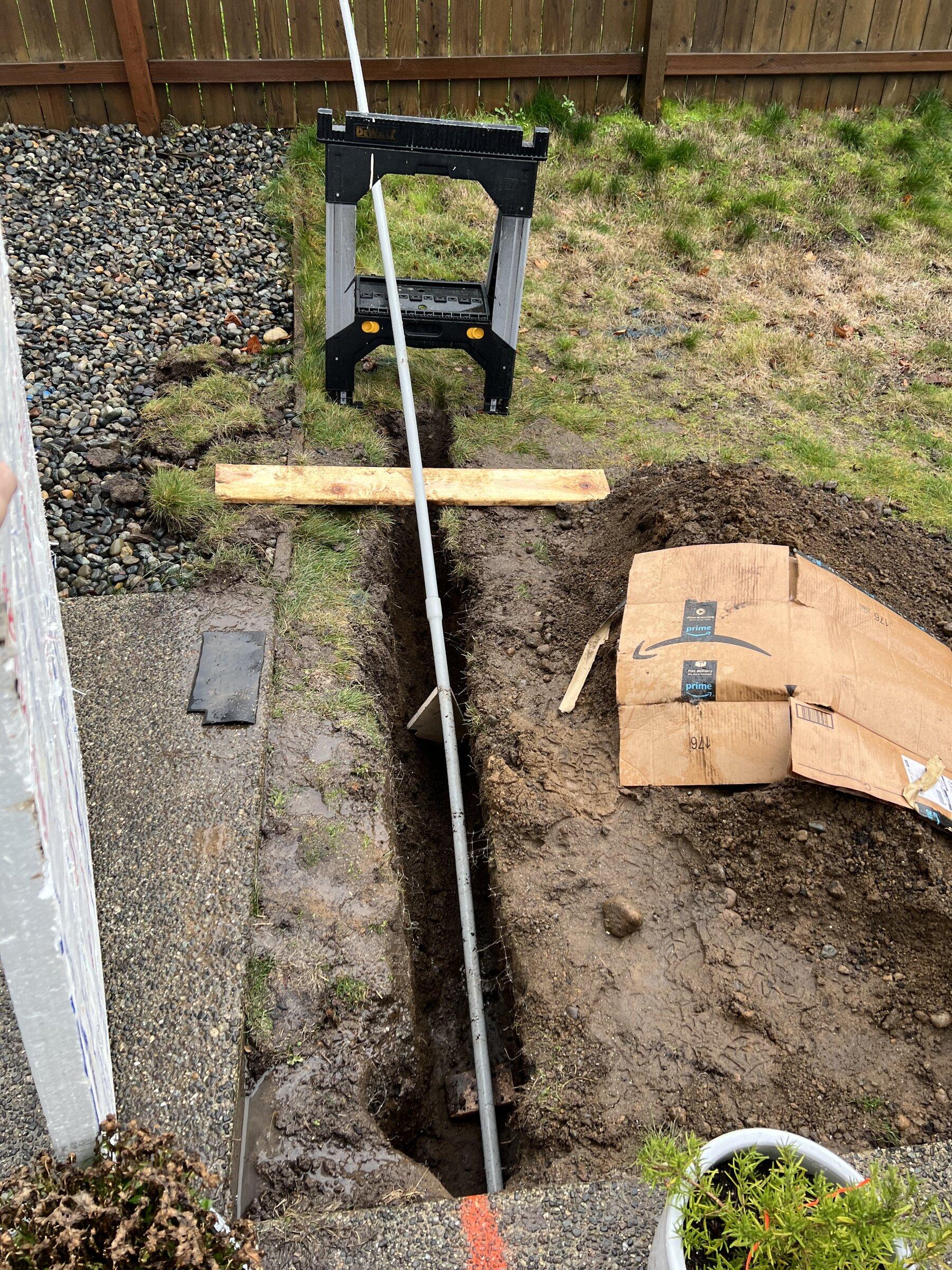
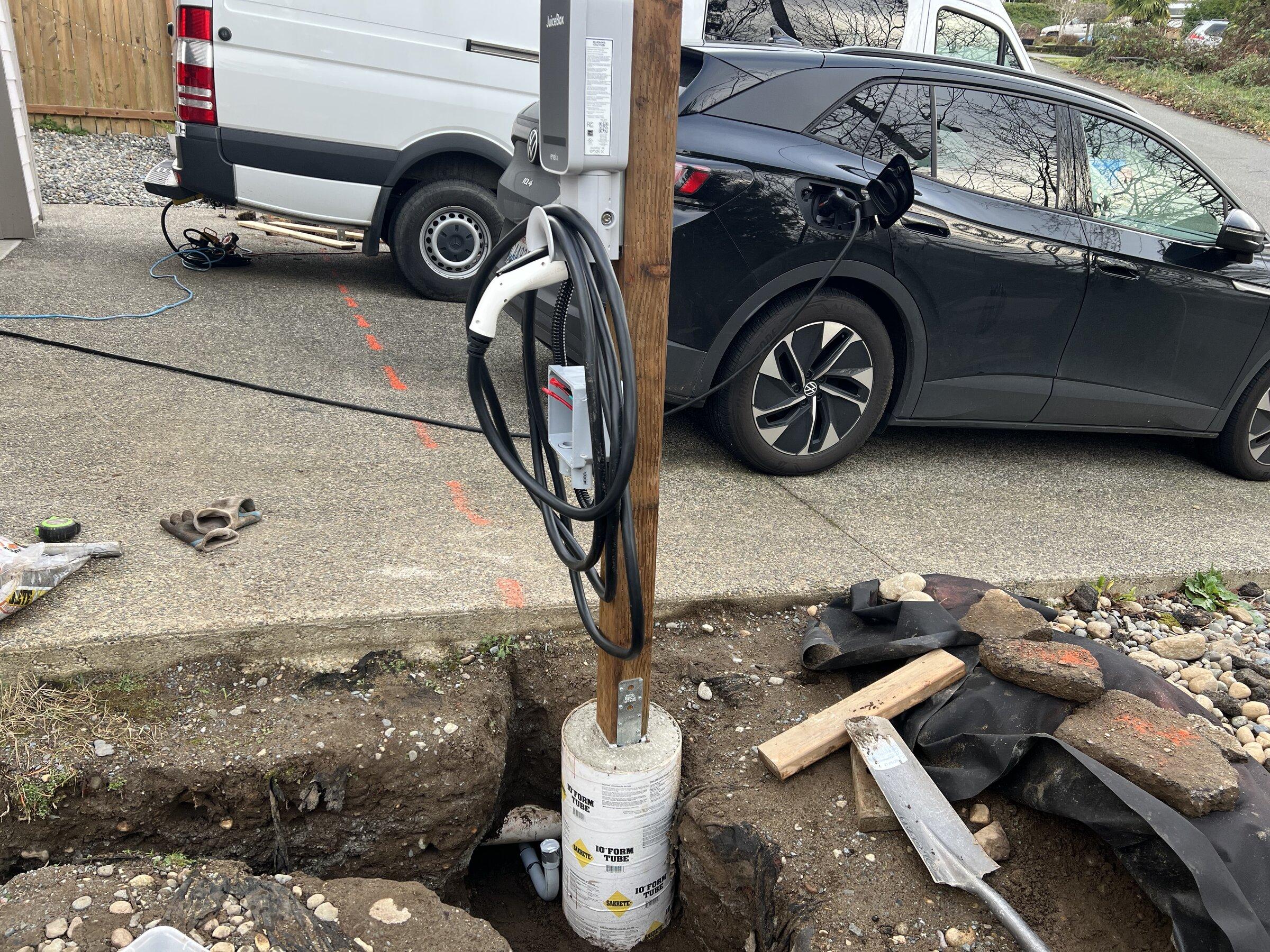
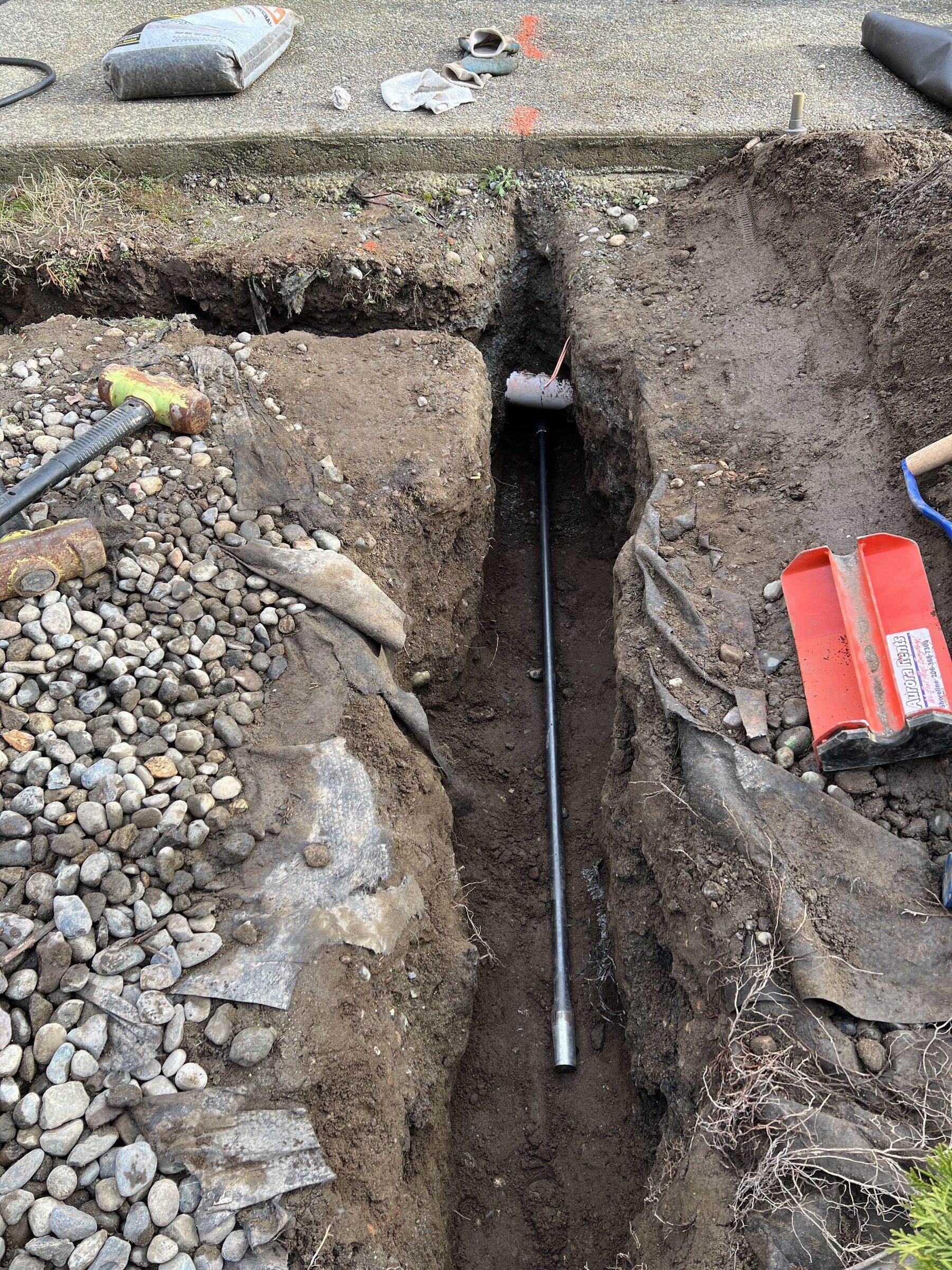
It was a DIY install (it's all permitted, inspected, and above board). Since I wanted a charger for each side of the driveway and due to some other constraints from existing concrete, footers, etc., we bored under the 21' driveway to install the conduit. It was quite a big project but a lot of fun, so here's some pictures.

The Bullet Mole:
Rivian R1T R1S Juicebox 48 Load Sharing Setup FB0DC7E4-C1AB-4B7B-99CB-199EA595FC99


Rivian R1T R1S Juicebox 48 Load Sharing Setup AF1207CA-78C0-4926-817E-B53F76F239D5


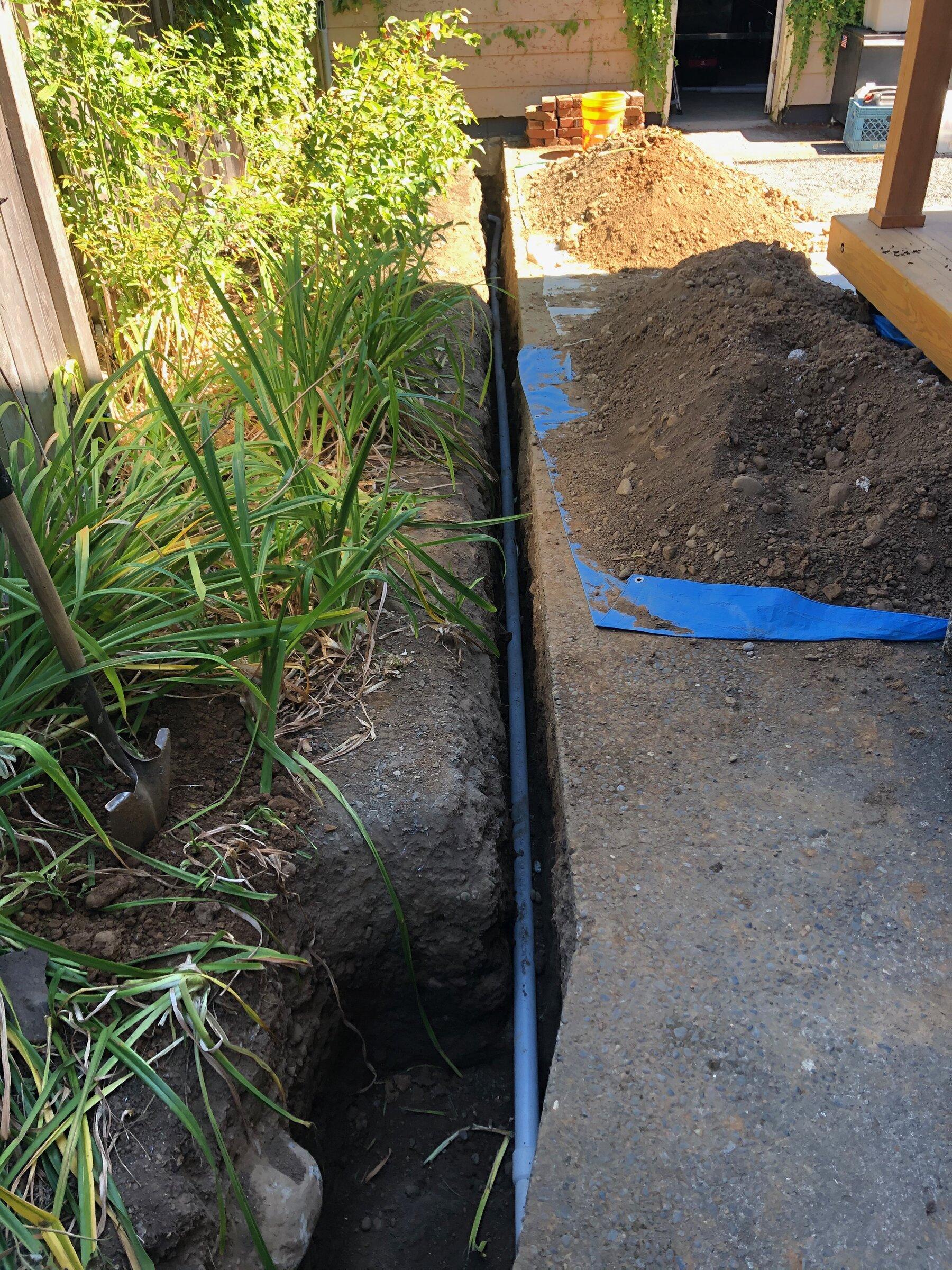
Conduit the whole way:
Rivian R1T R1S Juicebox 48 Load Sharing Setup B3531E99-F372-472F-8C7D-075BAC3DA43B


Rivian R1T R1S Juicebox 48 Load Sharing Setup 2B409195-3CB8-4CE5-9CD8-4BBED0C2A345


Rivian R1T R1S Juicebox 48 Load Sharing Setup EA314C1C-35D5-4D12-ADE7-B8A044C1A630


Rivian R1T R1S Juicebox 48 Load Sharing Setup 6127B69D-A70F-47ED-85BF-0D0BB193D7AF
Rivian R1T R1S Juicebox 48 Load Sharing Setup C90DF70F-1360-427C-9D7A-BCD668BA915B
Rivian R1T R1S Juicebox 48 Load Sharing Setup 6747F5AA-9043-4696-BBD5-4150A474D346


Rivian R1T R1S Juicebox 48 Load Sharing Setup F908AC24-CADF-46D6-8CF9-A790D9945D71


Rivian R1T R1S Juicebox 48 Load Sharing Setup 8AC514AD-7279-4D4A-827D-C326C34760F5


Rivian R1T R1S Juicebox 48 Load Sharing Setup 4036BE9D-9960-4CF2-96DA-CED56335F738


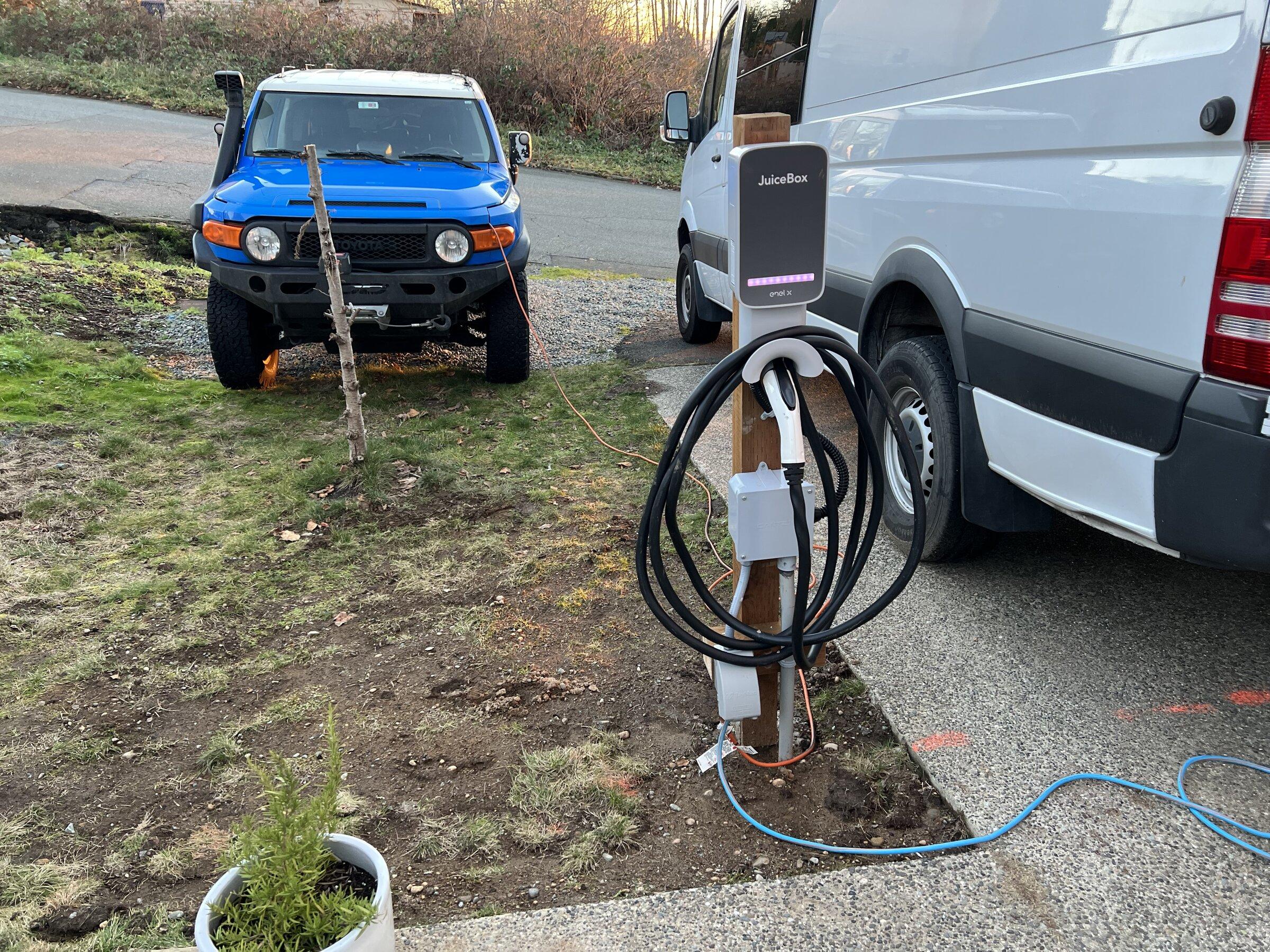
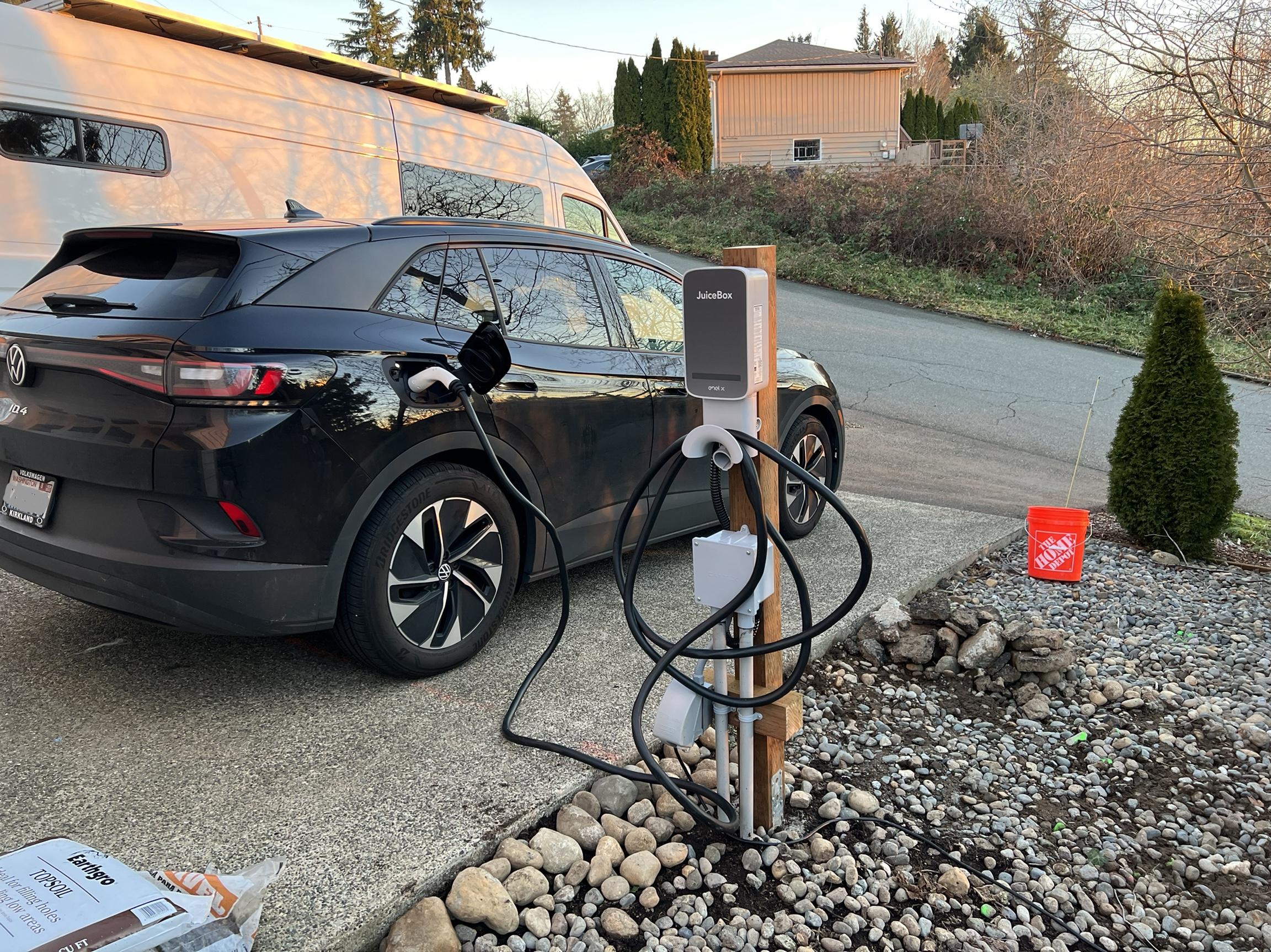
I was doing all this work, so I figured I'd add some outdoor 120V/20A receptacles while I was at it. Finished product with the holes filled in:

Rivian R1T R1S Juicebox 48 Load Sharing Setup 350C874B-A034-45C0-981B-453FCCCBBFC6


Rivian R1T R1S Juicebox 48 Load Sharing Setup C14FBA3F-BD35-4119-8BC6-1A65B5DC49AB


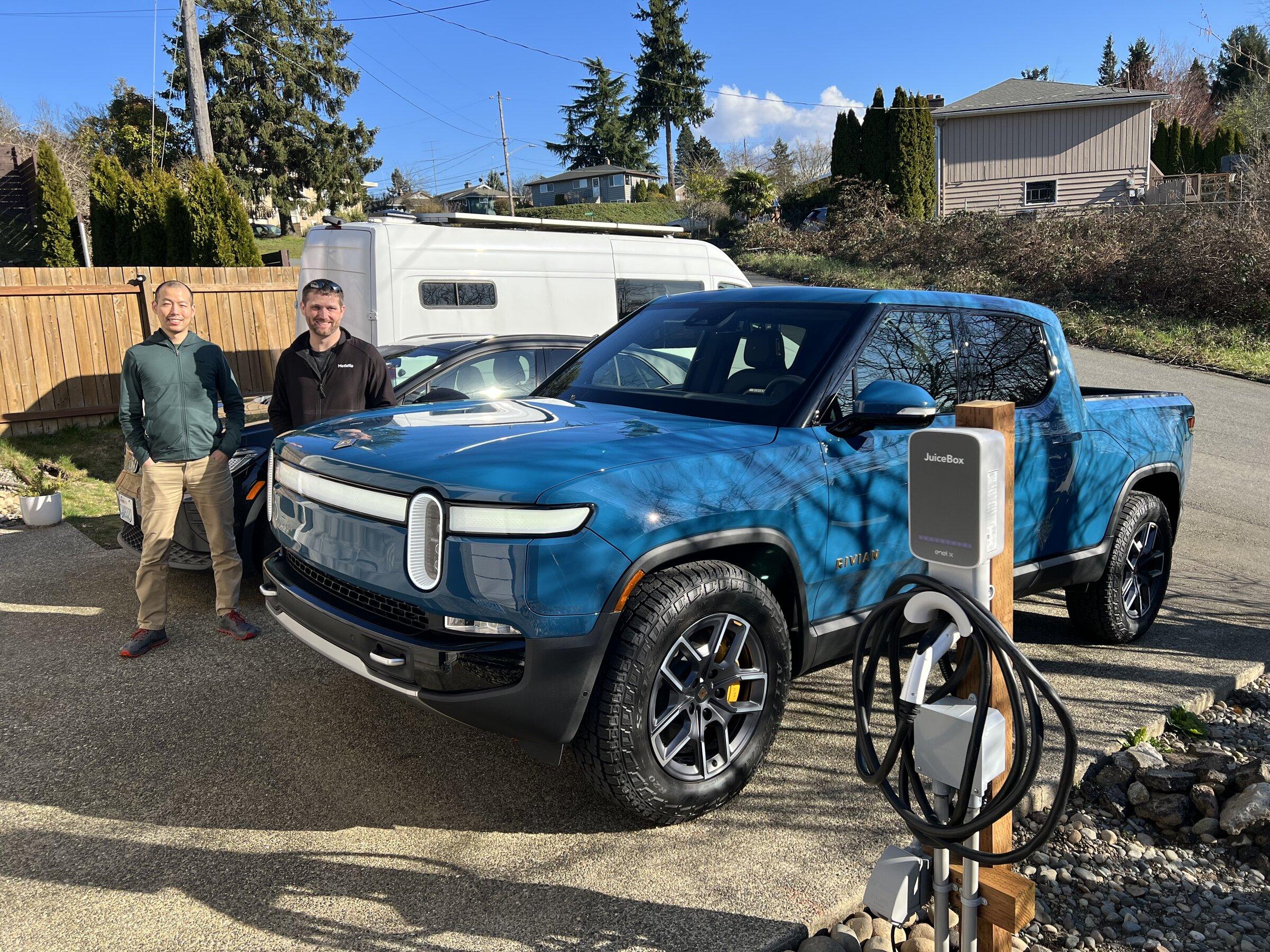
And of course, a shameless photo of our R1T delivery yesterday:

Rivian R1T R1S Juicebox 48 Load Sharing Setup C176BEE1-C6E4-40C4-A74D-749946FF9690


The Juiceboxes themselves have good hardware (though the charge cables are pretty bulky and inflexible -- Tom Moloughney rightly beat them up a little for it in his review) but the software has plenty of room for improvement.

I like that they are smart devices and that I can get the data out of them. I'm kind of a home automation nut, and they link seamlessly into my Home Assistant install (which subsequently stuffs all the data coming from them into InfluxDB & Grafana) -- and in case that meant nothing to you, I'm moving along now.

Things I don't like:
  • Their web interface logs me out more aggressively than any of my banks (the mobile app does not)
  • We don't have time-of-use rates with Seattle City Light, but the EVSE supports charging schedules. I personally think the vehicle is a more appropriate place for this to happen (and the ID.4 and R1T both have this capability) in large part because with Level 2, the EVSE can't know the vehicle's state of charge. But, the interaction between the EVSE and the vehicle both trying to be smart seems to sometimes land in a stalemate. I've turned the juicebox smart stuff as off as possible, and it hasn't been a big problem, but I do wish they'd clean up some of the logic on this.
  • They don't hide the electrical configurations (including the load sharing group) behind any sort of installer access. It's just right there in my user account. This was nice as a DIY installer, but it makes me nervous that the units could accidentally be reconfigured to draw too much load for their shared circuit. I've given them this feedback -- support has generally been great, but they were very dismissive of my pointing out this particular thing is a code violation.
Overall, I think it's a solid offering for load sharing multiple EVSEs.
Sponsored

 
Last edited:

sevengroove

Well-Known Member
Joined
Jul 27, 2020
Threads
26
Messages
1,335
Reaction score
2,853
Location
Seattle, WA
Vehicles
R1S Launch Edition
This is super helpful, thank you so much for sharing! I'm in a little bit of a pickle myself with proper charging and I might have to pursue a solution similar to yours.

When I bought my home, one of the first things I did was get my garage to be EV ready. Had an electrician come out to add a sub-panel in the crawl space and put in a dedicated 60A box in the garage. Good to go, right? However this was before I even considered a Rivian, and after pre-ordering I quickly discovered that the R1S will barely fit into the garage with very little room to spare to get in and out of the vehicle. And my garage door faces the street (i.e. no driveway immediately outside garage door), so I couldn't just park the R1S outside like you've been doing with your Volt.

So now I'm having to consider adding some sort of wiring and charger further away from the home near my driveway gate to accommodate the R1S, and I've been wracking my brains around the best approach. It sounds like I could do what you've done, which is set up a juicebox in the garage where there is already an electric box with access to a 60A circuit, and then wire additional conduit from that juicebox to the driveway (probably about 150ft, but no concrete to bore under) without having to mess with the panels themselves. Does that sound right?

Also curious, did you shop your job out to electricians to get a sense of costs at all?
 
OP
OP
timesinks

timesinks

Well-Known Member
Joined
Sep 20, 2020
Threads
6
Messages
570
Reaction score
1,851
Location
Seattle
Vehicles
R1T, ID.4, Sprinter
This is super helpful, thank you so much for sharing! I'm in a little bit of a pickle myself with proper charging and I might have to pursue a solution similar to yours.

When I bought my home, one of the first things I did was get my garage to be EV ready. Had an electrician come out to add a sub-panel in the crawl space and put in a dedicated 60A box in the garage. Good to go, right? However this was before I even considered a Rivian, and after pre-ordering I quickly discovered that the R1S will barely fit into the garage with very little room to spare to get in and out of the vehicle. And my garage door faces the street (i.e. no driveway immediately outside garage door), so I couldn't just park the R1S outside like you've been doing with your Volt.

So now I'm having to consider adding some sort of wiring and charger further away from the home near my driveway gate to accommodate the R1S, and I've been wracking my brains around the best approach. It sounds like I could do what you've done, which is set up a juicebox in the garage where there is already an electric box with access to a 60A circuit, and then wire additional conduit from that juicebox to the driveway (probably about 150ft, but no concrete to bore under) without having to mess with the panels themselves. Does that sound right?

Also curious, did you shop your job out to electricians to get a sense of costs at all?
The Juicebox 48 should be a "drop-in" replacement for your existing 60A circuit. If you want to keep the garage EVSE-ready, they'd be a good choice for installing one in the garage and extending the power from there to your point of use outside. 150 feet is going to be a long and expensive run though. It might even be long enough that they'd want to bump up the wire size for voltage loss reasons -- and going to 4AWG adds some additional requirements for pull box sizes / bend radii / etc.

I didn't quote out the job. I figured nobody would want to be digging around in the mud in November/December and the prices would reflect that. Chargers aside, I used about 75' of wire for around $400 + another few hundred in materials + another few hundred in equipment rentals.
 

sevengroove

Well-Known Member
Joined
Jul 27, 2020
Threads
26
Messages
1,335
Reaction score
2,853
Location
Seattle, WA
Vehicles
R1S Launch Edition
The Juicebox 48 should be a "drop-in" replacement for your existing 60A circuit. If you want to keep the garage EVSE-ready, they'd be a good choice for installing one in the garage and extending the power from there to your point of use outside. 150 feet is going to be a long and expensive run though. It might even be long enough that they'd want to bump up the wire size for voltage loss reasons -- and going to 4AWG adds some additional requirements for pull box sizes / bend radii / etc.

I didn't quote out the job. I figured nobody would want to be digging around in the mud in November/December and the prices would reflect that. Chargers aside, I used about 75' of wire for around $400 + another few hundred in materials + another few hundred in equipment rentals.
That makes sense - I might have been super conservative with the 150ft figure because I haven't mapped out a path for the conduit yet, and wanted to add a buffer to the "stones throw" figure. Good to know that bumping up wire gauges might be necessary at those lengths.

I could also cut the distance in half if I decide to go from my main electric panel instead of the garage's 60A circuit, but that would require finding extra room on the panel, and it wouldn't necessarily be a "share" with the garage. If I had 400A service it wouldn't be an issue, of course, but with 200A total, I don't want two separate 60A circuits just for EV charging. Not to mention, I might want to consider a backyard cottage at some point, which complicates things further. Sigh - decisions, decisions!
 

SANZC02

Well-Known Member
First Name
Bob
Joined
Feb 11, 2021
Threads
50
Messages
7,397
Reaction score
12,677
Location
California
Vehicles
Tesla Model S, LE - R1S
Occupation
Retired
There are online calculators for that. You can do a single phase 240 volt 60amp 150 foot run buried on 6awg with a 4% loss getting 230 volts at the end.
 

Sponsored

Michaewh

Well-Known Member
First Name
Michael
Joined
Mar 3, 2022
Threads
14
Messages
118
Reaction score
188
Location
Portland, OR
Vehicles
2017 BMW i3 BEV, 2016 Mercedes Benz GLA45 AMG
Occupation
Business Owner
Nice write up. I went with the juicebox as well. I installed just inside my garage (between the roll up doors) for better security and run the cable under the door to the car parked outside. Its worked great for my i3. Alas, I had to upgrade the circuit to my detached garage and had to trench as well...

Rivian R1T R1S Juicebox 48 Load Sharing Setup IMG_3601


Rivian R1T R1S Juicebox 48 Load Sharing Setup IMG_3605
 

Forager

Well-Known Member
Joined
Jul 21, 2021
Threads
13
Messages
734
Reaction score
1,086
Location
PNW
Vehicles
R1T
Occupation
Structural Engineer
Clubs
 
Looks great. We have to park outside so I plan to do a very similar install as well.
 

zefram47

Well-Known Member
First Name
Aaron
Joined
Feb 6, 2022
Threads
18
Messages
2,749
Reaction score
4,511
Location
Denver, CO
Vehicles
Rivian R1T, Alfa Romeo 4C
Occupation
Software Engineer
I like that they are smart devices and that I can get the data out of them. I'm kind of a home automation nut, and they link seamlessly into my Home Assistant install (which subsequently stuffs all the data coming from them into InfluxDB & Grafana) -- and in case that meant nothing to you, I'm moving along now.
Hmm...never considered that, which is silly because I should've. I went with an OpenEVSE and have it sending data via MQTT to an RPi, but I haven't written any consumer code yet. I had crazy notions of writing something to save data in an SQL database and a display website. Influx and Grafana would probably be easier. I haven't bothered yet because I'm just using Emoncms for aggregate data because it took less effort to implement for now. Already 2450 kWh and a year into it and no complaints at least, but I'm only on a 30A circuit because that's what the builder installed 7 years ago...long before I ever bought an EV.
 
OP
OP
timesinks

timesinks

Well-Known Member
Joined
Sep 20, 2020
Threads
6
Messages
570
Reaction score
1,851
Location
Seattle
Vehicles
R1T, ID.4, Sprinter
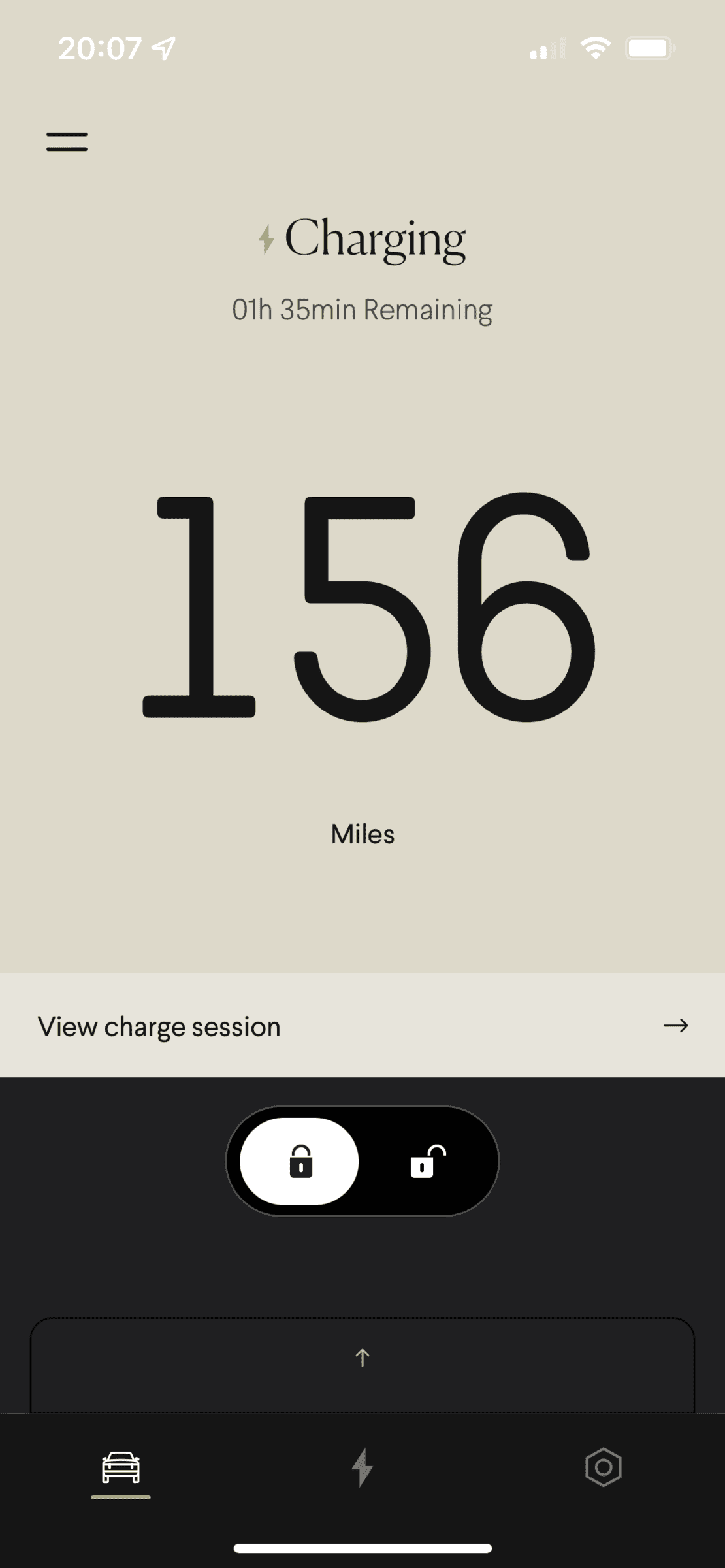
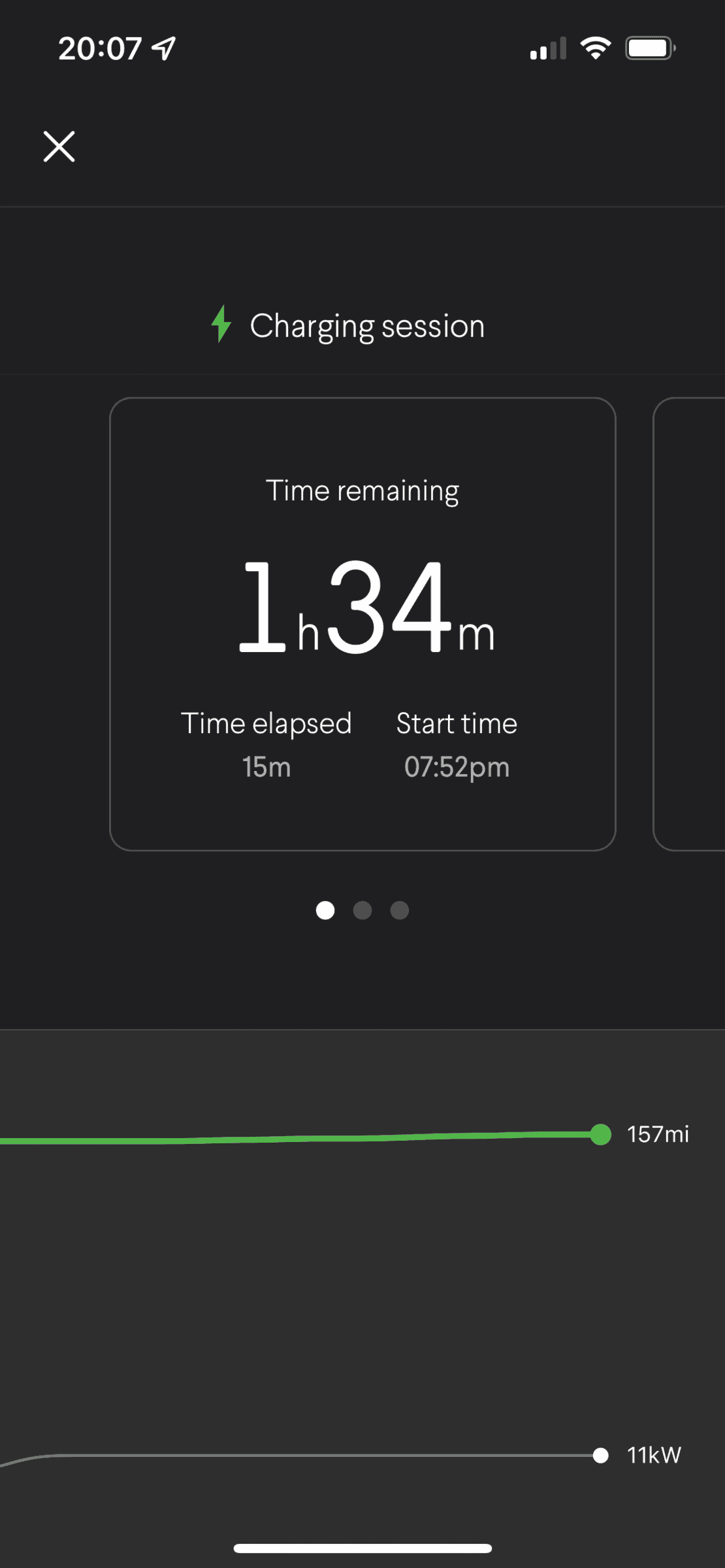
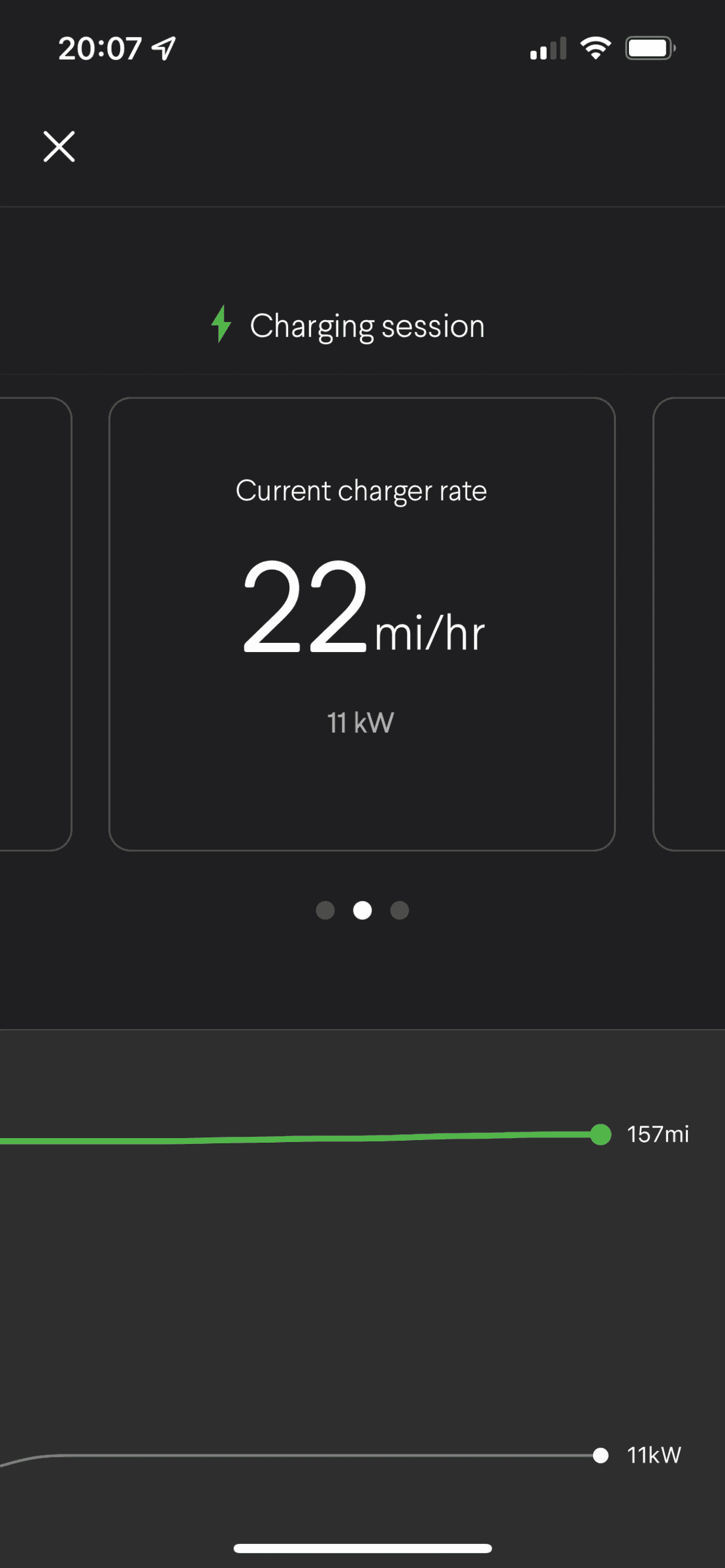
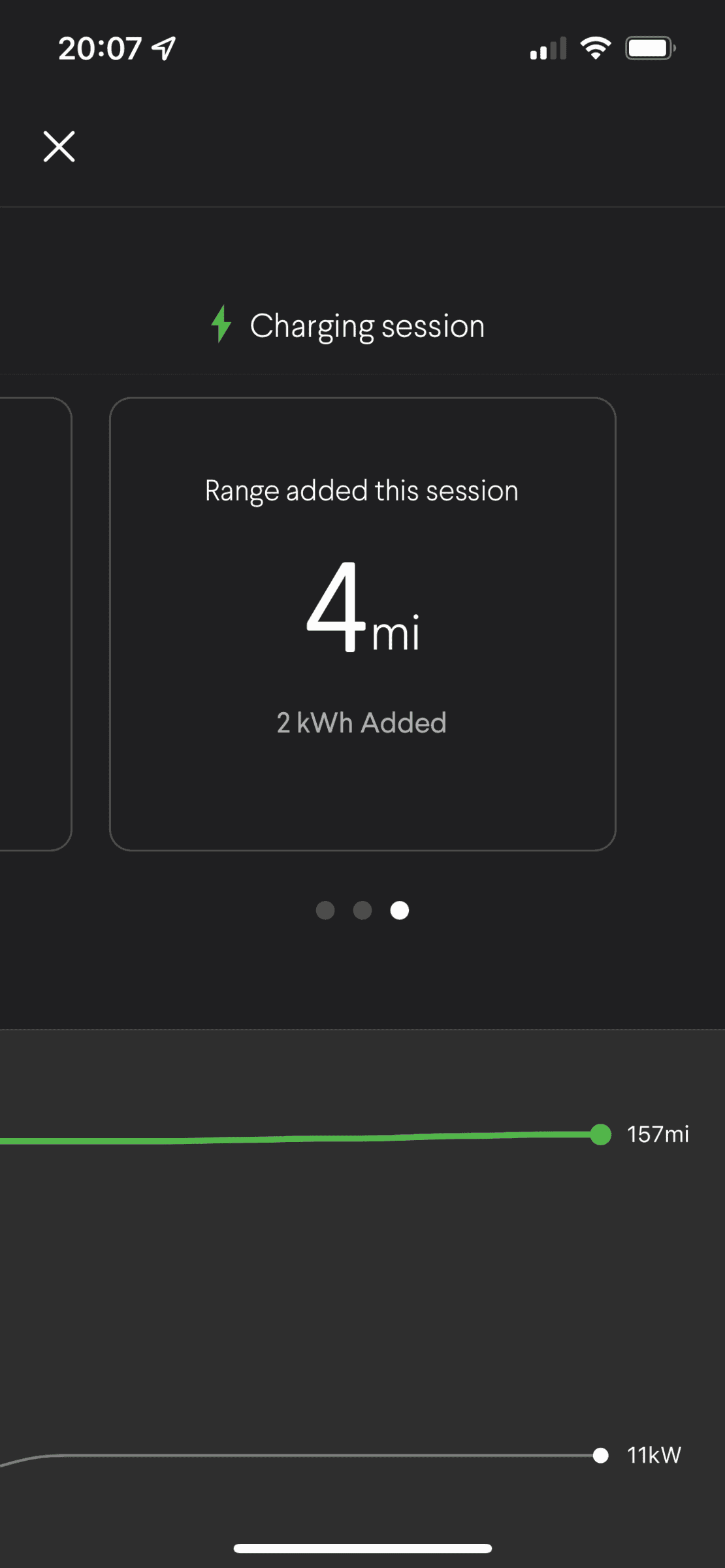
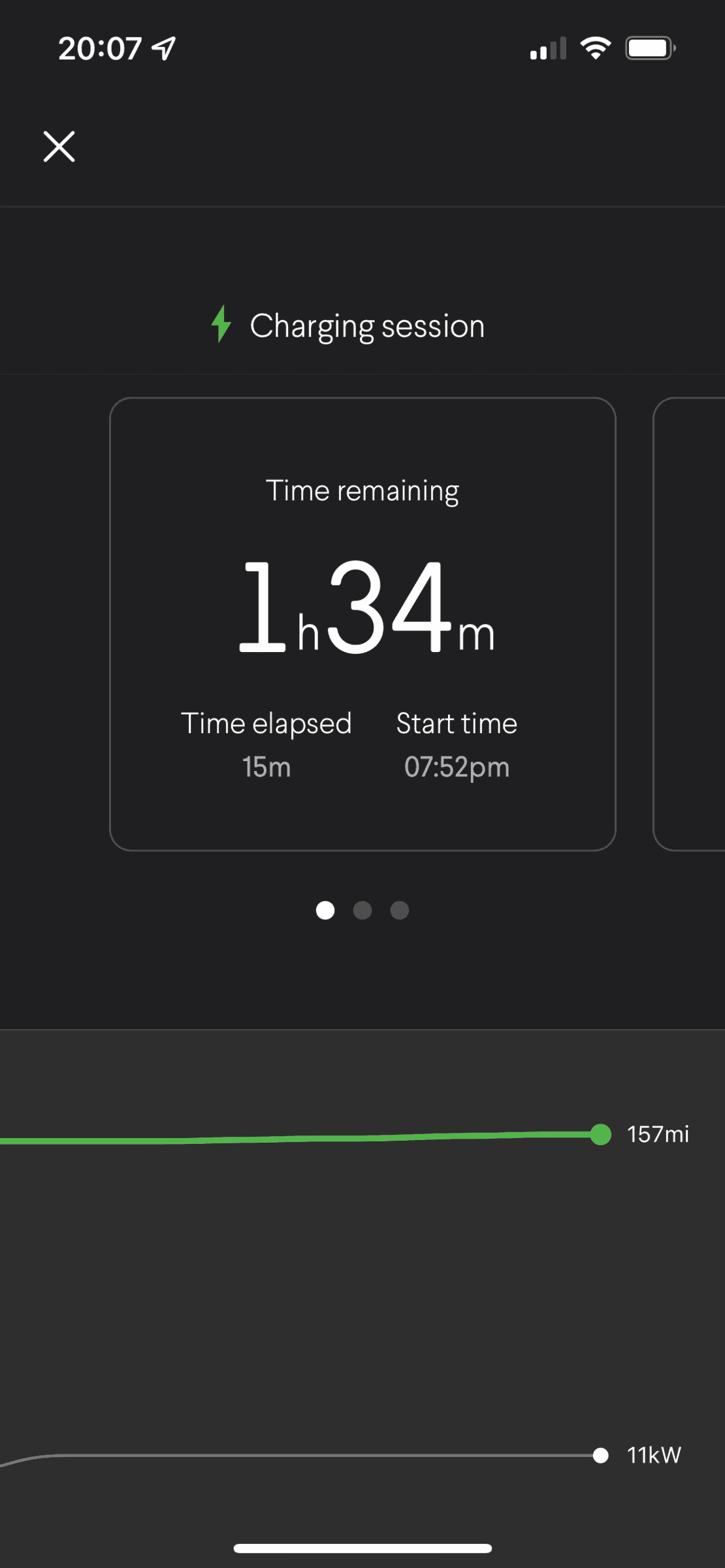
First charge session that's actually charging...

Juicebox app:

Rivian R1T R1S Juicebox 48 Load Sharing Setup CA44B2D7-CB8E-4B68-B546-70883E861048


Rivian app:
Rivian R1T R1S Juicebox 48 Load Sharing Setup 92933BE5-F75B-4DBD-82B0-774943F59C72


Rivian R1T R1S Juicebox 48 Load Sharing Setup D9E0BAC3-38B0-4856-AD26-53B2E1926138


Rivian R1T R1S Juicebox 48 Load Sharing Setup 8E3EB426-6AC0-43B0-A137-E5581EF40339

Rivian R1T R1S Juicebox 48 Load Sharing Setup B7F1AB81-AFA7-477B-95FD-DBA5C9DE6F9B


Rivian R1T R1S Juicebox 48 Load Sharing Setup 6AE96B1F-92EB-47F3-AA87-F248A5FB902D
 

ironpig

Well-Known Member
Joined
Nov 19, 2021
Threads
7
Messages
2,105
Reaction score
3,557
Location
Los Angeles, CA
Vehicles
2022 R1T LE, 2015 4Runner, 1975 FJ55 Land Cruiser
This is great info and love your set up. Thanks for sharing.

I'm going to replace my Tesla charger with a new charger for the Rivian and probably install 2 while I'm at it. We will likely have 2 electric vehicles at the same time in the near future so might was well prepare.
 

Sponsored

Joel

Well-Known Member
First Name
Joel
Joined
Jul 29, 2019
Threads
1
Messages
425
Reaction score
324
Location
Florida
Vehicles
Volvo
I've gotten a few questions about our charging configuration, so figured I'd share a more detailed write up.

With the R1T, we now have two EVs. We had been driving a Volt for about 5 years and swapped it out for an ID.4 last summer. When we first moved into our house shortly after buying the Volt, we installed a Chargepoint Home 32A plug & cord on a 40A breaker to a garage receptacle. Considering the Volt's onboard charger was only 3kW, this was perfectly fine. But we also started to realize that our garage is just a little too small to store tools and bikes and still be able to comfortably roll vehicles in and out (typical Seattle even though it was new construction). So for years, we've been running the charge cord under the garage door at the expansion joint.

Late last year, with the Rivian coming s00n, the ID.4 also supporting 11.5kW charging, and the the EVSE tax credit scheduled to lapse, I decided it was a good time to get a pair of higher amperage chargers installed outside. I think the load calculations would have let me install two separate 48A chargers (we have a 400A service and they're fed from a 200A main panel), but 96A out of 160A continuous is a big chunk of the panel capacity (and the hot tub goes in later this month ?), so I opted for a load sharing configuration that tops out at 48A total. There aren't very many units on the market that support load sharing as of yet, and with the help of the Tom Moloughney reviews, I landed on the juiceboxes. They were also backordered everywhere, so as soon as I found some in stock in November, I pulled the trigger.

It was a DIY install (it's all permitted, inspected, and above board). Since I wanted a charger for each side of the driveway and due to some other constraints from existing concrete, footers, etc., we bored under the 21' driveway to install the conduit. It was quite a big project but a lot of fun, so here's some pictures.

The Bullet Mole:
FB0DC7E4-C1AB-4B7B-99CB-199EA595FC99.jpeg


AF1207CA-78C0-4926-817E-B53F76F239D5.jpeg


Conduit the whole way:
B3531E99-F372-472F-8C7D-075BAC3DA43B.jpeg


2B409195-3CB8-4CE5-9CD8-4BBED0C2A345.jpeg


EA314C1C-35D5-4D12-ADE7-B8A044C1A630.jpeg


6127B69D-A70F-47ED-85BF-0D0BB193D7AF.jpeg
C90DF70F-1360-427C-9D7A-BCD668BA915B.jpeg
6747F5AA-9043-4696-BBD5-4150A474D346.jpeg


F908AC24-CADF-46D6-8CF9-A790D9945D71.jpeg


8AC514AD-7279-4D4A-827D-C326C34760F5.jpeg


4036BE9D-9960-4CF2-96DA-CED56335F738.jpeg


I was doing all this work, so I figured I'd add some outdoor 120V/20A receptacles while I was at it. Finished product with the holes filled in:

350C874B-A034-45C0-981B-453FCCCBBFC6.jpeg


C14FBA3F-BD35-4119-8BC6-1A65B5DC49AB.jpeg


And of course, a shameless photo of our R1T delivery yesterday:

C176BEE1-C6E4-40C4-A74D-749946FF9690.jpeg


The Juiceboxes themselves have good hardware (though the charge cables are pretty bulky and inflexible -- Tom Moloughney rightly beat them up a little for it in his review) but the software has plenty of room for improvement.

I like that they are smart devices and that I can get the data out of them. I'm kind of a home automation nut, and they link seamlessly into my Home Assistant install (which subsequently stuffs all the data coming from them into InfluxDB & Grafana) -- and in case that meant nothing to you, I'm moving along now.

Things I don't like:
  • Their web interface logs me out more aggressively than any of my banks (the mobile app does not)
  • We don't have time-of-use rates with Seattle City Light, but the EVSE supports charging schedules. I personally think the vehicle is a more appropriate place for this to happen (and the ID.4 and R1T both have this capability) in large part because with Level 2, the EVSE can't know the vehicle's state of charge. But, the interaction between the EVSE and the vehicle both trying to be smart seems to sometimes land in a stalemate. I've turned the juicebox smart stuff as off as possible, and it hasn't been a big problem, but I do wish they'd clean up some of the logic on this.
  • They don't hide the electrical configurations (including the load sharing group) behind any sort of installer access. It's just right there in my user account. This was nice as a DIY installer, but it makes me nervous that they could accidentally be reconfigured to draw too much load for their shared circuit. I've given them this feedback -- support has generally been great, but they were very dismissive of my pointing out this particular thing is a code violation.
Overall, I think it's a solid offering for load sharing multiple EVSEs.

View attachment 16191
Nice job!

Wallbox has great load share options as well. when setup they communicate and still give the ability to charge at full. I think the limit is 8 chargers currently. There will also be a way one can bill users in the future.
 

Tyleem111

Well-Known Member
First Name
Tylee
Joined
Jun 7, 2021
Threads
4
Messages
165
Reaction score
165
Location
Oregon
Vehicles
R1S, 2022 Ford Lightning, Daiharsu Mira, Ranger
Clubs
 
I've gotten a few questions about our charging configuration, so figured I'd share a more detailed write up.

With the R1T, we now have two EVs. We had been driving a Volt for about 5 years and swapped it out for an ID.4 last summer. When we first moved into our house shortly after buying the Volt, we installed a Chargepoint Home 32A plug & cord on a 40A breaker to a garage receptacle. Considering the Volt's onboard charger was only 3kW, this was perfectly fine. But we also started to realize that our garage is just a little too small to store tools and bikes and still be able to comfortably roll vehicles in and out (typical Seattle even though it was new construction). So for years, we've been running the charge cord under the garage door at the expansion joint.

Late last year, with the Rivian coming s00n, the ID.4 also supporting 11.5kW charging, and the the EVSE tax credit scheduled to lapse, I decided it was a good time to get a pair of higher amperage chargers installed outside. I think the load calculations would have let me install two separate 48A chargers (we have a 400A service and they're fed from a 200A main panel), but 96A out of 160A continuous is a big chunk of the panel capacity (and the hot tub goes in later this month ?), so I opted for a load sharing configuration that tops out at 48A total. There aren't very many units on the market that support load sharing as of yet, and with the help of the Tom Moloughney reviews, I landed on the juiceboxes. They were also backordered everywhere, so as soon as I found some in stock in November, I pulled the trigger.

Edit to add: Load sharing means both EVSEs are on the same 60A circuit and share the same 48A cap. They actively communicate with each other. If both are being used, they'll either prioritize one vehicle or they'll split the 48A evenly. Once one vehicle is fully charged or unplugged, any capacity it was using can shift to the other. Basically it's magic.

It was a DIY install (it's all permitted, inspected, and above board). Since I wanted a charger for each side of the driveway and due to some other constraints from existing concrete, footers, etc., we bored under the 21' driveway to install the conduit. It was quite a big project but a lot of fun, so here's some pictures.

The Bullet Mole:
FB0DC7E4-C1AB-4B7B-99CB-199EA595FC99.jpeg


AF1207CA-78C0-4926-817E-B53F76F239D5.jpeg


Conduit the whole way:
B3531E99-F372-472F-8C7D-075BAC3DA43B.jpeg


2B409195-3CB8-4CE5-9CD8-4BBED0C2A345.jpeg


EA314C1C-35D5-4D12-ADE7-B8A044C1A630.jpeg


6127B69D-A70F-47ED-85BF-0D0BB193D7AF.jpeg
C90DF70F-1360-427C-9D7A-BCD668BA915B.jpeg
6747F5AA-9043-4696-BBD5-4150A474D346.jpeg


F908AC24-CADF-46D6-8CF9-A790D9945D71.jpeg


8AC514AD-7279-4D4A-827D-C326C34760F5.jpeg


4036BE9D-9960-4CF2-96DA-CED56335F738.jpeg


I was doing all this work, so I figured I'd add some outdoor 120V/20A receptacles while I was at it. Finished product with the holes filled in:
350C874B-A034-45C0-981B-453FCCCBBFC6.jpeg


C14FBA3F-BD35-4119-8BC6-1A65B5DC49AB.jpeg


And of course, a shameless photo of our R1T delivery yesterday:
C176BEE1-C6E4-40C4-A74D-749946FF9690.jpeg


The Juiceboxes themselves have good hardware (though the charge cables are pretty bulky and inflexible -- Tom Moloughney rightly beat them up a little for it in his review) but the software has plenty of room for improvement.

I like that they are smart devices and that I can get the data out of them. I'm kind of a home automation nut, and they link seamlessly into my Home Assistant install (which subsequently stuffs all the data coming from them into InfluxDB & Grafana) -- and in case that meant nothing to you, I'm moving along now.

Things I don't like:
  • Their web interface logs me out more aggressively than any of my banks (the mobile app does not)
  • We don't have time-of-use rates with Seattle City Light, but the EVSE supports charging schedules. I personally think the vehicle is a more appropriate place for this to happen (and the ID.4 and R1T both have this capability) in large part because with Level 2, the EVSE can't know the vehicle's state of charge. But, the interaction between the EVSE and the vehicle both trying to be smart seems to sometimes land in a stalemate. I've turned the juicebox smart stuff as off as possible, and it hasn't been a big problem, but I do wish they'd clean up some of the logic on this.
  • They don't hide the electrical configurations (including the load sharing group) behind any sort of installer access. It's just right there in my user account. This was nice as a DIY installer, but it makes me nervous that the units could accidentally be reconfigured to draw too much load for their shared circuit. I've given them this feedback -- support has generally been great, but they were very dismissive of my pointing out this particular thing is a code violation.
Overall, I think it's a solid offering for load sharing multiple EVSEs.
Awesome write up! thank you for sharing! Especially the app screenshots! I am looking to do an EVSE install soon and this is vey helpful.
 

swazi

Well-Known Member
Joined
Dec 14, 2021
Threads
6
Messages
157
Reaction score
243
Location
NoVA
Vehicles
Model 3
@timesinks Thanks for the writeup. A couple of questions:
It looks like you are using the "regular" Juicebox and not the pro version which is significantly more expensive. I could not find much info on enelx website, so just want to be sure.
On the wiring; Are you running it to the 1st juicebox and then to the 2nd from the 1st? Are there "inputs"/"outputs" on the juicebox wire connections or do you just pigtail it with wire nuts at the 1st juicebox?
I assume the plug in juicebox could not be used as the 14-50 outlets in series would be code violation.

Thank you!
 
OP
OP
timesinks

timesinks

Well-Known Member
Joined
Sep 20, 2020
Threads
6
Messages
570
Reaction score
1,851
Location
Seattle
Vehicles
R1T, ID.4, Sprinter
@timesinks Thanks for the writeup. A couple of questions:
It looks like you are using the "regular" Juicebox and not the pro version which is significantly more expensive. I could not find much info on enelx website, so just want to be sure.
On the wiring; Are you running it to the 1st juicebox and then to the 2nd from the 1st? Are there "inputs"/"outputs" on the juicebox wire connections or do you just pigtail it with wire nuts at the 1st juicebox?
I assume the plug in juicebox could not be used as the 14-50 outlets in series would be code violation.

Thank you!
You definitely do not need the pro units for home use. The residential ones do load sharing too.

The one-line diagram would be:

Code:
     Juicebox 1
      /
     /
Breaker
    \
     \
    Juicebox 2
Both units just need to be downstream of the same breaker. The units only have their own input wires.

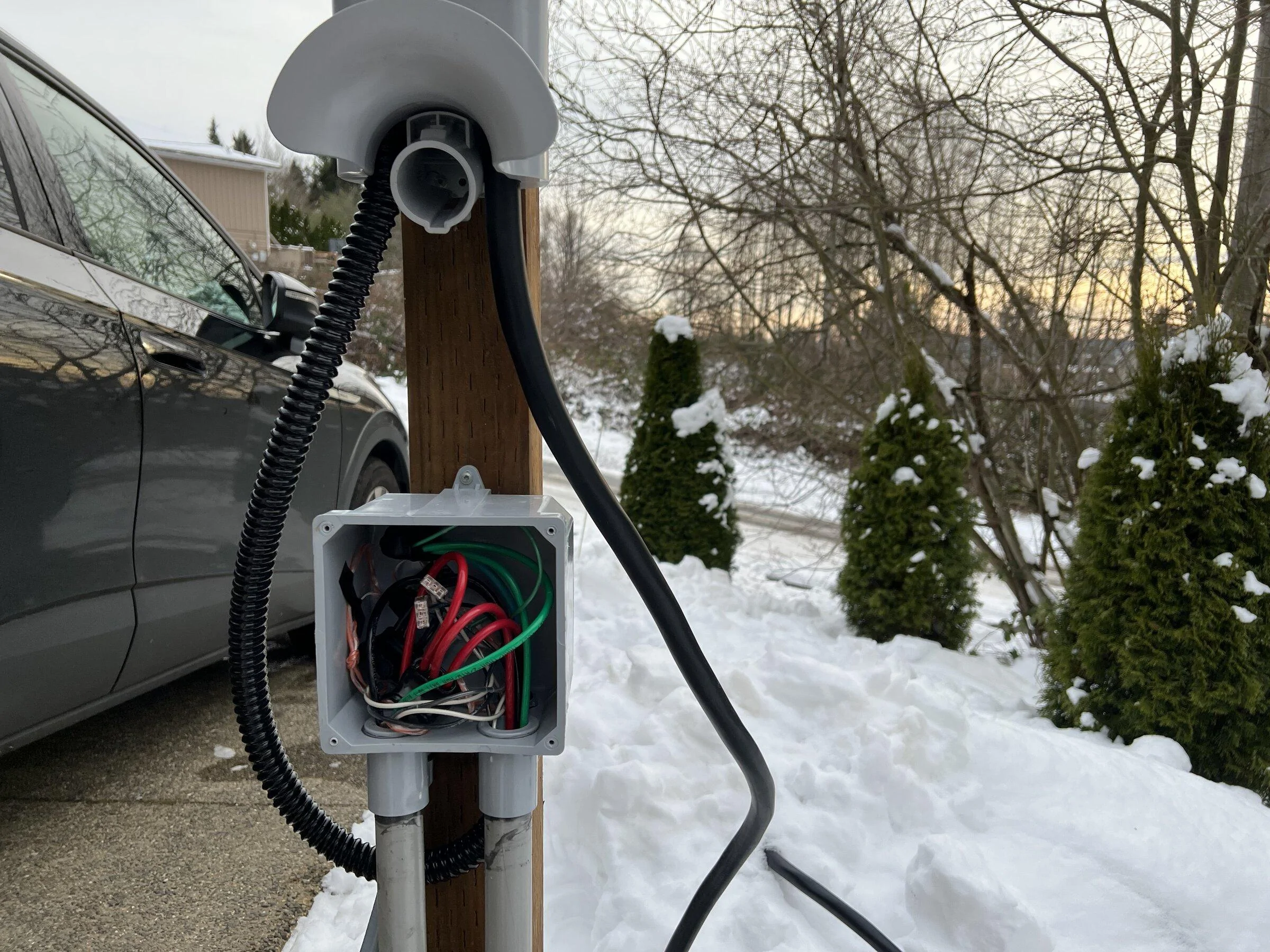
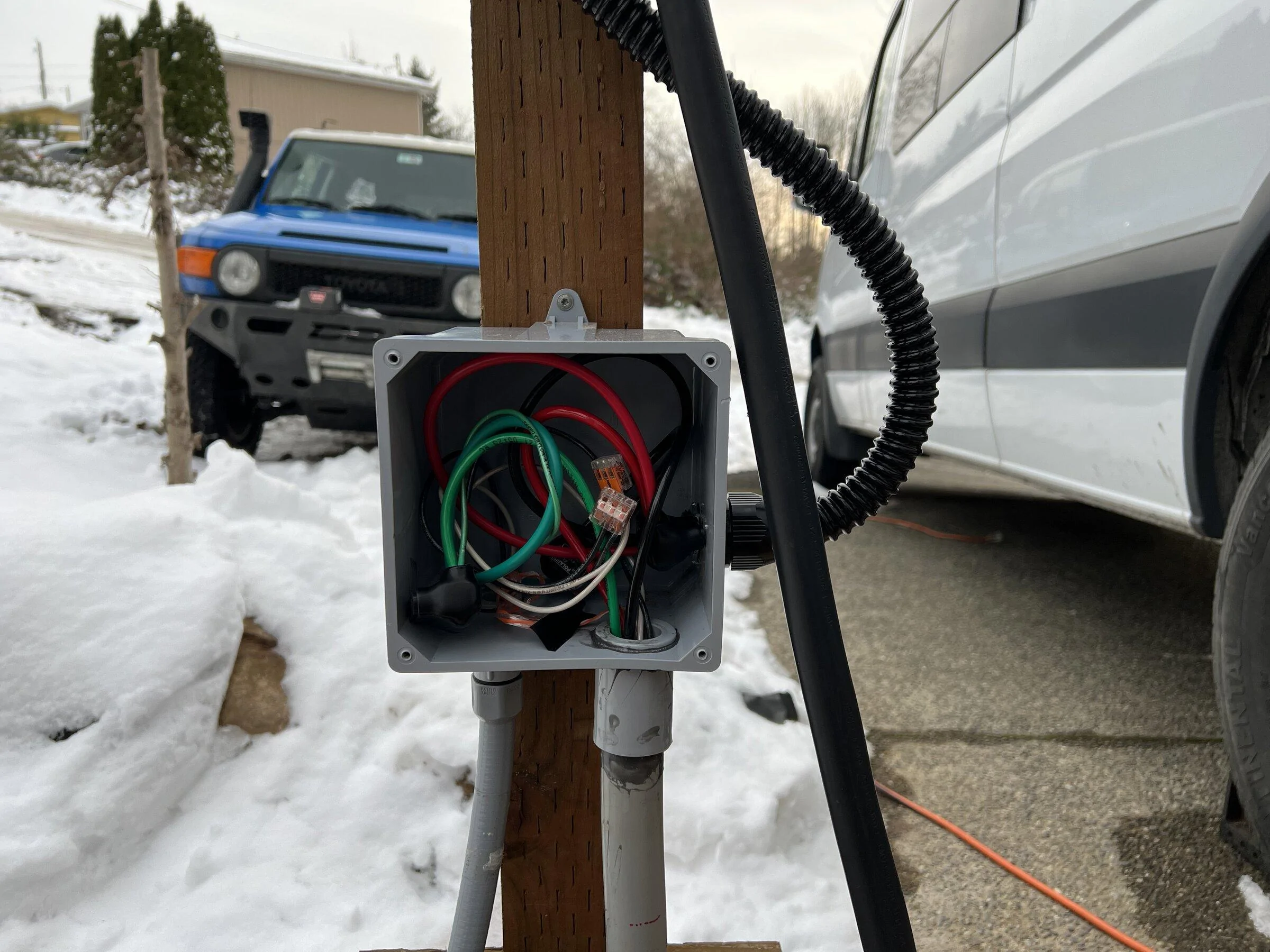
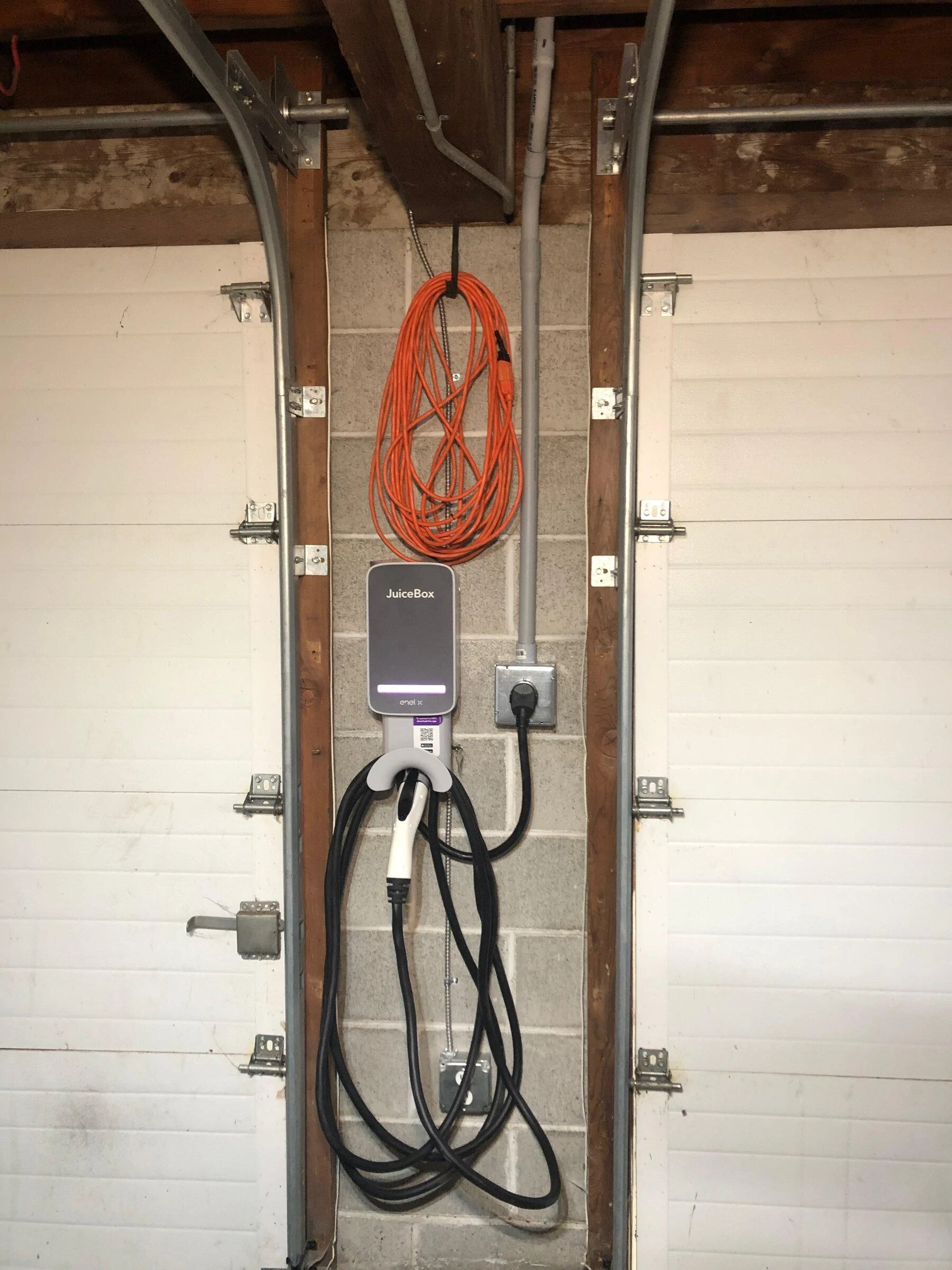
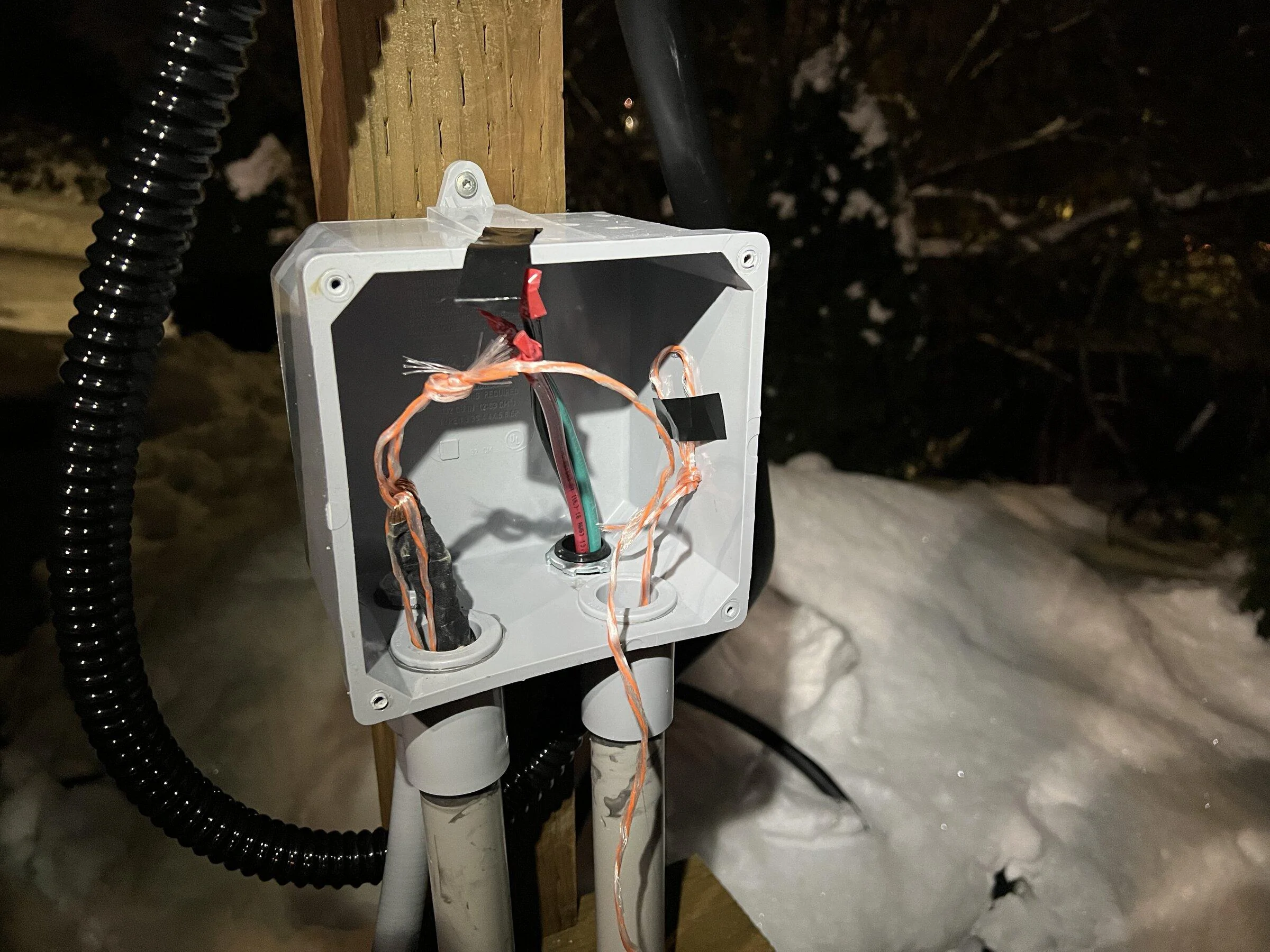
I seem to have missed unboxing photos, but the black flex tube whip with wires is pre-installed on the units, and they really don't want installers messing with it. Here's a pic before things got super busy:

Rivian R1T R1S Juicebox 48 Load Sharing Setup IMG_8079


I used 3-port insulated taps (Polaris connectors) in the first j-box, one port for the line side, one for the juice box load side, and one to continue the circuit on to the next j-box.

Exactly where you split off from one to the other is install dependent and more about optimizing the length of the runs. I could easily see an install where you bring the circuit in to a common junction box, use 2-way splitters, then run to each of the two pedestals. It just so happened that the easiest way to my 2nd pedestal was past my first.'

The Juicebox install manual insists there is a code exception allowing multiple receptacles on the same circuit if you intend to use them with load sharing. If I squint real hard, I think maybe you can defend that position with the 2017 NEC. With 2020, though, it is full stop explicitly not allowed (WA is a 2020 state).
 

swazi

Well-Known Member
Joined
Dec 14, 2021
Threads
6
Messages
157
Reaction score
243
Location
NoVA
Vehicles
Model 3
You definitely do not need the pro units for home use. The residential ones do load sharing too.

The one-line diagram would be:

Code:
     Juicebox 1
      /
     /
Breaker
    \
     \
    Juicebox 2
Both units just need to be downstream of the same breaker. The units only have their own input wires.

I seem to have missed unboxing photos, but the black flex tube whip with wires is pre-installed on the units, and they really don't want installers messing with it. Here's a pic before things got super busy:

IMG_8079.webp


I used 3-port insulated taps (Polaris connectors) in the first j-box, one port for the line side, one for the juice box load side, and one to continue the circuit on to the next j-box.

Exactly where you split off from one to the other is install dependent and more about optimizing the length of the runs. I could easily see an install where you bring the circuit in to a common junction box, use 2-way splitters, then run to each of the two pedestals. It just so happened that the easiest way to my 2nd pedestal was past my first.'

The Juicebox install manual insists there is a code exception allowing multiple receptacles on the same circuit if you intend to use them with load sharing. If I squint real hard, I think maybe you can defend that position with the 2017 NEC. With 2020, though, it is full stop explicitly not allowed (WA is a 2020 state).
Perfectly clear answer. Thank you very much!
The Polaris connectors makes more sense than wire nuts for thick wires.
Now if only the Juiceboxes were in stock.....started me wondering about the Tesla wall connector's load sharing capabilities. As one of the cars is a model 3 and their charger is cheaper by $200 AND is available....
Sponsored

 
Last edited:


Top