W1SE
Well-Known Member
- First Name
- Jake
- Joined
- Nov 28, 2021
- Threads
- 52
- Messages
- 556
- Reaction score
- 1,243
- Location
- Vancouver, WA
- Vehicles
- 2022 R1T Quad, 2024 R1S Max
- Occupation
- Branch manager
- Thread starter
- #1
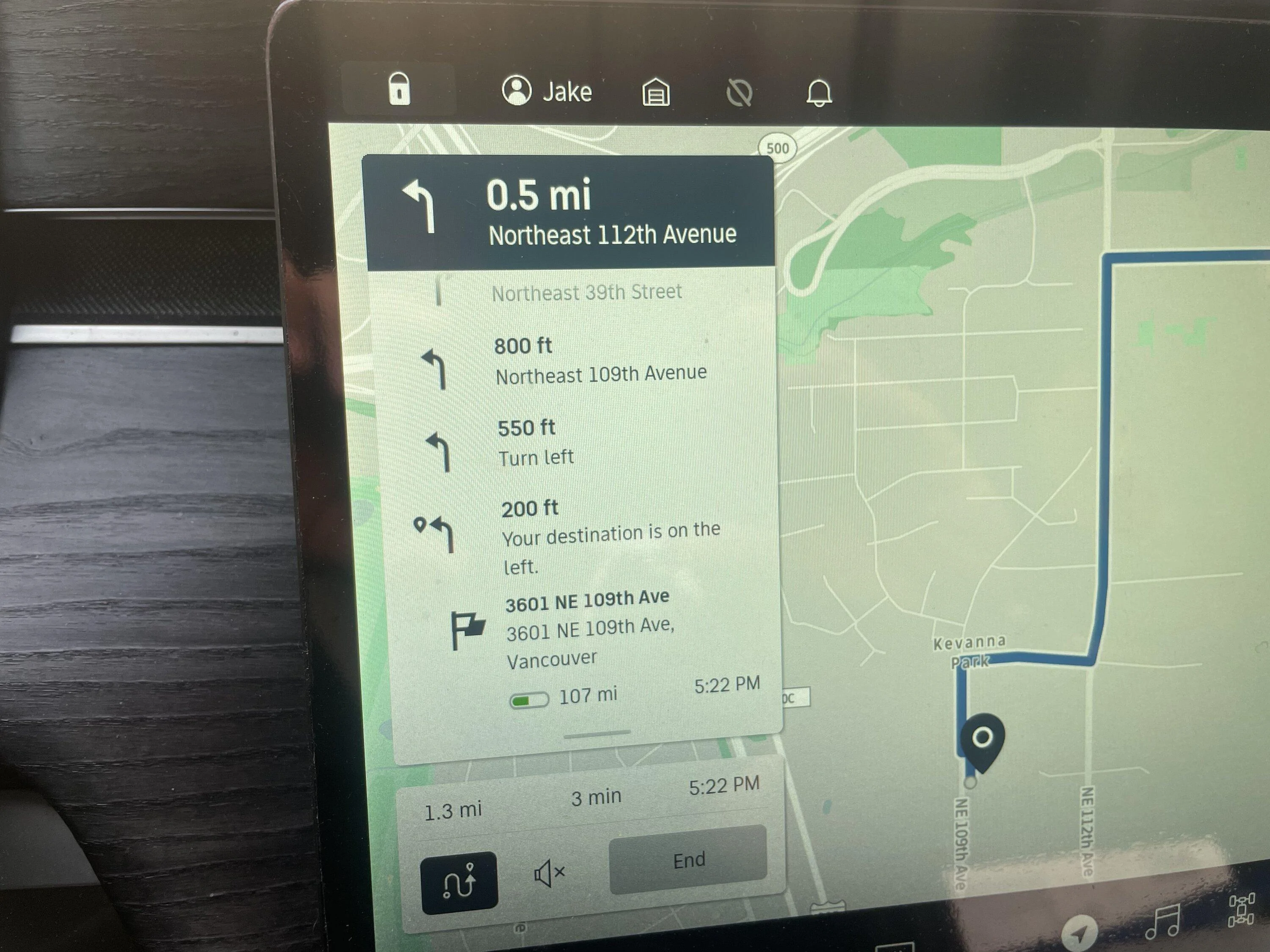
There are a few tips to help use the navigation screen better. It took me a bit to realize these features
this is also thanks to @Dirty_B and this thread Hidden Zoom Buttons
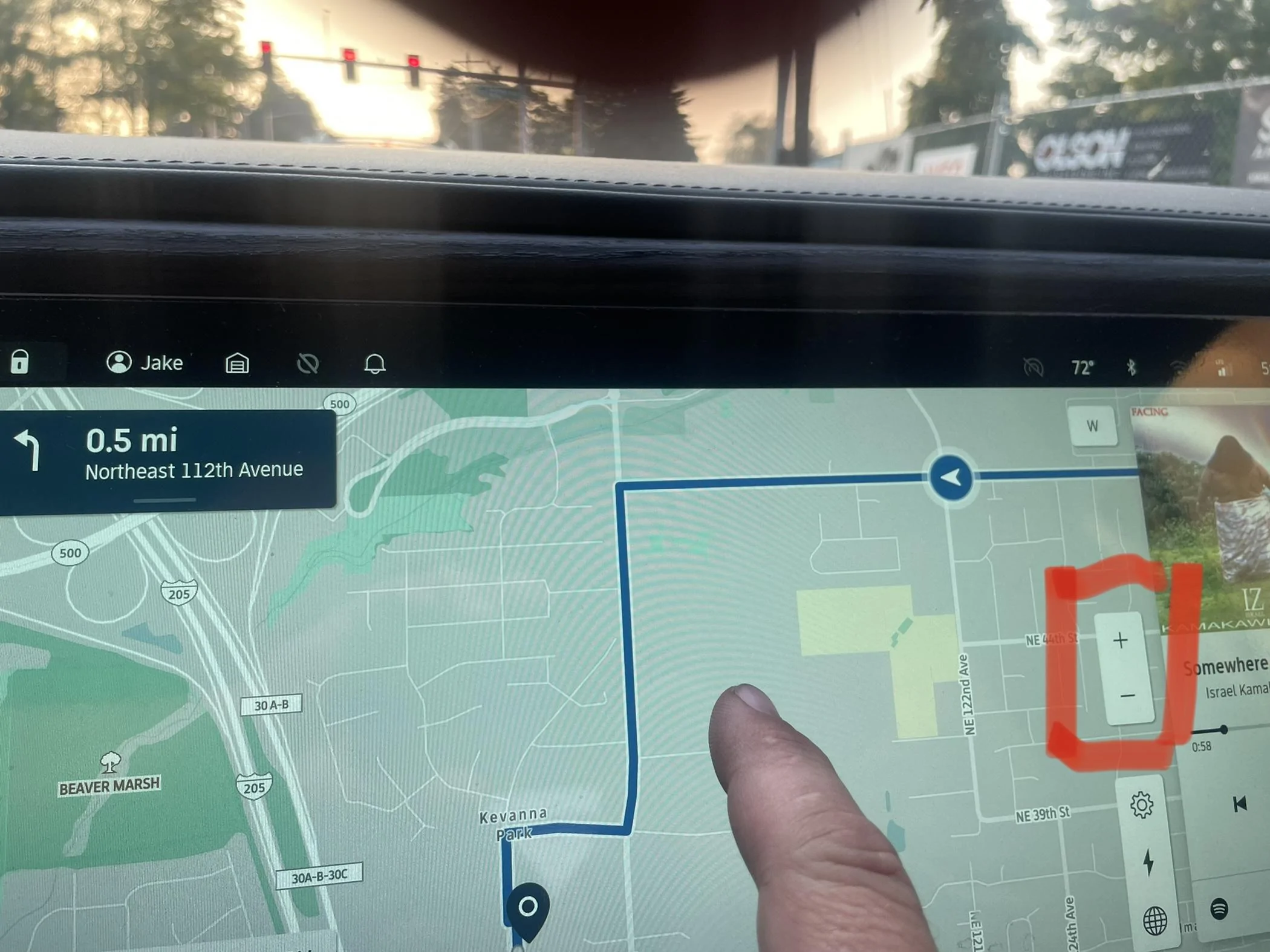
1. Zoom button comes up if you tap the screen. Makes zooming easier than pinching while driving

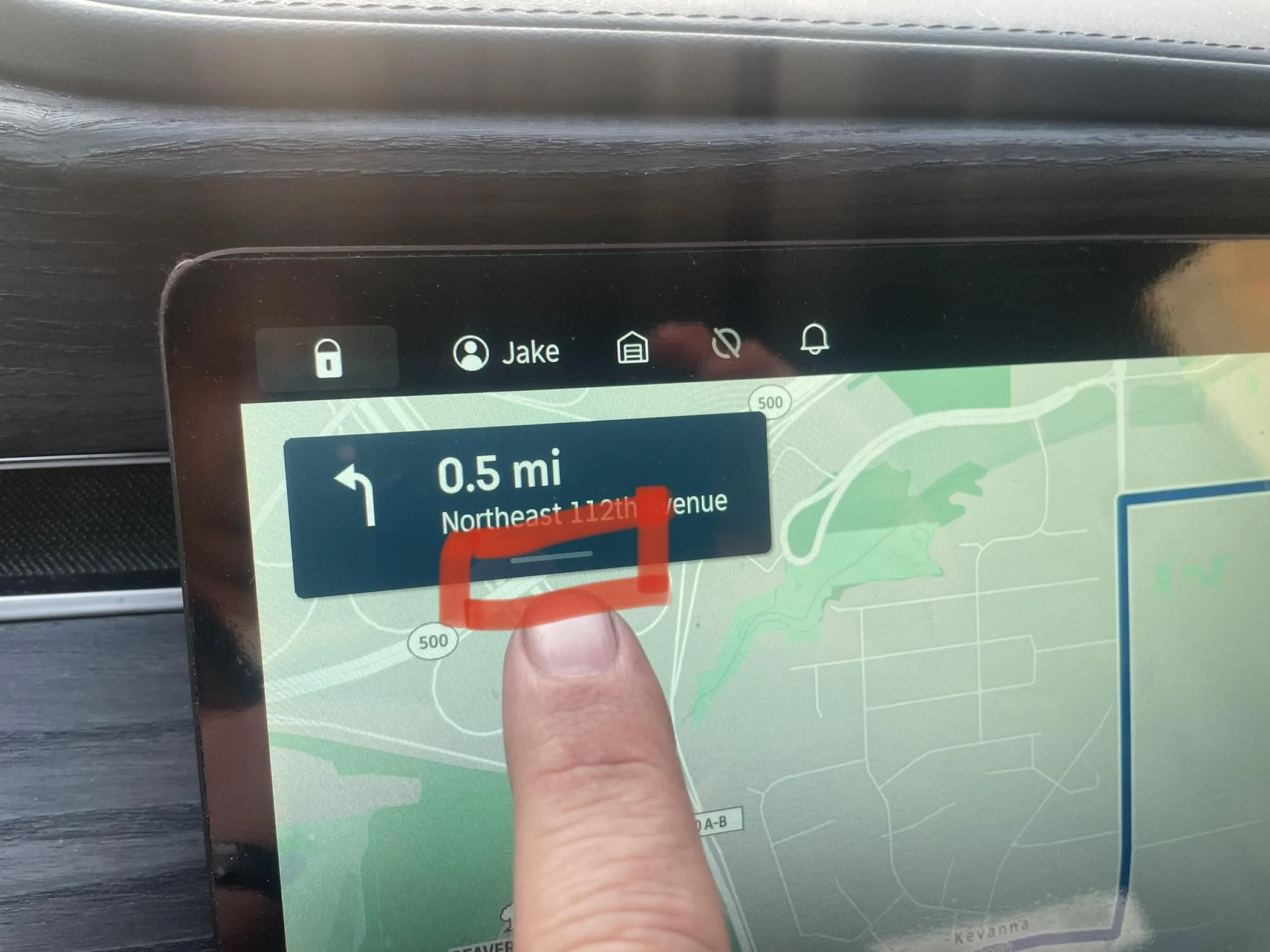
2. Click on the direction in the top left corner to reveal all directions, SOC and time at arrival.
(Edit from original post of “pull down” To “click”)

this is also thanks to @Dirty_B and this thread Hidden Zoom Buttons
1. Zoom button comes up if you tap the screen. Makes zooming easier than pinching while driving
2. Click on the direction in the top left corner to reveal all directions, SOC and time at arrival.
(Edit from original post of “pull down” To “click”)
Sponsored
Last edited:

 . It’s not quite useless, but it is if you’re towing.