SoCal Rob
Well-Known Member
- Thread starter
- #1
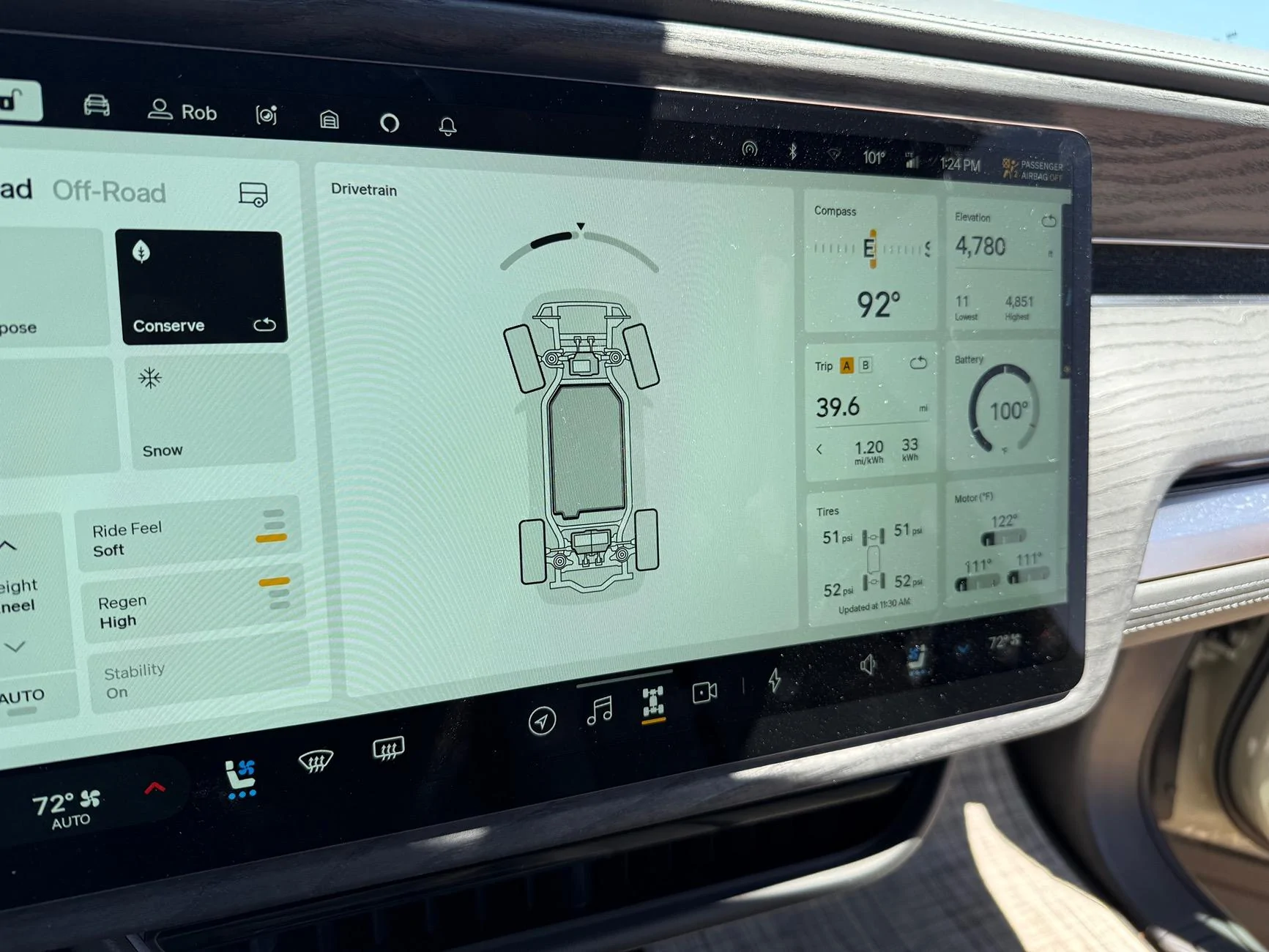
We’re in the high desert, the exterior temp says 101° and the battery shows 100°.

I used the new Energy screen “Prepare for fast charging” button to lower the battery temp on the way to charge. I got a little chuckle at a minor coding error when the screen showed “Warming battery for faster charging” since obviously that can’t be what it’s doing.
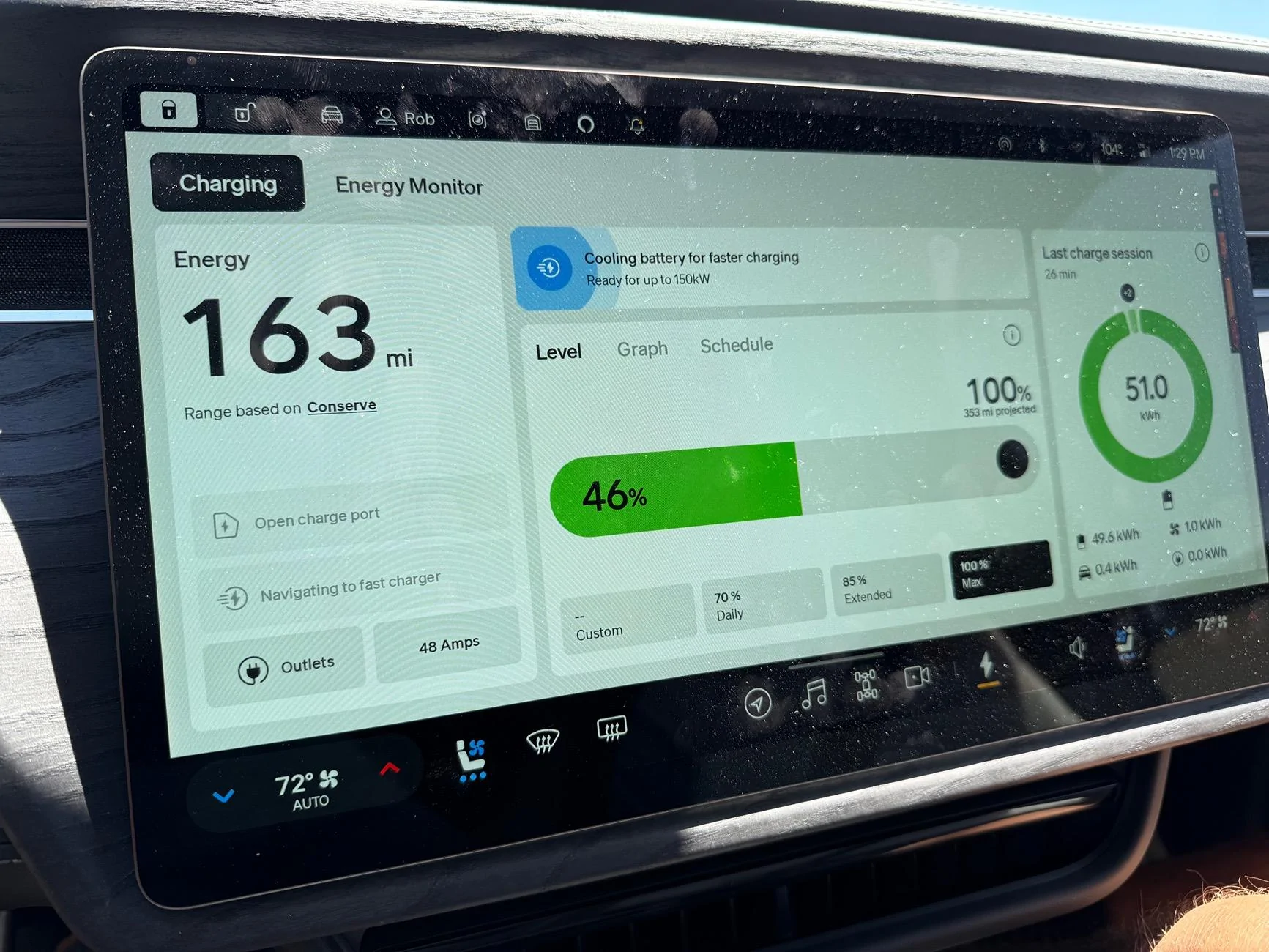
A couple minutes went by and I checked and this is no status message error: IT HEATED THE BATTERY TO 105°! So I went back to the energy screen, canceled that, and used navigation to route to a charger. When I went to check in the Energy screen I saw something which made more sense: Cooling battery for faster charging.
I don’t know if this is a one-off, so please keep an eye on things if you’re using this and post with your experiences using the new feature. I’ll be providing feedback to Rivian directly about this.
I used the new Energy screen “Prepare for fast charging” button to lower the battery temp on the way to charge. I got a little chuckle at a minor coding error when the screen showed “Warming battery for faster charging” since obviously that can’t be what it’s doing.

A couple minutes went by and I checked and this is no status message error: IT HEATED THE BATTERY TO 105°! So I went back to the energy screen, canceled that, and used navigation to route to a charger. When I went to check in the Energy screen I saw something which made more sense: Cooling battery for faster charging.
I don’t know if this is a one-off, so please keep an eye on things if you’re using this and post with your experiences using the new feature. I’ll be providing feedback to Rivian directly about this.
Sponsored