Sponsored

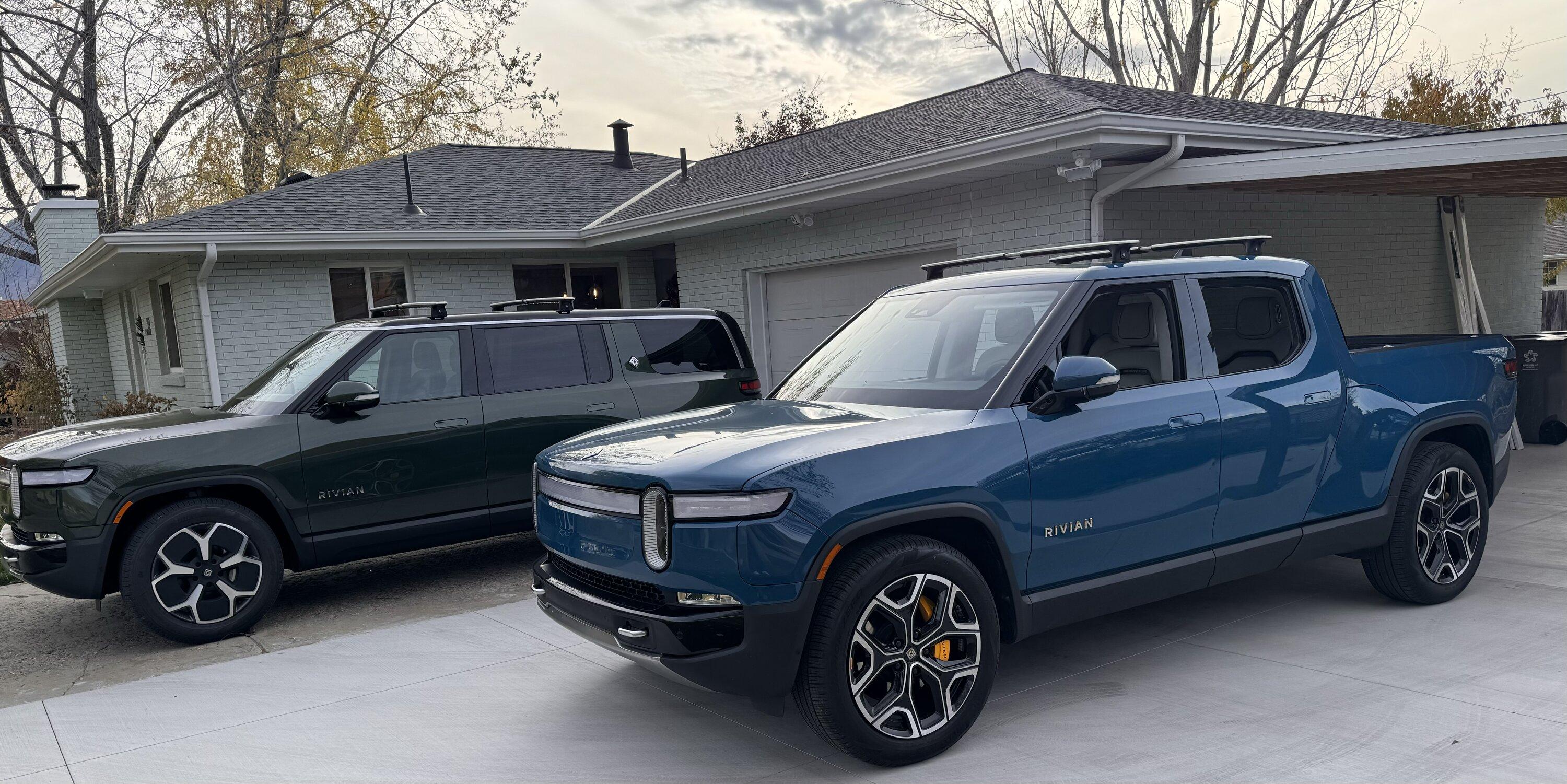
Question for owners of 2+ Rivians

Dark-Fx

Well-Known Member
First Name
Brian
Joined
Jul 15, 2020
Threads
148
Messages
13,611
Reaction score
27,526
Location
Michigan
Vehicles
R1T, R1S, Livewire One, Sierra EV, R1S
Occupation
Engineering
Clubs
 
It's definitely an annoyance but as long as one person has an active phone key for that vehicle, you can force a profile switch once the driver sits down by tapping your name. I personally have tried to get into the habit of switching vehicles in my phone app before leaving my house if I know I am going to be using the other one.

I think each vehicle having four BLE sensors to talk to as well as the other connections required for the key ends up being a problem for most phones to maintain multiple vehicles. Especially on top of whatever other devices you're likely already connecting to in your house and other places.

Of course now that Rivian has made it so you can have multiple phones set up under the same profile, always an option to carry two phones, one with each vehicle selected...
Sponsored

 
Last edited:

Electrified Outdoors

Well-Known Member
First Name
Ken
Joined
Jan 30, 2023
Threads
63
Messages
3,683
Reaction score
3,980
Location
Mount Airy, Maryland
Website
EVoutdoors.org
Vehicles
2024 Rivian R1S Quad, 2024 Silverado EV RST First Edition
Occupation
Real Estate
Clubs
 
Bluetooth low energy is what is most likely used. In reading more about how it's implemented it might be possible.

I think the implementation makes it a challenge. With PAAK do you really want to allow simultaneously connecting to more than one PAAK device? Would that open up the possibility of relay attack or data leaking?

In my previous Tesla vehicles you could set a priority device so that if both devices were on range it tried to connect to the priority device first. When both of us got into the car at the same time with priority device it randomly picked which device to connect to. I did not own two Tesla at the same time though.

It's a unique problem and I guess a good one to have ?
 

R1TY

Active Member
First Name
Tim
Joined
Jan 3, 2023
Threads
3
Messages
33
Reaction score
109
Location
Utah
Vehicles
R1T
Occupation
Cyber Security
My wife and I dont mind using the app to switch between the T and S. Shes normaly using the app to pre-heat everything anyway. Thats her favorite feature about the car. My PAAK needs improvment and has been extremly inconsistent. I want Rivian to improve that first.
 

Dark-Fx

Well-Known Member
First Name
Brian
Joined
Jul 15, 2020
Threads
148
Messages
13,611
Reaction score
27,526
Location
Michigan
Vehicles
R1T, R1S, Livewire One, Sierra EV, R1S
Occupation
Engineering
Clubs
 
My PAAK needs improvment and has been extremly inconsistent. I want Rivian to improve that first.
I think a lot of the issues are a result of poor bluetooth implementations in phones. Rivian's next generation is going to include UWB which should theoretically be much more reliable, as it's basically designed to be used for determining radio positioning. Unfortunately I highly doubt older vehicles will ever see a retrofit
 

kevinR1Tx2R1Sx1

Active Member
First Name
Kevin
Joined
May 14, 2022
Threads
1
Messages
31
Reaction score
54
Location
Virginia
Vehicles
R1T Red/Black, R1T LG/FG
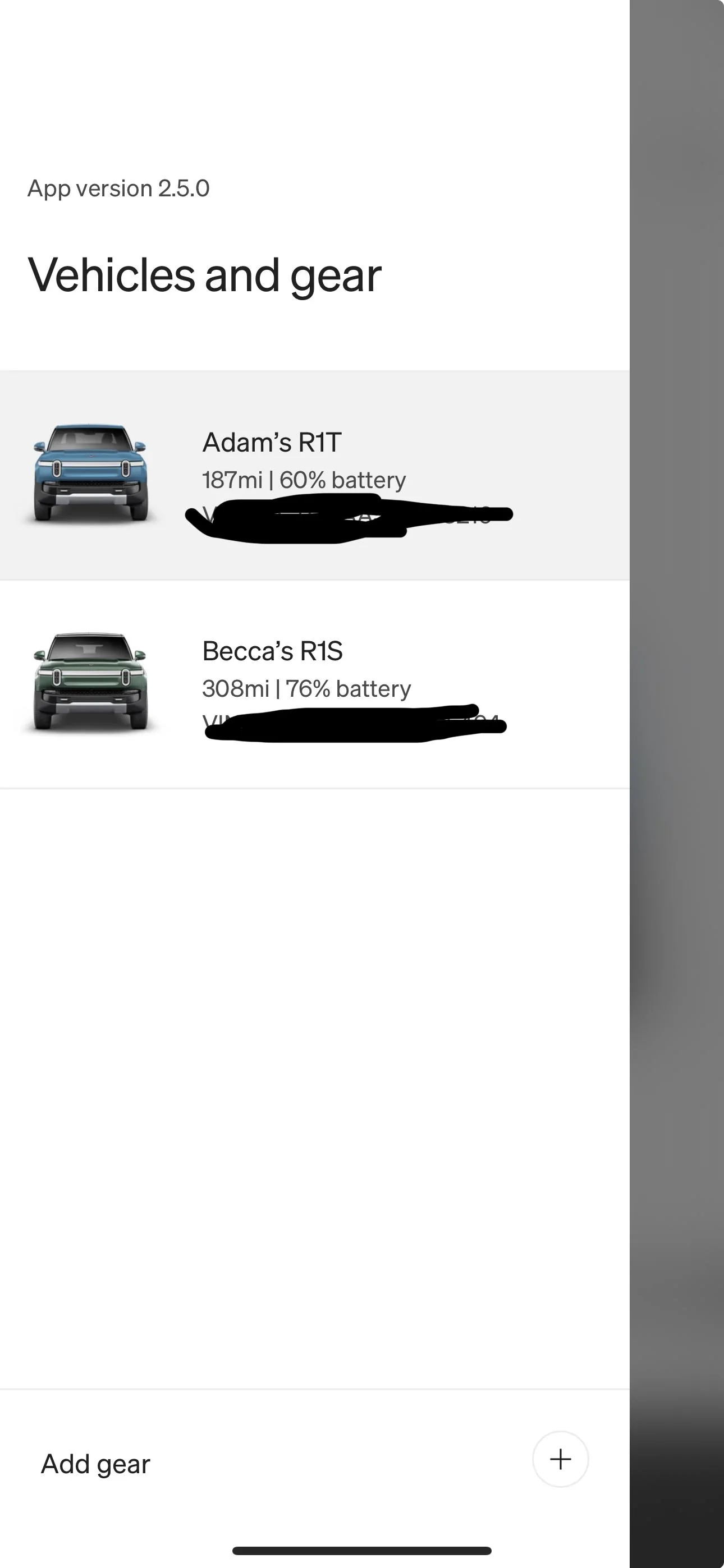
My wife got her R1S a couple months ago and she loves it. However switching between vehicles is super annoying. First off we are not using key fobs cause that’s super lame and I hate carrying keys (I can’t go back)

Every time you switch vehicles you have to go into the app and select the Rivian you are driving before leaving . It was ok at first… but now I despise it.

Anyways, our first world problem could be fixed in an update I’m sure, but will it ever? It’s not high priority for Rivian I’m sure.

Can’t the app just know which vehicle I’m in ?

Anyone else hate this with the same passion or have any real solutions?

Thanks

IMG_0749.jpeg
I have had 4 Rivians over time and had two parked near each other on a regular basis. I use the app to switch between vehicles. I keep the key cards in my wallet just in case. But I find the app is the best solution for me. It does appear that the bluetooth connects to multiple Rivian sensors at one time. I wonder if it could be updated so that any Rivian in your app would lock/unlock when you approach or leave. I probably would not take advantage of that feature but it seems like it could be done.

Rivian is the best vehicle I have ever owned. Wishing the company and fellow owners the very best!
 

Sponsored

TimJim

Well-Known Member
Joined
Oct 27, 2022
Threads
6
Messages
63
Reaction score
124
Location
California
Vehicles
2016 Subaru Outback 3.6
I have had the opposite experience as OP. At first I found it super annoying to switch apps as I often drive both cars on the same day. My wife and I carpool in her R1S and I drive my R1T on the weekends and if I have to go somewhere after work. I have become accustomed to switching the car in the app as I am walking out the door. It is worth a grumble when I forget, and I hope Rivian gets around to updating the app so I don’t have to switch, but I know they have other priorities. As originally mentioned, it is a very nice problem to have.
 

defcon888

Well-Known Member
First Name
Keith
Joined
May 23, 2023
Threads
6
Messages
1,227
Reaction score
926
Location
Auburn, Ca
Vehicles
2023 R1T, 2021 Toyota RAV4 Prime
Occupation
Making money
Clubs
 
The issue my wife and I have with our R1T is if she gets to the truck first, it will adjust to her settings....no problem until I try to get in. I am 6'2"and she is 5'1" and she has to push my name on the screen to get it to adjust. It has only happened a few times but it can get annoying. You would think they could update the software.

What I find more annoying is that we have to log out of Spotify to get to the other account. My wife and I have completely different tastes in music and PODCASTS so she has to log out, then I have to log in. It would be nice to be attached to the Rivian account/PaaK.
 
OP
OP
Byulasfjazz

Byulasfjazz

Well-Known Member
First Name
Adam
Joined
Jun 8, 2022
Threads
22
Messages
88
Reaction score
99
Location
Utah
Vehicles
Van
Occupation
Franchise owner
I hear you. My wife has an S and I have a T as well. I would score the annoyance a 3 out of 10 in our case. Usually I only drive the S when heading out on a road trip (pretty much every other weekend nowadays ?) and she only uses the T when heading out to ski. I could see how it could be a major pain if you are alternating more often.
Now that’s an idea.. I will
It sounds like your chief complaint is the unlocking method doesn't recognize your seat position. I second previous recommendation, each of you default to Your vehicle. Then when the other drives, just switch profile on the screen. Doesn't that work?

The real issue is it thinks you don’t have a key… until you go into the app and select the vehicle. I usually just have it unlocked in the garage.. so I get in and it won’t do anything .
 
OP
OP
Byulasfjazz

Byulasfjazz

Well-Known Member
First Name
Adam
Joined
Jun 8, 2022
Threads
22
Messages
88
Reaction score
99
Location
Utah
Vehicles
Van
Occupation
Franchise owner
It's definitely an annoyance but as long as one person has an active phone key for that vehicle, you can force a profile switch once the driver sits down by tapping your name. I personally have tried to get into the habit of switching vehicles in my phone app before leaving my house if I know I am going to be using the other one.

I think each vehicle having four BLE sensors to talk to as well as the other connections required for the key ends up being a problem for most phones to maintain multiple vehicles. Especially on top of whatever other devices you're likely already connecting to in your house and other places.

Of course now that Rivian has made it so you can have multiple phones set up under the same profile, always an option to carry two phones, one with each vehicle selected...
The issue isn’t the profile. My wife isn’t in the car with me most of the time. I jump in the car and it does nothing… because my app is currently on the R1T .. there is a slide over button in top left that lets me switch vehicles in the app.

Sometimes the app is slow or when switching it takes a few moments to process in the vehicle

Rivian R1T R1S Question for owners of 2+ Rivians IMG_1390
 

riviak

Active Member
Joined
Feb 4, 2020
Threads
5
Messages
36
Reaction score
45
Location
Earth
Vehicles
Cars
Maybe setting up separate iOS action shortcuts for each vehicle would help?
https://www.rivianforums.com/forum/threads/action-shortcuts-for-iphone-how-to.20892/

I don’t have two Rivians but I have noted that when setting up shortcuts you can select the vehicle from a drop down list. I assume this would allow for different shortcuts for different vehicles. Or, to get fancy, create a variable for the vehicle name.
I thought this would be the solution but you can see my post in the other thread - can't get the shortcut to differentiate between the vehicles. It only operates on the vehicle last selected in the app. If someone is smarter about shortcuts please post solution.

https://www.rivianforums.com/forum/threads/action-shortcuts-for-iphone-how-to.20892/post-429057
 

Sponsored

Dark-Fx

Well-Known Member
First Name
Brian
Joined
Jul 15, 2020
Threads
148
Messages
13,611
Reaction score
27,526
Location
Michigan
Vehicles
R1T, R1S, Livewire One, Sierra EV, R1S
Occupation
Engineering
Clubs
 
The issue isn’t the profile. My wife isn’t in the car with me most of the time. I jump in the car and it does nothing… because my app is currently on the R1T .. there is a slide over button in top left that lets me switch vehicles in the app.

Sometimes the app is slow or when switching it takes a few moments to process in the vehicle

IMG_1390.webp
Ah, we keep our cars locked, so I have to switch profiles to even get into the vehicle. Definitely easier to take my phone out of my pocket before I am sitting down.

It would be nice if the app could detect proximity to a specific vehicle (or like the fact that you are sitting in it) and automatically switch. Maybe that's something Rivian could implement.
 
OP
OP
Byulasfjazz

Byulasfjazz

Well-Known Member
First Name
Adam
Joined
Jun 8, 2022
Threads
22
Messages
88
Reaction score
99
Location
Utah
Vehicles
Van
Occupation
Franchise owner
Ah, we keep our cars locked, so I have to switch profiles to even get into the vehicle. Definitely easier to take my phone out of my pocket before I am sitting down.
Yeah I know it’s a 1st world problem, but I actually switch vehicles multiple times a day as I pick up all the kids and go random places. There are some good suggestion in this feed though. I might try a couple out until they have an update someday.
 

camaroz1985

Well-Known Member
Joined
Oct 5, 2021
Threads
15
Messages
985
Reaction score
1,037
Location
Carlisle, PA
Vehicles
R1T, ID.4
Occupation
Engineer
Bringing this thread back from the dead as we recently were blessed with this "problem". We noticed it when we had our last loaner with the new PAAK pilot program (so much better than having to use the key card), but thought it was just because we weren't the "owner".

Has anyone figured out a work around? I am really the only one in our family that will have an issue with this (my wife still has never driven my T in the 4 years we have had it). I was thinking maybe leave my phone logged into my T and my watch logged into her S? I wear it 90% of the time so if that works it would mostly solve my issue. I know this thread was started before the watch integration was implemented.
 

SANZC02

Well-Known Member
First Name
Bob
Joined
Feb 11, 2021
Threads
50
Messages
7,444
Reaction score
12,749
Location
California
Vehicles
Tesla Model S, LE - R1S
Occupation
Retired
Bringing this thread back from the dead as we recently were blessed with this "problem". We noticed it when we had our last loaner with the new PAAK pilot program (so much better than having to use the key card), but thought it was just because we weren't the "owner".

Has anyone figured out a work around? I am really the only one in our family that will have an issue with this (my wife still has never driven my T in the 4 years we have had it). I was thinking maybe leave my phone logged into my T and my watch logged into her S? I wear it 90% of the time so if that works it would mostly solve my issue. I know this thread was started before the watch integration was implemented.
I’m curious as well, I do not have 2 yet but will when we get the R2.

This thread is a couple of years old, I can swipe right and left between my R1S and R2 reservation. If you have 2 vehicles will swiping between them change the PAAK actions to the other vehicle?
 

EV-by-the-Sea

Well-Known Member
Joined
Oct 3, 2023
Threads
0
Messages
51
Reaction score
35
Location
Bay Area
Vehicles
R1S DM Performance; R1T Quad; Audi RS6
No better, in my experience. My wife's R1S is usually unlocked in the garage, so getting into it isn't a problem, but I still have to manually switch the profile in the phone if I last used my R1T before it will move. Similarly, if I last drove the R1S and head to my R1T there's a delay before the R1T will recognize my PAAK if I just switched in the app while standing right next to it.

What I try to do now is this -- I have widgets for both vehicles on one of my homescreens -- if I can remember to do so, when I'm walking to that particular vehicle, I tap the unlock button on the widget for the applicable car and tap generally on the widget afterward to try to get everything "awake" and aware that I'm using that car's profile as the PAAK. Mostly works. But not always.
Sponsored


Top