
Sponsored
Update: 2023.46.0 infotainment issue: lose infotainment system after 3 minutes

Zoidz
Well-Known Member
Yeah, this is getting concerning. Even if current owners are willing to deal with OTA issues for the time being, as word gets out to the public that every Rivian OTA update is buggy, it’s going to drive away new customers.The obvious here unfortunately is this is three strikes from latest Rivian software updates - 42.0, 42.1, 46.0.
https://www.rivianforums.com/forum/threads/multiple-errors-update-version-2023-42-1.21454/

Dark-Fx
Well-Known Member
I feel bad for people having issues, but I haven't had any lately. Spared from the any problems in .42 and .46 seems fine as well.Yeah, this is getting concerning. Even if current owners are willing to deal with OTA issues for the time being, as word gets out to the public that every Rivian OTA update is buggy, it’s going to drive away new customers.
Zorg
Well-Known Member
- Joined
- Nov 1, 2022
- Threads
- 9
- Messages
- 1,007
- Reaction score
- 1,229
- Location
- SF bay area
- Vehicles
- Model X
Wonder if that's why I haven't received it yet
bmcenaney
Well-Known Member
- First Name
- Brad
- Joined
- Jun 10, 2022
- Threads
- 1
- Messages
- 67
- Reaction score
- 78
- Location
- Grapevine, TX
- Vehicles
- 2016 Dodge Durango R/T
Only a certain group of people have 2023.42.2 after the bad 2023.42.0 update? Were you part of that group? Also, do both the screens come completely up and then it crashes back to the borked 2023.42.0 update? Does it show you are at 2023.46.0 on the app?I don’t recall if it was 42.1 or 42.2
Last edited:
Sponsored

DBL-R
Well-Known Member
- First Name
- Ron
- Joined
- Jul 25, 2021
- Threads
- 5
- Messages
- 73
- Reaction score
- 66
- Location
- Littleton & Alma CO
- Website
- peakevsolutions.com
- Vehicles
- 24 Honda Passport, 23 Rivian R1S
- Occupation
- CEO & Managing Member of Peak EV Solutions
Soft reset - ensure that your vehicle is in Park, find the two outer most control buttons (left and right)on the steering wheel, press both buttons at the same time for 15 seconds, follow the instructions on the instrument panel. This will perform a soft reset of the infotainment panel.
LeftMySoulinNM
Well-Known Member
I was afraid of this. We were part of the affected 42.0 (I think it was) borked update last month so we are definitely trigger shy on updates now. They did get us fixed up but the car was not super functional while we awaited the patch. Our HVAC was completely dead the entire time. Attempts to turn it on via the app prior to departure and even entry into the vehicle did not work. Fortunately we were having a mild course of winter at the time. I think we'll be waiting this one out longer. ?

Underwhirled
Well-Known Member
I was part of the botched update and was running the fixed patch .2. I got the notice to install last night and did the install around 10:30. On the drive to work today everything was functioning correctly as far as I could tell.
Ckorn
Member
- Thread starter
- #40
Update:
Got a call from Matt at Rivian, right away, today. He let me know they were already trying to diagnose the issue remotely this morning and he had seen the thread posted here, too.
Later today, they called back find that the USB-C drive that records our drives in the center council was causing the system to crash. He asked if it could be mailed in for the tech department to do further R&D on why this was happening.
Huge thank you to Rivian and their quick response to ensure we were back up and running again.
Thank you.
Got a call from Matt at Rivian, right away, today. He let me know they were already trying to diagnose the issue remotely this morning and he had seen the thread posted here, too.
Later today, they called back find that the USB-C drive that records our drives in the center council was causing the system to crash. He asked if it could be mailed in for the tech department to do further R&D on why this was happening.
Huge thank you to Rivian and their quick response to ensure we were back up and running again.
Thank you.
Sponsored

R1Thor
Well-Known Member
- First Name
- Joe
- Joined
- Aug 9, 2023
- Threads
- 8
- Messages
- 1,536
- Reaction score
- 2,421
- Location
- Lancaster, PA
- Vehicles
- 23QM R1T, Limestone + Ocean Coast, 21" & UBS
- Occupation
- Mechanical Engineering Lead
(sort of) related.. Back in college I worked on the IT tech bench at a big box store.Update:
Got a call from Matt at Rivian, right away, today. He let me know they were already trying to diagnose the issue remotely this morning and he had seen the thread posted here, too.
Later today, they called back find that the USB-C drive that records our drives in the center council was causing the system to crash. He asked if it could be mailed in for the tech department to do further R&D on why this was happening.
Huge thank you to Rivian and their quick response to ensure we were back up and running again.
Thank you.
The number of times people would come in to let us know that their computer wasn't working at all at home, but we had zero issues on the bench was frustrating. It became standard practice to troubleshoot by plugging one thing in at a time to see what was borked.
With better QC and higher quality of chipsets and componentry, and higher tolerances in manufacturing, this is seen less and less, but it just goes to show that the problems aren't zero.
Glad a cause was found! Hopefully there's a potential internal solution that Rivian can employ to say 'if this glitch is happening, disable this device,' but if it was somehow a short in the system and there isn't a way for Rivian to ignore it via software, then it may not be possible. Does anyone smarter than me know if there's a way to integrate circuit protection into USB?
ATL_R1S
Well-Known Member
Update:
Got a call from Matt at Rivian, right away, today. He let me know they were already trying to diagnose the issue remotely this morning and he had seen the thread posted here, too.
Later today, they called back find that the USB-C drive that records our drives in the center council was causing the system to crash. He asked if it could be mailed in for the tech department to do further R&D on why this was happening.
Huge thank you to Rivian and their quick response to ensure we were back up and running again.
Thank you.
What brand and model USB-C drive were you using?

ThumprMN
Well-Known Member
- First Name
- Simon
- Joined
- Dec 17, 2019
- Threads
- 3
- Messages
- 427
- Reaction score
- 1,119
- Location
- Richfield, MN
- Vehicles
- Rivian R1T
- Occupation
- IT Professional
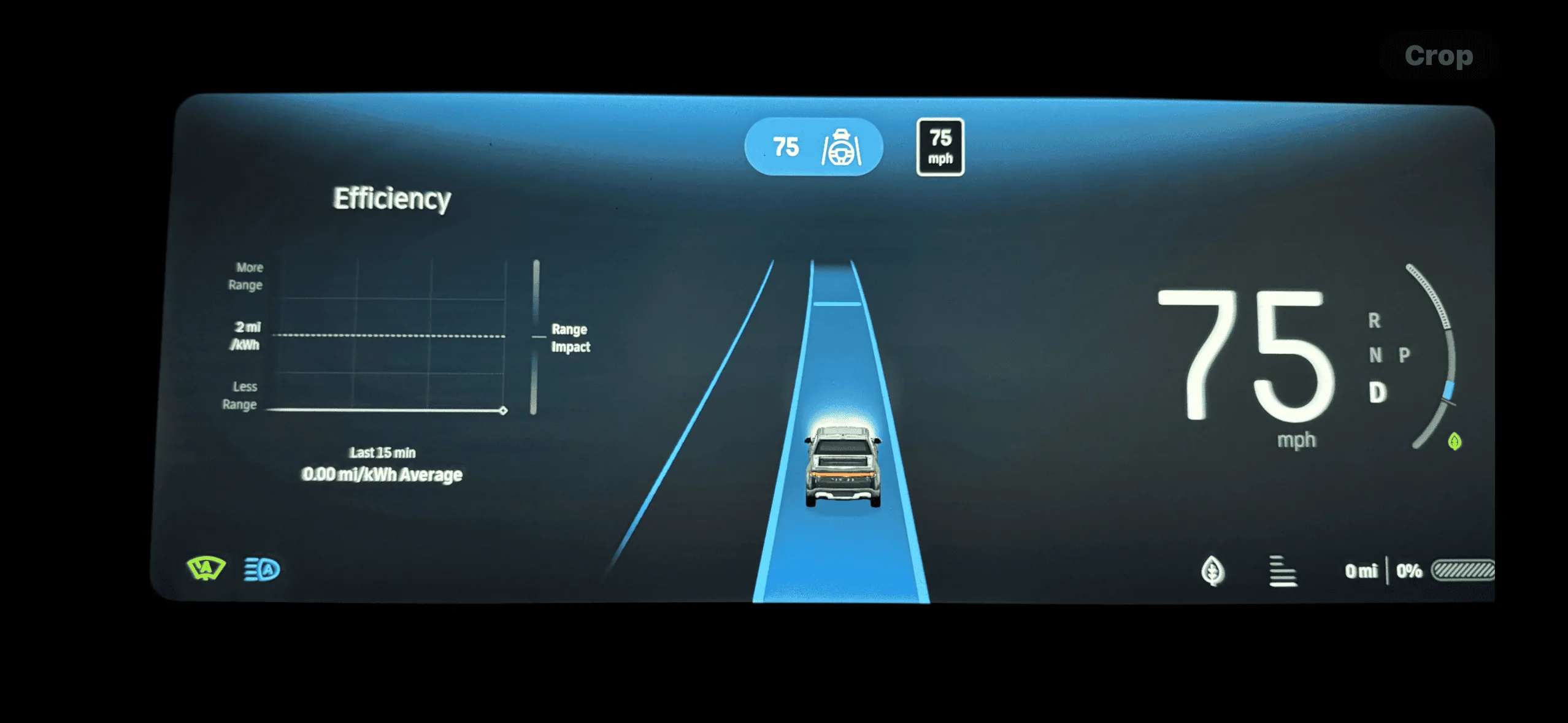
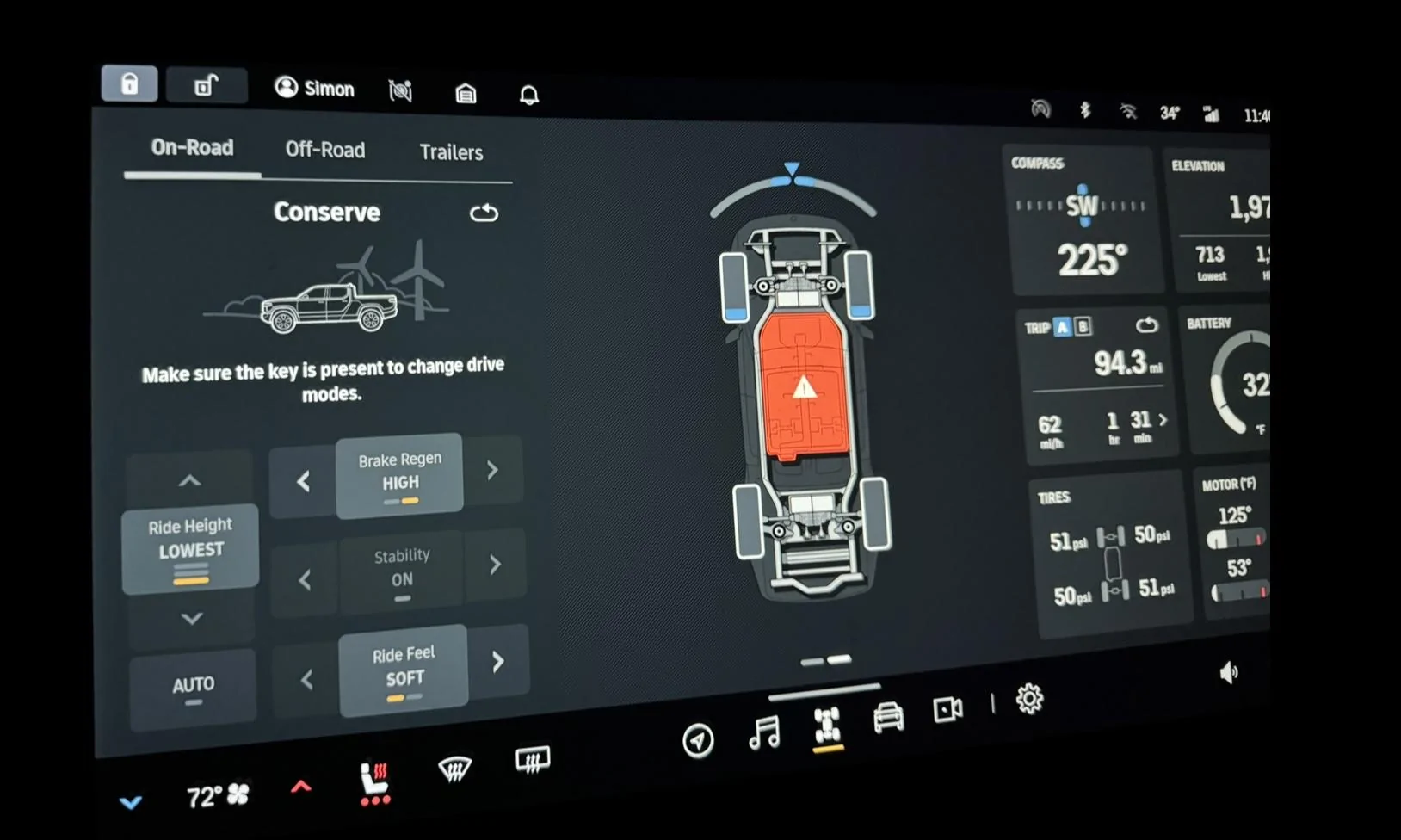
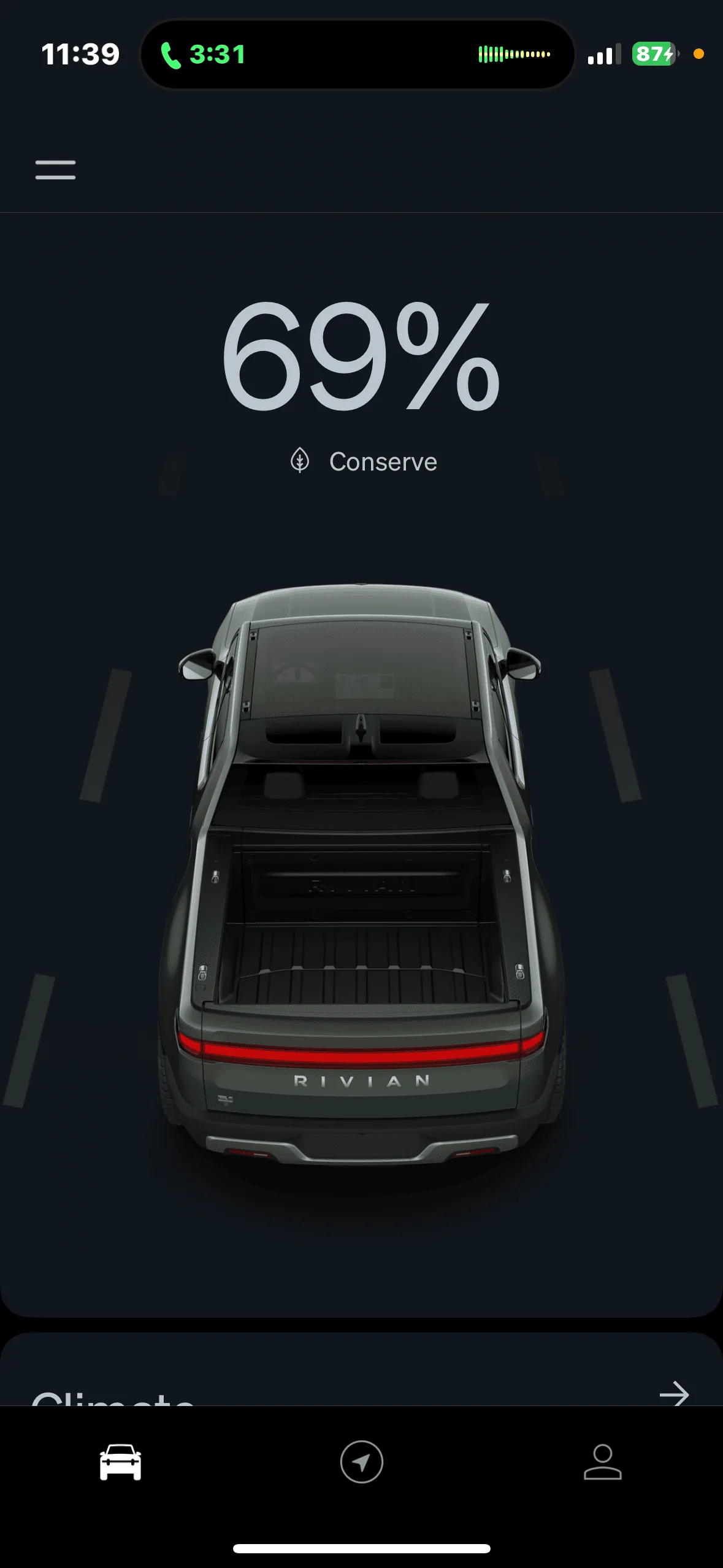
I’m traveling on a road trip and had my screens start to act funny on me. Finally, screens went black while in park and only worked while in Drive or Reverse. I happened to be at a charging station while it presented and lost access to my battery info (showed 0%). No efficiency info, charging screen did not show that I was charging, couldnt lock or unlock the doors using the screen…etc.
I noticed i could access all the battery/charging/mileage info through the app and managed to make it to my overnight destination while working With Rivian to find a solution. Rivian service was great, they told me too that it might be related to the Samsung drive I had plugged in for recording video. Unfortunately, no matter what ind of restart they had me perform, i could not get my system back up and running…. But I told them I was headed to Denver and could do the math in my head about battery charge and distance was long as the phone app as telling me accurately (Truck just showed 0 the whole time… and using the route planning was useless because it couldnt get past 0 miles of range).
Once I got to Denver, i was able to get into the service center quick and they did a 12v reset and the screens came back on (i had removed the hard drive long ago). I was able to install the update to .46 finally. Everything is back to normal now it seems, but that was quite the adventure.
Additionally, I had no access to ay of the audio apps. They pretended to work but no audio came out… so I had to sit in silence or listen on my earbuds from my phone. Other odd thing was my door lock/unlock was not responsive on the screen. Could only use the key fob to lock.
They did not tell me to drive while the battery was showing ”0”, that was 100% my choice and i felt reasonably confident i could use the phone app and my own math to ensure I didnt go too far without charging. I also wouldnt have continued on if any other drive features weren’t working… but I even had Driver + for periods of time (just no audio sounds).
- I was on .42 software when it started
- Hard Drive was a Samsung t7 Shield 1tb
- Blank screens happened while I was at an EA station charging and performing a infotainment reset


I noticed i could access all the battery/charging/mileage info through the app and managed to make it to my overnight destination while working With Rivian to find a solution. Rivian service was great, they told me too that it might be related to the Samsung drive I had plugged in for recording video. Unfortunately, no matter what ind of restart they had me perform, i could not get my system back up and running…. But I told them I was headed to Denver and could do the math in my head about battery charge and distance was long as the phone app as telling me accurately (Truck just showed 0 the whole time… and using the route planning was useless because it couldnt get past 0 miles of range).
Once I got to Denver, i was able to get into the service center quick and they did a 12v reset and the screens came back on (i had removed the hard drive long ago). I was able to install the update to .46 finally. Everything is back to normal now it seems, but that was quite the adventure.
Additionally, I had no access to ay of the audio apps. They pretended to work but no audio came out… so I had to sit in silence or listen on my earbuds from my phone. Other odd thing was my door lock/unlock was not responsive on the screen. Could only use the key fob to lock.
They did not tell me to drive while the battery was showing ”0”, that was 100% my choice and i felt reasonably confident i could use the phone app and my own math to ensure I didnt go too far without charging. I also wouldnt have continued on if any other drive features weren’t working… but I even had Driver + for periods of time (just no audio sounds).
- I was on .42 software when it started
- Hard Drive was a Samsung t7 Shield 1tb
- Blank screens happened while I was at an EA station charging and performing a infotainment reset
ThumprMN
Well-Known Member
- First Name
- Simon
- Joined
- Dec 17, 2019
- Threads
- 3
- Messages
- 427
- Reaction score
- 1,119
- Location
- Richfield, MN
- Vehicles
- Rivian R1T
- Occupation
- IT Professional
I was able to drive. I just couldn’t see battery data on the screens, could only see it through the phone app.Assuming you haven’t been able to drive like this. How are you moving around ?
it’s all fixed now after visiting the service center to do a 12v reset.
Sponsored
Similar threads

- Replies
- 18
- Views
- 1,850

