Sponsored

Internal storage full

irvineboy

Well-Known Member
Joined
Mar 13, 2021
Threads
110
Messages
470
Reaction score
121
Location
Orange County
Vehicles
R1S
I did an info reset and did the left button + hazard light reset. Still popping up. Someone said it’s a glitch but I have a 2TB drive that’s been in the vehicle for a couple of months. Can it already be full? Doesn’t it just delete and rewrite over?

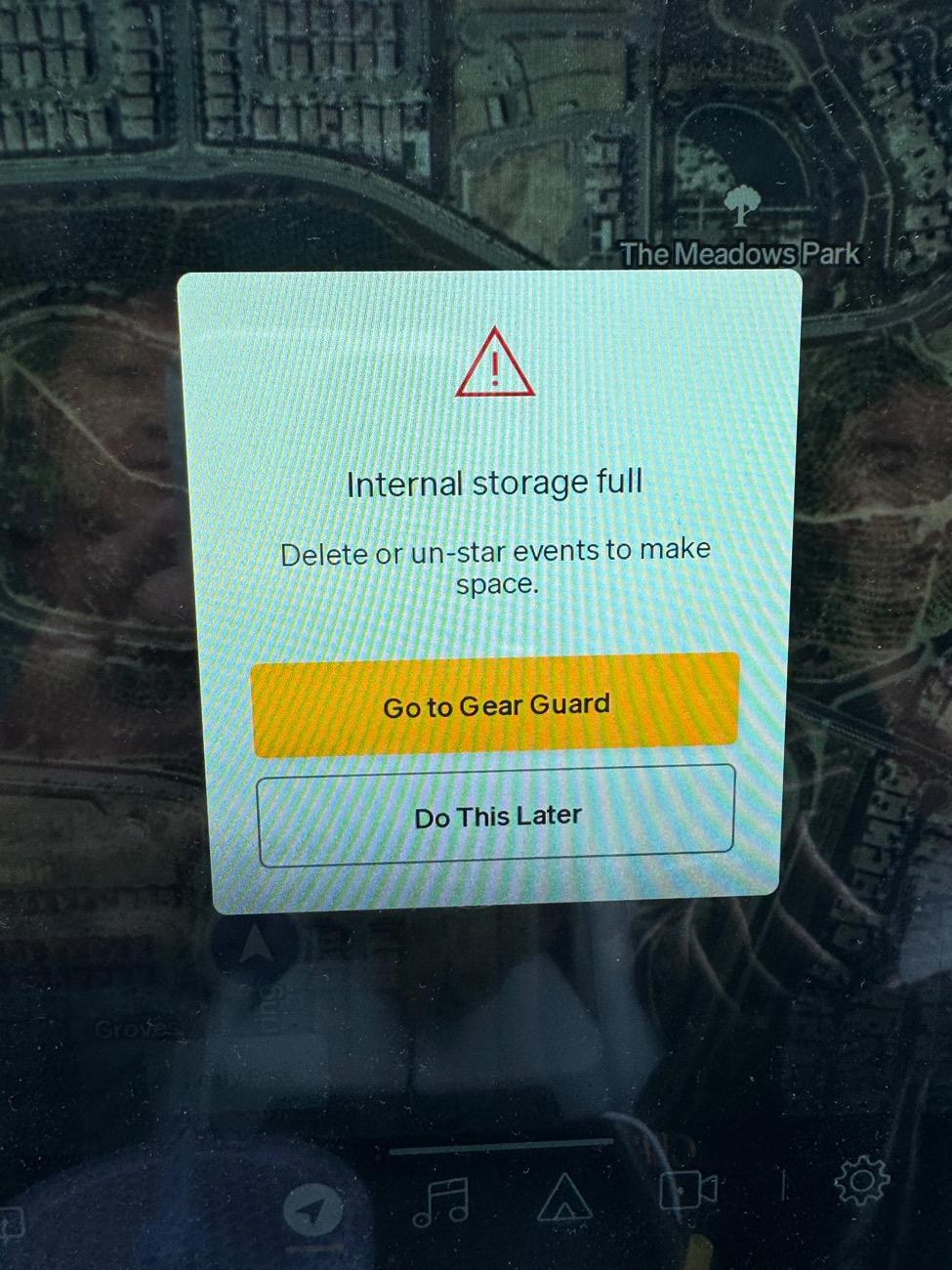
Rivian R1T R1S Internal storage full IMG_3237
Sponsored


godfodder0901

Well-Known Member
First Name
Jared
Joined
Mar 12, 2019
Threads
27
Messages
5,753
Reaction score
10,140
Location
Washington
Vehicles
2022 Rivian R1T LE
I did an info reset and did the left button + hazard light reset. Still popping up. Someone said it’s a glitch but I have a 2TB drive that’s been in the vehicle for a couple of months. Can it already be full? Doesn’t it just delete and rewrite over?

IMG_3237.jpeg
That external drive has nothing to do with 'internal storage'.
 
OP
OP

irvineboy

Well-Known Member
Joined
Mar 13, 2021
Threads
110
Messages
470
Reaction score
121
Location
Orange County
Vehicles
R1S
So I have to manually delete all my motion cam? There are only events for 5 days and it’s already full. Internal storage can’t be that small.

Is there a setting to automatically override the oldest?

Or is there a way to move all motion cam to store on external HD or is external only for reserved for drive cam?
 

MountainBikeDude

Well-Known Member
First Name
Adam
Joined
Jun 20, 2019
Threads
54
Messages
3,334
Reaction score
7,088
Location
Vancouver
Vehicles
2023 El Cap Quad Motor R1T (Selling the Xterra)
Clubs
 
Gear Guard videos are stored internally, Drive Cam and Incidents are stored on your SSD.
 

ealberton

Well-Known Member
First Name
Eddie
Joined
Jun 1, 2023
Threads
10
Messages
98
Reaction score
172
Location
San Diego
Vehicles
Subaru Outback
Occupation
Solar Sales
Clubs
 
That external drive has nothing to do with 'internal storage'.
UNderstood, by why now after 7 months is this popping up every time I get in my car? I don't care about the internal storage and neither should the car if it sees an external storage device.

Also hate that every time I get in the car, I have to see a prompt to buy Connect+. I know it's available if I want it. I am tethering from my hotspot, and it's working fine. I wish I could hit a button saying no longer show this message and be done with the annoyance.
 

Sponsored

MountainBikeDude

Well-Known Member
First Name
Adam
Joined
Jun 20, 2019
Threads
54
Messages
3,334
Reaction score
7,088
Location
Vancouver
Vehicles
2023 El Cap Quad Motor R1T (Selling the Xterra)
Clubs
 
So I have to manually delete all my motion cam? Is there a setting to automatically override the oldest?
Or is there a way to move all motion cam to store on external HD or is external only for drive cam?
Just go through and delete a bunch of the random videos. It does delete them over time but sometimes the amount of videos captured within that time frame will overload the drive or at least your portion of it.
 
OP
OP

irvineboy

Well-Known Member
Joined
Mar 13, 2021
Threads
110
Messages
470
Reaction score
121
Location
Orange County
Vehicles
R1S
Ok from the main screen, where you can “select” the videos, it says this one street has 10 events. But there is only 1 video that takes you to 4 cameras surrounding the vehicle. That’s only 4 events per video. So where are the other 10-4 = 6 events?
 
Last edited:

BlixemT

Active Member
Joined
Nov 20, 2022
Threads
2
Messages
43
Reaction score
32
Location
Canada
Vehicles
R1T and a couple of Germans
I think their is some sort of bug in recent updates. When I got this message I went and checked the videos that were stored. for the past couple of nights it would record 2 minutes of video, every 3 minutes. so it was almost non-stop recording for 2 days.
 

godfodder0901

Well-Known Member
First Name
Jared
Joined
Mar 12, 2019
Threads
27
Messages
5,753
Reaction score
10,140
Location
Washington
Vehicles
2022 Rivian R1T LE
UNderstood, by why now after 7 months is this popping up every time I get in my car? I don't care about the internal storage and neither should the car if it sees an external storage device.

Also hate that every time I get in the car, I have to see a prompt to buy Connect+. I know it's available if I want it. I am tethering from my hotspot, and it's working fine. I wish I could hit a button saying no longer show this message and be done with the annoyance.
Could be a software bug. Try a restart and then put in a ticket.

As far as the Connect+ nag, I've never seen it. I don't have Connect+, and only tether. I only see a small notification when attempting to use Connect+ only features.
 

Sponsored

godfodder0901

Well-Known Member
First Name
Jared
Joined
Mar 12, 2019
Threads
27
Messages
5,753
Reaction score
10,140
Location
Washington
Vehicles
2022 Rivian R1T LE
Do you know if the external HD is full, it automatically overrides the oldest video or do I have to plug it to laptop and manually delete?
Automatically overwrites.
 

R1TCntrlMaIzzy

Well-Known Member
Joined
May 10, 2023
Threads
50
Messages
552
Reaction score
624
Location
Massachusetts
Vehicles
R1T
Occupation
Computer Sci Stuff
Clubs
 
If you have any content as starred events those are stored in the internal storage. The Gary late nite trip video is one of them.
 

ciderarchitect

Well-Known Member
First Name
Austin
Joined
Sep 27, 2021
Threads
3
Messages
125
Reaction score
115
Location
Liberty Lake, WA
Vehicles
2023 Rivian R1T, 2018 Honda CRV
Occupation
Architect/Contractor
Clubs
 
I have started seeing this same message, and I realized it is caused (in my case) by Gear Guard capturing 100 events at night. I park in a carport and I’d find dozens of GG videos of the dark, showing just the concrete slab and my house in the distance, with no movement whatsoever. I needed to delete many dozens of events to free up space. I called Rivian and they said to start with a soft reset and the first night following was much improved. Waiting to see what night #2 brings.
Sponsored


Top