
bael
Well-Known Member
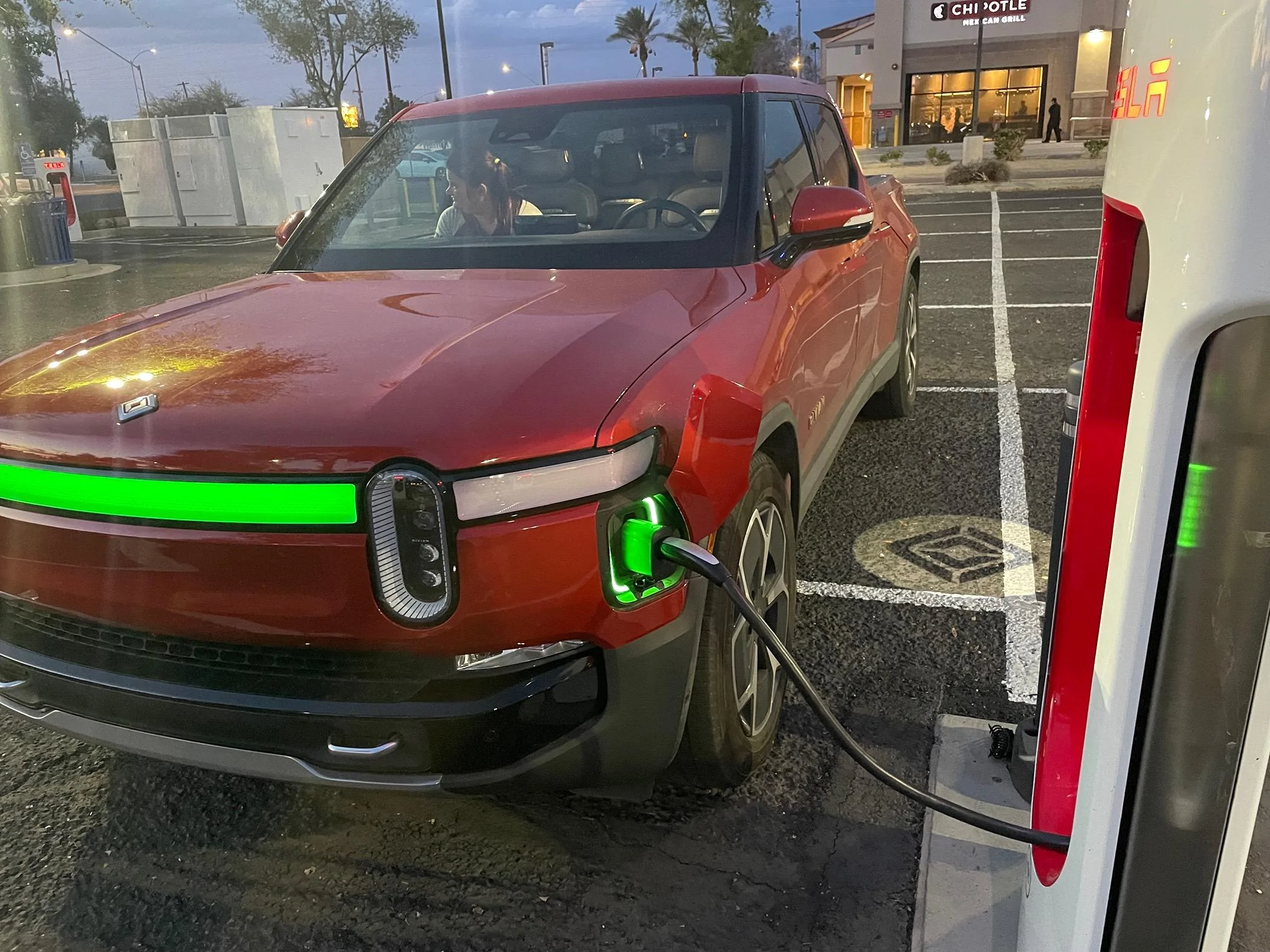
Infotainment reset? Toggle the switches in hide anyhow?My truck is not showing Tesla chargers even with all filters off. Even this magic dock site where I successfully used plug & charge did not show on the map

Sponsored
Infotainment reset? Toggle the switches in hide anyhow?My truck is not showing Tesla chargers even with all filters off. Even this magic dock site where I successfully used plug & charge did not show on the map

I don't think it is correct.I feel better that I’m not the only one not seeing Tesla chargers on the map via the app. This morning I adjusted my filter in the app which I thought I did yesterday. I had Tesla, out of order and incompatible (highlighted black only) and nothing selected for speed. This revealed Tesla chargers in my area but I had the click it to show (Adapter Needed) chargers.
When you say, “put your Rivian in without an adapter and check the map” Is this what you mean?I don't think it is correct.
I found what seems a good indicator - go on the tesla app and put your Rivian in without an adapater and check the map. Then go back in and add the Rivian in with an adapter. Look at I91 for example - there is a magic dock in Einfeild CT; but then with an adapater you get additional chargers on I91 in Mass.
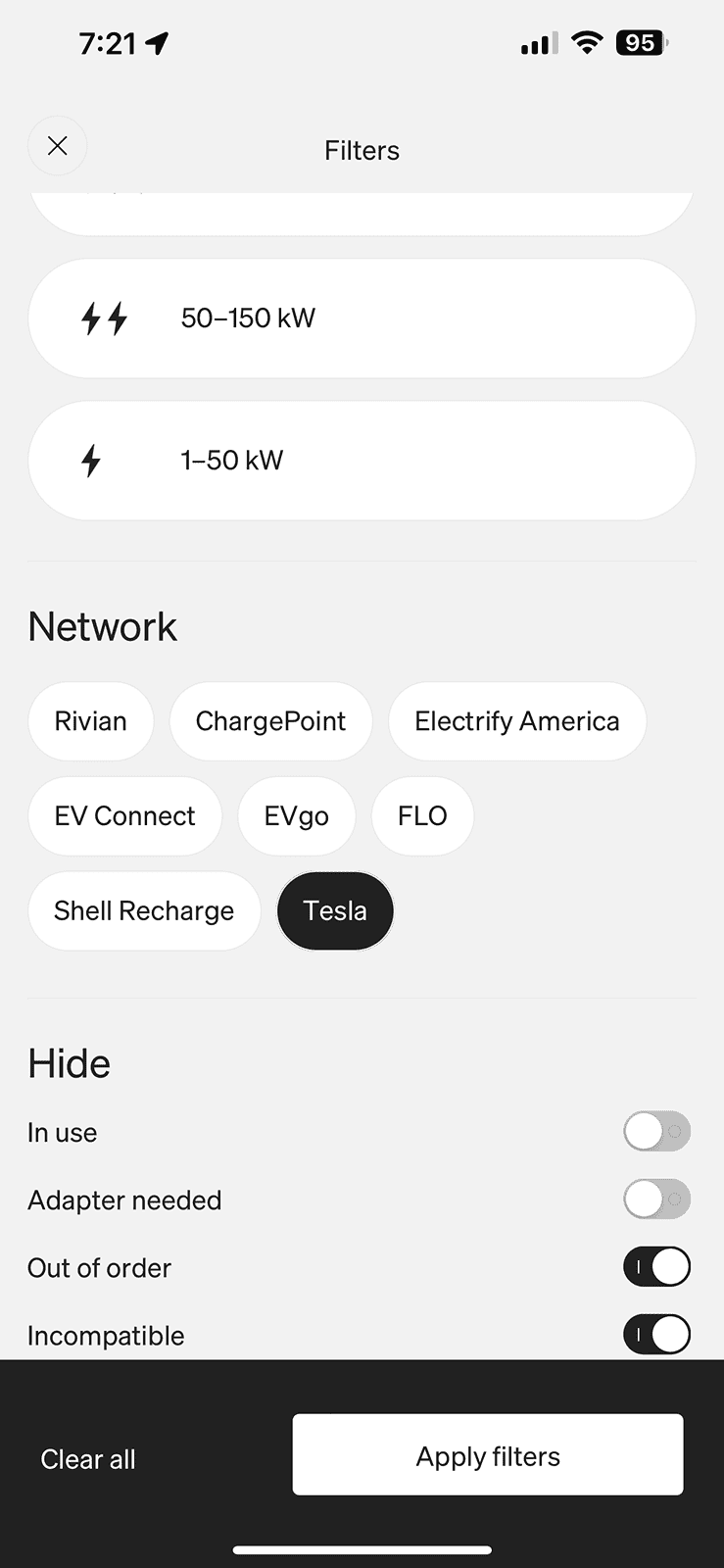
Sorry - wrong app. You need to be in the Tesla app. I can't fix it either in Rivian app.When you say, “put your Rivian in without an adapter and check the map” Is this what you mean?

I think that is exactly what my wife described. Soft reset seems to have solved the issue. ThanksI had a similar issue last week so it may be a bug with the current software and not tied to today specifically. I walked up to my truck and only the back doors unlocked. It took several tries with the app to get it to lock and then unlock all of the doors. First time something like that has happened.

I was able to view the available chargers within the Rivian app with the filter I applied above. I had to actually select the charging location and then it displayed, adapter needed. In the Tesla app I was able to figure out how to add the Rivian R1S and also displayed the available charges, and it basically showed the same thing. I had to click on the actual charger to display that the adapter was needed as well.Sorry - wrong app. You need to be in the Tesla app. I can't fix it either in Rivian app.
1. Exit your Rivian app.
2. Open your tesla app.
3. Select vehicle for charging non testla
a. alternative a - Rivian R1s without adapter (shows Einfeild CT)
b. alternative b - Rivian R1s "i have adapter" (opens up a bunch on map).
Very cool and thank for that information! Am still hoping the trailer profile trip planner feature is also included for those of us that tow regularly!He just sent a 10 second clip of a Rivian changing lanes... that's all I have. I haven't seen him in person to ask about all the other fixes. My guess it is an almost ready for primetime beta version. I know he is part of the employee program that allows him to download beta software updates on his personal vehicle. Since he has both a tester and his own personal R1, I"m not sure where the video was taken.

I see it, but it is totally inaccurate, so cannot be trusted. It also does not recognize construction zones and closed roads. The other day it tried to route me onto a road that had been closed for a few weeks.Do you not see any live traffic updates? I see them on my map, lines are not as heavy as on the Tesla but they are there, sometimes I turn off satellite view so they show better.
Curious if you do not see it or just do not trust it.
Cool. I was not able to do what you did in the rivian app. I guess it is because of clicking on the station. I'll try what you did.I was able to view the available chargers within the Rivian app with the filter I applied above. I had to actually select the charging location and then it displayed, adapter needed. In the Tesla app I was able to figure out how to add the Rivian R1S and also displayed the available charges, and it basically showed the same thing. I had to click on the actual charger to display that the adapter was needed as well.
The concern is the in vehicle warning from Rivian this morning on the center screen to only use the approved adaptor or you run the risk of damaging your vehicle.problem is Tesla is the supplier for all the adapters. And Ford customers are being told the chargers are back ordered through August or later. It doesn’t bode well to get an official charger anytime this year for us.
It's a standard business disclaimer; I would do the same thing if I ran Rivian.The concern is the in vehicle warning from Rivian this morning on the center screen to only use the approved adaptor or you run the risk of damaging your vehicle.
The interesting thing about that photo is it showed the wrong adapter.The concern is the in vehicle warning from Rivian this morning on the center screen to only use the approved adaptor or you run the risk of damaging your vehicle.
It was a reminder that you can't use a L2 charger on the SCers.The interesting thing about that photo is it showed the wrong adapter.
I believe it was showing the adapter for destination L2 charging. Which is obviously not the right adapter.
I'm sure people will end up using the wrong adapter even with the approved adapter. Like if someone borrowed my vehicle they wouldn't know which adapter was which.
I'll have to do a good job labeling them.


