Sponsored

Christopher

Well-Known Member
First Name
Christopher
Joined
May 31, 2022
Threads
34
Messages
583
Reaction score
573
Location
South Florida
Vehicles
R1T
Occupation
Tech
Clubs
 
Email from Rivian:

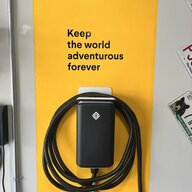
Beginning in late November, the brightness of the indicator light on your Rivian Wall Charger will be lowered to optimize for both indoor and outdoor setups.

To get this update (and future ones) make sure your Wall Charger is connected to Wi-Fi. This way, you'll improve your Wall Charger's performance and functionality over time. If you haven't yet connected to Wi-Fi, just follow the steps below.

How to Connect Your Wall Charger to Wi-Fi:

Part 1: Pair to Bluetooth®

  1. Open the Rivian App on your phone.
  2. Tap the icon at the top of the main screen, and choose Add Gear.
  3. Select Get Started, and follow the on-screen instructions to reset your circuit breaker, ensure Bluetooth is on and pair to your Wall Charger.
  4. Once the Wall Charger is paired, it will automatically connect to your Rivian Account and is ready to connect to Wi-Fi.
Part 2: Connect to Wi-Fi
  1. Tap “Connect to Wi-Fi” to begin the Wi-Fi connection process.
  2. Select your Wi-Fi network from the list and enter your network password. If you are unable to connect to your Wi-Fi network or do not see your network name in the list of available networks, please ensure that:
    1. Your Wall Charger is located within the Wi-Fi signal range of your modem and router
    2. Your network is broadcasting in 2.4 Ghz frequency
    3. Your network name does not contain any spaces or special characters
  3. When you see the “Setup Complete” screen, your Wall Charger is connected to Wi-Fi and your Rivian Account. To access your Wall Charger, tap the icon at the top of the Rivian App home page, and select the Wall Charger from the “Vehicles and Gear” pop out menu. In the Rivian App, you can:
    1. View charging history
    2. See Wall Charger details including power, voltage, amperage and software version
    3. Change your charger name or the Wi-Fi network it’s connected to
If you have more questions about your Wall Charger, we’re here to help. You can find more information here, or reach out for support. If you're a vehicle owner, you can also contact your Guide.
Sponsored


PappaBolt

Well-Known Member
First Name
Don
Joined
Aug 20, 2022
Threads
44
Messages
1,165
Reaction score
1,681
Location
Bainbridge Island, WA
Vehicles
R1S, Corvette, 911
Occupation
Tech
Clubs
 
Got the same message. Checked the version and I’m still on v03.01.47.

I don’t think there’s a way to force an upgrade. I might try powering off/on the charge to see if it will phone home and check for updates.
 

Riviot

Well-Known Member
Joined
Mar 29, 2021
Threads
121
Messages
6,430
Reaction score
10,805
Location
Kitsap, WA
Vehicles
R1T
Clubs
 
Got the same message. Checked the version and I’m still on v03.01.47.

I don’t think there’s a way to force an upgrade. I might try powering off/on the charge to see if it will phone home and check for updates.
How do you power on and off if hardwired? I'm on 03.00.30, and didn't get the email.
 

Sponsored

SteveInBend

Well-Known Member
First Name
Steve
Joined
Oct 21, 2020
Threads
26
Messages
561
Reaction score
985
Location
Bend, Oregon
Vehicles
2022 El Cap R1T
Occupation
Retired
Email says "Beginning in late November...".

In other words (aka Rivian-speak), no sooner than November 30th. I wouldn't futz with the charger until the New Year! :)
 

godfodder0901

Well-Known Member
First Name
Jared
Joined
Mar 12, 2019
Threads
27
Messages
5,748
Reaction score
10,137
Location
Washington
Vehicles
2022 Rivian R1T LE
Do I did that, it's on WiFi and I can see charge history, but it isn't updating.

Rivian help online says it automatically updates, but clearly it isn't. ?
Rolling update. May take as long as January.
 

Sponsored

PappaBolt

Well-Known Member
First Name
Don
Joined
Aug 20, 2022
Threads
44
Messages
1,165
Reaction score
1,681
Location
Bainbridge Island, WA
Vehicles
R1S, Corvette, 911
Occupation
Tech
Clubs
 
Well it says “late November”. Maybe the update isn’t making the OTA rounds just yet.
 

diurnate

Member
Joined
Sep 6, 2022
Threads
1
Messages
18
Reaction score
12
Location
DC
Vehicles
R1T
Occupation
Junior Rocket Surgeon
I just installed mine a couple of days ago - and it’s on the same 3.00 version. However it had been sitting in my basement for 3 months. So it apparently doesn’t look updates after a power cycle. This update is the first one announced and that address a flaw that’s caused a lot of really negative feedback - my guess is that this actually the first OTA update and we are all running on whatever shipped.
 

jerseyff

Well-Known Member
First Name
Darren
Joined
Aug 3, 2020
Threads
17
Messages
736
Reaction score
985
Location
McDonald, TN
Vehicles
R1T; Model 3 Highland
Occupation
IT
Just checked, my wall charger is now running v3.01.49.

I also have Twraps tint strip installed so it was already dim, havent paid enough attention to notice how much dimmer it is now.
 

godfodder0901

Well-Known Member
First Name
Jared
Joined
Mar 12, 2019
Threads
27
Messages
5,748
Reaction score
10,137
Location
Washington
Vehicles
2022 Rivian R1T LE
Just checked, my wall charger is now running v3.01.49.

I also have Twraps tint strip installed so it was already dim, havent paid enough attention to notice how much dimmer it is now.
I have the new version as well but, unfortunately, the truck is still in the shop so I can't test the dimmed charge indicator. ?
 

Ralph

Well-Known Member
First Name
Ralph
Joined
Jun 14, 2021
Threads
1
Messages
904
Reaction score
990
Location
Arkansas
Vehicles
R1T, Outback
Stil on 3.00.30 despite cycling the charger breaker. No history and lights too bright when charging. Perhaps charger updates have been paused while "membership" changes are being evaluated.
Sponsored


Top