Sponsored

Understanding Motion Cam events

irvineboy

Well-Known Member
Joined
Mar 13, 2021
Threads
110
Messages
470
Reaction score
121
Location
Orange County
Vehicles
R1S
I don’t really understand how they capture “events”. When I go to motion cam, it will list by address. When you click on the event, there are 4 camera videos, one for front, one for back and one on each side.

How can my home address on Nov 1 show 11 events in parenthesis, when each video has a total of 4 different camera videos? There are 4 videos with different times, so wouldn’t that be 4*4 = 16 events instead of 11 events?

How can a different address on Nov 1 show 2 events in parenthesis, when there are 2 videos with different times, with 4 camera videos? Wouldn’t that be 2*4 = 8 events instead of 2 events?
Sponsored

 
Last edited:

godfodder0901

Well-Known Member
First Name
Jared
Joined
Mar 12, 2019
Threads
27
Messages
5,756
Reaction score
10,141
Location
Washington
Vehicles
2022 Rivian R1T LE
I don’t really understand how they capture “events”. When I go to motion cam, it will list by address. When you click on the event, there are 4 camera videos, one for front, one for back and one on each side.

How can my home address on Nov 1 show 11 events in parenthesis, when each video has a total of 4 different camera videos? There are 4 videos with different times, so wouldn’t that be 4*4 = 16 events instead of 11 events?

How can a different address on Nov 1 show 2 events in parenthesis, when there are 2 videos with different times, with 4 camera videos? Wouldn’t that be 2*4 = 8 events instead of 2 events?
Each 'event' is just that; it's the motion event that caused the recording to start. When there is an event, it records all 4 cameras (5 on R1T) and associates those videos to the single event.
 
OP
OP

irvineboy

Well-Known Member
Joined
Mar 13, 2021
Threads
110
Messages
470
Reaction score
121
Location
Orange County
Vehicles
R1S
The math still doesn’t add up either way. 4 videos = 11 events. 2 videos = 2 events.
 

godfodder0901

Well-Known Member
First Name
Jared
Joined
Mar 12, 2019
Threads
27
Messages
5,756
Reaction score
10,141
Location
Washington
Vehicles
2022 Rivian R1T LE
The math still doesn’t add up either way. 4 videos = 11 events. 2 videos = 2 events.
Each event should have 4 videos. When you play them back, are the thumbnails blank for some cameras?
 

Sponsored

godfodder0901

Well-Known Member
First Name
Jared
Joined
Mar 12, 2019
Threads
27
Messages
5,756
Reaction score
10,141
Location
Washington
Vehicles
2022 Rivian R1T LE
No the thumbnails show for all 4 videos
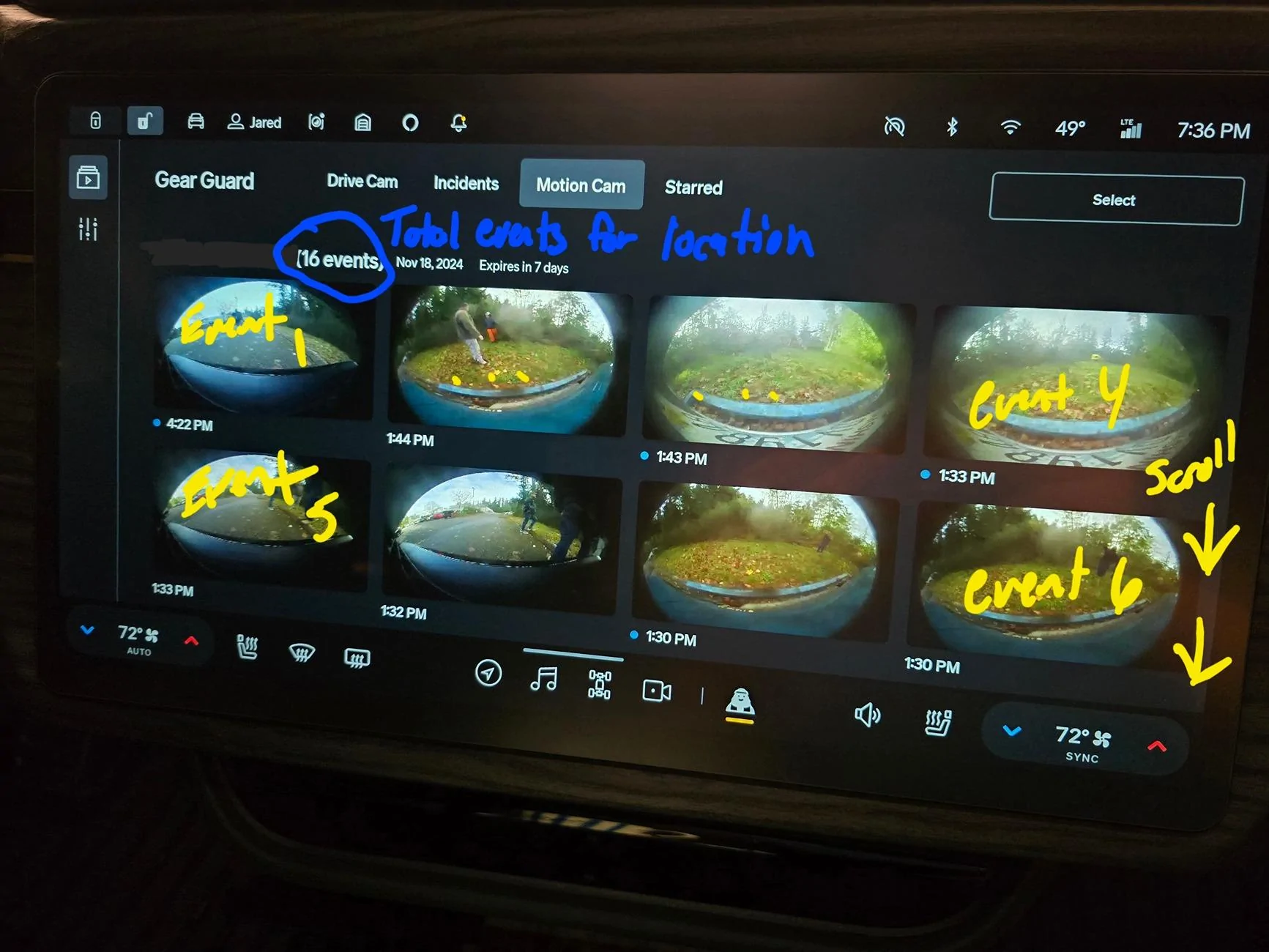
So I guess there is some confusion. What are you using to derive the number of events?
Rivian R1T R1S Understanding Motion Cam events 20241120_193623
 
Last edited:
OP
OP

irvineboy

Well-Known Member
Joined
Mar 13, 2021
Threads
110
Messages
470
Reaction score
121
Location
Orange County
Vehicles
R1S
I am deriving the number of events by what your circled in parenthesis. Right next to the address. My home shows 11 events with 4 videos. Another address shows 2 events with 2 videos.
 

godfodder0901

Well-Known Member
First Name
Jared
Joined
Mar 12, 2019
Threads
27
Messages
5,756
Reaction score
10,141
Location
Washington
Vehicles
2022 Rivian R1T LE
I am deriving the number of events by what your circled in parenthesis. Right next to the address. My home shows 11 events with 4 videos. Another address shows 2 events with 2 videos.
If you scroll down are the other 7 shown? Like in mine, we only see 8 of the 16 until we scroll down.

Sorry, not trying to insinuate that you aren't capable of scrolling, but it sometimes lines up perfectly without any indication that you need to scroll.
 
OP
OP

irvineboy

Well-Known Member
Joined
Mar 13, 2021
Threads
110
Messages
470
Reaction score
121
Location
Orange County
Vehicles
R1S
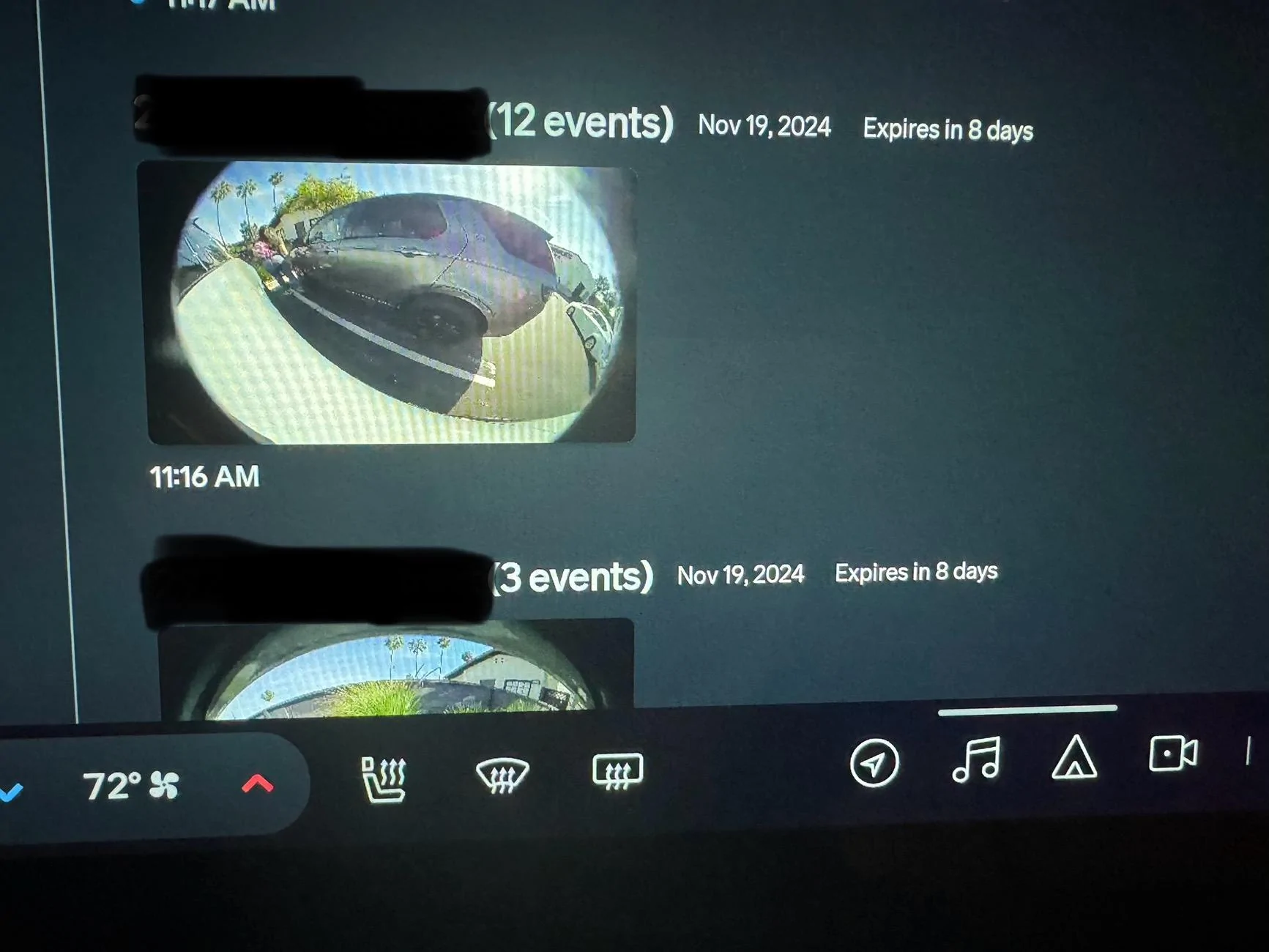
Here is an example. One video. But it says 12 events. Don’t have the scroll down since it’s only one video. The next one says 3 events. Only one video.

Rivian R1T R1S Understanding Motion Cam events IMG_4714
 

godfodder0901

Well-Known Member
First Name
Jared
Joined
Mar 12, 2019
Threads
27
Messages
5,756
Reaction score
10,141
Location
Washington
Vehicles
2022 Rivian R1T LE
Here is an example. One video. But it says 12 events. Don’t have the scroll down since it’s only one video. The next one says 3 events. Only one video.

IMG_4714.webp
Not normal. Software restart?
 

Sponsored

Killer95Stang

Well-Known Member
First Name
Dan
Joined
Dec 7, 2021
Threads
68
Messages
1,541
Reaction score
3,052
Location
Sunny Socal
Vehicles
Mustang, Falcon, F150, Flex and Explorer
Occupation
Engineer
Maybe it means... each time it picks up a separate motion trigger, it considers that an event. So one set of videos from each of the four cameras, but it may have only picked up a motion event in two of the four cameras. That could explain more events than sets of four videos?
 

godfodder0901

Well-Known Member
First Name
Jared
Joined
Mar 12, 2019
Threads
27
Messages
5,756
Reaction score
10,141
Location
Washington
Vehicles
2022 Rivian R1T LE
So if it shows 1 video, in parenthesis, it should say 1 event?
Yep. I have 16 events, 16 thumbnails. 11 events, 11 thumbnails. 1 event, 1 thumbnail.
 
OP
OP

irvineboy

Well-Known Member
Joined
Mar 13, 2021
Threads
110
Messages
470
Reaction score
121
Location
Orange County
Vehicles
R1S
Maybe it means... each time it picks up a separate motion trigger, it considers that an event. So one set of videos from each of the four cameras, but it may have only picked up a motion event in two of the four cameras. That could explain more events than sets of four videos?
But how would you have 12 events from 1 video?


Top