
Sponsored
iforbes
Well-Known Member
- First Name
- Ian
- Joined
- Oct 24, 2022
- Threads
- 9
- Messages
- 516
- Reaction score
- 883
- Location
- Connecticut
- Vehicles
- R1T
- Occupation
- APRN
Here’s the fix. And you get to keep your usb-c for other things.
LL75
Well-Known Member
- Thread starter
- #3
this is not what I am asking for helps. !!!Here’s the fix. And you get to keep your usb-c for other things.
ksujeff99
Well-Known Member
- First Name
- Jeff
- Joined
- Feb 22, 2022
- Threads
- 23
- Messages
- 384
- Reaction score
- 822
- Location
- Kansas City
- Vehicles
- 2022 R1T
- Occupation
- Financial Services
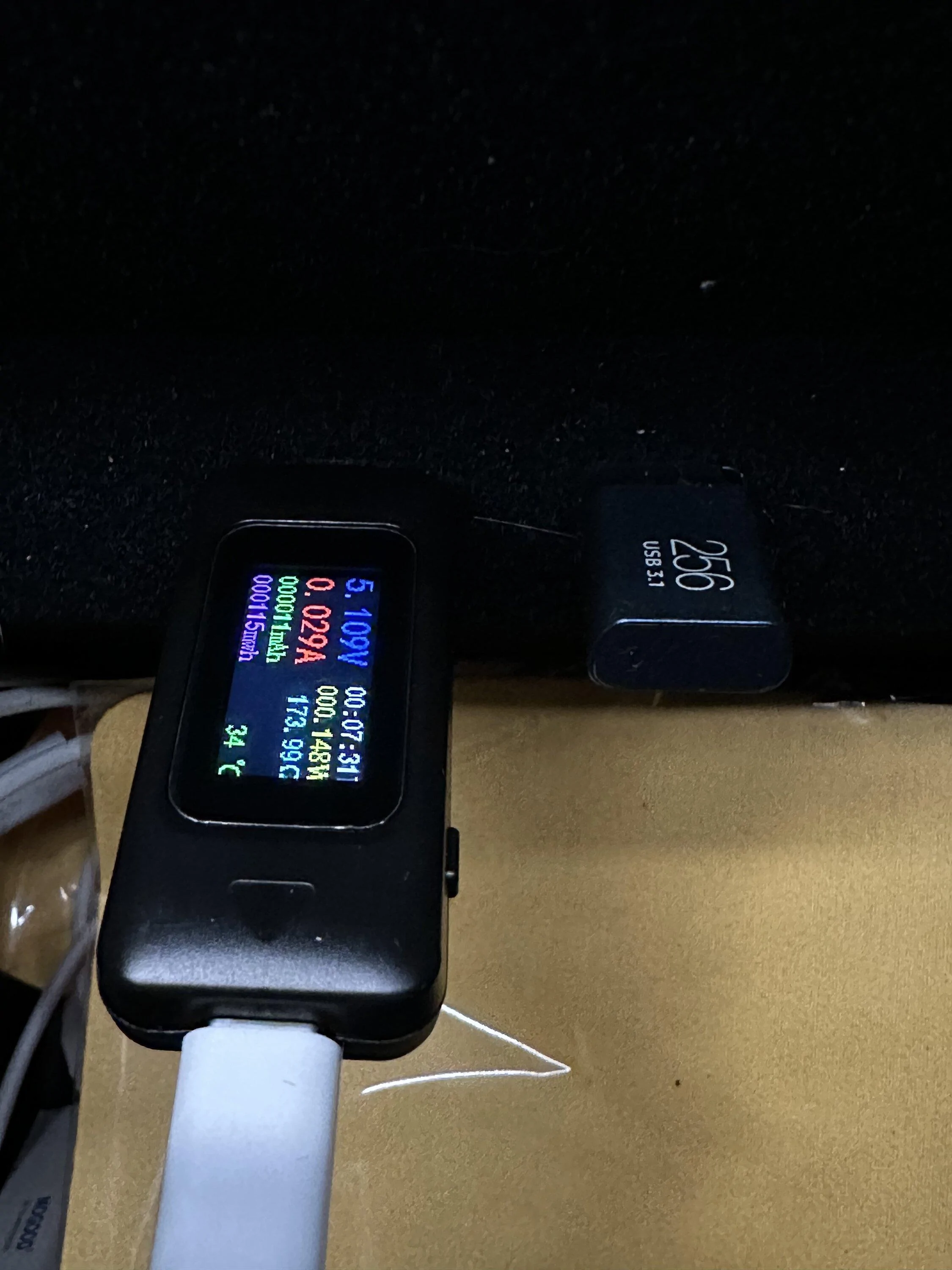
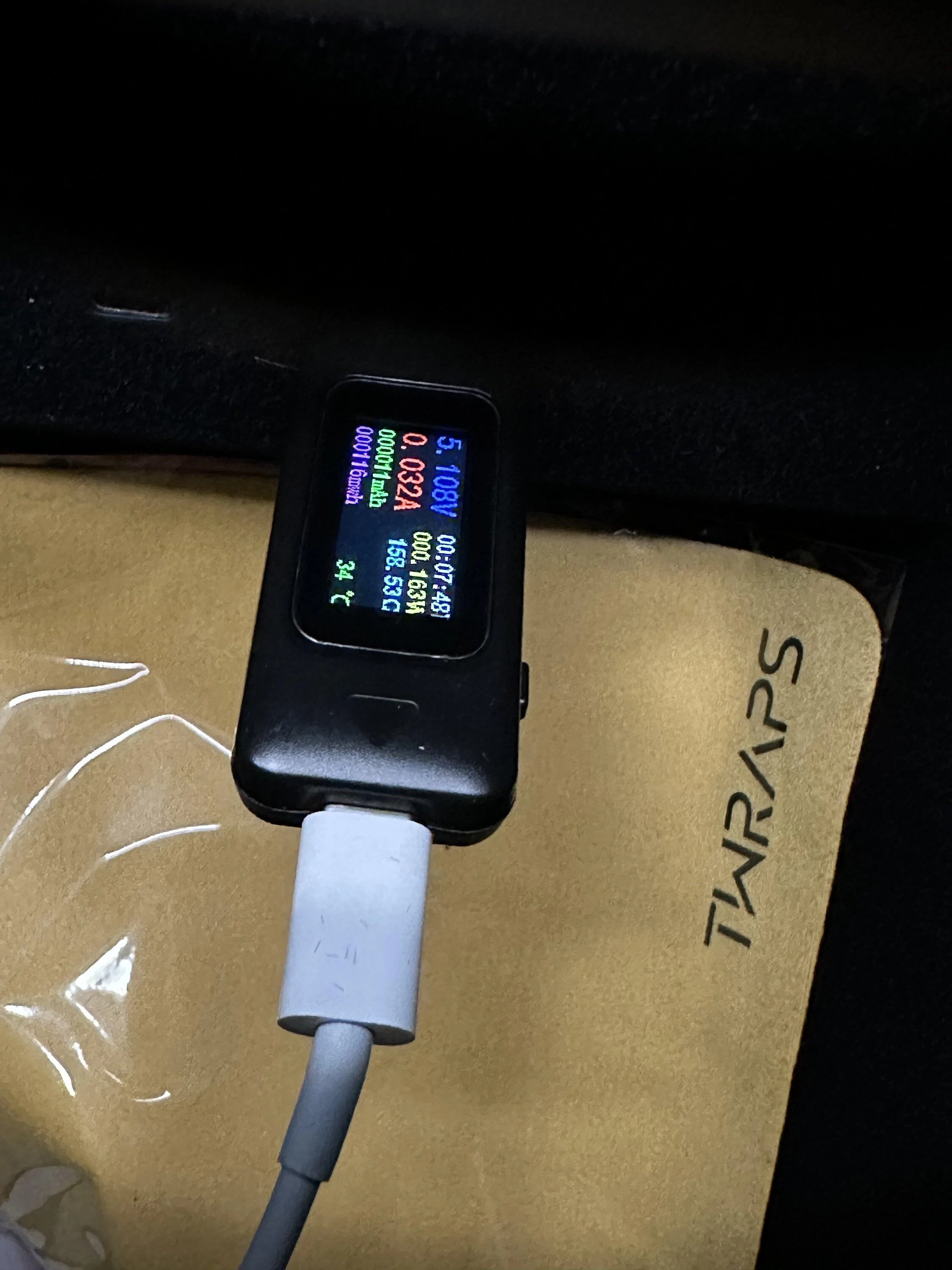
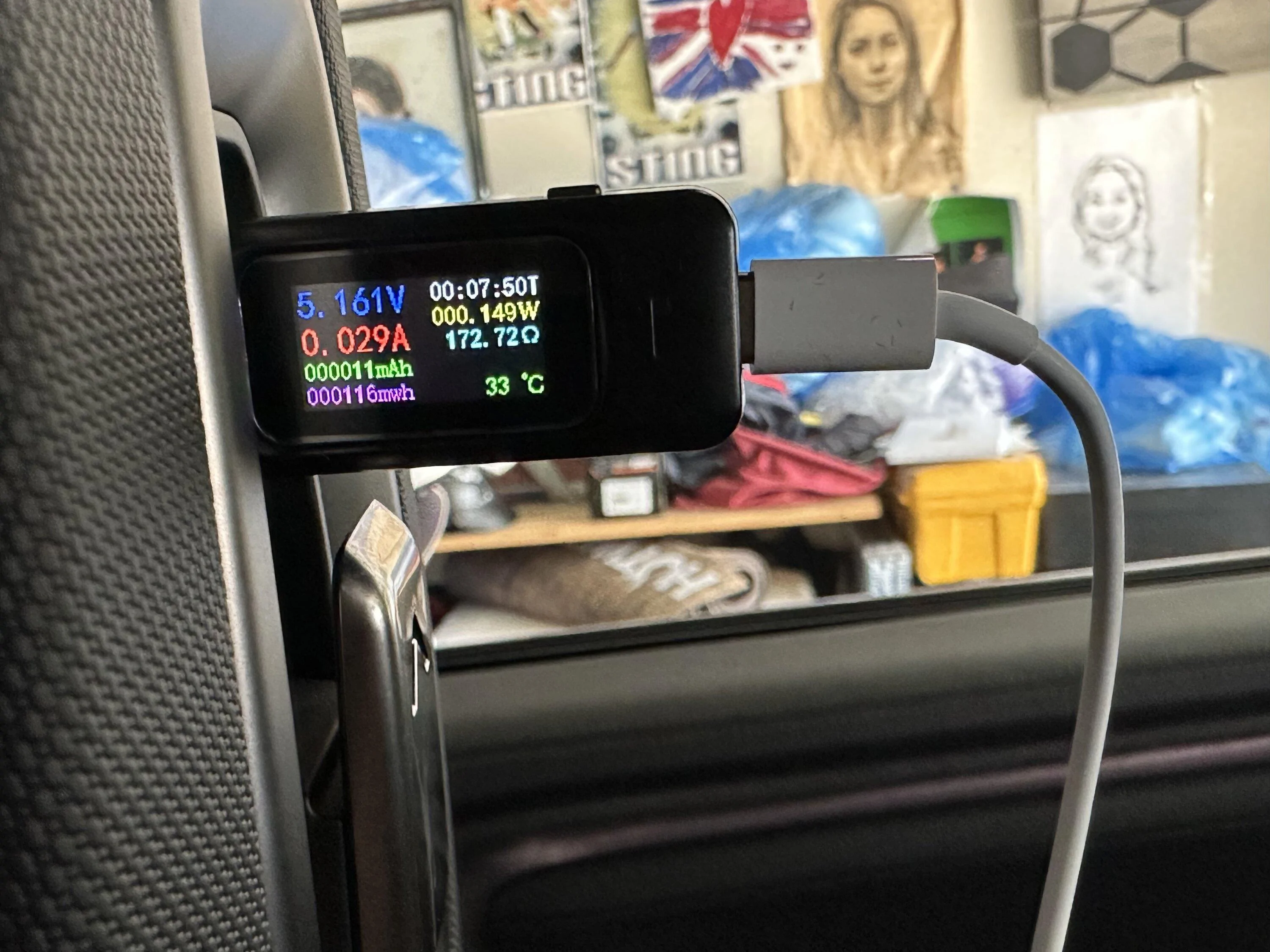
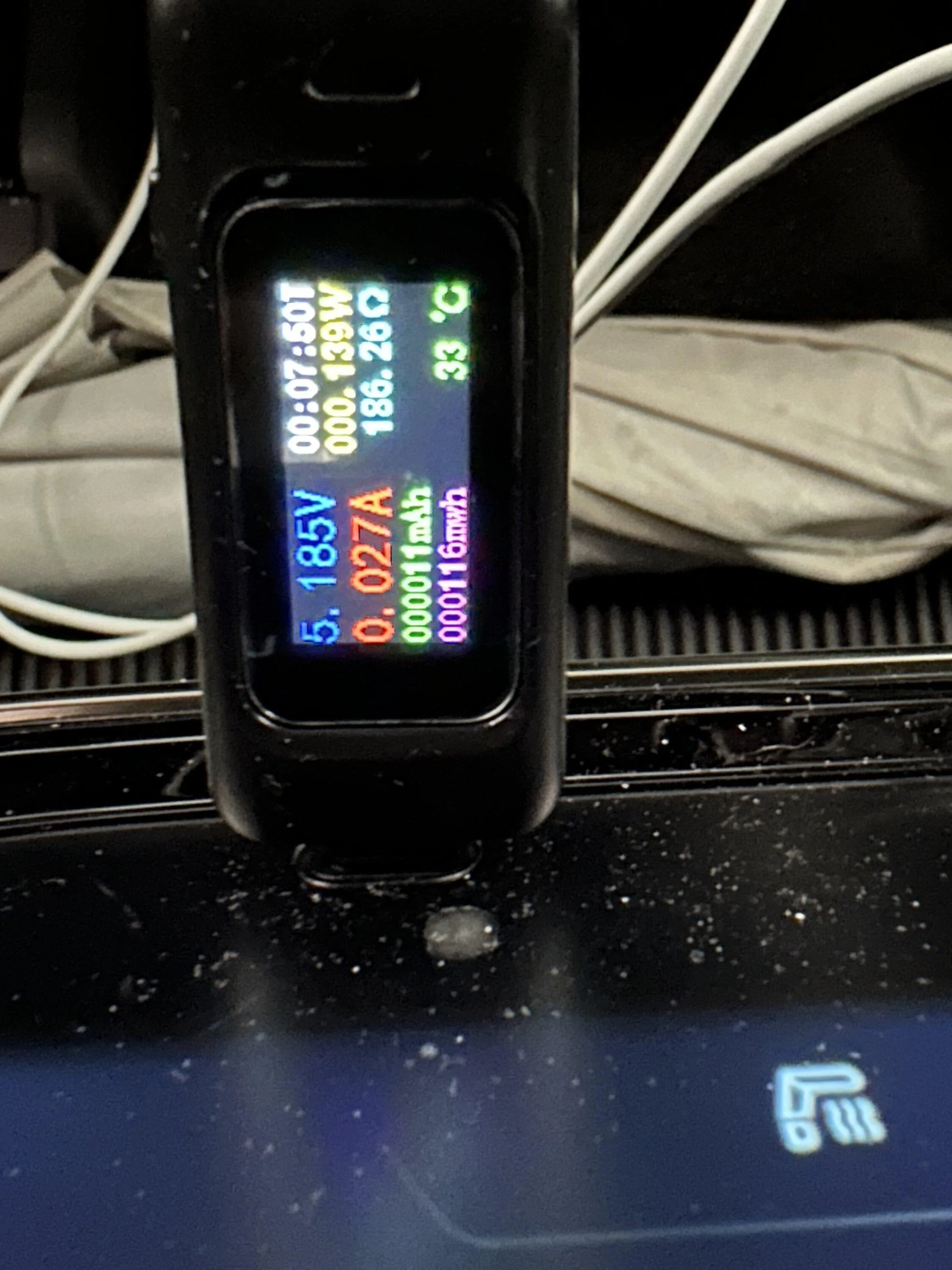
It appears you are charging at 0.3amps. That's almost nothing. Have you tried using a different cable? Or try charging something else - like a power bank. You should see (at a minimum) something between 1 and 2 amps.

Dark-Fx
Well-Known Member
Some of those meters interrupt the power negotiation stuff in usb-c, so they aren't necessarily a reliable tool.
I'd try different cables though.
I'd try different cables though.
Sponsored
LL75
Well-Known Member
- Thread starter
- #6
I tried several different ones including genuine cord from apple. reading is about the same. No wonders it is so slow when we are charging our phonesSome of those meters interrupt the power negotiation stuff in usb-c, so they aren't necessarily a reliable tool.
I'd try different cables though.
ksujeff99
Well-Known Member
- First Name
- Jeff
- Joined
- Feb 22, 2022
- Threads
- 23
- Messages
- 384
- Reaction score
- 822
- Location
- Kansas City
- Vehicles
- 2022 R1T
- Occupation
- Financial Services
This is true. I once had a nifty lightning cable in my F-150 with a LED on the end that was either amber or green depending on the state of charge of the device. That LED negotiated something strange in the truck's USB port and limited current flow to basically nothing.Some of those meters interrupt the power negotiation stuff in usb-c, so they aren't necessarily a reliable tool.
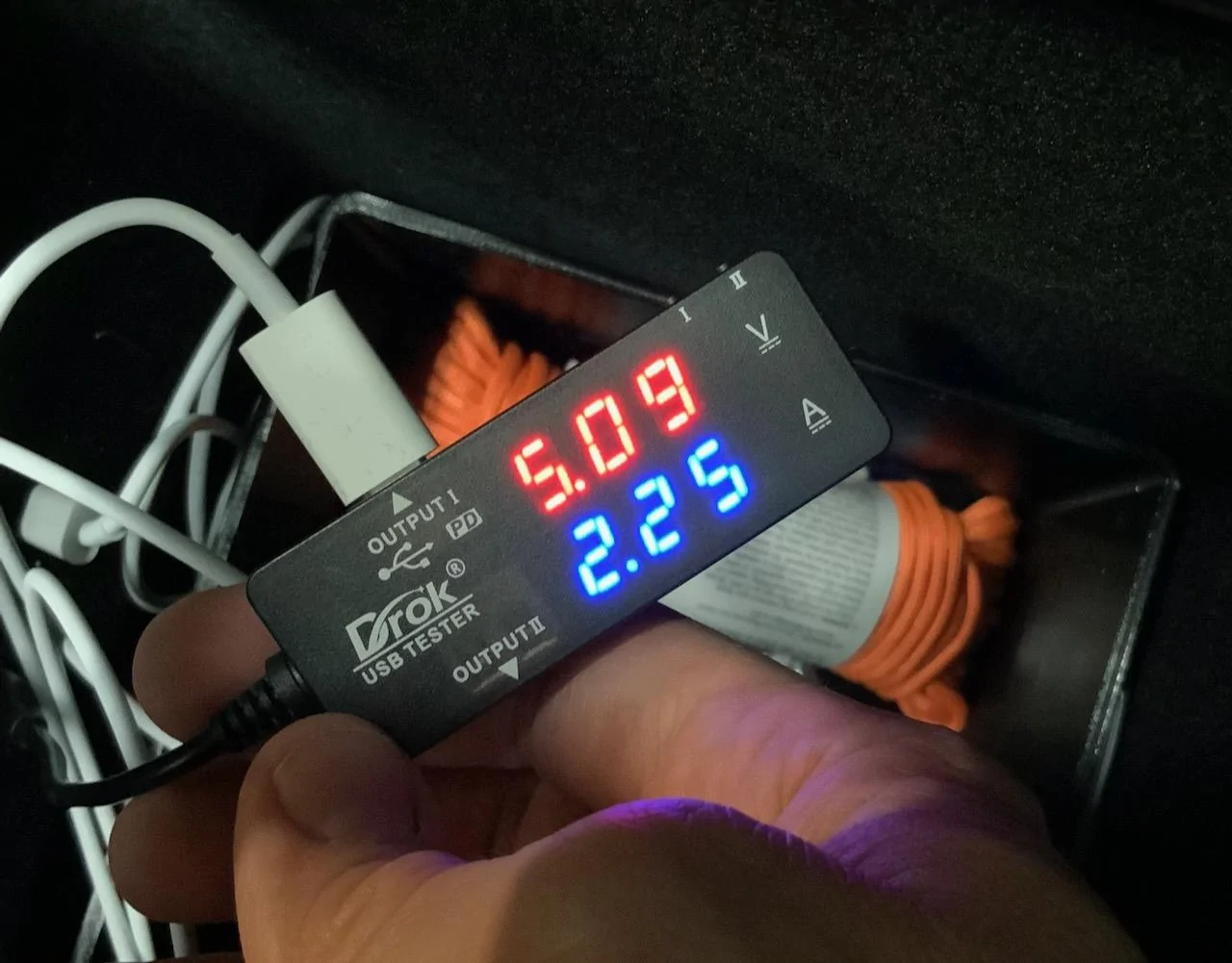
I have a similar USB-C meter that does work however with the Rivian. I tested how much current I was getting with my MagSafe charger and found it was pushing 2.25a.
elektrode
Well-Known Member
I found that charging two phones on a shared single USB-C port was terrible.
I don’t think you said you were sharing a single USB C port, but your Driver Cam card reader hints at that.
Driver Cam screwed up my charging by taking away a USBC port and making me share one.
BTW, ultimately my fix was to buy an excellent Adventure High Tech product for powering two USB C cables from the OEM charger’s power supply.
I don’t think you said you were sharing a single USB C port, but your Driver Cam card reader hints at that.
Driver Cam screwed up my charging by taking away a USBC port and making me share one.
BTW, ultimately my fix was to buy an excellent Adventure High Tech product for powering two USB C cables from the OEM charger’s power supply.
VSG
Well-Known Member
The USB-C standard is 15W (3 amps). That's also what it says in the Rivian user's manual for the USB-C ports, and since I know Rivian isn't designing their own USB chips there is no reason to believe the power available should be anything other than the standard.
There is a different, USB-C "power-delivery standard" that allows higher current, but Rivian clearly isn't using that.
Your perception that your phone charges "slow" in the Rivian may be because you charge with a higher-powered power adapter at home, which some phones can use to charge faster than from a typical USB-C port.
I guess it's possible that there could be a bad connection somewhere that is limiting your power, but since the port works I would think that was not very likely.
I guess it's also possible that the center console USB-C ports could be sharing power, but I don't see any reason for Rivian to implement their USB-C that way - you usually only see that in laptops and unpowered hubs where the source has limited power to give.
There is a different, USB-C "power-delivery standard" that allows higher current, but Rivian clearly isn't using that.
Your perception that your phone charges "slow" in the Rivian may be because you charge with a higher-powered power adapter at home, which some phones can use to charge faster than from a typical USB-C port.
I guess it's possible that there could be a bad connection somewhere that is limiting your power, but since the port works I would think that was not very likely.
I guess it's also possible that the center console USB-C ports could be sharing power, but I don't see any reason for Rivian to implement their USB-C that way - you usually only see that in laptops and unpowered hubs where the source has limited power to give.
Sponsored
LL75
Well-Known Member
- Thread starter
- #11
That is a good number. Is there anything else plugging in the other USB c port in the center console?This is true. I once had a nifty lightning cable in my F-150 with a LED on the end that was either amber or green depending on the state of charge of the device. That LED negotiated something strange in the truck's USB port and limited current flow to basically nothing.
I have a similar USB-C meter that does work however with the Rivian. I tested how much current I was getting with my MagSafe charger and found it was pushing 2.25a.


- First Name
- Iliya
- Joined
- May 18, 2022
- Threads
- 50
- Messages
- 929
- Reaction score
- 1,490
- Location
- Concord
- Website
- twraps.com
- Vehicles
- Gen 2 R1S, Cybertruck, Model 3 Highland
I've conducted a bunch of tests on my own last night and here is what I found:
* Our MagSafe charger with 1 phone - max 6.5W, most of the time 6W. With two phones - double that.
* Apple Original MagSafe charger - max 7.5W
* I've tried testing with both an almost 1 year old iPhone 14 Pro, and a brand new Samsung Galaxy S23 Plus (thinking it could be the iOS throttling charging speeds) but I got the same results with both.
* I tried 4 other pucks from different manufacturers - all the same results.
I have a bit more professional tester though and what made an impression on me are 2 things:
* Rivian would only handshake at 5V which is strange for a USB-C connection. Using the same chargers with various different power adapters at home I was able to get almost double these speeds at 12V and 15V charging.
* Rivian only initiates handshake at DCA 1.5A for some reason.
I am not an expert of how they built this, but I am fairly confident the issue is that the Rivian is not providing too much power on the USB-C. Also it's my impression that it's software related as the last time I tested a few months ago I was getting 7.5-8W per puck easily. Perhaps one of the recent software updates changed something? I don't know. I am not sure it's even possible. Another alternative would be that they use different charging units in different vehicles (supply chain shortages, change of suppliers etc) as the last time I tested it was a rented R1T, and now I am testing on my own R1S.
If other people have USB-C testers it would be interesting to post your readings for MagSafe /if you have one/ and for direct cable connection, as well as which one do you have - R1T or R1S and what month/year it was built. We might be able to detect some correlation...or not.
* Our MagSafe charger with 1 phone - max 6.5W, most of the time 6W. With two phones - double that.
* Apple Original MagSafe charger - max 7.5W
* I've tried testing with both an almost 1 year old iPhone 14 Pro, and a brand new Samsung Galaxy S23 Plus (thinking it could be the iOS throttling charging speeds) but I got the same results with both.
* I tried 4 other pucks from different manufacturers - all the same results.
I have a bit more professional tester though and what made an impression on me are 2 things:
* Rivian would only handshake at 5V which is strange for a USB-C connection. Using the same chargers with various different power adapters at home I was able to get almost double these speeds at 12V and 15V charging.
* Rivian only initiates handshake at DCA 1.5A for some reason.
I am not an expert of how they built this, but I am fairly confident the issue is that the Rivian is not providing too much power on the USB-C. Also it's my impression that it's software related as the last time I tested a few months ago I was getting 7.5-8W per puck easily. Perhaps one of the recent software updates changed something? I don't know. I am not sure it's even possible. Another alternative would be that they use different charging units in different vehicles (supply chain shortages, change of suppliers etc) as the last time I tested it was a rented R1T, and now I am testing on my own R1S.
If other people have USB-C testers it would be interesting to post your readings for MagSafe /if you have one/ and for direct cable connection, as well as which one do you have - R1T or R1S and what month/year it was built. We might be able to detect some correlation...or not.

- First Name
- Jim
- Joined
- Nov 11, 2021
- Threads
- 15
- Messages
- 409
- Reaction score
- 827
- Location
- Orange County, CA
- Website
- adventurehightech.com
- Vehicles
- Mazda CX-9
- Occupation
- Software Guy
I've done a fair bit of testing of the USB ports.
For single phone on a wired connection I averaged 14w, 5.1 Volt, 2.8 amps. Some testing dongles certainly have problems working correctly in my experience as well.
For single phone on a wired connection I averaged 14w, 5.1 Volt, 2.8 amps. Some testing dongles certainly have problems working correctly in my experience as well.
LL75
Well-Known Member
- Thread starter
- #14
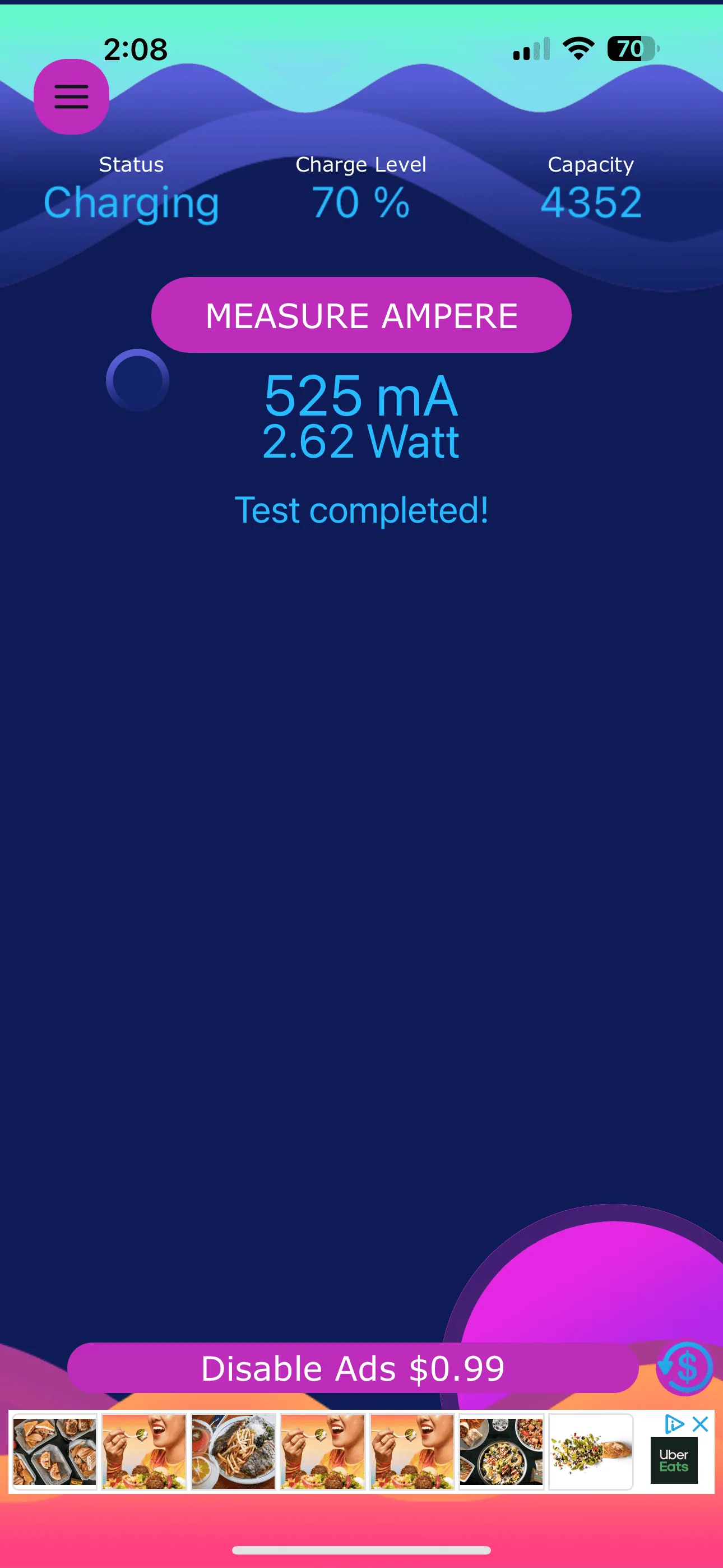
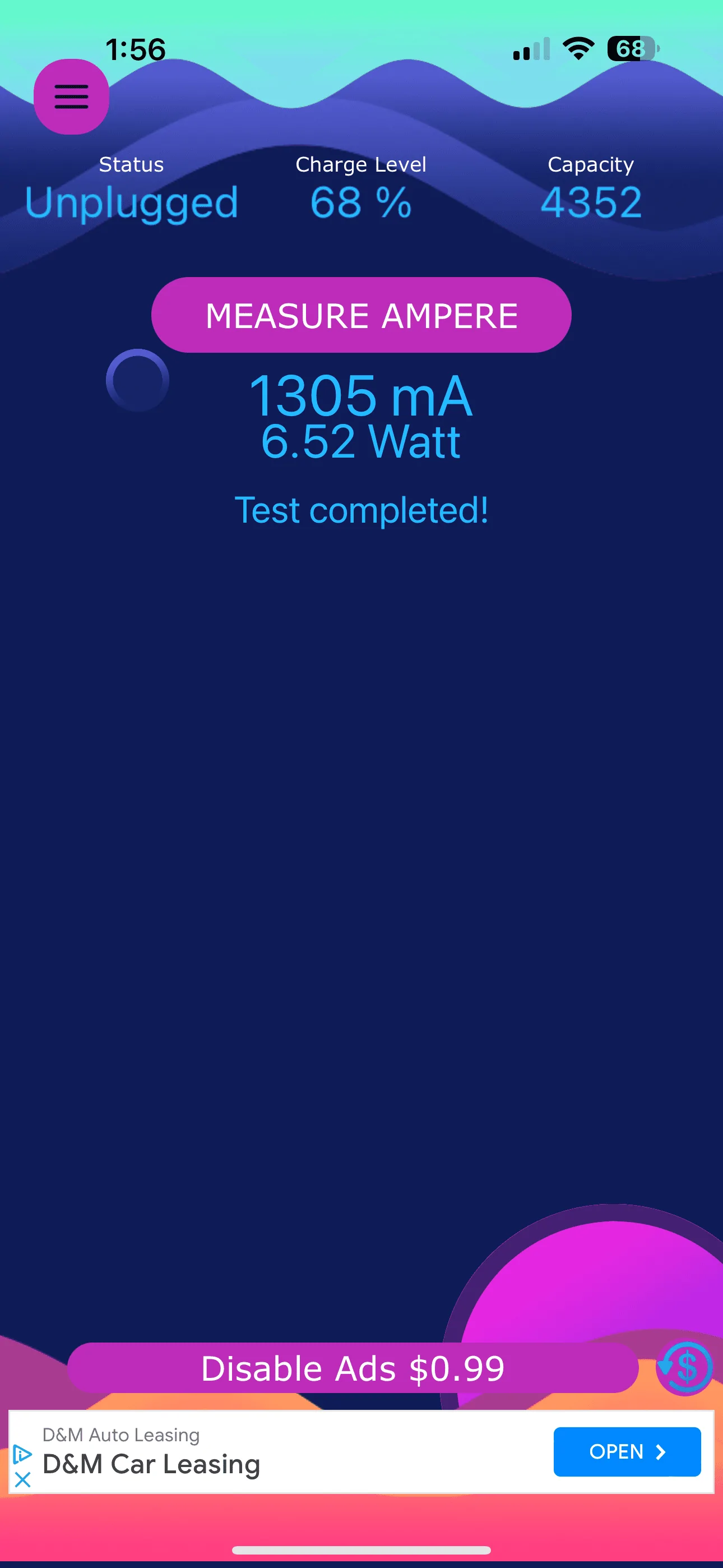
There is something is off with my usb c ports then. I tested on all ports using Ampere battery charging app with genuine apple cord, and the most I get out of it is around 6.5 wI've done a fair bit of testing of the USB ports.
For single phone on a wired connection I averaged 14w, 5.1 Volt, 2.8 amps. Some testing dongles certainly have problems working correctly in my experience as well.
Sponsored
Similar threads
- Replies
- 6
- Views
- 1,021

- Replies
- 67
- Views
- 13,576


