Sponsored

twraps

Well-Known Member
Site Sponsor
First Name
Iliya
Joined
May 18, 2022
Threads
50
Messages
927
Reaction score
1,482
Location
Concord
Website
twraps.com
Vehicles
Gen 2 R1S, Cybertruck, Model 3 Highland
Clubs
 
Rivian R1T R1S Gen2 Compatible MagSafe Dual Charger Screenshot 2024-08-23 at 10.53.52 AM

Hey folks

Iliya from TWRAPS here. The first thing I did once I got my Gen2 R1S a couple of months ago was to make our MagSafe charger compatible with it. I've been flying under the radar about this since, mostly because until the recent SW update lots of us in a Gen2 had issues with the USB-C ports not working. Now this seems to be doing better with the latest SW update and I've decided to share the news.

Between now and the last time I made an announcement about our charger, there's been a few changes:
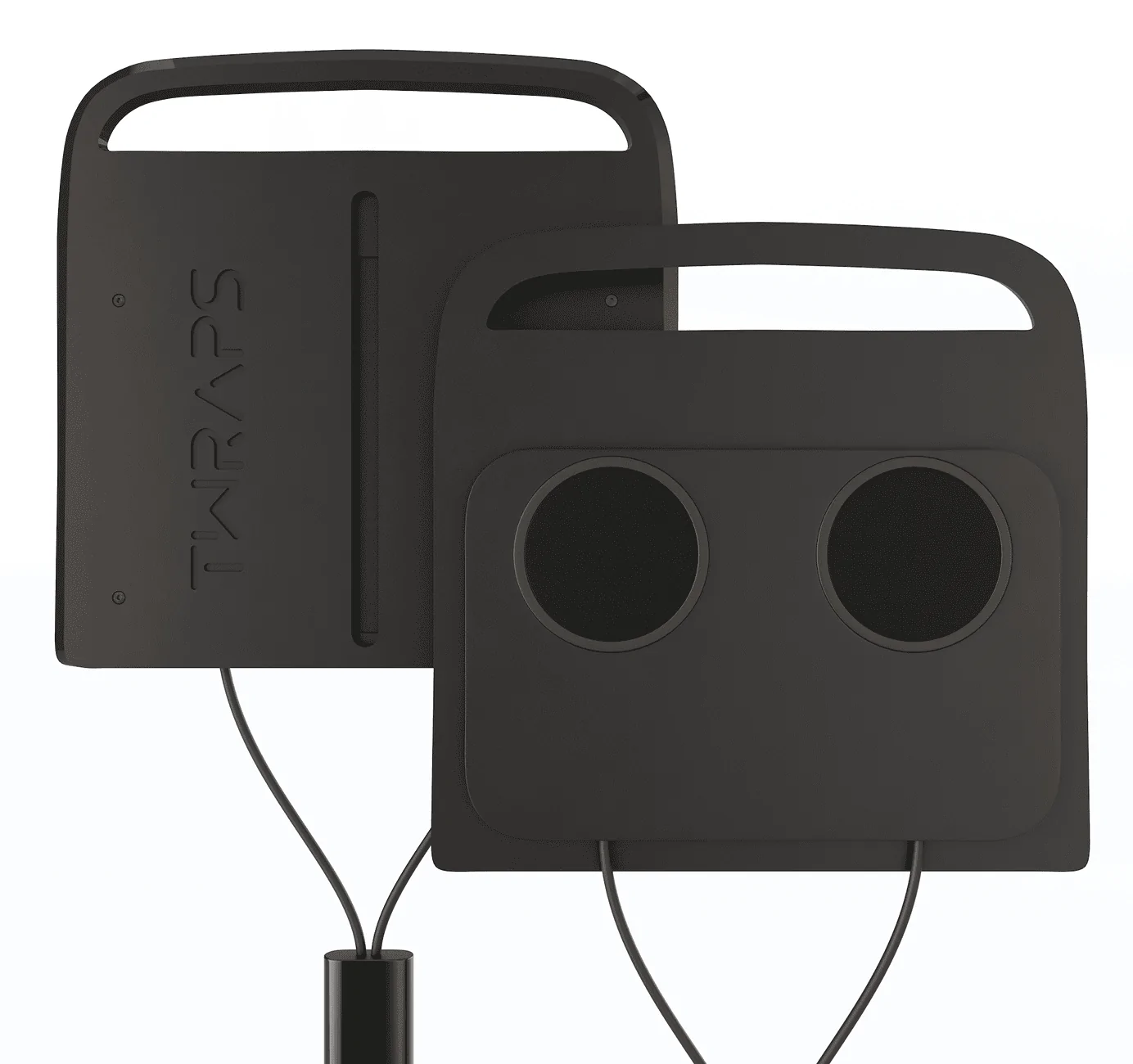
  • I've improved the design to make the sides slanted so it fits over the OEM mat edge-to-edge.
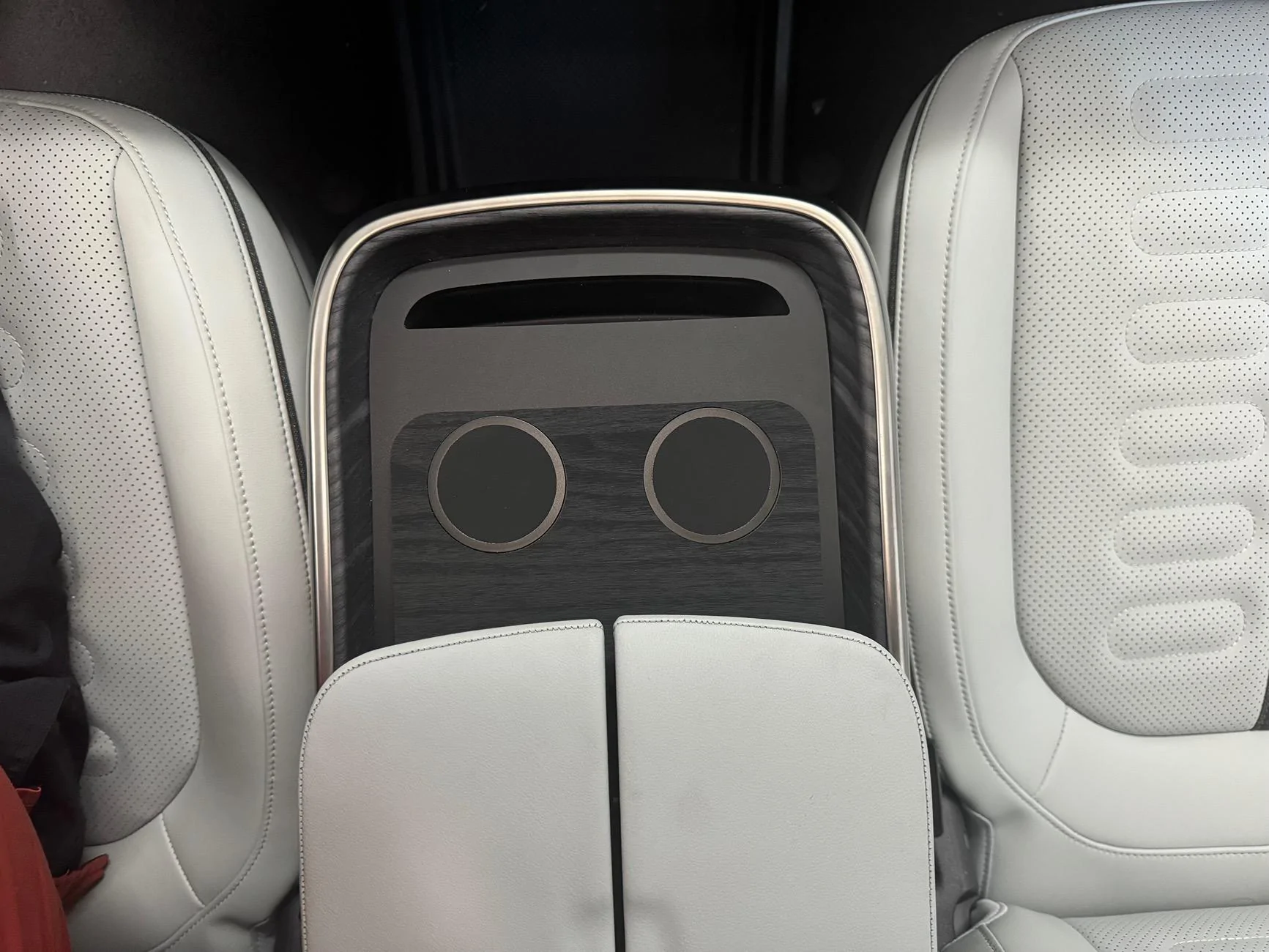
  • I've changed the material we use for Dark Ashwood skins - the new one is a great match, photo below
  • Added a cutout on the back to accommodate the Gen2 divider so it's now Gen1 and Gen2 compatible
  • We now apply the skins as part of our manufacturing process, so you don't need to apply it manually
For those of you new to this, a few highlights of our charger:
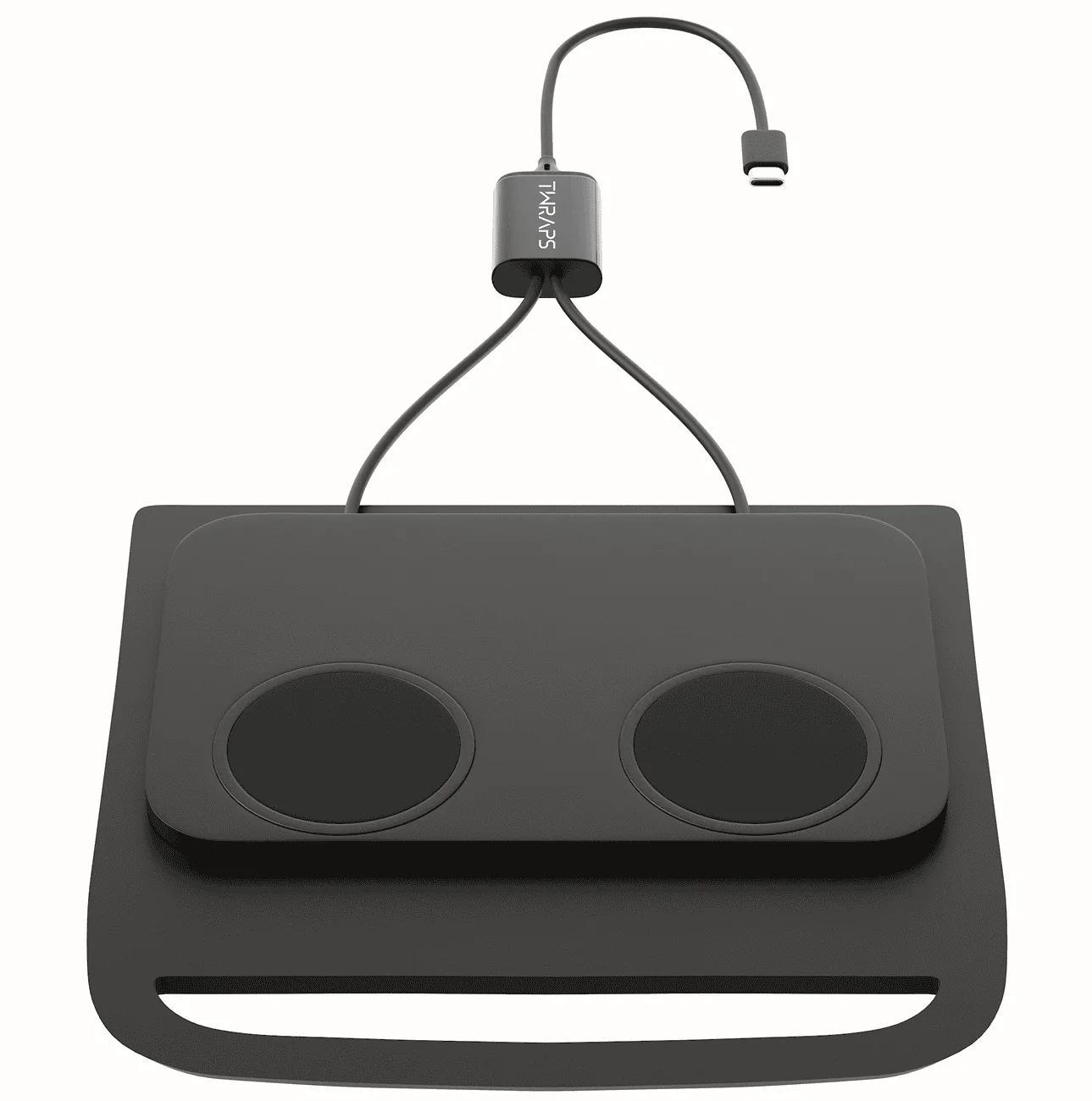
  • Uses proprietary charging controller which merges both pucks into a single USB-C port, allowing you to use Gear Guard and our charger simultaneously. Make sure to plug it into the passenger side USB-C port for faster charging.
  • 20W max power for the unit, 15W per puck. iPhones get ~10W (throttled by Apple) if plugged into the passenger side USB-C port.
  • Compatible only with phones with a real MagSafe case (the kind that has a magnetic ring on the back)
  • Built on 2 levels to accommodate the iPhone camera bump - the phone stays secure due to the magnets which assures the most efficient charging possible.
  • Just place on top of the existing OEM charging mat and plug it into the passenger side USB-C port under the armrest - you don't need to disassemble anything. There's no interference with the OEM charger. Plug & play, as simple as that.
You can use coupon code GASGONE for 10% off:
https://twraps.com/products/magsafe-compatible-dual-wireless-charger-for-rivian-r1t-r1s
Rivian R1T R1S Gen2 Compatible MagSafe Dual Charger Screenshot 2024-08-23 at 10.59.07 AM

Rivian R1T R1S Gen2 Compatible MagSafe Dual Charger IMG_1629
Sponsored

 
OP
OP
twraps

twraps

Well-Known Member
Site Sponsor
First Name
Iliya
Joined
May 18, 2022
Threads
50
Messages
927
Reaction score
1,482
Location
Concord
Website
twraps.com
Vehicles
Gen 2 R1S, Cybertruck, Model 3 Highland
Clubs
 
Is the Gen 2 charger also crap?
Care to elaborate? I've been using this in my R1S for more than a year without issues. If you plug it into the passenger side USB-C port you get 10W of power per puck with an iPhone (driver side is throttled for gear guard videos, so you need to plug into the passenger side).

Yes. YMMV depending on your phone case but it heats up the phone more than it charges regardless.
You need a legit MagSafe case, yes, this is a MagSafe charger and we make that very clear in the listing. With a real MagSafe case it won't overheat, this is a big reason why MagSafe was invented by Apple in the first place.
 

Sponsored

dthmetl

Member
Joined
Jul 22, 2024
Threads
4
Messages
12
Reaction score
10
Location
Tx
Vehicles
2022 BMW X5
Care to elaborate? I've been using this in my R1S for more than a year without issues. If you plug it into the passenger side USB-C port you get 10W of power per puck with an iPhone (driver side is throttled for gear guard videos, so you need to plug into the passenger side).


You need a legit MagSafe case, yes, this is a MagSafe charger and we make that very clear in the listing. With a real MagSafe case it won't overheat, this is a big reason why MagSafe was invented by Apple in the first place.
The question and my response wasn't for your product. Your product works great. I believe the question was for the stock wireless charging pad that's in the Rivian and that one overheats the phone.
 

kozak79

Well-Known Member
Joined
Nov 11, 2022
Threads
84
Messages
751
Reaction score
1,385
Location
New Jersey
Website
www.youtube.com
Vehicles
R1T
Occupation
Visual Effects
Clubs
 
Care to elaborate? I've been using this in my R1S for more than a year without issues. If you plug it into the passenger side USB-C port you get 10W of power per puck with an iPhone (driver side is throttled for gear guard videos, so you need to plug into the passenger side).
I mean the OEM charger.
 
OP
OP
twraps

twraps

Well-Known Member
Site Sponsor
First Name
Iliya
Joined
May 18, 2022
Threads
50
Messages
927
Reaction score
1,482
Location
Concord
Website
twraps.com
Vehicles
Gen 2 R1S, Cybertruck, Model 3 Highland
Clubs
 
The question and my response wasn't for your product. Your product works great. I believe the question was for the stock wireless charging pad that's in the Rivian and that one overheats the phone.
I mean the OEM charger.
Omfg....maybe I shouldn't be browsing the forums and posting before I finish my first coffee and fully wake up ??‍♂ Sorry about that, I thought it was implied that our charger is crap ?


As for Rivian's OEM Gen2 charger - the divider helps a little if you have an Android, but with iPhone it overheats due to the camera bump lifting the phone up on one side.


Rivian R1T R1S Gen2 Compatible MagSafe Dual Charger oops-homer-simpson
 

Spamthechan

Well-Known Member
First Name
Justin
Joined
Jul 15, 2024
Threads
2
Messages
95
Reaction score
95
Location
San Diego
Vehicles
Alfa Romeo Stelvio QV
The Gen 2 charger works well enough for me but my phone gets VERY hot on it. Just bought your pad! Looking forward to using it
 

Sponsored

zigzagzap

Well-Known Member
First Name
Calvin
Joined
Nov 27, 2021
Threads
7
Messages
76
Reaction score
90
Location
Tidewater, Virginia
Vehicles
Maserati QP, Porsche GTS, BMW X5, R1S
Occupation
Financial
Ordered.
Thanks for this option @twraps. Does in make any sense to disconnect the OEM charger connection?
 

SeaGeo

Well-Known Member
First Name
Brice
Joined
Jan 12, 2021
Threads
50
Messages
5,673
Reaction score
10,212
Location
Seattle
Vehicles
Xc60 T8
Occupation
Engineer

SeaGeo

Well-Known Member
First Name
Brice
Joined
Jan 12, 2021
Threads
50
Messages
5,673
Reaction score
10,212
Location
Seattle
Vehicles
Xc60 T8
Occupation
Engineer
A couple of notes:

I am on the current software for Gen2, and am still running into USB-C software issues, including mishandling of voltages and the e-fuse cutting out. I say this mostly so that people ordering either the @twraps charger or @Sojhinn charger know to be patient as Rivian works this out. Or if (like me) they find out they can't plug their laptop into the "67w" center console USB plugs.

@twraps I'm assuming yes, but can you confirm the key card still works with your charger in place?
 
OP
OP
twraps

twraps

Well-Known Member
Site Sponsor
First Name
Iliya
Joined
May 18, 2022
Threads
50
Messages
927
Reaction score
1,482
Location
Concord
Website
twraps.com
Vehicles
Gen 2 R1S, Cybertruck, Model 3 Highland
Clubs
 
Ordered.
Thanks for this option @twraps. Does in make any sense to disconnect the OEM charger connection?
No need... I keep mine on and it works just fine when the Rivian would allow it (Gen2 USB-C issues here).
 
OP
OP
twraps

twraps

Well-Known Member
Site Sponsor
First Name
Iliya
Joined
May 18, 2022
Threads
50
Messages
927
Reaction score
1,482
Location
Concord
Website
twraps.com
Vehicles
Gen 2 R1S, Cybertruck, Model 3 Highland
Clubs
 
A couple of notes:

I am on the current software for Gen2, and am still running into USB-C software issues, including mishandling of voltages and the e-fuse cutting out. I say this mostly so that people ordering either the @twraps charger or @Sojhinn charger know to be patient as Rivian works this out. Or if (like me) they find out they can't plug their laptop into the "67w" center console USB plugs.

@twraps I'm assuming yes, but can you confirm the key card still works with your charger in place?
Same here with the USB-C issues...I was hoping the last update would've fixed it but no luck so far. I reboot the car once every couple of days to have everything running smoothly.

Key Card - it won't read through the charger itself but if you lift it up it will detect it.
Have in mind that you don't need to put the key card there if you start the car within 60 seconds (or was it 90? it's in the manual) of entering the vehicle.
Sponsored


Top