Sponsored

Drive Camera mode question

trp

New Member
First Name
tim
Joined
Aug 23, 2026
Threads
1
Messages
2
Reaction score
1
Location
Louisville
Vehicles
MME
My understanding is that the cameras will record during normal driving but an external USB is needed to record and save the footage. If that is correct can someone tell me what I need what type and where to plug that into?

I am coming from a Ford Mach E and this was not even an option. A whole camera set up was necessary.

Thanks

(December/January order window for Catalina Cove/Coastal Cloud)
Sponsored

 

emroch

Well-Known Member
First Name
Eric
Joined
Jun 9, 2026
Threads
6
Messages
328
Reaction score
711
Location
Austin, TX
Website
r2-dashboard.pages.dev
Vehicles
2027 R2 Launch Edition, Chevy Equinox
Occupation
HW Verification Engineer
  • Like
Reactions: trp

emroch

Well-Known Member
First Name
Eric
Joined
Jun 9, 2026
Threads
6
Messages
328
Reaction score
711
Location
Austin, TX
Website
r2-dashboard.pages.dev
Vehicles
2027 R2 Launch Edition, Chevy Equinox
Occupation
HW Verification Engineer
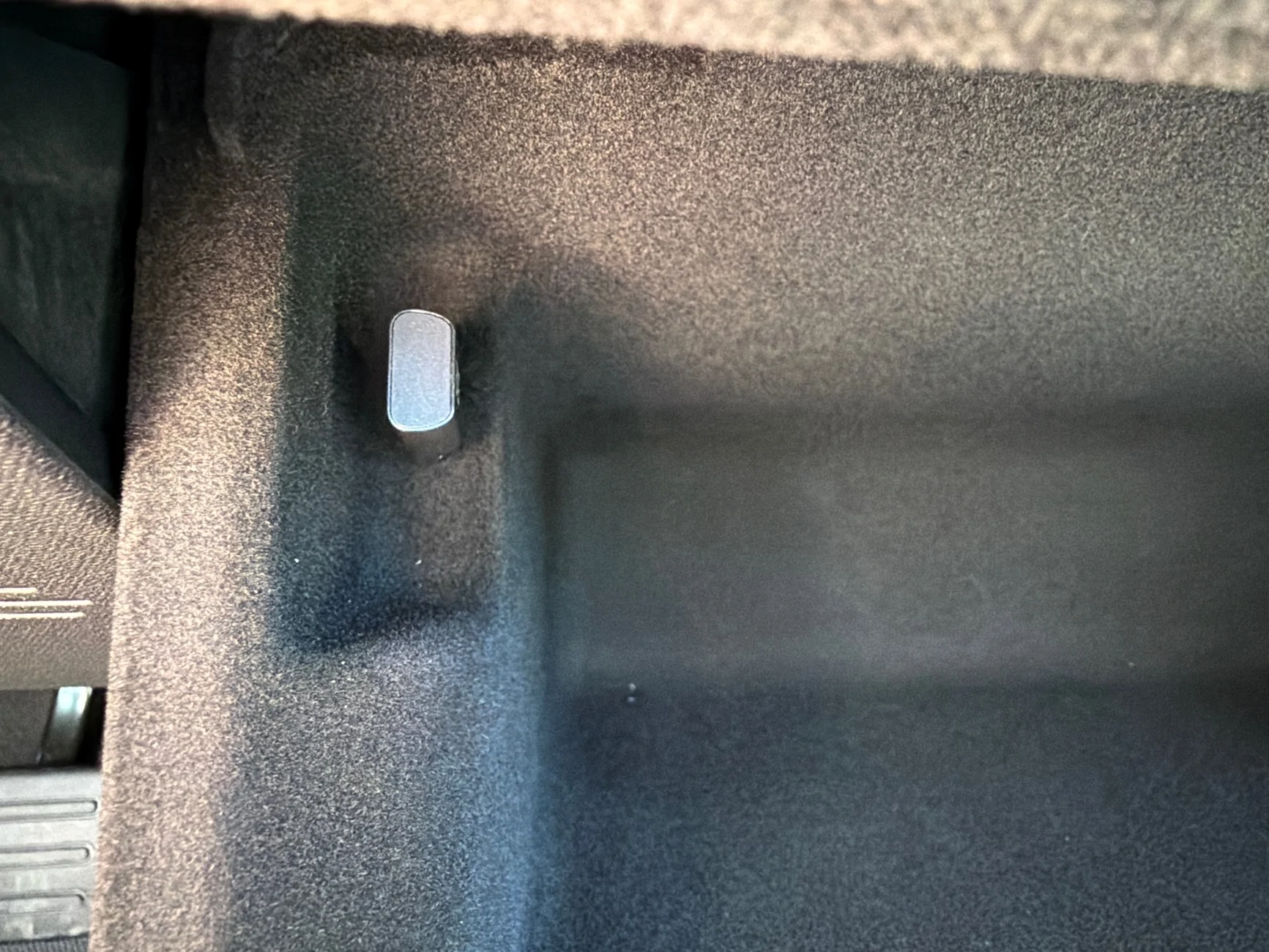
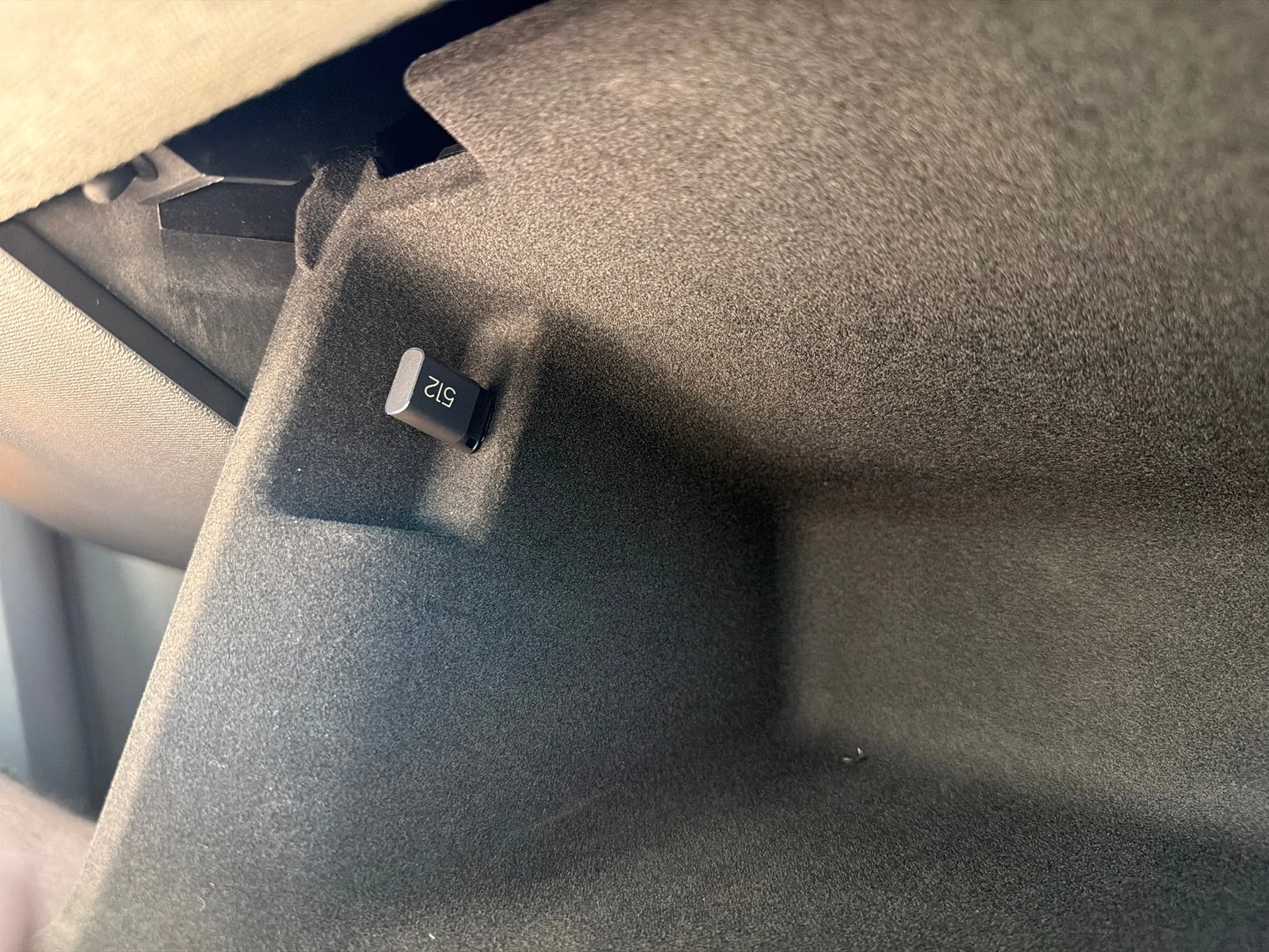
That's the one I got (512GB) and it has worked flawlessly so far. Also nicely tucked completely out of the way in the glove box, unlike an SSD with a cable that you'd have to manage/tidy up somehow. It does max out with less capacity than an SSD, but with storage prices these days that might not be so bad. And how many days of non-incident road cam footage do you really need, lol
 

Mathme

Well-Known Member
First Name
Matt
Joined
Jul 25, 2022
Threads
3
Messages
1,405
Reaction score
1,842
Location
Los Altos, CA
Vehicles
R1T: El Cap, OC, 20AT, Off road package
Occupation
High Tech
I've used a 128gb Micro SD in my Gen 1 R1T and it's always worked. Note that the truck is recording all the time, but doesnt' actually write anything to the memory device unless there's a crash, or you honk the horn. In that instance, it will go back and get the precious 30 seconds, and the record for the next three-ish minutes.
 

Sponsored

asellus

Well-Known Member
Joined
Jul 30, 2026
Threads
3
Messages
51
Reaction score
49
Location
Minnesota
Vehicles
this being a required field is pretty gross
My understanding is that the cameras will record during normal driving but an external USB is needed to record and save the footage. If that is correct can someone tell me what I need what type and where to plug that into?
Mm, sort of.

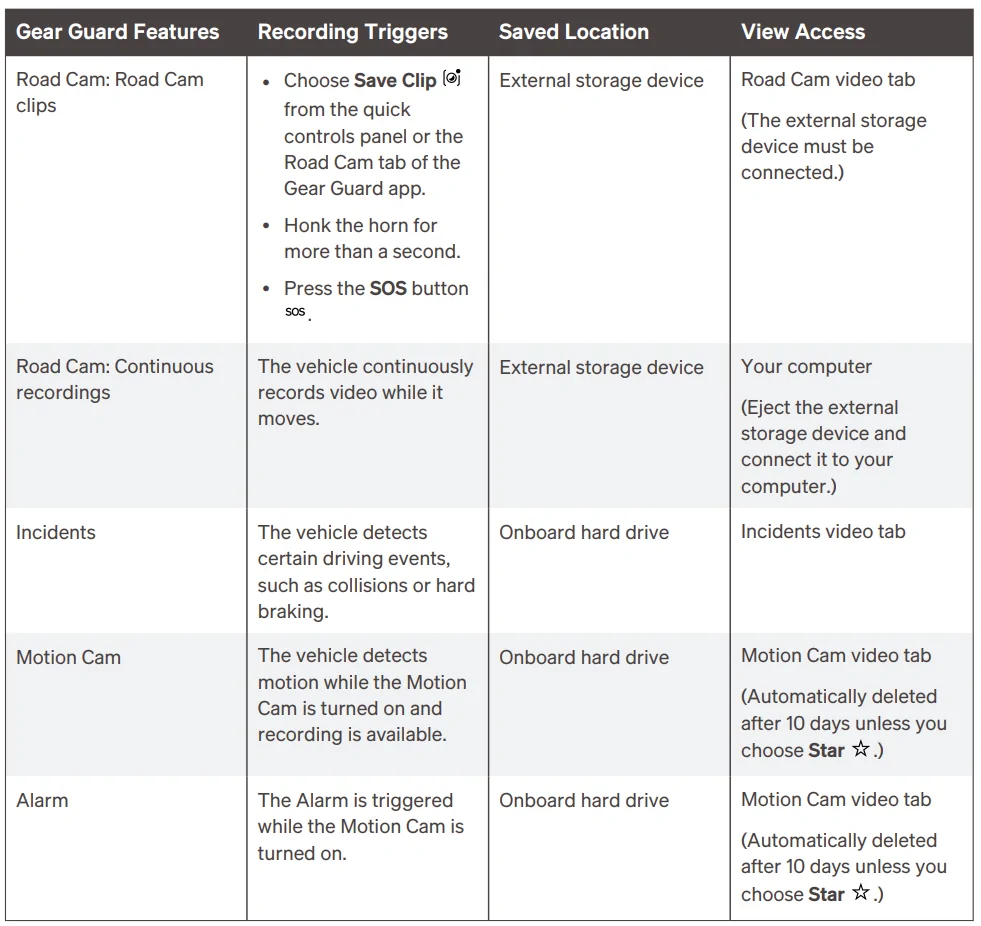
out of the manual:

Rivian R1T R1S Drive Camera mode question 1787755192589-ii


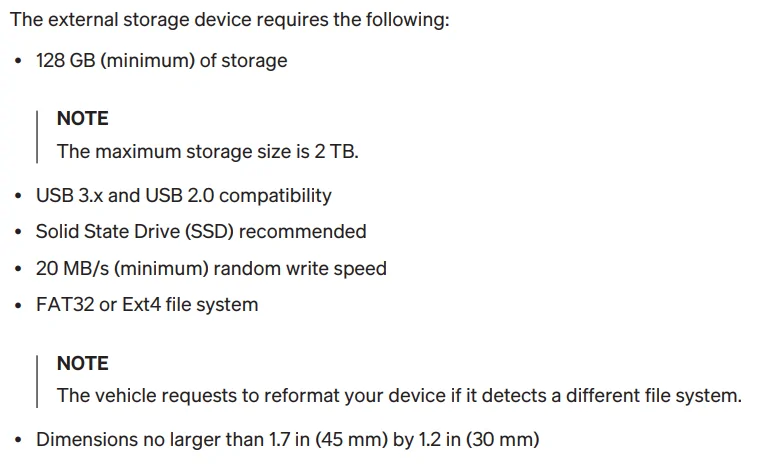
Rivian R1T R1S Drive Camera mode question 1787755345941-1


Basically, any solid-state USB-C connected storage will work -- that's an SSD or a flash drive. The dimensional restrictions are super odd though, I'm guessing that's for something hanging directly off the USB port.

I wouldn't worry too much about things like heat or write cycles over the time of your ownership -- no need to get a SuperTurboDurable MaximumRugged Flash Drive for $LOL$.
 

emroch

Well-Known Member
First Name
Eric
Joined
Jun 9, 2026
Threads
6
Messages
328
Reaction score
711
Location
Austin, TX
Website
r2-dashboard.pages.dev
Vehicles
2027 R2 Launch Edition, Chevy Equinox
Occupation
HW Verification Engineer
I've used a 128gb Micro SD in my Gen 1 R1T and it's always worked. Note that the truck is recording all the time, but doesnt' actually write anything to the memory device unless there's a crash, or you honk the horn. In that instance, it will go back and get the precious 30 seconds, and the record for the next three-ish minutes.
R1 may be different, but R2 records continuous Road Cam footage to your external storage, if enabled. You can also trigger manual recordings to save an event. Incidents (hard braking/horn) are saved internally unless you transfer them to your external storage manually.
 

emroch

Well-Known Member
First Name
Eric
Joined
Jun 9, 2026
Threads
6
Messages
328
Reaction score
711
Location
Austin, TX
Website
r2-dashboard.pages.dev
Vehicles
2027 R2 Launch Edition, Chevy Equinox
Occupation
HW Verification Engineer
The dimensional restrictions are super odd though, I'm guessing that's for something hanging directly off the USB port.
There is a cutout in the glove box sidewall around the port, so these dimensions reflect what will fit there. If you use a cable or some right angle adapters, you have the whole glove box to play with in theory.
 

asellus

Well-Known Member
Joined
Jul 30, 2026
Threads
3
Messages
51
Reaction score
49
Location
Minnesota
Vehicles
this being a required field is pretty gross
huh.

I'd be interested to see a usb storage device that fills those dimensions, lol
 

VandalSibs

Well-Known Member
First Name
Andrew
Joined
Dec 27, 2023
Threads
16
Messages
1,706
Reaction score
3,008
Location
Eastern Washington State
Website
www.sibulskymusic.com
Vehicles
R1T Dual Motor Large Pack
Occupation
Composer, IT Service Desk Analyst
Clubs
 
huh.

I'd be interested to see a usb storage device that fills those dimensions, lol
If you grabbed one that was made in 2007 & used a USB-C adapter it could fill it... but why, right? 🤣
 

Sponsored

asellus

Well-Known Member
Joined
Jul 30, 2026
Threads
3
Messages
51
Reaction score
49
Location
Minnesota
Vehicles
this being a required field is pretty gross
If you grabbed one that was made in 2007 & used a USB-C adapter it could fill it... but why, right? 🤣
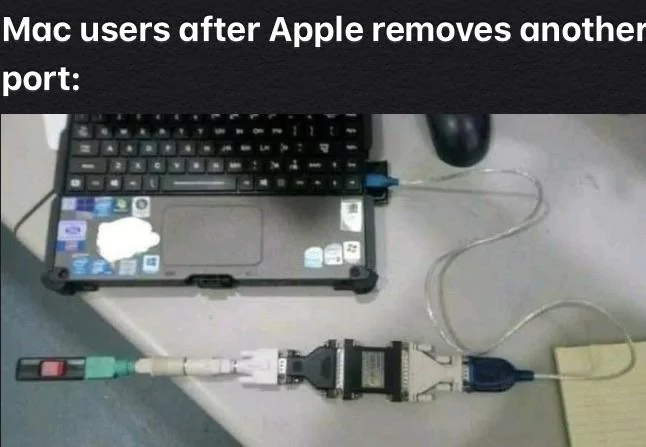
y'know, some people just want to watch the world burn. I'm reminded of someone trying to hook up an AT keyboard to a USB port through a series of way too many adapters.
 

VandalSibs

Well-Known Member
First Name
Andrew
Joined
Dec 27, 2023
Threads
16
Messages
1,706
Reaction score
3,008
Location
Eastern Washington State
Website
www.sibulskymusic.com
Vehicles
R1T Dual Motor Large Pack
Occupation
Composer, IT Service Desk Analyst
Clubs
 
y'know, some people just want to watch the world burn. I'm reminded of someone trying to hook up an AT keyboard to a USB port through a series of way too many adapters.
Rivian R1T R1S Drive Camera mode question 1787759241676-nv


(applies to Windows/PC users more and more nowadays too, however)
Sponsored


Top