Sponsored

jebinc

Well-Known Member
First Name
John
Joined
Oct 5, 2022
Threads
49
Messages
2,310
Reaction score
2,134
Location
Seattle, WA
Vehicles
2021+ Tesla MS Plaid, R1T Adventure
Occupation
Retired
Have not driven at night yet; but it'll be dark when I head home from the office this evening, and I'll see how it goes. On a related note, you look out the rear window? I trust my cameras 99%. The last 1% I'll trust my insurance.


Scar, or no scar, that is the question. For the EV1 unit (when it arrives), I don't anticipate using their dash-pad bracket. I plan to drill two small holes on the underside of the dash. I have between 5-7mm to work with, so it should be a non-issue. In my little beta-test shown above, I have used 3M VHB (automotive grade) tape on the hinge -- because I wasn't sure if the EV1 product placement would be exactly the same as this beta-test unit. Not surprisingly, the VHB is insanely secure*

* All tapes are not the same; my 'real world' involves auto parts, so I'm pretty well versed in the use of these in various interior/exterior locations + their temp ranges, removal, etc.
Nice. I tried gorilla double sided tape with my cheap Chinese screen and it didn’t like to stay stuck to that odd dash finish. The EVS display would be even heavier.
Sponsored


Kenmecca

Well-Known Member
First Name
Ken
Joined
Jun 21, 2021
Threads
2
Messages
194
Reaction score
225
Location
SF Bay Area
Website
www.Directlineanswers.com
Vehicles
R1S; Audi A5
Occupation
Business Owner
Last edited:

RayzorBEV

Well-Known Member
Joined
Dec 8, 2019
Threads
2
Messages
528
Reaction score
656
Location
Texas
Vehicles
R1T QM, R1S QM, M3 P, Zero SZF, Cyberbeast
Occupation
Electric bum
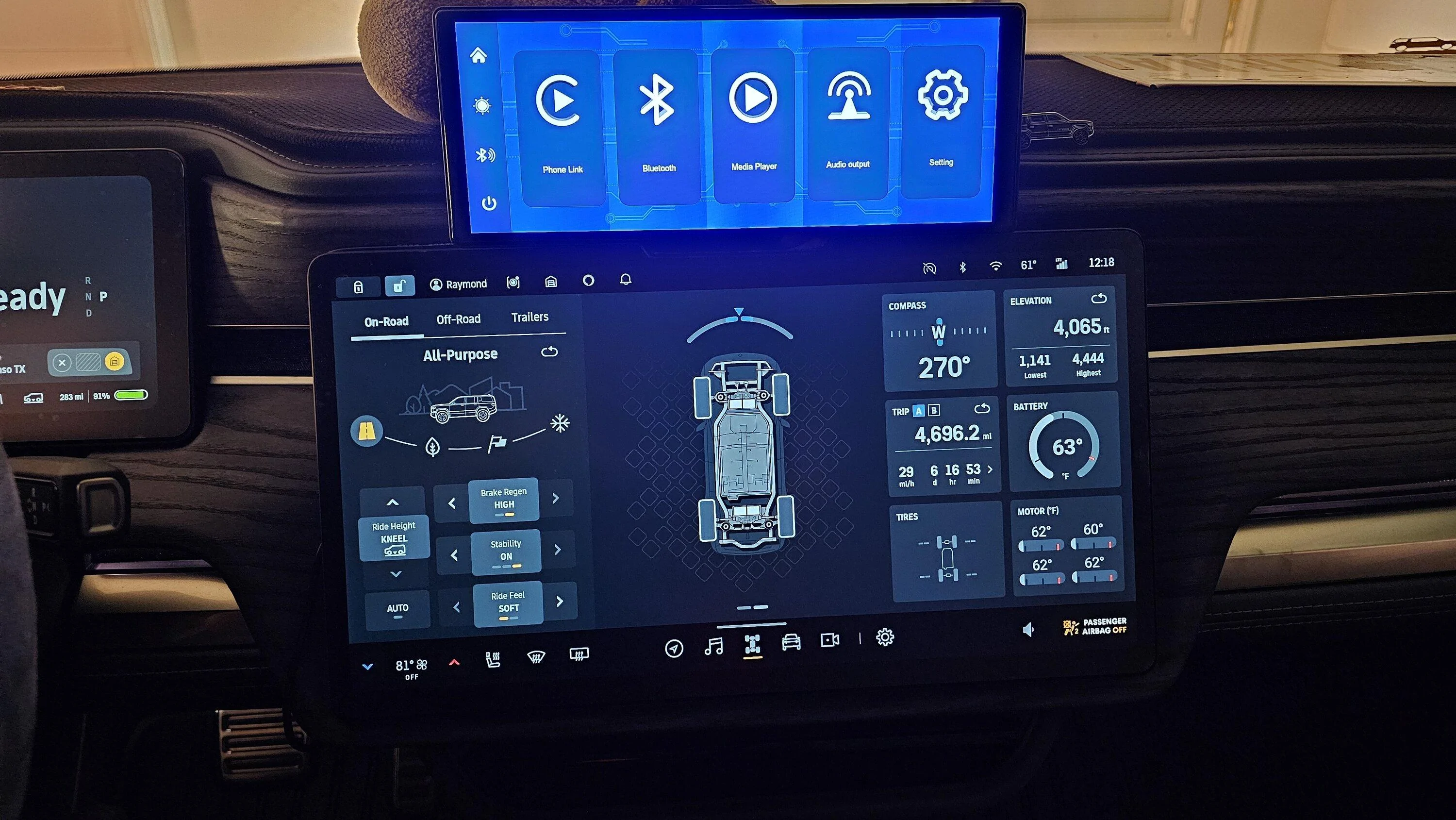
I have 2 of these Android Auto Smart Screens installed on my Rivians. They worked great for about 3 weeks and now both wouldn't display anything from Android Auto but just the blue main screen. Tried disconnect and reconnect the BT, tried factory reset, etc to no avail. All the display shows is that it is connected to my Samsung phone and my Samsung shows that it's connected to the display. Frustrating :facepalm:
Anyone else having trouble displaying Android Auto nav or contents from your connected phone?

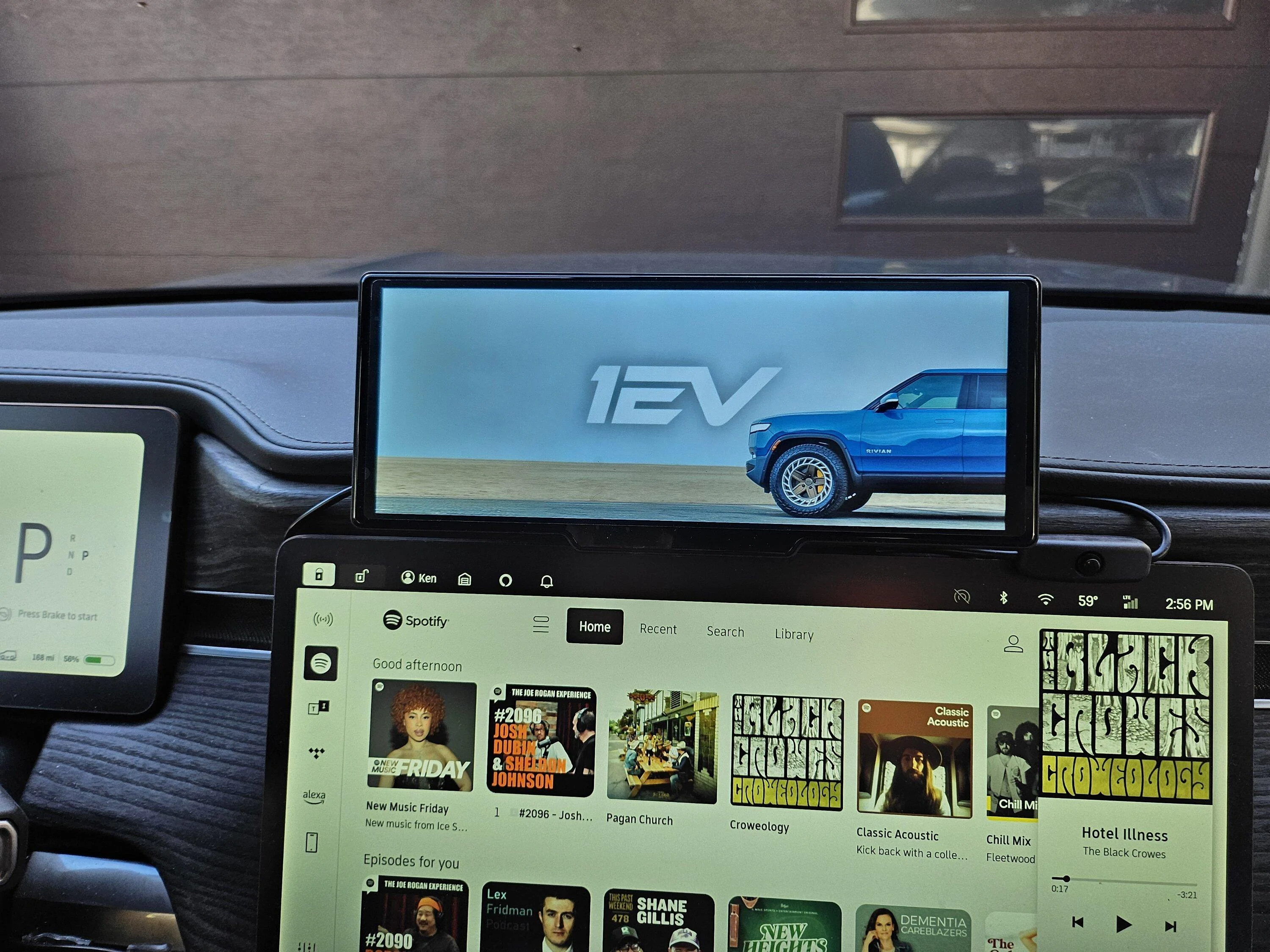
Rivian R1T R1S CarPlay & Android Auto Smart Dash Screen has arrived!  New from EVSportline.com 1706987901984528918249930280967
 
Last edited:

jebinc

Well-Known Member
First Name
John
Joined
Oct 5, 2022
Threads
49
Messages
2,310
Reaction score
2,134
Location
Seattle, WA
Vehicles
2021+ Tesla MS Plaid, R1T Adventure
Occupation
Retired
I have 2 of these Android Auto Smart Screens installed on my Rivians. They worked great for about 3 weeks and now bith wouldn't display anything from Android Auto but just the bkue main screen. Tried disconnect and reconnect the BT, tried factory reset, etc to no avail. All the display shows is that it is connected to my Samsung and my Samsung shows that it's connected to the display. Frustrating :facepalm:
Anyone else having trouble displaying Android Auto nav or contents from your connected phone?

1706987901984528918249930280967.jpg
Nope. Maybe a bad unit? RMA it.
 

RayzorBEV

Well-Known Member
Joined
Dec 8, 2019
Threads
2
Messages
528
Reaction score
656
Location
Texas
Vehicles
R1T QM, R1S QM, M3 P, Zero SZF, Cyberbeast
Occupation
Electric bum
Nope. Maybe a bad unit? RMA it.
Ok. Located the source of the issue; Rivian is actively or not, stopping my phone by default from connecting to the EV, hence, Android Auto couldn't load up even though it's connected to my phone and the phone is connected to the screen but since I need the phone to be connected to Rivian for the whole 'circuit' to work, phew! Now, I know what to do next time I drive my other Rivian. ?
 
Last edited:

Sponsored

WattTruckMatt

Well-Known Member
First Name
Matt
Joined
Oct 4, 2021
Threads
8
Messages
355
Reaction score
559
Location
Austin
Vehicles
2022 Rivian R1T
Got an elbow and this switch, works like a champ! <lower right of screen>

20240201_145601.jpg
Bought this exact switch and it doesn't work for me. Not sure what the issue is. Might have gotten a bum switch. I'm wired to the fusebox.
 

ther1slife

Member
Joined
Dec 17, 2023
Threads
2
Messages
14
Reaction score
14
Location
Bay Area, CA
Vehicles
R1S
Regarding the screen staying on, i tested different variations of proximity settings in the vehicle, just to sumarize that ideally Rivian would address the Proximity polling when parked at home to be less chatty in polling for a nearby device, as this is what is keeping the device screen on at certain times. (I wonder how much this also impacts the vampire drain some people referenced in other unrelated threads)

What i've noticed (testing my Android phone here at home) is that in the Proximity settings for location behavior at home in the Rivian's in-car software settings, impacts how long and frequent the device comes on based on how often the Rivian polls and 'wakes up':

Scenario 1: if the Home proximity behavior is set to Lock and Unlock, then the car constantly unlocks when i walk nearby inside the house, and that then automatically wakes up the screen so effectively the Android Auto connection stays constantly on until i go out of range

Scenario 2: If I have it set to Lock only, it still wakes up the device screen when i am nearby and the Android Auto connection is constantly on until out of range (this feels like an opportunity to optimize the car software to not poll for the nearby phone device at all, once the car is Locked in Lock only setting)

Scenario 3: If i have it set to "Off" it wakes up way less so clearly that reduces the polling but I still see the phone randomly connect to Android Auto inside the house, maybe once every hour or two vs constantly, and then it goes back to sleep after a few seconds. I don't have to leave the proximity radius for it to turn off again.

Scenario 4: This is unusable, but was a good test to confirm that the waking up it is purely dependent on the detection by the vehicle of the nearby phone device - If I go to the App Settings in Android and go to the permissions on the Rivian app and remove "Nearby Devices" from the app permissions - then it stops waking up completely BUT now the app doesn't function with the car (it gives a note in the app asking to re-enable the feature).

So...ideally there would be some workaround/fix on the vehicle software to not poll at all when at home and once the car is Locked under a Lock-Only setting, or the Proximity Lock settings set to Off.
providing an update for the Scenario 3 I described, since the car software updated to 2024.03.02 - this scenario has been fixed - I no longer see the phone connecting to Android Auto while i'm in the house when the Car is set to "Off" for the auto-lock/unlock at home state.

Now I really wish that Rivian would tune the Bluetooth polling radius and frequency at home so the vehicle doesn't wake up at home if we want to use proximity locking there as well - at a minimum if set to Lock Only (Scenario 2) once the car locks, not sure why it keeps polling - it effectively should have the same logic as scenario 3 once the car is locked.....i tested out turning on Locked only, and found that the bluetooth connection still stays chatty and keeps the android auto connection awake.

Alternately if Rivian can't figure out how to not have the car keep the bluetooth chattiness off when the car is at home, then the other option that would be ideal is to allow a mobile phone nfc tap to lock/unlock digital key as is supported by other EVs (I am sure if they had that feature, most folks having challenges with the car unlocking/locking when at home would just turn off proximity lock/unlock off completely to keep the bluetooth chattiness permanently off and still have the benefit of a digital key)
 

el_scorcho

Well-Known Member
First Name
Adam
Joined
Mar 29, 2022
Threads
1
Messages
91
Reaction score
46
Location
Keller, TX
Vehicles
R1T
Clubs
 
Got an elbow and this switch, works like a champ! <lower right of screen>

20240201_145601.jpg
Wanted to confirm that this switch stops the issue of my phone connecting while I am in the house, for both wi-fi and the bluetooth connections?
 

Kenmecca

Well-Known Member
First Name
Ken
Joined
Jun 21, 2021
Threads
2
Messages
194
Reaction score
225
Location
SF Bay Area
Website
www.Directlineanswers.com
Vehicles
R1S; Audi A5
Occupation
Business Owner
Wanted to confirm that this switch stops the issue of my phone connecting while I am in the house, for both wi-fi and the bluetooth connections?
Yes, fixes that issue. I still struggle sometimes once I turn on that the circuit between my phone, rivian and this screen connect. I sometimes have to reconnect rivian in my BT settings. Not sure if related to my Flip5 or if my BT hearing aids causes this. But since it allows me to turn off the screen it won't connect when I'm home or close to vehicle and not intending to drive
 

el_scorcho

Well-Known Member
First Name
Adam
Joined
Mar 29, 2022
Threads
1
Messages
91
Reaction score
46
Location
Keller, TX
Vehicles
R1T
Clubs
 
Yes, fixes that issue. I still struggle sometimes once I turn on that the circuit between my phone, rivian and this screen connect. I sometimes have to reconnect rivian in my BT settings. Not sure if related to my Flip5 or if my BT hearing aids causes this. But since it allows me to turn off the screen it won't connect when I'm home or close to vehicle and not intending to drive
Isn't this just the same are pressing the power button on the top of the device?
 

Sponsored

Kenmecca

Well-Known Member
First Name
Ken
Joined
Jun 21, 2021
Threads
2
Messages
194
Reaction score
225
Location
SF Bay Area
Website
www.Directlineanswers.com
Vehicles
R1S; Audi A5
Occupation
Business Owner
Isn't this just the same are pressing the power button on the top of the device?
Nope, the power button on top of device does shut it off, but when the Riv wakes it sends power to the device and it will turn back on. Its annoying as Ill walk by my vehicle and if I have something that was playing on AA (I like it for Nugs.net and XM) it will start playing on my phone or even worse my hearing aids.This button will completely keep it off as long as I remember to hit the button when I leave the car. All of this is not ideal, I still have to dick around with connections when I get in and just wish the Riv had damn AA/carplay. But Ill say its the next best option and I actually kinda like the device for maps and have other status screens on the main Riv screen. Also I like I can play Nugs and XM.
 

spicyR1T78

New Member
First Name
Lamar
Joined
Feb 23, 2024
Threads
0
Messages
4
Reaction score
1
Location
Maryland
Vehicles
R1T
Occupation
Mechanic
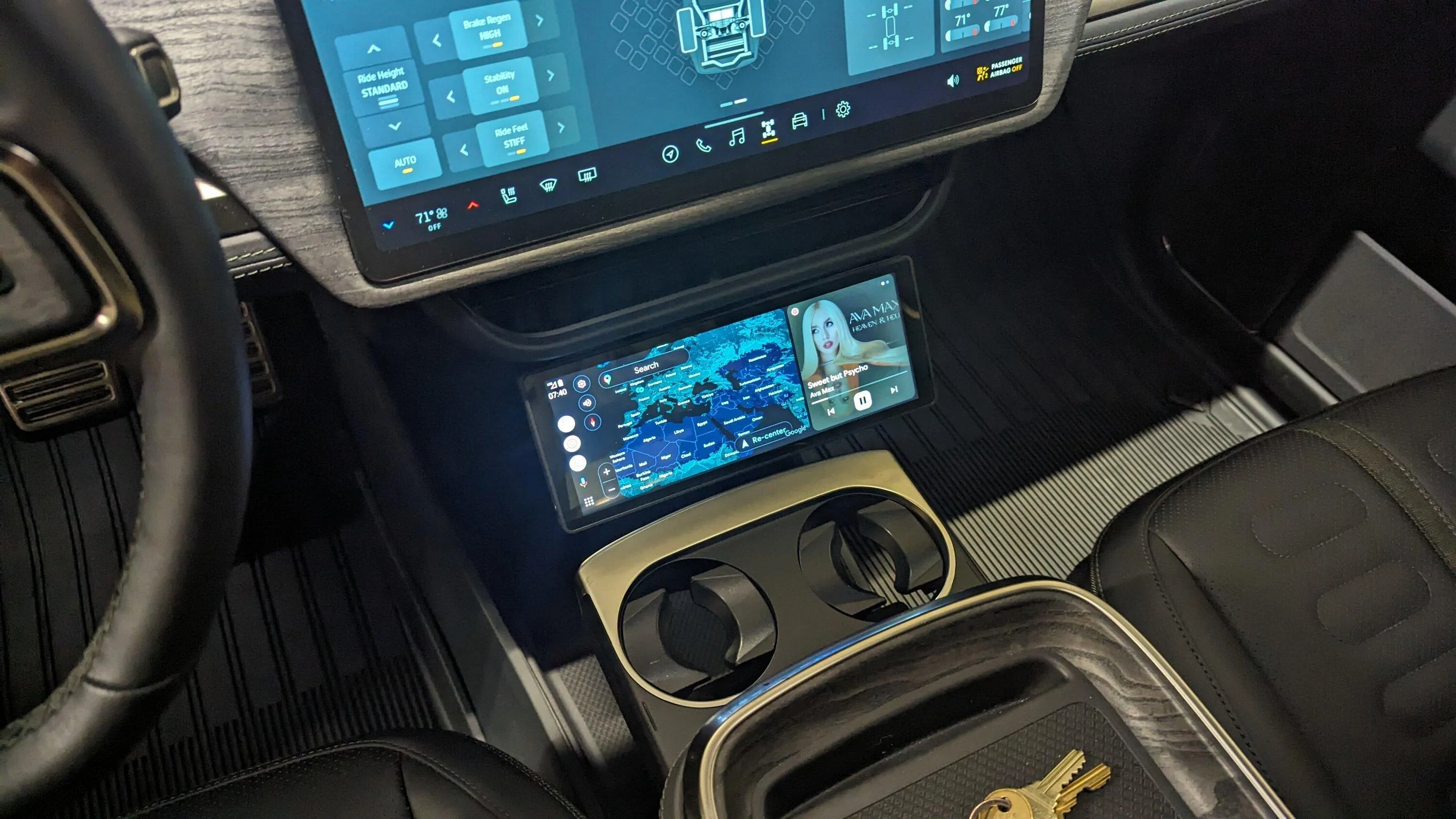
Proof of concept, for my individual use case, looks good.

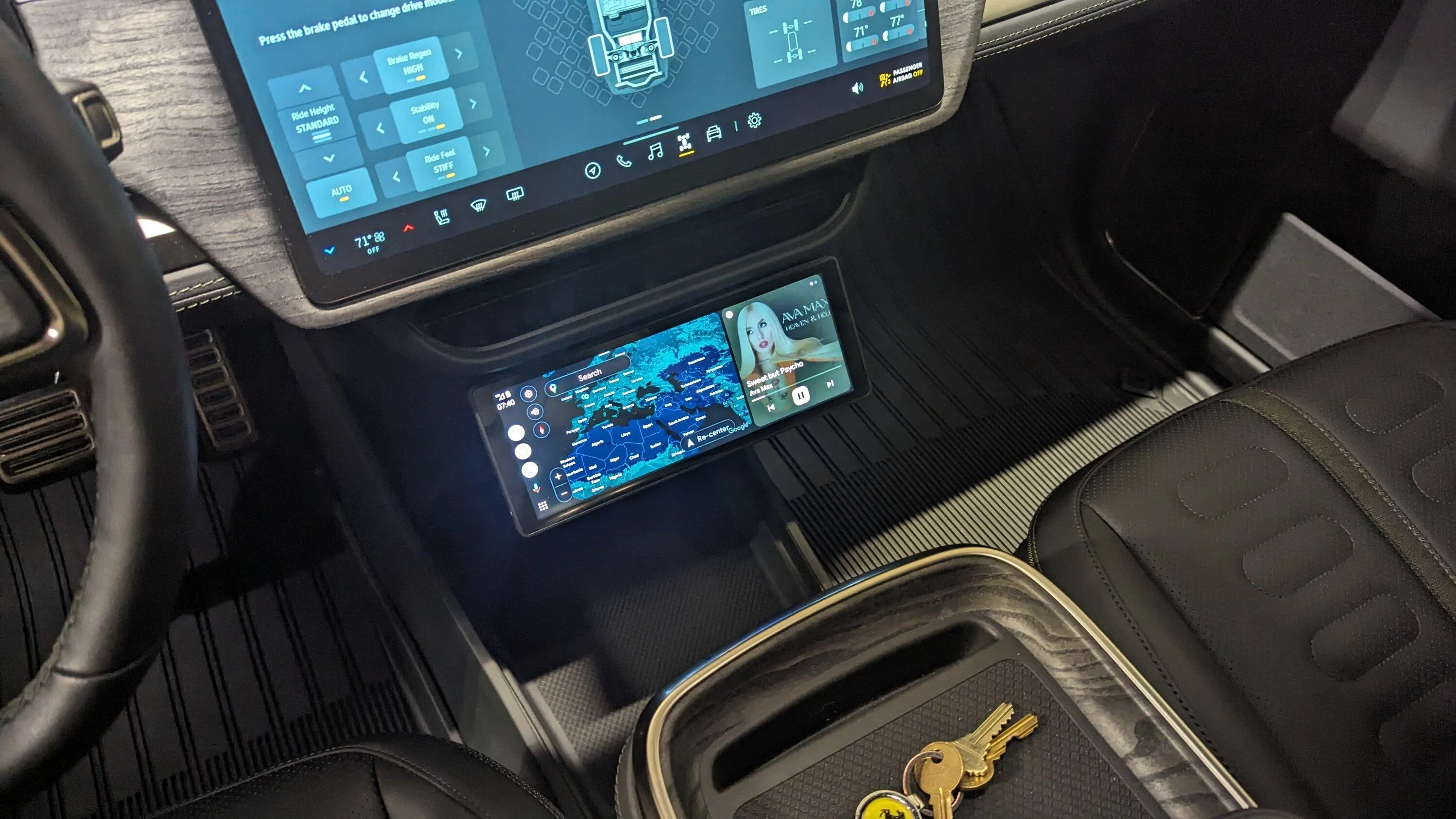
Shown is a cheap 10.1" version of AA player. When the EV1 version arrives, I'll be able to wire things correctly into the fusebox, instead of the 12v under the dash (which I am currently using).

Friction hinges are 'meh'. I tried three different variations, and the biggest issue was finding one with a narrow profile to minimize the visible gap between the lower dash and smart-screen device. Assuming the EV1 has a similar case design to my 'proof of concept', I may simply opt for a fixed bracket, drilling into the underside of the HVAC housing.

Details to follow.

PXL_20240131_124049724.jpg


PXL_20240131_124054896.jpg
This is how I want to mount it, if a bracket can be 3D printed I’d double sided sticky tape it!!
 

Msg43

Member
First Name
Marcus
Joined
Nov 6, 2022
Threads
3
Messages
21
Reaction score
15
Location
Los Angeles
Vehicles
R1S
I still struggle sometimes once I turn on that the circuit between my phone, rivian and this screen connect. I sometimes have to reconnect rivian in my BT settings.
oh man, I’d really like to get clarification on this bc part of the attraction of the screen was to stop having so many BT connection issues between by iPhone and Rivian.
It seems like you are saying that I will now have more points of failure bc th Rivian requires the phone be connected to both itself and the CP unit in order for everything to work as designed?
why does phone need to connect to Rivian at all?
also do you get a lip sync issue if video is playing between audio and video?
 

Kenmecca

Well-Known Member
First Name
Ken
Joined
Jun 21, 2021
Threads
2
Messages
194
Reaction score
225
Location
SF Bay Area
Website
www.Directlineanswers.com
Vehicles
R1S; Audi A5
Occupation
Business Owner
oh man, I’d really like to get clarification on this bc part of the attraction of the screen was to stop having so many BT connection issues between by iPhone and Rivian.
It seems like you are saying that I will now have more points of failure bc th Rivian requires the phone be connected to both itself and the CP unit in order for everything to work as designed?
why does phone need to connect to Rivian at all?
also do you get a lip sync issue if video is playing between audio and video?
It basically needs a circuit - your phone BT to Rivian for sound, WIFI to Screen for AA/Carplay. I think you could also try FM trans for sound but quality wont be as good. I have not done any youtube video to test, but can try and report back.
 

Skhjpz

New Member
Joined
Mar 30, 2024
Threads
0
Messages
1
Reaction score
0
Location
USA
Vehicles
R1T
How I can get updated firmware if I bought the unit second hand?
Sponsored


Top