Sponsored

Got my R2 today, and walk away question

WoodChips

Well-Known Member
Joined
Apr 11, 2026
Threads
2
Messages
120
Reaction score
178
Location
Idaho
Vehicles
'04 Ram 1500, '06 XB, R2 waiting list
Occupation
Truck Driver
Not sure a snarky response to a valid question is warranted. Most people don’t have the manual saved on their phone.
You're correct, my response was out of line.

I have been getting frustrated with how much people turn to AI for all their answers and trust the results. AI is getting better and very quickly but it's still flawed and claiming they don't have time to read 400 pages is a huge overstatement.

I'm having a cranky old man morning, sorry... My wife just woke up so I can now get some caffeine in me.
Sponsored

 

VandalSibs

Well-Known Member
First Name
Andrew
Joined
Dec 27, 2023
Threads
16
Messages
1,688
Reaction score
2,986
Location
Eastern Washington State
Website
www.sibulskymusic.com
Vehicles
R1T Dual Motor Large Pack
Occupation
Composer, IT Service Desk Analyst
Clubs
 
Thanks for the reminder. No, I'm not going to read 400+ pages, but I fed pdf manual to ChatGPT and asked it to find the answer. It told me "go to your car, dummy, and check Settings → Access → Locking behavior at home"😁
My mistake was I didn't realize the Settings menu was scrollable.
The current version of the manual/Owner's Guide is in the car on the center screen as an app, nicely organized into sections and searchable.
 

emroch

Well-Known Member
First Name
Eric
Joined
Jun 9, 2026
Threads
6
Messages
301
Reaction score
663
Location
Austin, TX
Website
r2-dashboard.pages.dev
Vehicles
2027 R2 Launch Edition, Chevy Equinox
Occupation
HW Verification Engineer
Most people don’t have the manual saved on their phone.
Every Rivian owner has the manual on their phone. It's in the Rivian app when you scroll down on the vehicle page. It's also available in the car itself.
 

Sponsored

hammick

Well-Known Member
Joined
Sep 8, 2024
Threads
29
Messages
665
Reaction score
644
Location
Montana
Vehicles
25 R1S Tri; '26 Sierra EV AT4 ER
Occupation
retired
New to rivian so sorry if this is a stupid question. If you disable “unlock at home” then what are the options to unlock? Can you tap the door handle? Or do you have to use the app to unlock?
On Gen 2 you can push on the drive's handle dimple if you have your Iphone or Apple Watch with you. Really wish Rivian would add the option to turn off proximity lock at multiple locations. Woudn't really be that hard. Tesla has that ability IIRC.
 
OP
OP

evilyn

Member
Joined
Aug 21, 2026
Threads
2
Messages
24
Reaction score
35
Location
California
Vehicles
Rivian R2
Every Rivian owner has the manual on their phone. It's in the Rivian app when you scroll down on the vehicle page. It's also available in the car itself.
Excellent suggestions. So instead of asking AI assistant to search the 400-page manual for a feature, I have two superior options:
  1. Squint at the same 400-page manual on a 6-inch phone screen.
  2. Sit in the garage for an hour scrolling through it on the car display.
Technology marches forward.😅
 

WoodChips

Well-Known Member
Joined
Apr 11, 2026
Threads
2
Messages
120
Reaction score
178
Location
Idaho
Vehicles
'04 Ram 1500, '06 XB, R2 waiting list
Occupation
Truck Driver
Excellent suggestions. So instead of asking AI assistant to search the 400-page manual for a feature, I have two superior options:
  1. Squint at the same 400-page manual on a 6-inch phone screen.
  2. Sit in the garage for an hour scrolling through it on the car display.
Technology marches forward.😅
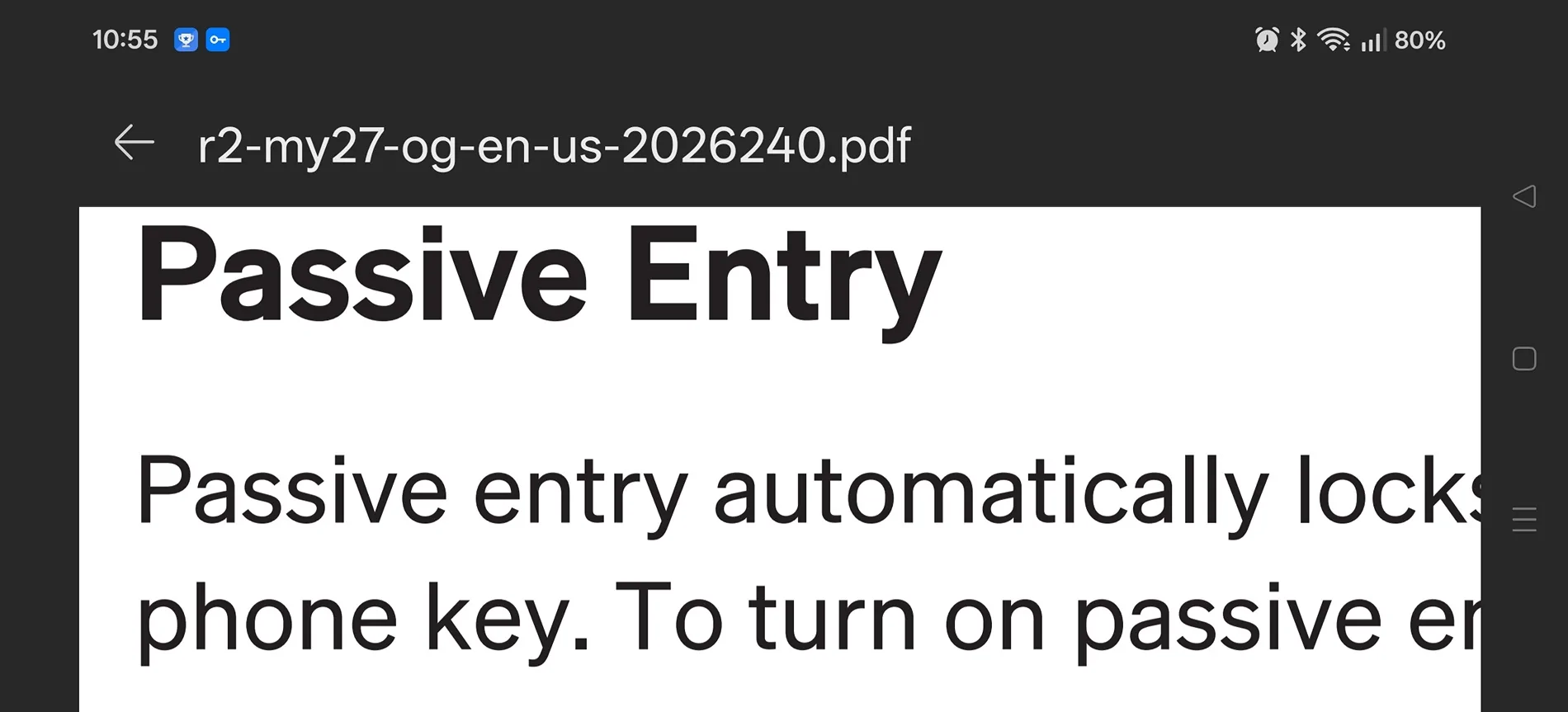
The content section at the start of the manual allows you to click to the correct page makes it so you don't have to read all 400 pages.

And don't forget font size can be changed. No squinting required.

Rivian R1T R1S Got my R2 today, and walk away question Screenshot_2026-08-22-10-55-24-48_cbf47468f7ecfbd8ebcc46bf9cc626da
 

Millbarge

Well-Known Member
First Name
A
Joined
Jun 26, 2026
Threads
4
Messages
288
Reaction score
371
Location
PA
Vehicles
BMW
New to rivian so sorry if this is a stupid question. If you disable “unlock at home” then what are the options to unlock? Can you tap the door handle? Or do you have to use the app to unlock?
If the car is parked in a secure garage, wouldn't you want to disable LOCK (and unlock) at home?
 

Sponsored

Millbarge

Well-Known Member
First Name
A
Joined
Jun 26, 2026
Threads
4
Messages
288
Reaction score
371
Location
PA
Vehicles
BMW
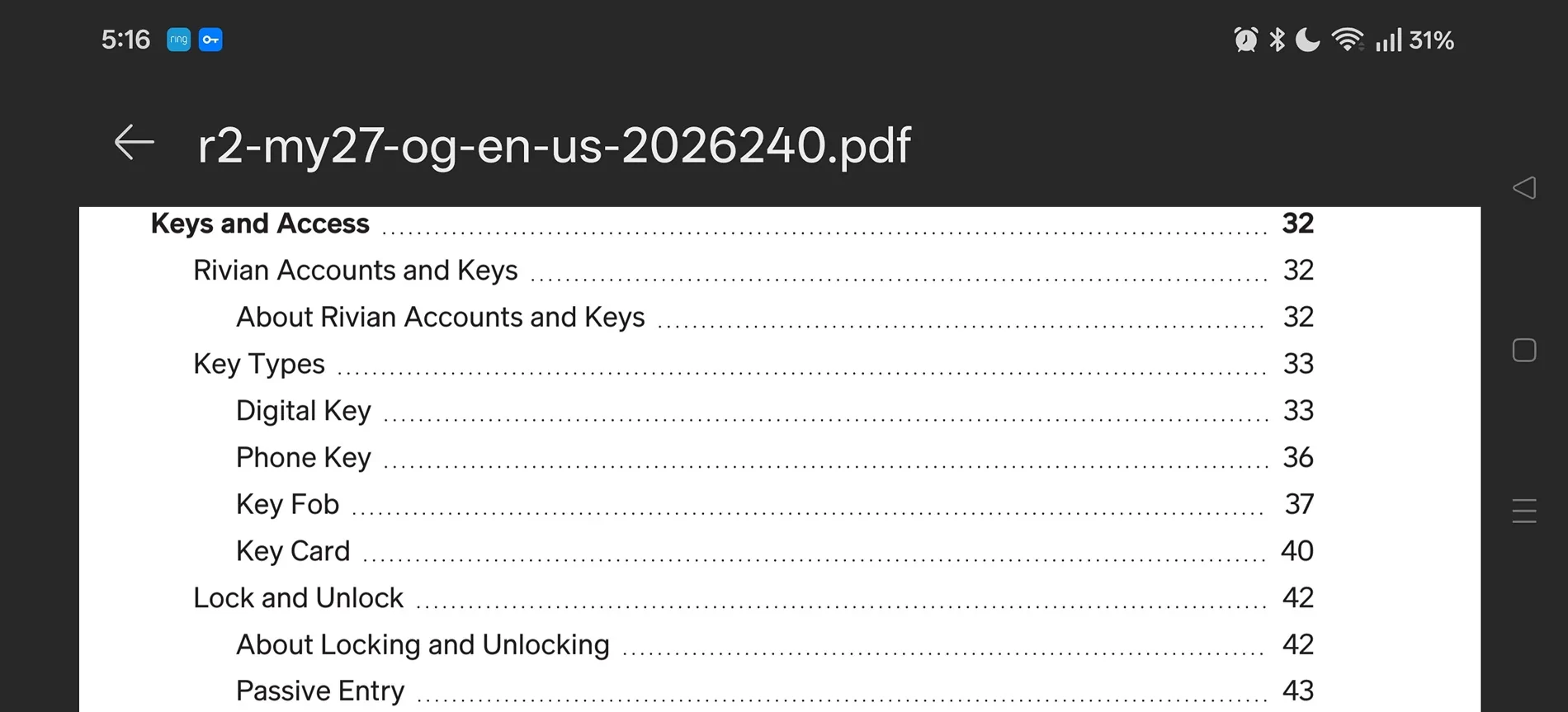
I opened a saved version of the manual on my phone.

It's interesting that there is this cool content section that you can click on and it takes you to the section that address your questions.

Under keys and access it shows lock and unlock page 42, passive entry page 43. I read them both and found the answer.

Probably much quicker and more reliable than AI, and less time than it took to write a response or question on a forum.

Screenshot_2026-08-22-05-16-50-65_cbf47468f7ecfbd8ebcc46bf9cc626da.webp
Wait - a table of contents? next you're going to tell us there's an index too. And that the pdf version is searchable???? :surprised:
 

Millbarge

Well-Known Member
First Name
A
Joined
Jun 26, 2026
Threads
4
Messages
288
Reaction score
371
Location
PA
Vehicles
BMW
Excellent suggestions. So instead of asking AI assistant to search the 400-page manual for a feature, I have two superior options:
  1. Squint at the same 400-page manual on a 6-inch phone screen.
  2. Sit in the garage for an hour scrolling through it on the car display.
Technology marches forward.😅
3. Save the pdf version of the manual to your computer; size to 150% font ....
 

wesleyeff

Member
Joined
Apr 28, 2026
Threads
0
Messages
5
Reaction score
8
Location
USA
Vehicles
m3
If the car is parked in a secure garage, wouldn't you want to disable LOCK (and unlock) at home?
I park outside along the side of my house so when I’m doing dishes my car will be about 5 feet away. That’s why I’ll probably have to disable unlock at home.
Sponsored


Top