
Grognard79
Active Member
I'm just happy it shows stop signs and traffic lights now.
Sponsored
Been using Google maps in Tesla's for years. Outside of major urban areas the speed limit data is abysmal making self driving and even ACC unusable. Don't know how this data will effect Rivian limited driving assistance.Been living with Google Maps for about a week, using it as often as I can for both trips I am familiar with as well as journeys to new places over new routes. So far my initial impression is that it has not yet shown itself to be meaningfully improved over MapBox for my uses.
The good:
- Much denser and richer POI data. I have not really had much use for this since I haven't yet encountered a situation where I would want to use it, but it's clearly better than what we had previously.
- Presumably better traffic data. GM rerouted me on my commute home last night, but traffic was so unusually heavy that I suspect MapBox would have figured it out, too. Not much personal experience with this, but given the much larger data set (GM includes Waze user data, too) it has to be better.
The bad:
- Routing does not seem much better, and in my anecdotal experience is actually worse. Over the past week Google Maps has:
- Directed me on a route that required an illegal turn.- Routed me around the two sides of a square path rather than the much more obviously direct route that cuts diagonally across, and is a larger road, to boot. I ended up overriding the nav and taking the direct route and there was no reason to have avoided it. It's done it more than once so it seems like their road weighting data is off in that area.- Speed limit data does not seem to be as accurate, at least in my area.
The ugly:
- The map colors are not as attractive and do not blend as well with the Rivian UI as MapBox did.
- It can't seem to draw curves. Turns in the road look like they are built out of adjoining straight sections. Cloverleafs look like dodecahedrons. Particularly noticeable when it zooms in to make a turn.
- The navigation path sometimes differs from the road outline (the blue line drifts off the side of the road outline below).
- Adjoining road sections sometimes do not line up, leaving little jagged edges or weird discontinuities in the road shape.
- I know this one is on Rivian and not Google, but the new larger directions box sometimes cuts off text or shapes. For example: state routes in my area are shown as numbers inside a pill shape, and the bottom of the pill outline is often cut off.

Bingo! I can’t compare Apple Maps to Google Maps, but I sure can compare Apple to Google. Rivian should be offering its loyal customers the option to choose the ecosystem they want to be involved with. For me, this Google Maps implementation, without an Apple Maps option, is a big, disappointing miss!Apple Maps is by far better both aesthetically and with multiple route options. Google is better (at the moment) if searching for points of interest on a map… But Rivian should have gone with Apple if they were choosing an underlying map.
Or as we all know (but Rivian can’t see yet), they should just allow CarPlay in one of their windows for people who want to use it. That would give people access to any mapping app they want of their choice along with other apps that could be useful as well. This is truly a poor strategic decision and I know customers they are losing because of it.
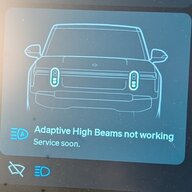
The old maps did the same thing with curves. I never noticed this until someone mentioned it in another thread when they first got the google maps update. On my way home that night, (with the old software) I noticed it also "cannot draw curves." Here's a photo running mapboxThe ugly:
- It can't seem to draw curves. Turns in the road look like they are built out of adjoining straight sections. Cloverleafs look like dodecahedrons. Particularly noticeable when it zooms in to make a turn.



Agreed. The visuals were FAR better on MapBox version. The Google map directions for me are significantly better than the MapBox version, which constantly was a cluster, so much so, I often had the passenger double check route on their phone.Agreed!
I figured I was in the minority but I had no issues with the old maps and preferred the visuals on it. Google maps feels too cartoonish (larger fonts, zoom level too close, live traffic is overly pessimistic, etc)
This is sort of an apples to oranges comparison, though. CarPlay uses the GPS antenna in your phone, which is inside the vehicle and maybe even buried in a purse or pocket. The built-in nav uses a roof-mounted GPS antenna with a presumably better view of the sky.For the record, I’ve had multiple issues with Google Maps via CarPlay, where it thinks I’m not on the highway, but driving through a neighborhood ~ 200 yards next to it. Most recently, this past Saturday, driving on I-66 (in Virginia), heading to BWI.
Mine doesn't have them. Is this a setting? I was looking for lights this morning and nothing, even on the instrument cluster nav that used to show them.I'm just happy it shows stop signs and traffic lights now.
Not when people here are claiming if Rivian used CarPlay, everything would be perfect.This is sort of an apples to oranges comparison, though. CarPlay uses the GPS antenna in your phone, which is inside the vehicle and maybe even buried in a purse or pocket. The built-in nav uses a roof-mounted GPS antenna with a presumably better view of the sky.
Tesla's only use Google Maps for imaging and metadata, not for actual routing. I believe that's TomTom, fyi.Been using Google maps in Tesla's for years. Outside of major urban areas the speed limit data is abysmal making self driving and even ACC unusable. Don't know how this data will effect Rivian limited driving assistance.
Well that's bizarre. I would have sworn I saw them yesterday, but I just hopped in the truck to make sure I wasn't hallucinating, and they are not there.Mine doesn't have them. Is this a setting? I was looking for lights this morning and nothing, even on the instrument cluster nav that used to show them.



