Sponsored

SANZC02

Well-Known Member
First Name
Bob
Joined
Feb 11, 2021
Threads
50
Messages
7,445
Reaction score
12,750
Location
California
Vehicles
Tesla Model S, LE - R1S
Occupation
Retired
It's possible you missed his point? No adapter is better than even the smallest and cheapest adapter, so since everything is going to be NACS in the near future...
?
I did get his point I just disagree with it. Not sure where the figure of 3 years most people keep their car comes from. Back in 2012 it was around 6 years on average people kept a new car, that number has been steadily rising and is around 8 years on average today.

I agree, no adapter is better than an adapter but if you are buying a J1772 vehicle and purchasing a NACS charger you not only are requiring an adapter while you own that vehicle but are requiring an adapter that is not as easy to use.

Lets not kid ourselves, the Tesla universal charger (as well as the Magic Dock stations) are still using an adapter, it just comes with the charger. Sure it is a nice marketing tool to say universal charger. You can spend 595 for the Tesla universal charger or spend 399 for a highly rated J1772 charger and if you need to charge NACS vehicles drop another 50 on that adapter assuming you do not already have one.
Sponsored

 
Last edited:
  • Like
Reactions: VSG

agentfive

Well-Known Member
First Name
Jay
Joined
Jul 29, 2023
Threads
20
Messages
159
Reaction score
87
Location
Boston
Vehicles
Rivian R1S
I just had this installed in my garage and I can't get the R1S to recognize the charger or vice versa with the included J1772 apaptor in the charger - I can use a Tesla Tap and it works - but not the dock. The Tesla universal wall connector works with my Tesla - boom - firmware is updated - All Vehicles have been selected but still nothing. I also tried compatibility mode with no luck.
 
OP
OP

boise_mountain_biker

Active Member
Joined
Jun 11, 2022
Threads
3
Messages
27
Reaction score
30
Location
Boise, ID
Vehicles
Tesla S Plaid, Lexus GX460
Occupation
Medical professional
Clubs
 
I just had this installed in my garage and I can't get the R1S to recognize the charger or vice versa with the included J1772 apaptor in the charger - I can use a Tesla Tap and it works - but not the dock. The Tesla universal wall connector works with my Tesla - boom - firmware is updated - All Vehicles have been selected but still nothing. I also tried compatibility mode with no luck.
You may want to give a ticket started with Tesla support. The biggest thing is to select ALL VEHICLES when provisioning, which it appears that you did. Also when I first provisioned the Tesla Universal charger, I installed the latest firmware update. I wonder if it's the dock's internal J1772 adapter that is your issue? For myself, the Tesla universal wall charger been rock solid for me since day one for both my Tesla and my Rivian's charging needs.
 

agentfive

Well-Known Member
First Name
Jay
Joined
Jul 29, 2023
Threads
20
Messages
159
Reaction score
87
Location
Boston
Vehicles
Rivian R1S
I just had this installed in my garage and I can't get the R1S to recognize the charger or vice versa with the included J1772 apaptor in the charger - I can use a Tesla Tap and it works - but not the dock. The Tesla universal wall connector works with my Tesla - boom - firmware is updated - All Vehicles have been selected but still nothing. I also tried compatibility mode with no luck.
I fixed it with a factory reset and then used the Tesla Pro app to choose all vehicles etc. and it's working now.

From another phone:

Here's what I did that may have fixed the problem:
  1. After issues connecting tonight, I shutoff the charger from the circuit breaker for 10 seconds and began again. Maybe it needs a reboot.
  2. I tried connecting to the Tesla Pro app but had trouble connecting. So I switched the charger a 2nd network we have here at home. Both are 2.4 but the second network is Starlink and technically closer to the Garage. I did this switch in the standard Tesla app which has network controls.
  3. Once I got into the Tesla Pro app, I took the advice of @Tam and found the Access Controls setting. This involved setting this charger up in the Tesla Pro app. Perhaps that was my problem all along, an incomplete setup. When checking the Access Controls however, it was already set to All Vehicles. I tapped "All Vehicles" anyway and hit save.
  4. The Tesla Pro app was asking what amps the circuit had. Completing this 5 second form made a yellow alert in the Tesla Pro app disappear.

I then plug in at this point using the built in adapter and it worked! The light goes blue, a few seconds pass, and I hear the electrical parts click. The Rivian displayed charging speeds of 20mph. This really is a dream charger when you have more than just a Tesla to plug in.
 

agentfive

Well-Known Member
First Name
Jay
Joined
Jul 29, 2023
Threads
20
Messages
159
Reaction score
87
Location
Boston
Vehicles
Rivian R1S
You may want to give a ticket started with Tesla support. The biggest thing is to select ALL VEHICLES when provisioning, which it appears that you did. Also when I first provisioned the Tesla Universal charger, I installed the latest firmware update. I wonder if it's the dock's internal J1772 adapter that is your issue? For myself, the Tesla universal wall charger been rock solid for me since day one for both my Tesla and my Rivian's charging needs.
I got it to work by factory reset and then choose that option again.

Thank you!

From another forum:


Here's what I did that may have fixed the problem:
  1. After issues connecting tonight, I shutoff the charger from the circuit breaker for 10 seconds and began again. Maybe it needs a reboot.
  2. I tried connecting to the Tesla Pro app but had trouble connecting. So I switched the charger a 2nd network we have here at home. Both are 2.4 but the second network is Starlink and technically closer to the Garage. I did this switch in the standard Tesla app which has network controls.
  3. Once I got into the Tesla Pro app, I took the advice of @Tam and found the Access Controls setting. This involved setting this charger up in the Tesla Pro app. Perhaps that was my problem all along, an incomplete setup. When checking the Access Controls however, it was already set to All Vehicles. I tapped "All Vehicles" anyway and hit save.
  4. The Tesla Pro app was asking what amps the circuit had. Completing this 5 second form made a yellow alert in the Tesla Pro app disappear.

I then plug in at this point using the built in adapter and it worked! The light goes blue, a few seconds pass, and I hear the electrical parts click. The Rivian displayed charging speeds of 20mph. This really is a dream charger when you have more than just a Tesla to plug in.
 

Sponsored

agentfive

Well-Known Member
First Name
Jay
Joined
Jul 29, 2023
Threads
20
Messages
159
Reaction score
87
Location
Boston
Vehicles
Rivian R1S
Well - I spoke too soon - I came back after using a fast charger (not sure if this is the issue) - still had my range set to 400 - going on trip tomorrow - and the universal did not work - reset it again after it didn't work when plugging in - and nothing now. The Tesla Tap works with it with no issues - so I have a workaround - really confused - thought I had it - when I use the Tesla Tap it goes blue - and charges - but nothing with the magic doc connector now. Annoyed.
 
OP
OP

boise_mountain_biker

Active Member
Joined
Jun 11, 2022
Threads
3
Messages
27
Reaction score
30
Location
Boise, ID
Vehicles
Tesla S Plaid, Lexus GX460
Occupation
Medical professional
Clubs
 
Well - I spoke too soon - I came back after using a fast charger (not sure if this is the issue) - still had my range set to 400 - going on trip tomorrow - and the universal did not work - reset it again after it didn't work when plugging in - and nothing now. The Tesla Tap works with it with no issues - so I have a workaround - really confused - thought I had it - when I use the Tesla Tap it goes blue - and charges - but nothing with the magic doc connector now. Annoyed.
Sounds like a charger issue. Create a Tesla support ticket. Or if you are in the return window, refund it and get a new one. Also, you can also try a hard reboot of your Rivian (hold down the hazard button and the left most steering wheel toggle tab for 15 seconds) to see if that helps.
 

agentfive

Well-Known Member
First Name
Jay
Joined
Jul 29, 2023
Threads
20
Messages
159
Reaction score
87
Location
Boston
Vehicles
Rivian R1S
I got it working - they upgraded the firmware at Tesla after adding it to my account.

Another question - when I plug in the Rivian it always charges regardless of the time window I have set for it being 12am-8am - is there anyway for it to not do this?
 

R1v1anNoob

Active Member
First Name
Jorge
Joined
Feb 20, 2024
Threads
5
Messages
36
Reaction score
49
Location
Orlando
Vehicles
R1S
Occupation
Sales
Clubs
 
A few months since the release of the universal charger. Any updates from the group on how’s it’s holding up?
 
OP
OP

boise_mountain_biker

Active Member
Joined
Jun 11, 2022
Threads
3
Messages
27
Reaction score
30
Location
Boise, ID
Vehicles
Tesla S Plaid, Lexus GX460
Occupation
Medical professional
Clubs
 
A few months since the release of the universal charger. Any updates from the group on how’s it’s holding up?
Zero issues from my end. Plug it into the Rivian R1S (J1772 connector) or the Tesla (NACS connector) and it reliably works as expected. Haven't needed to restart it yet.
 

Sponsored

Redmond Chad

Well-Known Member
Joined
Oct 14, 2022
Threads
4
Messages
273
Reaction score
406
Location
Redmond, WA
Vehicles
R1S (LG, FE, 20"), Tesla Model X
Clubs
 
Same here
 

Zorg

Well-Known Member
Joined
Nov 1, 2022
Threads
9
Messages
1,009
Reaction score
1,231
Location
SF bay area
Vehicles
Model X
Got mine installed in Feb '24. Got the red ring initially despite setting it up right. Filed a ticket in the app. Tesla pushed a firmware update. After a full reset (circuit breaker off), it has been working flawlessly.
 

FiverEVSE

Banned
New Member
First Name
Jerry
Joined
Oct 13, 2024
Threads
0
Messages
2
Reaction score
0
Location
US
Vehicles
Rivian R1S
A 240V 40A NACS Level 2 Charger might be a backup plan for you, it can add up to 30miles/H to the range, use your dryer socket as power supply.
 

mrpoo

Active Member
First Name
Tony
Joined
Nov 3, 2025
Threads
2
Messages
27
Reaction score
3
Location
US
Vehicles
R1S
I like the idea of future proofing seeing that vehicles are heading towards NACS as standard. With a non-NACS vehicle now, are there drawbacks to always charging using an adapter from NACS to J1772? Is the additional connection point reducing charging efficiency? Is it another failure point?

I've also considered the Chargepoint Home Flex which would allow changing out the cable from J1772 to NACS once that time arrives.
 

pointless

Well-Known Member
Joined
Jan 21, 2023
Threads
13
Messages
260
Reaction score
187
Location
US
Vehicles
Awaiting R1T
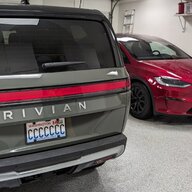
I sometimes charge my R1T with Tesla Universal Charger/adapter and haven’t had any issues. It works well switching between Model Y (NACS) and R1T (J1772). I have it mounted near the passenger rear wheel and reaches each vehicle’s charging port easily.
Sponsored


Top