Sponsored

Camera View staying on after backing out and then shifting to Drive forward?

ffree

Member
First Name
Frank
Joined
Dec 13, 2023
Threads
2
Messages
12
Reaction score
20
Location
Park City, Utah
Vehicles
R1S, Model Y
Occupation
retired
Clubs
 
Anyone else have an issue with the camera view sticking on after backing out and then shifting to Drive forward?

Even changing to other screen views (eg Nav, Music, ...) our new R1S frequently stays in camera mode for several minutes
Sponsored

 
OP
OP

ffree

Member
First Name
Frank
Joined
Dec 13, 2023
Threads
2
Messages
12
Reaction score
20
Location
Park City, Utah
Vehicles
R1S, Model Y
Occupation
retired
Clubs
 
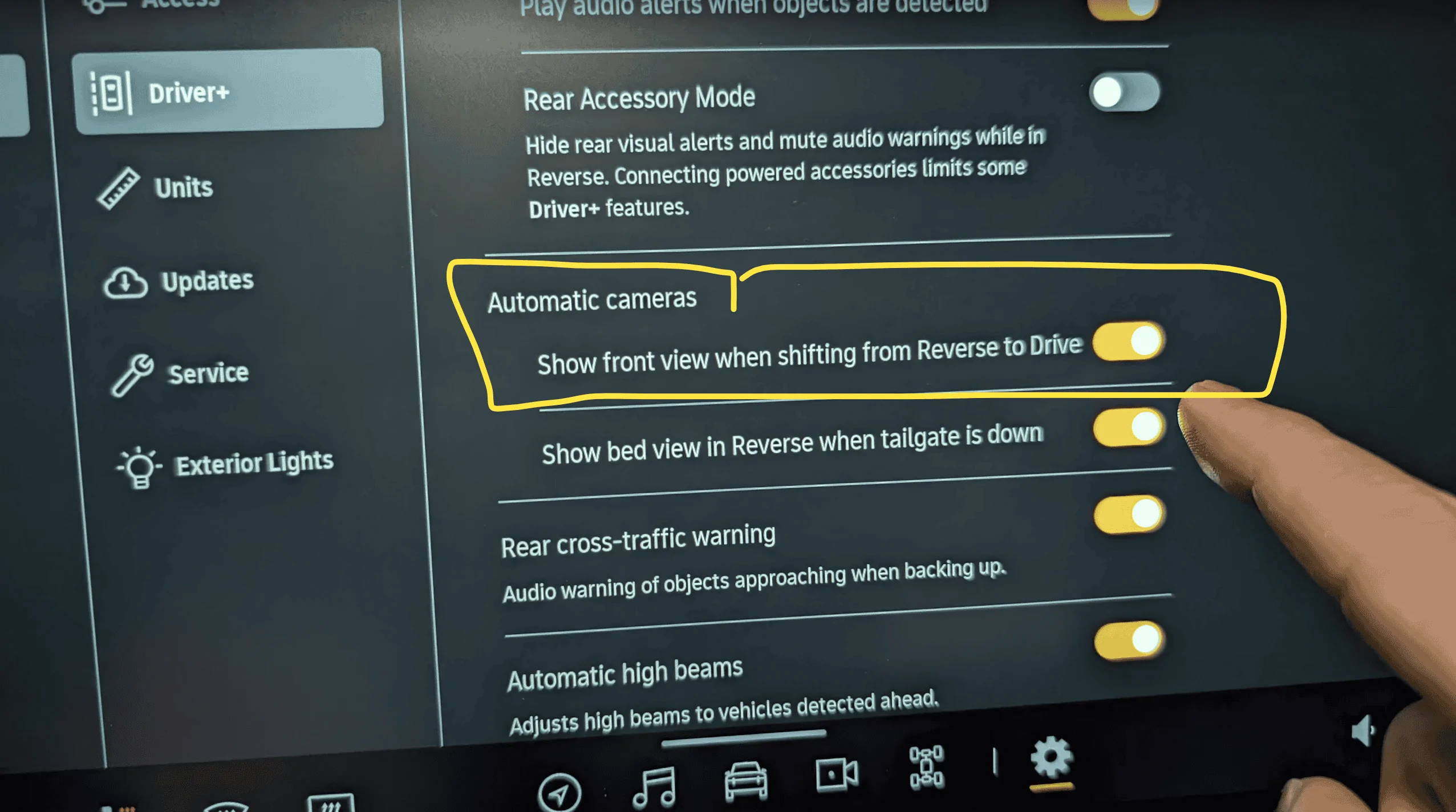
Thanks Mike, but I have it set to do that already.

But it sticks in that mode anyway.
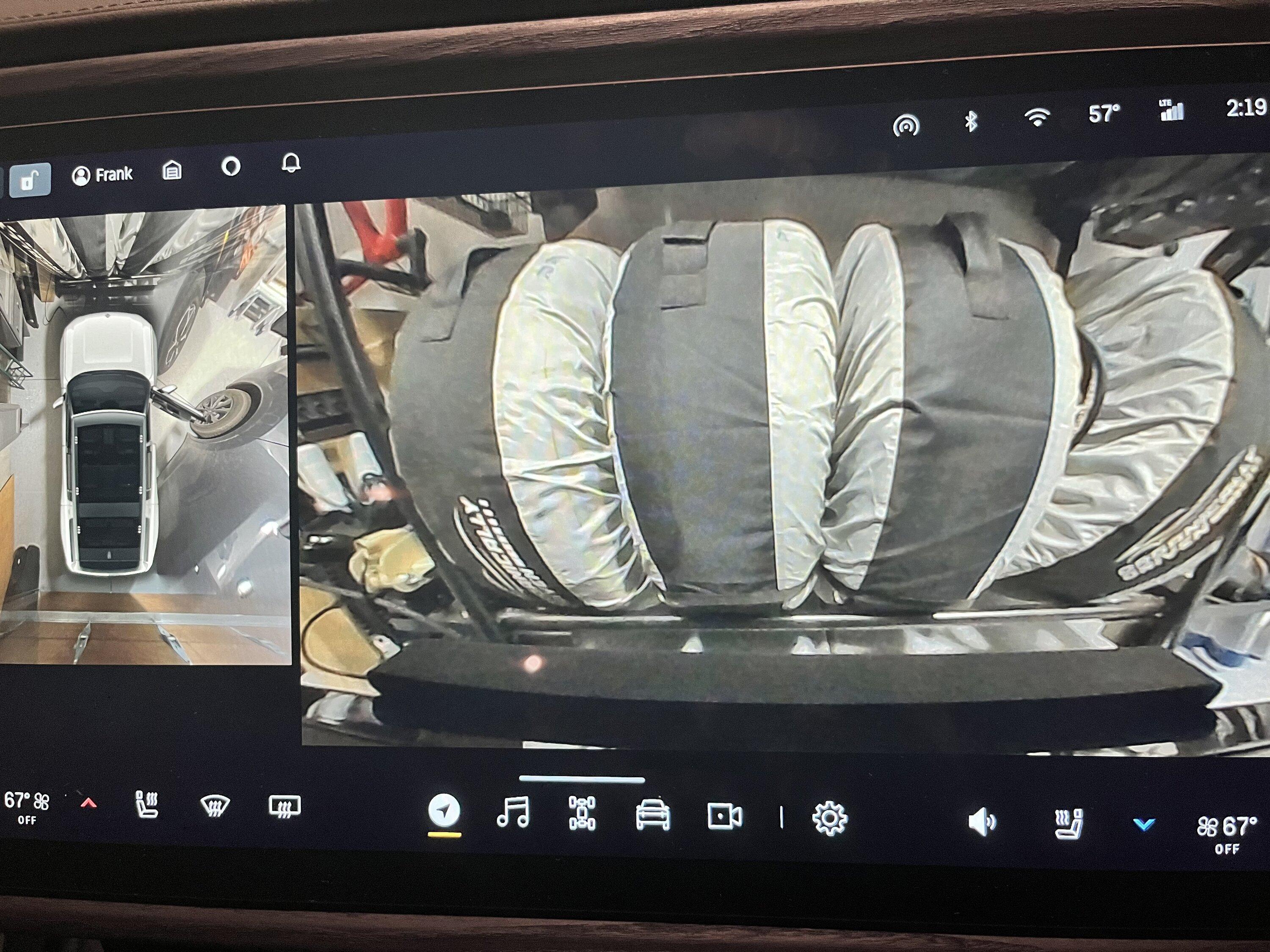
Picture shows Nav mode chosen, but Camera mode stuck on.
Rivian R1T R1S Camera View staying on after backing out and then shifting to Drive forward? IMG_5450
 

Dark-Fx

Well-Known Member
First Name
Brian
Joined
Jul 15, 2020
Threads
148
Messages
13,610
Reaction score
27,522
Location
Michigan
Vehicles
R1T, R1S, Livewire One, Sierra EV, R1S
Occupation
Engineering
Clubs
 
Thanks Mike, but I have it set to do that already.

But it sticks in that mode anyway.
Picture shows Nav mode chosen, but Camera mode stuck on.
IMG_5450.jpeg
Is there a little X in the top left corner? You just barely cut off where it would be displayed.
 

diehlryan

Well-Known Member
First Name
Ryan
Joined
Mar 8, 2022
Threads
2
Messages
182
Reaction score
266
Location
North Potomac, MD
Vehicles
2022 R1T, 2023 R1S
Yes, we are experiencing this in both the S and the T. Started to notice it happening in the S on Saturday and it just happened in the T today when running errands.
 

Sponsored

shimps1

Well-Known Member
Joined
Apr 20, 2022
Threads
29
Messages
110
Reaction score
116
Location
Des Moines, IA
Vehicles
2023 R1S
Clubs
 
I believe you need to go over 5mph (maybe 8 or 10) for the camera to turn off in drive. My camera stays on when backing out of the driveway and shifting into d until I get going a bit faster.

Nissan does it too.
 

beyond

Well-Known Member
First Name
Brad
Joined
Apr 3, 2023
Threads
3
Messages
156
Reaction score
221
Location
NOVA
Vehicles
R1T, Model Y
Occupation
The Cloud
Mine was doing the same thing, clicking the soft buttons didn't do anything, I also noticed that the parking lines were not showing up in reverse. I had to do an infotainment reset and it worked fine.
 

Oldsmobile_Mike

Well-Known Member
First Name
Mike
Joined
Mar 24, 2022
Threads
63
Messages
2,427
Reaction score
3,912
Location
Manassas Park, VA
Vehicles
FG/FE R1T recv'd 3/31/2023
Occupation
I build stuff
Clubs
 
Thanks Mike, but I have it set to do that already.

But it sticks in that mode anyway.
Did you try turning the setting off? If I understand your question correctly, that's what you want. Not on.


I had to do an infotainment reset and it worked fine.
+1 for that, if changing the setting doesn't give you what you want.
 
OP
OP

ffree

Member
First Name
Frank
Joined
Dec 13, 2023
Threads
2
Messages
12
Reaction score
20
Location
Park City, Utah
Vehicles
R1S, Model Y
Occupation
retired
Clubs
 
Mine was doing the same thing, clicking the soft buttons didn't do anything, I also noticed that the parking lines were not showing up in reverse. I had to do an infotainment reset and it worked fine.
yup! That reset solved it. Thank you @beyond, and community.
 

Sponsored

1neuron

New Member
Joined
Jun 12, 2023
Threads
0
Messages
2
Reaction score
0
Location
San Francisco
Vehicles
1999 Cherokee XJ, R1S preorder
Occupation
Scientist
Clubs
 
Mine was doing the same thing, clicking the soft buttons didn't do anything, I also noticed that the parking lines were not showing up in reverse. I had to do an infotainment reset and it worked fine.
Mine is doing the same, lasting several minutes before soft buttons would work. Started post-2023.46.0. Rivian service said glitches like this tend to happen post-OTA update, and recommended a software reset. Sounds like that has worked for you and others, so expect it will work for me too.
 

Craigins

Well-Known Member
Joined
Jun 10, 2021
Threads
2
Messages
1,571
Reaction score
2,397
Location
Chicago Suburbs
Vehicles
Rivian R1T
Occupation
Software engineer
Clubs
 
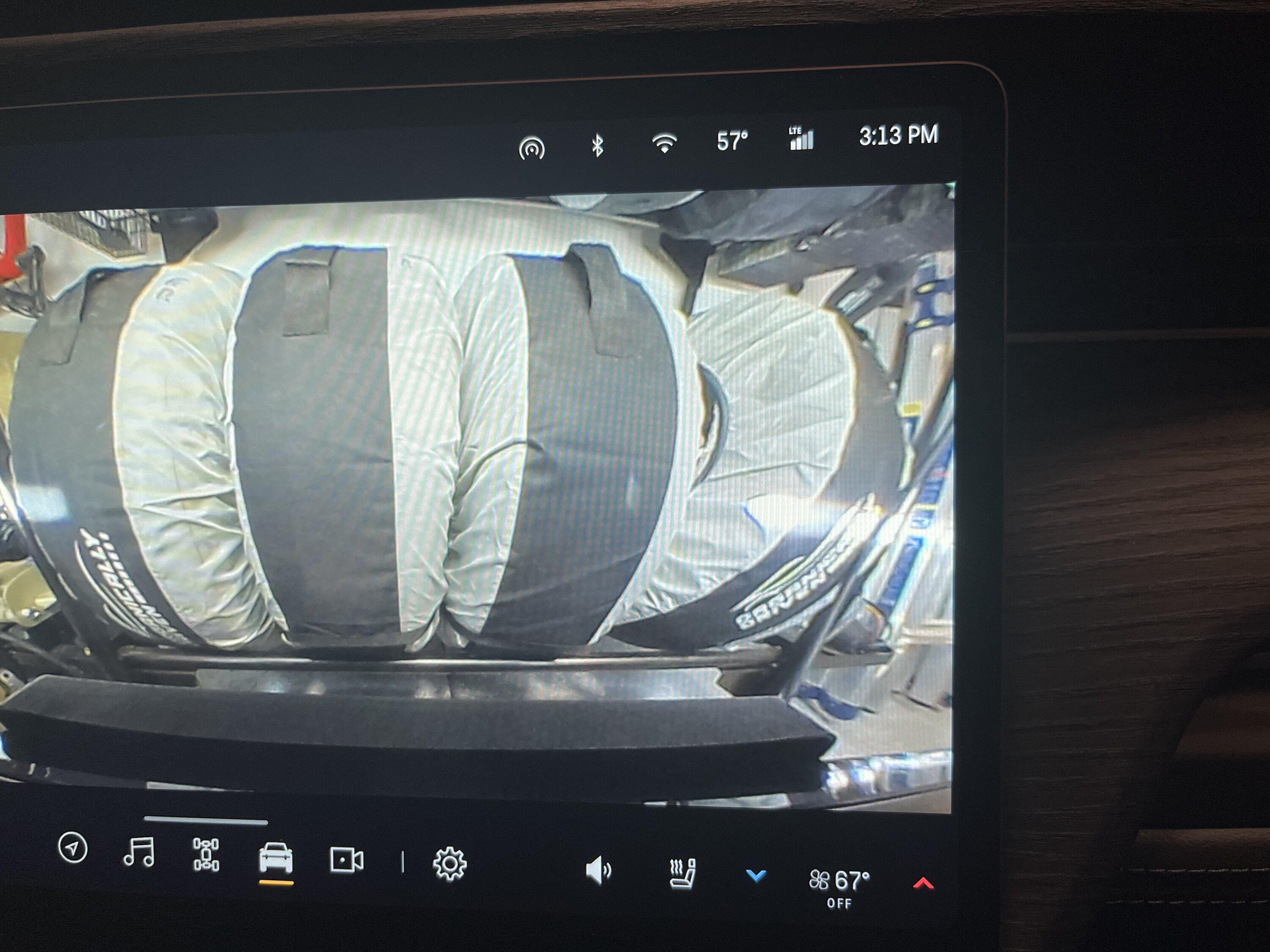
I had the same issue. The camera view sticks and does not change displays regardless of what you click. Sometimes after like 30 seconds or so it will swap to what you clicked on. As you can see in the photo the UI updates with what screen should be showing, it just doesn't switch.

Has nothing to do with reversing.

I just did an infotainment reset last time I was in the truck, hoping it fixes it.
 

Rickmc

Well-Known Member
First Name
Rick
Joined
May 11, 2023
Threads
9
Messages
103
Reaction score
118
Location
Centreville, VA
Vehicles
2022 R1T
Occupation
Vacation Rentals
Happened to me yesterday, I did an infotainment reset. After reset seems fine again.


drichan

Active Member
First Name
Dean
Joined
Aug 30, 2023
Threads
3
Messages
35
Reaction score
57
Location
El Dorado Hills
Vehicles
R1T
Occupation
Software
Clubs
 
After going into reverse and then back to drive Rivian will switch to the last app you were using before it went into reverse. For me I realized that parking in the garage I would often turn on the camera to park going forward. So having it switch back to that camera view after reversing it was working as designed. Not sure how Rivian could address this.
 

defcon888

Well-Known Member
First Name
Keith
Joined
May 23, 2023
Threads
6
Messages
1,227
Reaction score
926
Location
Auburn, Ca
Vehicles
2023 R1T, 2021 Toyota RAV4 Prime
Occupation
Making money
Clubs
 
I believe you need to go over 5mph (maybe 8 or 10) for the camera to turn off in drive. My camera stays on when backing out of the driveway and shifting into d until I get going a bit faster.

Nissan does it too.
This happens to be when I leave work. They stay on until I get to about 10mph then they shut off. No worries from me.
Sponsored


Top