Sponsored

SANZC02

Well-Known Member
First Name
Bob
Joined
Feb 11, 2021
Threads
50
Messages
7,397
Reaction score
12,677
Location
California
Vehicles
Tesla Model S, LE - R1S
Occupation
Retired
Rivian Tracker has the 2025.18 update notes.


GEN 1 (2021-2024)

Multi-factor Drive
You can now enable Multi-factor Drive to require a second form of authentication before starting your vehicle. This industry-leading feature increases the security of your vehicle by requiring you to authenticate each time you drive it. When Multi-factor Drive is enabled and you press the brake to shift out of P (Park), a notification appears on the center display. Then you can authenticate from the Rivian mobile app, version 3.1 or later, or via the actionable notification on your smartwatch. If you do not receive the notification, you can also enter a time-based passcode that displays on your smartphone.

To enable Multi-factor Drive, log in to the primary owner account in the Rivian mobile app, go to Security and access, and turn on Multi-factor Drive.

NOTE
  • Only a vehicle owner can enable or disable Multi-factor Drive. The setting applies to all drivers and keys associated with the vehicle.
  • When Multi-factor Drive is enabled, a driver won’t be able to drive the vehicle using the key fob or key card without authentication.
  • To approve a driver, the driver must have a Rivian account associated with the key and the key must be paired with the vehicle.
  • As a backup option, the driver can also access a time-based passcode on their smartphone. Go to Security and access and choose View time-based passcode.
  • To use Multi-factor Drive, all drivers must have a Rivian mobile app version 3.1 or later installed on their smartphone.

New Rivian Energy App
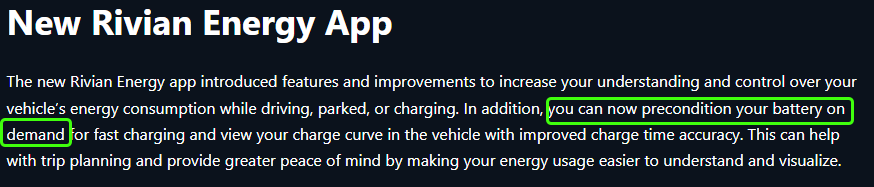
The new Rivian Energy app introduced features and improvements to increase your understanding and control over your vehicle’s energy consumption while driving, parked, or charging. In addition, you can now precondition your battery on demand for fast charging and view your charge curve in the vehicle with improved charge time accuracy. This can help with trip planning and provide greater peace of mind by making your energy usage easier to understand and visualize.

Energy Monitor Tab
  • Projected range impact: Increase your understanding of your actual energy consumption versus what’s expected while driving and while in P (Park). You can gain insight into how your driving behavior affects your range and get useful driving tips. You can also view your parked energy usage on the Rivian mobile app.
  • Usage: Dive deep into your energy usage over selectable timeframes.
  • Session details: View a comprehensive distribution of systems in your vehicle that are consuming energy, including Gear Guard, outlets, and climate.
Charging Tab
  • Graph: Visualize your active or latest charging session with an interactive graph.
  • Target level for charging stops: When using navigation for a trip that includes a charging stop, now it’s easy to see the recommended charge target for your trip from the vehicle or the Rivian mobile app. Simply start your charge, and the app will calculate and notify you (both in the vehicle and on the Rivian mobile app) when you’ve reached the ideal charge level for your trip.
  • On-demand battery preconditioning: Precondition your battery on demand for fast charging. The system heats or cools the battery to the optimal temperature for fast charging.
View the new Energy app on your center display and on the Rivian mobile app, version 3.1 or later.

Charging Improvements
We’ve improved DC fast charging performance and consistency for Max pack batteries. Max pack batteries now have improved charge times and expanded capability across a larger range of temperatures.

  • Optimized charging algorithms to reduce the time required when charging the battery from 10% to 80%.
Additional Improvements
  • Enhanced the vehicle visualizations with new, more details vehicle models on the driver display.
  • Improved the responsiveness of Go Chime, resulting in fewer extraneous chimes.
  • Improved the stability and responsiveness of the infotainment system.
  • Improved the performance and stability of media apps.


GEN 2 (2025)

Multi-factor Drive
You can now enable Multi-factor Drive to require a second form of authentication before starting your vehicle. This industry-leading feature increases the security of your vehicle by requiring you to authenticate each time you drive it. When Multi-factor Drive is enabled and you press the brake to shift out of P (Park), a notification appears on the center display. Then you can authenticate from the Rivian mobile app, version 3.1 or later, or via the actionable notification on your smartwatch. If you do not receive the notification, you can also enter a time-based passcode that displays on your smartphone.

To enable Multi-factor Drive, log in to the primary owner account in the Rivian mobile app, go to Security and access, and turn on Multi-factor Drive.

NOTE
  • Only a vehicle owner can enable or disable Multi-factor Drive. The setting applies to all drivers and keys associated with the vehicle.
  • When Multi-factor Drive is enabled, a driver won’t be able to drive the vehicle using the key fob or key card without authentication.
  • To approve a driver, the driver must have a Rivian account associated with the key and the key must be paired with the vehicle.
  • As a backup option, the driver can also access a time-based passcode on their smartphone. Go to Security and access and choose View time-based passcode.
  • To use Multi-factor Drive, all drivers must have a Rivian mobile app version 3.1 or later installed on their smartphone.

New Rivian Energy App
The new Rivian Energy app introduced features and improvements to increase your understanding and control over your vehicle’s energy consumption while driving, parked, or charging. In addition, you can now precondition your battery on demand for fast charging and view your charge curve in the vehicle with improved charge time accuracy. This can help with trip planning and provide greater peace of mind by making your energy usage easier to understand and visualize.

Energy Monitor Tab
  • Projected range impact: Increase your understanding of your actual energy consumption versus what’s expected while driving and while in P (Park). You can gain insight into how your driving behavior affects your range and get useful driving tips. You can also view your parked energy usage on the Rivian mobile app.
  • Usage: Dive deep into your energy usage over selectable timeframes.
  • Session details: View a comprehensive distribution of systems in your vehicle that are consuming energy, including Gear Guard, outlets, and climate.
Charging Tab
  • Graph: Visualize your active or latest charging session with an interactive graph.
  • Target level for charging stops: When using navigation for a trip that includes a charging stop, now it’s easy to see the recommended charge target for your trip from the vehicle or the Rivian mobile app. Simply start your charge, and the app will calculate and notify you (both in the vehicle and on the Rivian mobile app) when you’ve reached the ideal charge level for your trip.
  • On-demand battery preconditioning: Precondition your battery on demand for fast charging. The system heats or cools the battery to the optimal temperature for fast charging.
View the new Energy app on your center display and on the Rivian mobile app, version 3.1 or later.

Charging Improvements
We’ve improved DC fast charging performance and consistency for all battery pack variants. All battery pack variants now have improved charge times and expanded capability across a larger range of temperatures.

  • Max Pack and Standard Pack: Optimized charging algorithms to reduce the time required when charging the battery from 10% to 80%.
  • Large Pack: Optimized charging algorithms to:
    • Improve peak charge rate.
    • Reduce the time required when charging the battery from 10% to 80%
    • Increase the number of miles added in the first 15 minutes of charging.
Additional Improvements
  • Fixed a rare issue that caused camera views and recorded videos to be unavailable in the Gear Guard app.
  • Enhanced the vehicle visualizations with new, more details vehicle models on the driver display.
  • Enhanced the driver display to show a great number of vehicles across five lanes and in more diverse situations, such as cross-traffic, oncoming traffic, and parked vehicles.
  • Improved the stability and responsiveness of the infotainment system.
  • Improved the performance and stability of media apps.
  • Optimized low voltage battery management to improve long-term battery health.
Sponsored

 

UnsungZero_OldTimeAdMan

Well-Known Member
First Name
Barnum
Joined
Mar 20, 2023
Threads
66
Messages
8,536
Reaction score
11,723
Location
SoCal
Vehicles
'23 GW Quad-Large R1T "Ghost"
Occupation
Advertising Circus
Rivian Tracker has the 2025.18 update notes.
Definitely not an OTA for all owners.


Multi-factor Drive
You can now enable Multi-factor Drive to require a second form of authentication before starting your vehicle. This industry-leading feature increases the security of your vehicle by requiring you to authenticate each time you drive it. When Multi-factor Drive is enabled and you press the brake to shift out of P (Park), a notification appears on the center display. Then you can authenticate from the Rivian mobile app, version 3.1 or later, or via the actionable notification on your smartwatch. If you do not receive the notification, you can also enter a time-based passcode that displays on your smartphone.
To enable Multi-factor Drive, log in to the primary owner account in the Rivian mobile app, go to Security and access, and turn on Multi-factor Drive.
NOTE
  • Only a vehicle owner can enable or disable Multi-factor Drive. The setting applies to all drivers and keys associated with the vehicle.
  • When Multi-factor Drive is enabled, a driver won’t be able to drive the vehicle using the key fob or key card without authentication.
  • To approve a driver, the driver must have a Rivian account associated with the key and the key must be paired with the vehicle.
  • As a backup option, the driver can also access a time-based passcode on their smartphone. Go to Security and access and choose View time-based passcode.
  • To use Multi-factor Drive, all drivers must have a Rivian mobile app version 3.1 or later installed on their smartphone.
New Rivian Energy App
The new Rivian Energy app introduced features and improvements to increase your understanding and control over your vehicle’s energy consumption while driving, parked, or charging. In addition, you can now precondition your battery on demand for fast charging and view your charge curve in the vehicle with improved charge time accuracy. This can help with trip planning and provide greater peace of mind by making your energy usage easier to understand and visualize.
Energy Monitor Tab
  • Projected range impact: Increase your understanding of your actual energy consumption versus what’s expected while driving and while in P (Park). You can gain insight into how your driving behavior affects your range and get useful driving tips. You can also view your parked energy usage on the Rivian mobile app.
  • Usage: Dive deep into your energy usage over selectable timeframes.
  • Session details: View a comprehensive distribution of systems in your vehicle that are consuming energy, including Gear Guard, outlets, and climate.
Charging Tab
  • Graph: Visualize your active or latest charging session with an interactive graph.
  • Target level for charging stops: When using navigation for a trip that includes a charging stop, now it’s easy to see the recommended charge target for your trip from the vehicle or the Rivian mobile app. Simply start your charge, and the app will calculate and notify you (both in the vehicle and on the Rivian mobile app) when you’ve reached the ideal charge level for your trip.
  • On-demand battery preconditioning: Precondition your battery on demand for fast charging. The system heats or cools the battery to the optimal temperature for fast charging.
View the new Energy app on your center display and on the Rivian mobile app, version 3.1 or later.
Charging Improvements
We’ve improved DC fast charging performance and consistency for Max pack batteries. Max pack batteries now have improved charge times and expanded capability across a larger range of temperatures.
  • Optimized charging algorithms to reduce the time required when charging the battery from 10% to 80%.
Additional Improvements
  • Enhanced the vehicle visualizations with new, more details vehicle models on the driver display.
  • Improved the responsiveness of Go Chime, resulting in fewer extraneous chimes.
  • Improved the stability and responsiveness of the infotainment system.
  • Improved the performance and stability of media apps.
 
Last edited:

mpshizzle

Well-Known Member
Joined
Jun 16, 2024
Threads
76
Messages
1,307
Reaction score
2,179
Location
Utah
Vehicles
2025 R1S Dual Max (Baymax)
My favorite part of this update:
  • Enhanced the driver display to show a great number of vehicles across five lanes and in more diverse situations, such as cross-traffic, oncoming traffic, and parked vehicles.
We're finally being shown vehicles that the R1 clearly can see! I've been waiting for this for a while! This also bodes well for what's to come for RAP
 

sherold

Well-Known Member
Joined
Jan 7, 2022
Threads
0
Messages
282
Reaction score
423
Location
Indiana
Vehicles
Audi S3, VW Atlas
My favorite part of this update:
  • Enhanced the driver display to show a great number of vehicles across five lanes and in more diverse situations, such as cross-traffic, oncoming traffic, and parked vehicles.
We're finally being shown vehicles that the R1 clearly can see! I've been waiting for this for a while! This also bodes well for what's to come for RAP
Genuinely curious here, not being an A$$. Why does this matter?
 

Sponsored

iamnid

Well-Known Member
Joined
Aug 10, 2023
Threads
7
Messages
613
Reaction score
756
Location
California
Vehicles
Mercedes EQE, Rivian R1S
Personally, I'm most excited for the charging improvements and the gear guard fixes. I'm constantly having videos that are corrupted or unable to be played.

I'm also happy for infotainment performance improvements but they've promised that in the last couple of updates and it's still slow as molasses, so I don't have too much hope that things will improve in that regard.
 

UnsungZero_OldTimeAdMan

Well-Known Member
First Name
Barnum
Joined
Mar 20, 2023
Threads
66
Messages
8,536
Reaction score
11,723
Location
SoCal
Vehicles
'23 GW Quad-Large R1T "Ghost"
Occupation
Advertising Circus
Genuinely curious here, not being an A$$. Why does this matter?
I'm guessing, so far, people think what is on the driver display is exactly and only what their autonomous system sees. And since that doesn't always match or is as broad as what their human eyes can see, they assume Rivian has yet again fallen short on promises.
 
Last edited:

mpshizzle

Well-Known Member
Joined
Jun 16, 2024
Threads
76
Messages
1,307
Reaction score
2,179
Location
Utah
Vehicles
2025 R1S Dual Max (Baymax)
I'm guessing, so far, people thing what is on the driver display is exactly and only what their autonomous system sees. And since that doesn't always match or is as broad as what their human eyes can see, they assume Rivian has yet again fallen short on promises.
....Well that's a cynical take on what's in my head... lol (don't worry I assume similar of many people haha)

Genuinely curious here, not being an A$$. Why does this matter?
It's very clear that the RAP system can see way, WAYYYY more than is shown on the screen. However, up until this point, Rivian has chosen to put VERY severe limits on what is and isn't shown. For example:
  • parked cars are not shown if you're going over 30MPH.
  • Vehicles that are not facing the same direction as you are not shown, even if they are not in motion ( like in a parking lot)
  • Vehicles are not shown if they aren't in an adjacent lane (I see cars pop in and out of existence all the time based on how the system is interpreting lane lines at any given moment)
My suspicion is that they've put these guard rails in place, because if they were to allow more things to show, it would reveal some pretty wild, inaccurate depictions of what the system is perceiving in the real world. Things like cars driving backwards down the street, cars facing sideways or spinning, etc. So they only allow the system to show what they think it's capable of showing with reasonable accuracy to maintain driver confidence in the system.

Unlocking the visuals to show more is great for a couple of reasons:
  1. It shows a closer approximation of what the system is seeing. We can get a better idea of how accurate the system's perception of the world is. As the perception gets more stable and more accurate, the autonomous functions themselves have a better chance of performing well. The fact that Rivian feels confident enough to let us see more of what IT sees tells me that we are pretty close to getting some big advances in RAP+ functionality.
  2. It's cool and fun in the nerdiest of ways
So that's why it matters (to me). Thank you for coming to my TED talk
 

UnsungZero_OldTimeAdMan

Well-Known Member
First Name
Barnum
Joined
Mar 20, 2023
Threads
66
Messages
8,536
Reaction score
11,723
Location
SoCal
Vehicles
'23 GW Quad-Large R1T "Ghost"
Occupation
Advertising Circus
....Well that's a cynical take on what's in my head... lol (don't worry I assume similar of many people haha)
Oh I don't worry. Disagree or agree, sun rises and sets for everyone just the same. And nothing is changed. That said, some people clearly get upset when their car is showing them the car ahead is at an angle when it isn't, or showing a van instead of a passenger car. There are plenty of such "gotcha" posts. And they are clearly upset when I say to them it's not important that the safety system's "eyes" aren't seeing exactly what you see. What's important is that it sees an object there that could hurt you if you were to try and drive through it.
 

electruck

Well-Known Member
Joined
Oct 6, 2019
Threads
74
Messages
4,155
Reaction score
7,728
Location
Dallas, TX
Vehicles
2023 Rivian R1S
I'm guessing, so far, people thing what is on the driver display is exactly and only what their autonomous system sees. And since that doesn't always match or is as broad as what their human eyes can see, they assume Rivian has yet again fallen short on promises.
Most of the time I'd just love to be able to put something else on that part of the display as it's generally of no value to me. So I don't really care what it shows. However, it is annoying as crap sitting at a light watching the cars in front of you doing the Macarena in the display! đŸ€Ł
 

Sponsored

UnsungZero_OldTimeAdMan

Well-Known Member
First Name
Barnum
Joined
Mar 20, 2023
Threads
66
Messages
8,536
Reaction score
11,723
Location
SoCal
Vehicles
'23 GW Quad-Large R1T "Ghost"
Occupation
Advertising Circus
Most of the time I'd just love to be able to put something else on that part of the display as it's generally of no value to me. So I don't really care what it shows. However, it is annoying as crap sitting at a light watching the cars in front of you doing the Macarena in the display! đŸ€Ł
I rarely use cruise even, in any of the cars I've owned, so I don't spend much time looking at the display. So much so that I missed opportunity to capture a zombie horde last October. By the time I realized, to reach for my phone, it was already too late.
 

cohall

Well-Known Member
Joined
Mar 30, 2020
Threads
76
Messages
1,603
Reaction score
5,661
Location
Denver
Vehicles
2022 R1T, 2023 R1S
Credit to Riviantrackr. I’ll add some highlights shortly.

https://riviantrackr.com/2025-18/

Gen 1 Updates:
Multi-factor Drive
You can now enable Multi-factor Drive to require a second form of authentication before starting your vehicle. This industry-leading feature increases the security of your vehicle by requiring you to authenticate each time you drive it. When Multi-factor Drive is enabled and you press the brake to shift out of P (Park), a notification appears on the center display. Then you can authenticate from the Rivian mobile app, version 3.1 or later, or via the actionable notification on your smartwatch. If you do not receive the notification, you can also enter a time-based passcode that displays on your smartphone.

To enable Multi-factor Drive, log in to the primary owner account in the Rivian mobile app, go to Security and access, and turn on Multi-factor Drive.

NOTE
  • Only a vehicle owner can enable or disable Multi-factor Drive. The setting applies to all drivers and keys associated with the vehicle.
  • When Multi-factor Drive is enabled, a driver won’t be able to drive the vehicle using the key fob or key card without authentication.
  • To approve a driver, the driver must have a Rivian account associated with the key and the key must be paired with the vehicle.
  • As a backup option, the driver can also access a time-based passcode on their smartphone. Go to Security and access and choose View time-based passcode.
  • To use Multi-factor Drive, all drivers must have a Rivian mobile app version 3.1 or later installed on their smartphone.

New Rivian Energy App
The new Rivian Energy app introduced features and improvements to increase your understanding and control over your vehicle’s energy consumption while driving, parked, or charging. In addition, you can now precondition your battery on demand for fast charging and view your charge curve in the vehicle with improved charge time accuracy. This can help with trip planning and provide greater peace of mind by making your energy usage easier to understand and visualize.

Energy Monitor Tab
  • Projected range impact: Increase your understanding of your actual energy consumption versus what’s expected while driving and while in P (Park). You can gain insight into how your driving behavior affects your range and get useful driving tips. You can also view your parked energy usage on the Rivian mobile app.
  • Usage: Dive deep into your energy usage over selectable timeframes.
  • Session details: View a comprehensive distribution of systems in your vehicle that are consuming energy, including Gear Guard, outlets, and climate.
Charging Tab
  • Graph: Visualize your active or latest charging session with an interactive graph.
  • Target level for charging stops: When using navigation for a trip that includes a charging stop, now it’s easy to see the recommended charge target for your trip from the vehicle or the Rivian mobile app. Simply start your charge, and the app will calculate and notify you (both in the vehicle and on the Rivian mobile app) when you’ve reached the ideal charge level for your trip.
  • On-demand battery preconditioning: Precondition your battery on demand for fast charging. The system heats or cools the battery to the optimal temperature for fast charging.
View the new Energy app on your center display and on the Rivian mobile app, version 3.1 or later.

Charging Improvements
We’ve improved DC fast charging performance and consistency for Max pack batteries. Max pack batteries now have improved charge times and expanded capability across a larger range of temperatures.

  • Optimized charging algorithms to reduce the time required when charging the battery from 10% to 80%.
Additional Improvements
  • Enhanced the vehicle visualizations with new, more details vehicle models on the driver display.
  • Improved the responsiveness of Go Chime, resulting in fewer extraneous chimes.
  • Improved the stability and responsiveness of the infotainment system.
  • Improved the performance and stability of media apps.


  • Gen 2 Updates


  • Multi-factor Drive
    You can now enable Multi-factor Drive to require a second form of authentication before starting your vehicle. This industry-leading feature increases the security of your vehicle by requiring you to authenticate each time you drive it. When Multi-factor Drive is enabled and you press the brake to shift out of P (Park), a notification appears on the center display. Then you can authenticate from the Rivian mobile app, version 3.1 or later, or via the actionable notification on your smartwatch. If you do not receive the notification, you can also enter a time-based passcode that displays on your smartphone.

    To enable Multi-factor Drive, log in to the primary owner account in the Rivian mobile app, go to Security and access, and turn on Multi-factor Drive.

    NOTE
    • Only a vehicle owner can enable or disable Multi-factor Drive. The setting applies to all drivers and keys associated with the vehicle.
    • When Multi-factor Drive is enabled, a driver won’t be able to drive the vehicle using the key fob or key card without authentication.
    • To approve a driver, the driver must have a Rivian account associated with the key and the key must be paired with the vehicle.
    • As a backup option, the driver can also access a time-based passcode on their smartphone. Go to Security and access and choose View time-based passcode.
    • To use Multi-factor Drive, all drivers must have a Rivian mobile app version 3.1 or later installed on their smartphone.

    New Rivian Energy App
    The new Rivian Energy app introduced features and improvements to increase your understanding and control over your vehicle’s energy consumption while driving, parked, or charging. In addition, you can now precondition your battery on demand for fast charging and view your charge curve in the vehicle with improved charge time accuracy. This can help with trip planning and provide greater peace of mind by making your energy usage easier to understand and visualize.

    Energy Monitor Tab
    • Projected range impact: Increase your understanding of your actual energy consumption versus what’s expected while driving and while in P (Park). You can gain insight into how your driving behavior affects your range and get useful driving tips. You can also view your parked energy usage on the Rivian mobile app.
    • Usage: Dive deep into your energy usage over selectable timeframes.
    • Session details: View a comprehensive distribution of systems in your vehicle that are consuming energy, including Gear Guard, outlets, and climate.
  • Charging Tab
    • Graph: Visualize your active or latest charging session with an interactive graph.
    • Target level for charging stops: When using navigation for a trip that includes a charging stop, now it’s easy to see the recommended charge target for your trip from the vehicle or the Rivian mobile app. Simply start your charge, and the app will calculate and notify you (both in the vehicle and on the Rivian mobile app) when you’ve reached the ideal charge level for your trip.
    • On-demand battery preconditioning: Precondition your battery on demand for fast charging. The system heats or cools the battery to the optimal temperature for fast charging.
  • View the new Energy app on your center display and on the Rivian mobile app, version 3.1 or later.

    Charging Improvements
    We’ve improved DC fast charging performance and consistency for all battery pack variants. All battery pack variants now have improved charge times and expanded capability across a larger range of temperatures.
    • Max Pack and Standard Pack: Optimized charging algorithms to reduce the time required when charging the battery from 10% to 80%.
    • Large Pack: Optimized charging algorithms to:
      • Improve peak charge rate.
      • Reduce the time required when charging the battery from 10% to 80%
      • Increase the number of miles added in the first 15 minutes of charging.
  • Additional Improvements
    • Fixed a rare issue that caused camera views and recorded videos to be unavailable in the Gear Guard app.
    • Enhanced the vehicle visualizations with new, more details vehicle models on the driver display.
    • Enhanced the driver display to show a great number of vehicles across five lanes and in more diverse situations, such as cross-traffic, oncoming traffic, and parked vehicles.
    • Improved the stability and responsiveness of the infotainment system.
    • Improved the performance and stability of media apps.
    • Optimized low voltage battery management to improve long-term battery health.
 

COdogman

Well-Known Member
First Name
Brian
Joined
Jan 21, 2022
Threads
33
Messages
11,641
Reaction score
34,494
Location
CO
Vehicles
2023 R1T
Occupation
Cyber defender
Clubs


HapticWagon

Well-Known Member
Joined
Aug 9, 2024
Threads
19
Messages
290
Reaction score
294
Location
PNW
Vehicles
R1S Gen2
  • Enhanced the driver display to show a great number of vehicles across five lanes and in more diverse situations, such as cross-traffic, oncoming traffic, and parked vehicles.
Wow this is cool ^ hopefully it doesn’t impact the stability of system and cause more reboots 😂 although they listed this next:

  • Improved the stability and responsiveness of the infotainment system.
But also more seriously super excited for all the energy app improvements! Can’t wait to see it!
Sponsored


Top