Sponsored

Not charging on Tesla Gen2 Wall Connector after 2025.38 Update

OP
OP

hjesse

New Member
First Name
Jesse
Joined
Oct 25, 2025
Threads
1
Messages
4
Reaction score
4
Location
San Jose, CA
Vehicles
2026 R1S
Count me in - charging error after 2025.38.0.

The error comes with using NACS to J1772 adapter with Tesla Gen2 Wall Connector or Mobile Connector to 2023 Rivian R1S.
Both these Tesla chargers work with our Tesla car.

There is no charger error using the Rivian Mobile Charger.
Okay guys I think figured it out with 100% reproducibility on my R1S tonight. All of your answers make it sound like there is an issue with the “smart” charging. It seems to be the case.

Fix:
1. Unplug the charger (or rather step 0)
2. Turn OFF the schedule inside the car
3. Plug back in TWC
My R1S bypasses the 1 second of Unplug and Try Again message previously encountered and charges instantly now on Gen2 TWC.

Other observations:
* If you start with the fix above then turn on the charging schedule, charging still works if you stop and restart charging
* if you start with the charging schedule set to ON (either off peak or custom), then plug in the charger and see the error, turning off the Schedule wont fix the error. You have to unplug and re-plug with the Schedule OFF.

I’ll post back if this fails again later this week.
Sponsored

 

RoBoRaT R1S

Well-Known Member
First Name
RoBoRaT
Joined
Jan 9, 2022
Threads
1
Messages
72
Reaction score
153
Location
90210
Vehicles
R1S3XY
Occupation
R1S Waiter
Okay guys I think figured it out with 100% reproducibility on my R1S tonight. All of your answers make it sound like there is an issue with the “smart” charging. It seems to be the case.

Fix:
1. Unplug the charger (or rather step 0)
2. Turn OFF the schedule inside the car
3. Plug back in TWC
My R1S bypasses the 1 second of Unplug and Try Again message previously encountered and charges instantly now on Gen2 TWC.

Other observations:
* If you start with the fix above then turn on the charging schedule, charging still works if you stop and restart charging
* if you start with the charging schedule set to ON (either off peak or custom), then plug in the charger and see the error, turning off the Schedule wont fix the error. You have to unplug and re-plug with the Schedule OFF.

I’ll post back if this fails again later this week.
It works following your steps!

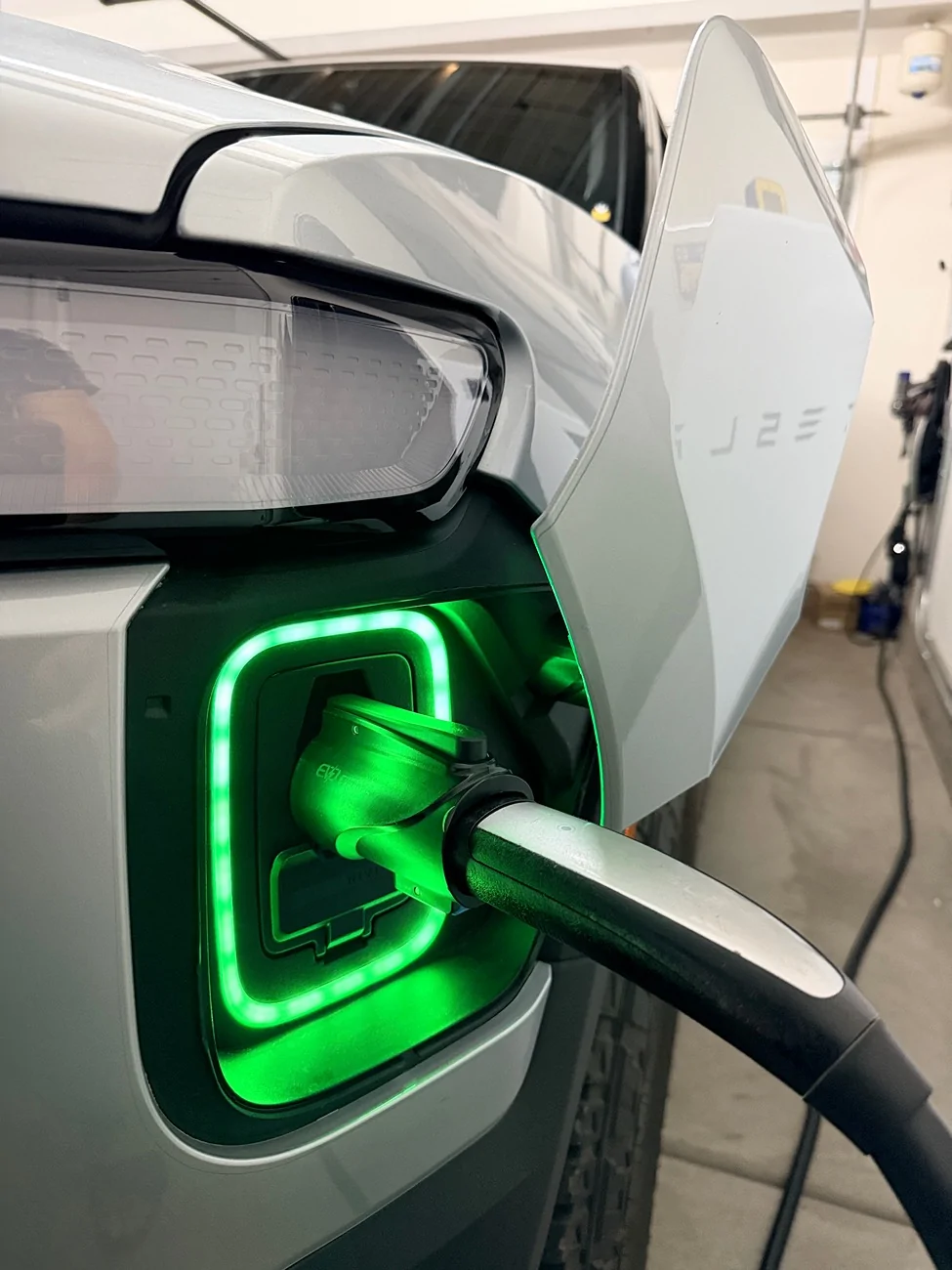
Rivian R1T R1S Not charging on Tesla Gen2 Wall Connector after 2025.38 Update IMG_3849
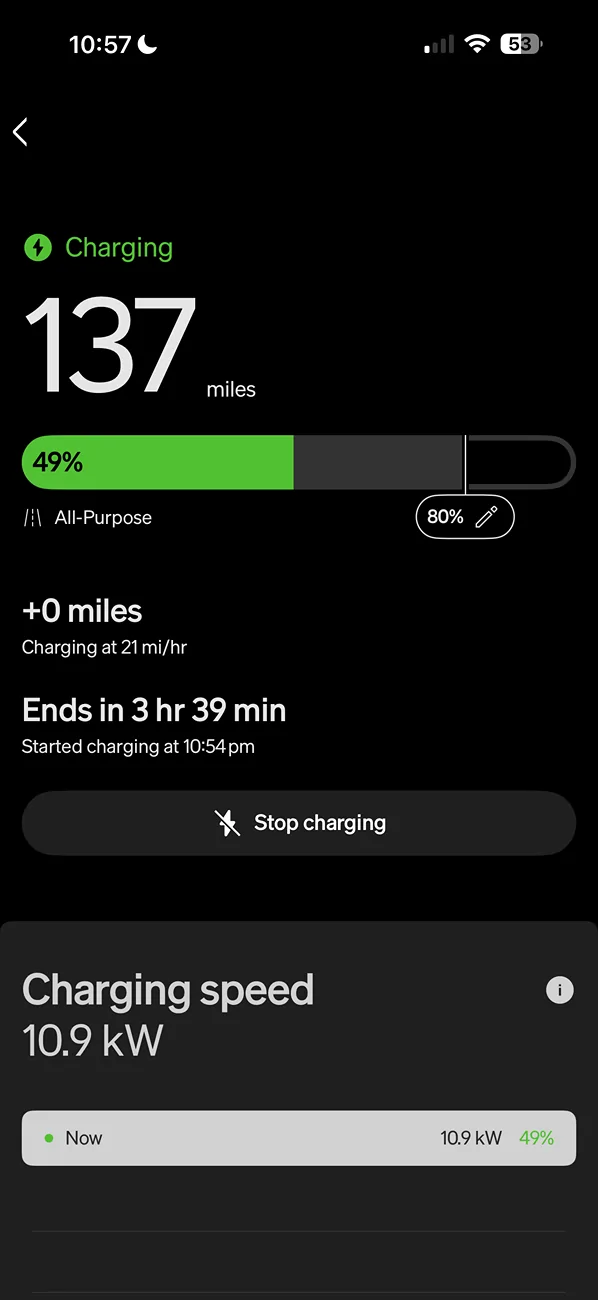
Rivian R1T R1S Not charging on Tesla Gen2 Wall Connector after 2025.38 Update IMG_3850


I shared the bug and ur temp fix to Rivian via the Rivian App
 
Last edited:

Luke

New Member
First Name
Luke
Joined
Apr 6, 2023
Threads
1
Messages
4
Reaction score
6
Location
Raleigh, NC
Vehicles
2022 R1T
Clubs
 
I had the same issue and it is a bug with the schedule. Turning off the schedule makes it charge right away but even leaving the schedule enabled, it will show red and the unplug/try again message but once the scheduled time hits (mine is 9PM) it does charge correctly. I think the bug is just an incorrect state showing the vehicle can't accept a charge due to schedule and it shows red instead of blue.
 

bigsky

Banned
Well-Known Member
Joined
Jan 8, 2024
Threads
12
Messages
1,098
Reaction score
740
Location
MUM
Vehicles
MUM
Although a gen 1 R1S, it still charges just fine with my beloved Tesla Gen 3 Wall Connector after this .38 update. Three years in, never hooked up to the Internet, never Wi-Fi enabled, no compatibility anything ever set up., It just faithfully starts charging my EVs right away every time I use it.
 

Jiveman

New Member
First Name
Jaime
Joined
Jun 3, 2024
Threads
0
Messages
2
Reaction score
0
Location
San Diego
Vehicles
R1S
Okay guys I think figured it out with 100% reproducibility on my R1S tonight. All of your answers make it sound like there is an issue with the “smart” charging. It seems to be the case.

Fix:
1. Unplug the charger (or rather step 0)
2. Turn OFF the schedule inside the car
3. Plug back in TWC
My R1S bypasses the 1 second of Unplug and Try Again message previously encountered and charges instantly now on Gen2 TWC.

Other observations:
* If you start with the fix above then turn on the charging schedule, charging still works if you stop and restart charging
* if you start with the charging schedule set to ON (either off peak or custom), then plug in the charger and see the error, turning off the Schedule wont fix the error. You have to unplug and re-plug with the Schedule OFF.

I’ll post back if this fails again later this week.
Thank you this worked for me in my Gen1 R1S. Gotta say this is pretty annoying. Does anyone know if the scheduled charging would have worked when scheduled to start? E.g. leaving it plugged in with red but the schedule enabled.
 

Sponsored

RoBoRaT R1S

Well-Known Member
First Name
RoBoRaT
Joined
Jan 9, 2022
Threads
1
Messages
72
Reaction score
153
Location
90210
Vehicles
R1S3XY
Occupation
R1S Waiter
Thank you this worked for me in my Gen1 R1S. Gotta say this is pretty annoying. Does anyone know if the scheduled charging would have worked when scheduled to start? E.g. leaving it plugged in with red but the schedule enabled.
Yes, it charged as scheduled from “red” state.


hudesigns

Well-Known Member
First Name
Jim
Joined
May 27, 2024
Threads
5
Messages
130
Reaction score
110
Location
New York
Vehicles
2026 R1S dual max performance
Thank you this worked for me in my Gen1 R1S. Gotta say this is pretty annoying. Does anyone know if the scheduled charging would have worked when scheduled to start? E.g. leaving it plugged in with red but the schedule enabled.
No, scheduled charging fails to work after .38 update. When it’s scheduled to start my R1S gen2 will STOP charging with a red lightning symbol in app. I use Grisl-E mini charger and never experienced issues with scheduled charging before update.
 

KnightRider

Member
Joined
Jan 21, 2024
Threads
0
Messages
9
Reaction score
10
Location
Chicago
Vehicles
R1S, Audi TTS
I had this error, but all I did was: toggle schedule OFF and back ON in the app. It fixed the issue for me.

Edit: I did not have to unplug the charger.
 
Last edited:

SL55

Member
Joined
Dec 20, 2021
Threads
3
Messages
10
Reaction score
6
Location
Middleton, WI
Vehicles
2013 Touareg TDI, 2022 Tesla Y long range, 2023 Rivian R1S quad large.
I had red light after Halloween update with Gen 3 Tesla charger. Had to register charger with tesla by connecting to WIFi (never had it connected for 2 years and it just worked) and enabled "compatibility" mode in the settings menu. That fixed the problem.
 

bradb21

Member
First Name
Brad
Joined
Jul 28, 2025
Threads
1
Messages
14
Reaction score
0
Location
Chicago Area
Vehicles
2026 R1T - Tri
I wanted to add my experience with my Tesla wall connector after the 2025.38 update.

When on 2025.34 I had no issues. Post 2025.38 update I've noticed when I plug in I after the normal communications and then my port on my Rivian goes RED. I unplug and replug and then everything is normal. I've had to do this procedure every night following 2025.38 update.
 

Sponsored

bradb21

Member
First Name
Brad
Joined
Jul 28, 2025
Threads
1
Messages
14
Reaction score
0
Location
Chicago Area
Vehicles
2026 R1T - Tri
I had red light after Halloween update with Gen 3 Tesla charger. Had to register charger with tesla by connecting to WIFi (never had it connected for 2 years and it just worked) and enabled "compatibility" mode in the settings menu. That fixed the problem.
I've heard if you set your Tesla charger to compatibility mode your max charge is limited to 40 amps. Can you confirm you can charge over 40 amps in that mode?
Rivian seems to have broken something in 2025.38. Thanks!
 

bradb21

Member
First Name
Brad
Joined
Jul 28, 2025
Threads
1
Messages
14
Reaction score
0
Location
Chicago Area
Vehicles
2026 R1T - Tri
I should probably clarify as well. I have two Tesla Wall Connectors in a power sharing configuration. We used to have two Tesla's, now we have a Tesla and a Rivian. I read in another thread from another user with similar setup, where if he put his Rivian connector in compatibility mode, when his Tesla finished charging on his other wall connector he would expect his Rivian wall connector to go back up to 48amp (up from 24amp with both cars charging), but with it in compatibility mode it would max out at 40amps.
 

SL55

Member
Joined
Dec 20, 2021
Threads
3
Messages
10
Reaction score
6
Location
Middleton, WI
Vehicles
2013 Touareg TDI, 2022 Tesla Y long range, 2023 Rivian R1S quad large.
I've heard if you set your Tesla charger to compatibility mode your max charge is limited to 40 amps. Can you confirm you can charge over 40 amps in that mode?
Rivian seems to have broken something in 2025.38. Thanks!
It was charging at 11 kW, so I am assuming it was 48Amps.
 

jrmbadger

Well-Known Member
Joined
Jul 16, 2025
Threads
8
Messages
181
Reaction score
275
Location
USA
Vehicles
R1S (Gen 1)
I should probably clarify as well. I have two Tesla Wall Connectors in a power sharing configuration. We used to have two Tesla's, now we have a Tesla and a Rivian. I read in another thread from another user with similar setup, where if he put his Rivian connector in compatibility mode, when his Tesla finished charging on his other wall connector he would expect his Rivian wall connector to go back up to 48amp (up from 24amp with both cars charging), but with it in compatibility mode it would max out at 40amps.
I have power sharing and I believe that's the way its designed regardless of compatibility mode - (at least with Gen 3). I've seen similar behavior with compatibility mode "off."

What I've experienced is that with another EV connected and awake (not asleep) but not charging, it will reserve 6 amps for that other EV and you will only get ~42 amps max. I've only gotten 48 amps when the first EV is asleep when I started charging on the second one. It may ramp up to 48 amps if the first EV goes to sleep in the middle of the charge of the second EV, but I have not been able to observe that behavior.

I'm not 100% certain, but my thought is that this is normal and has something to do with the fail safe mode where, if communication is lost between the chargers, they default to 6 amps. The first charger thus "reserves" 6 amps for the second charger whilst charging in case the second charger starts charging while there is a communication interruption. While technically the one charging should also drop down to 6 amps if communication is lost, it may be a situation where Tesla was concerned that it would not be able to ramp down fast enough before overloading the circuit.
Sponsored


Top