
bhlackey
Well-Known Member
- Thread starter
- #1
I've been studying, adjusting, listening and mostly enjoying the Audio in my R1T Gen 1 for quite a while. Apple Music launched and also had been getting better with each update. Then one-day after a few updates ago, it went back to crap. I thought that Rivian had gone back to a sound setting that was terrible. They had claimed on that release to have made volume differences between standard and Atmos tracks better, so I thought that might have been why.
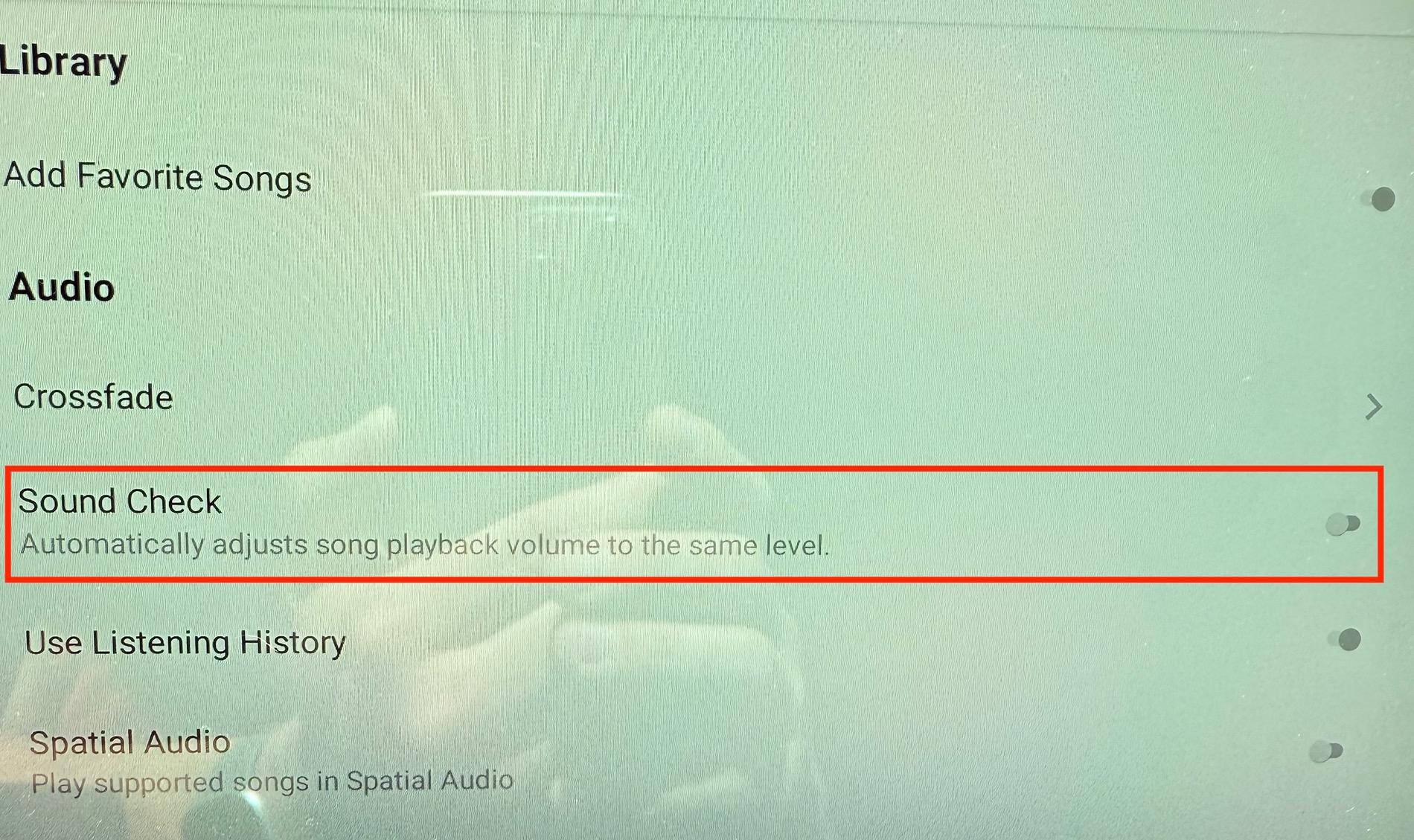
Two releases later I was looking in the settings and I saw Sound Check on. Turned if off and OMG was it night and day better. Sound Check takes away so much dynamic range, takes out the punch of the low end no matter the volume level, and made the level drop dramatically. Interestingly this setting doesn't affect Atmost tracks at all.
I suppose that I could have done this accidentally, but I rarely use these features, but for all that is good in this world, please turn off Sound Check.

Two releases later I was looking in the settings and I saw Sound Check on. Turned if off and OMG was it night and day better. Sound Check takes away so much dynamic range, takes out the punch of the low end no matter the volume level, and made the level drop dramatically. Interestingly this setting doesn't affect Atmost tracks at all.
I suppose that I could have done this accidentally, but I rarely use these features, but for all that is good in this world, please turn off Sound Check.
Sponsored