Sponsored

A2ZEV Tested at tesla charging stations.

Billofaustin2

Well-Known Member
First Name
Bill
Joined
Dec 22, 2023
Threads
26
Messages
80
Reaction score
54
Location
Austin
Vehicles
R1t
Occupation
Retired
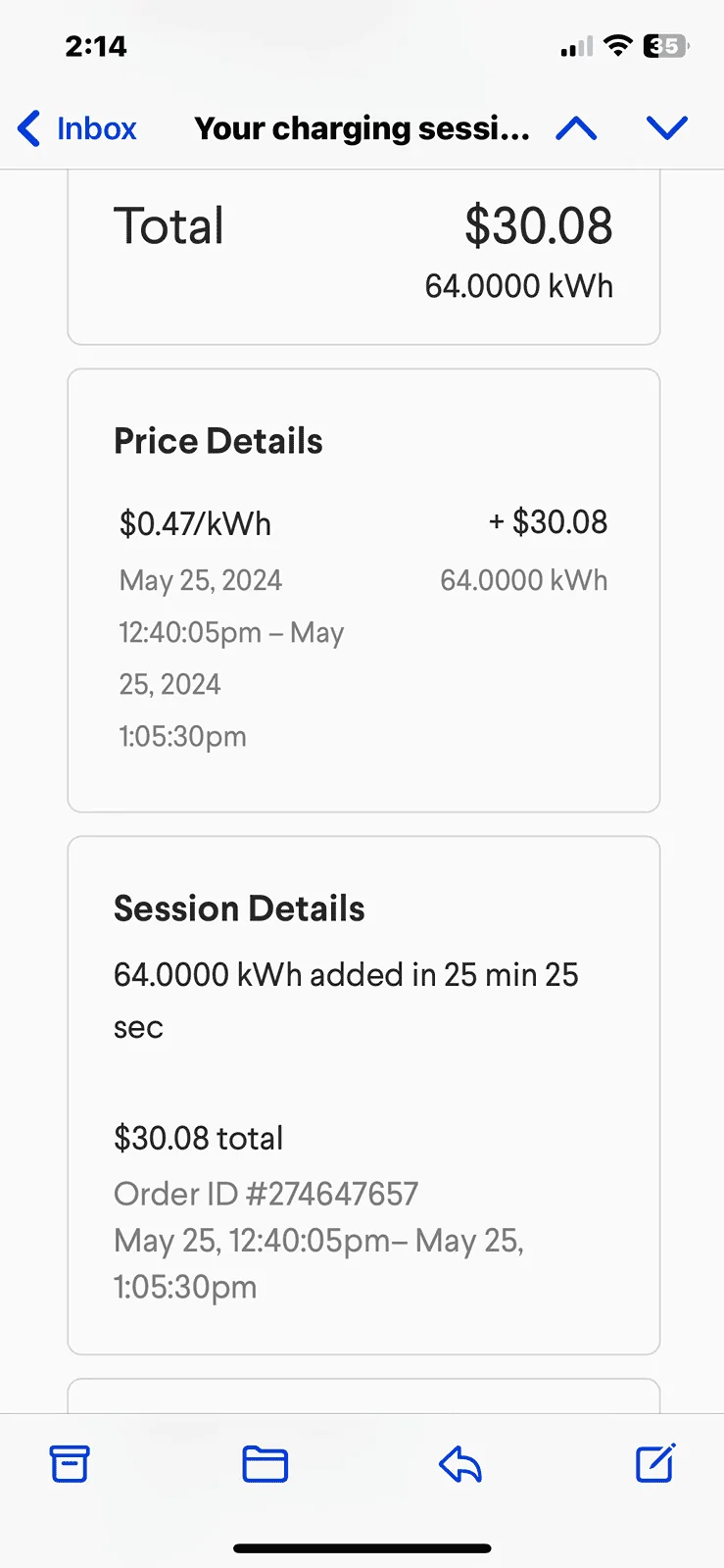
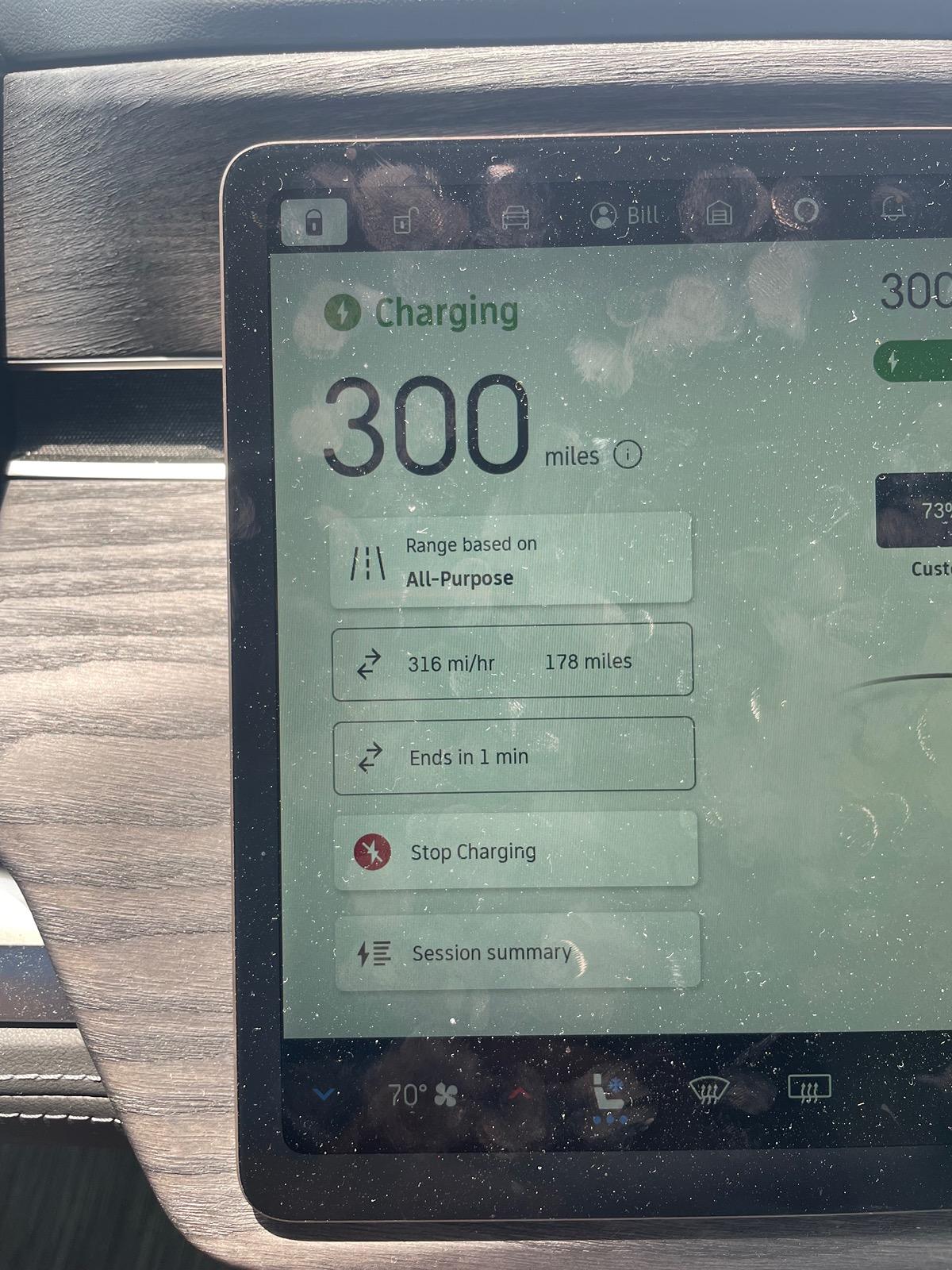
My @A2ZEV worked well. Just a tip, have the Tesla app downloaded and payment information loaded. When you drive up to a Tesla charger, open the Tesla app then select your location and the station identifier. Have location services selected on the Tesla app so it easy to identify where you are. Once connected, plug in the adapter first. Make sure it clicks then push in the Tesla charger. Note that it doesn’t click. It’s a friction hold. The rivian display should reflect charging. I was getting 50 miles ever 6 minutes.
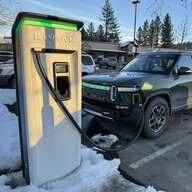
also the Tesla power cords are short and designed for teslas to back it. Do with the rivian you will need to get close And pull in front ways. I hope this helps.

Rivian R1T R1S A2ZEV Tested at tesla charging stations. IMG_5522


Rivian R1T R1S A2ZEV Tested at tesla charging stations. IMG_5514
Sponsored


Redline

Well-Known Member
Joined
Jul 22, 2021
Threads
50
Messages
2,297
Reaction score
4,745
Location
Edina, MN
Vehicles
Rivian R1S
Clubs
 
You don’t need to use the Tesla app.

Simply plug in and charge. If you have a form of payment in the Rivian app, it’s all done behind the scenes.
 

TheWoo

Well-Known Member
Joined
Jan 12, 2024
Threads
0
Messages
46
Reaction score
60
Location
Kansas City, MO
Vehicles
2023 Lightning Platinum, 2024 Rivian R1T
I always plug the adapter to the cable first. Then just plug in like a normal CCS charger. Works great.

And Plug-and-Charge works perfectly, so no need to have the Tesla app open at all (unless you subscribe - then you need to use the app to activate the charger before plugging in).
 
OP
OP

Billofaustin2

Well-Known Member
First Name
Bill
Joined
Dec 22, 2023
Threads
26
Messages
80
Reaction score
54
Location
Austin
Vehicles
R1t
Occupation
Retired
You don’t need to use the Tesla app.

Simply plug in and charge. If you have a form of payment in the Rivian app, it’s all done behind the scenes.
Did not know. Thank you for the tip.
 

Sponsored

Dhevey

Member
First Name
David
Joined
Mar 5, 2024
Threads
0
Messages
20
Reaction score
23
Location
Bluffton, SC
Vehicles
R1S
Occupation
Retired
You don’t need to use the Tesla app.

Simply plug in and charge. If you have a form of payment in the Rivian app, it’s all done behind the scenes.
Yes, , if you attempt to use the Tesla app, it will show a fault in the app, but the car will continue to charge because it is all going through the Rivian account.

Ask me how I know. I was twenty miles down the road before I figured out what was going on.
 

Nexus

Well-Known Member
Joined
May 19, 2022
Threads
1
Messages
64
Reaction score
36
Location
Baltimore
Vehicles
Toyota Tacoma, Tesla Model 3
Also, I believe that if you plug in directly, Rivian does not share your data with Tesla. If you use the Tesla app, the Tesla has access.
 

smunro622

Well-Known Member
First Name
Stu
Joined
May 10, 2024
Threads
38
Messages
265
Reaction score
173
Location
United States
Vehicles
2023 Mach E Premium
I wish all the charging networks in the infotainment system did P&C and charged the card on file in your Rivian app.
 

SPITmadFIRE

Well-Known Member
Joined
Jul 27, 2021
Threads
10
Messages
842
Reaction score
1,388
Location
CA
Vehicles
2024 R1S PDM Max Pack 20" AT
The A2Z adaptor is not a press fit. It has a locking mechanism on both sides.
 

TigerWuxia

Well-Known Member
Joined
Oct 9, 2023
Threads
3
Messages
115
Reaction score
88
Location
Texas
Vehicles
R1S Quad
Just received my A2Z adapter and went to nearby Tesla supercharging station to test it out. Although I was aware the adapter might be tight, I was still surprised how hard I had to push the A2Z adapter. I was unable to get it to click (lock) automatically so I had to manually move the locking tab. Also, the plug and charge didn't work and I had to initiate the charge from Tesla app. After that, everything went well and the peak charging rate was 208 kw so pretty happy with the charging speed. Just the whole experience wasn't exactly plug and charge as I have expected.
 

Sponsored

Redline

Well-Known Member
Joined
Jul 22, 2021
Threads
50
Messages
2,297
Reaction score
4,745
Location
Edina, MN
Vehicles
Rivian R1S
Clubs
 
Just received my A2Z adapter and went to nearby Tesla supercharging station to test it out. Although I was aware the adapter might be tight, I was still surprised how hard I had to push the A2Z adapter. I was unable to get it to click (lock) automatically so I had to manually move the locking tab. Also, the plug and charge didn't work and I had to initiate the charge from Tesla app. After that, everything went well and the peak charging rate was 208 kw so pretty happy with the charging speed. Just the whole experience wasn't exactly plug and charge as I have expected.

As I mentioned in the other thread, the locking tab IS manual. That's as designed.

After one or two times using it, the NACS side should ease up. I have had zero issues with this.

Plug and charge is a whole different issue. Check your form of payment inside the Rivian app.
 

Golfer04

Well-Known Member
First Name
Mike
Joined
Aug 21, 2023
Threads
11
Messages
568
Reaction score
599
Location
Illinois
Vehicles
R1T
Occupation
Finance
Just received my A2Z adapter and went to nearby Tesla supercharging station to test it out. Although I was aware the adapter might be tight, I was still surprised how hard I had to push the A2Z adapter. I was unable to get it to click (lock) automatically so I had to manually move the locking tab. Also, the plug and charge didn't work and I had to initiate the charge from Tesla app. After that, everything went well and the peak charging rate was 208 kw so pretty happy with the charging speed. Just the whole experience wasn't exactly plug and charge as I have expected.
I used mine at 25 percent charge yesterday. Used the Tesla app to get the almost 20 percent off. I was getting 220 kw until 50 percent when it dropped to about 180. Then I ran into HyVee so didnt watch how fast it dropped after. When I got back I had 75 percent. Charge took 22 minutes. Battery temp was 91 when I plugged in. I was impressed. I won't keep Tesla membership, but have a trip planned late this month and next so will keep it a couple of months. I cancelled my EA membership. Sick of them not working every other time I try and use one.
 

NC-Rivian

Well-Known Member
First Name
Greg
Joined
Jul 31, 2022
Threads
33
Messages
374
Reaction score
654
Location
Hendersonville, NC
Vehicles
LA Silver R1T; Blue R1S
Occupation
Sales
Just received my A2Z adapter and went to nearby Tesla supercharging station to test it out. Although I was aware the adapter might be tight, I was still surprised how hard I had to push the A2Z adapter. I was unable to get it to click (lock) automatically so I had to manually move the locking tab. Also, the plug and charge didn't work and I had to initiate the charge from Tesla app. After that, everything went well and the peak charging rate was 208 kw so pretty happy with the charging speed. Just the whole experience wasn't exactly plug and charge as I have expected.
The locking tab is 100% manual so that is normal operation. If P&P didn’t work, check your Rivian account and make sure you have a valid CC on file. Finally, Tesla has a subscription scheme for $12.99/month that can be started and stopped month-to-month for road trips and break even is about 110kw or so - one battery full of juice. (Remember that you need to initiate your charge through the Tesla app to get your discount.)
 

TigerWuxia

Well-Known Member
Joined
Oct 9, 2023
Threads
3
Messages
115
Reaction score
88
Location
Texas
Vehicles
R1S Quad
Thanks for the quick response, folks. I am embarrassed to admit that I didn't read the manual before I went out to my new A2Z adapter. Otherwise, I would have known the locking mechanism is designed to be manual. Still need to figure out why Plug and Charge didn't work despite having a valid payment form in my Rivian app.
Sponsored


Top