Sponsored

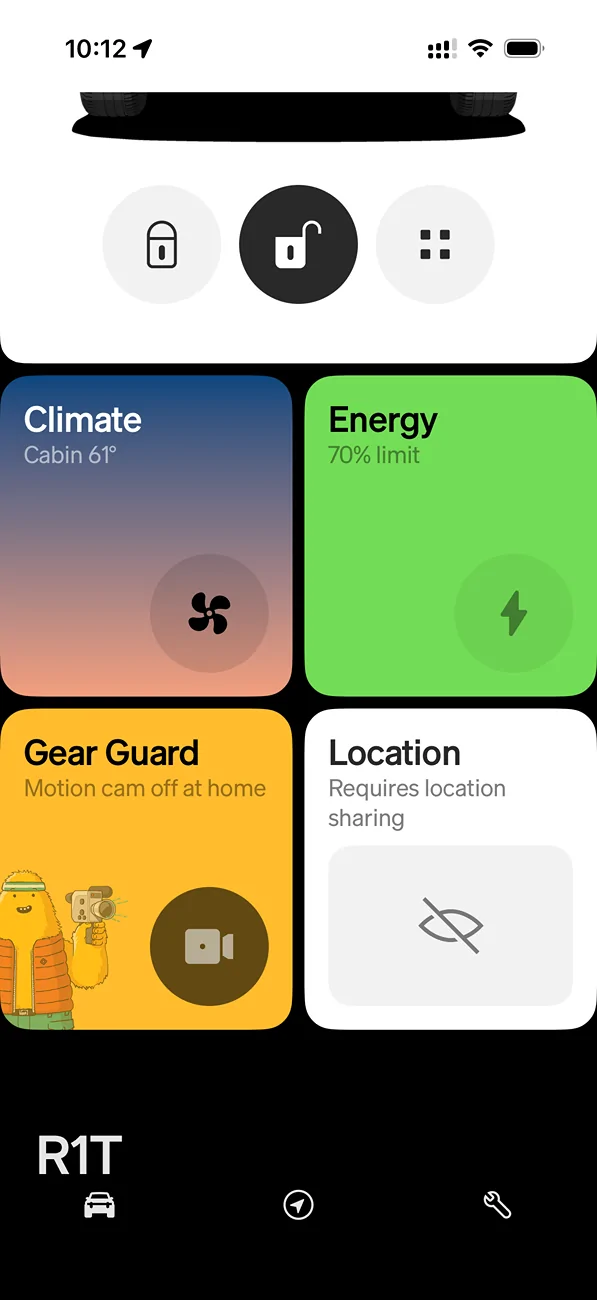
Requires Location Sharing

bhopkins

Well-Known Member
First Name
Bryan
Joined
Mar 15, 2022
Threads
13
Messages
242
Reaction score
377
Location
Saginaw, MI
Vehicles
R1T
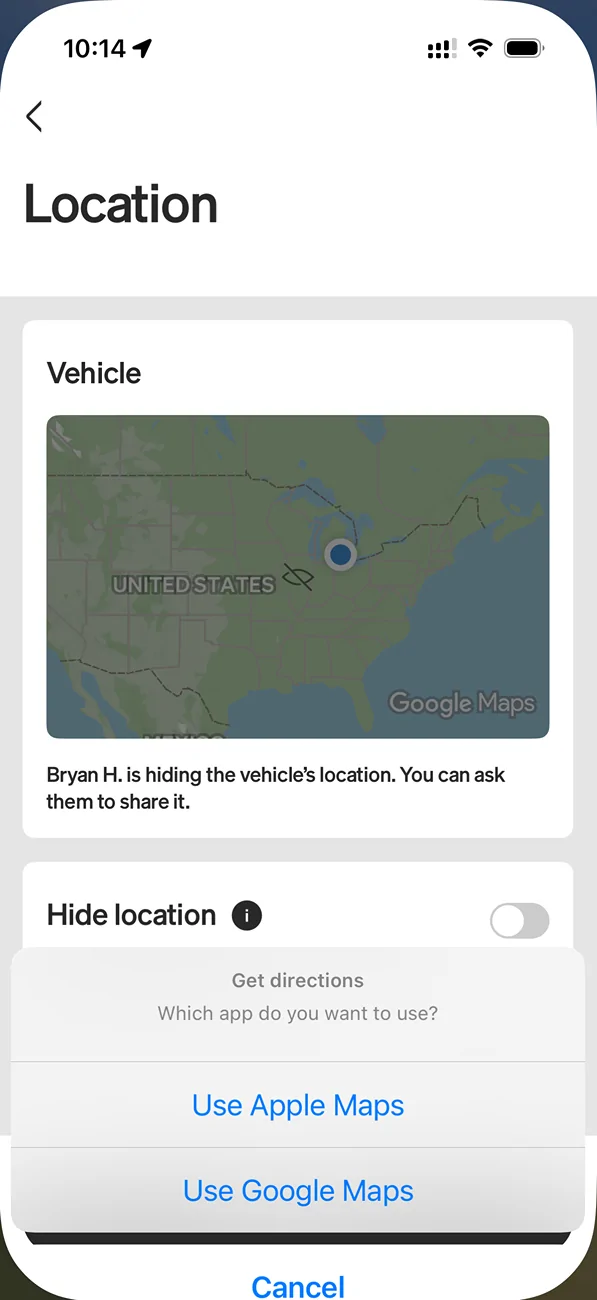
Traded my 2022 R1T for a 2026 R1T tri-motor yesterday. Loving the smoother and quieter ride. Pretty much got everything setup the way I want it. One thing I’ve noticed that’s different and I can’t figure out what needs to be updated is the location in the app. In the app, I can’t see the current location of the vehicle. It says, “Requires location sharing”. If I tap the pane, it further says “Bran H is hiding the vehicle’s location…”. Anybody know what I need to update?

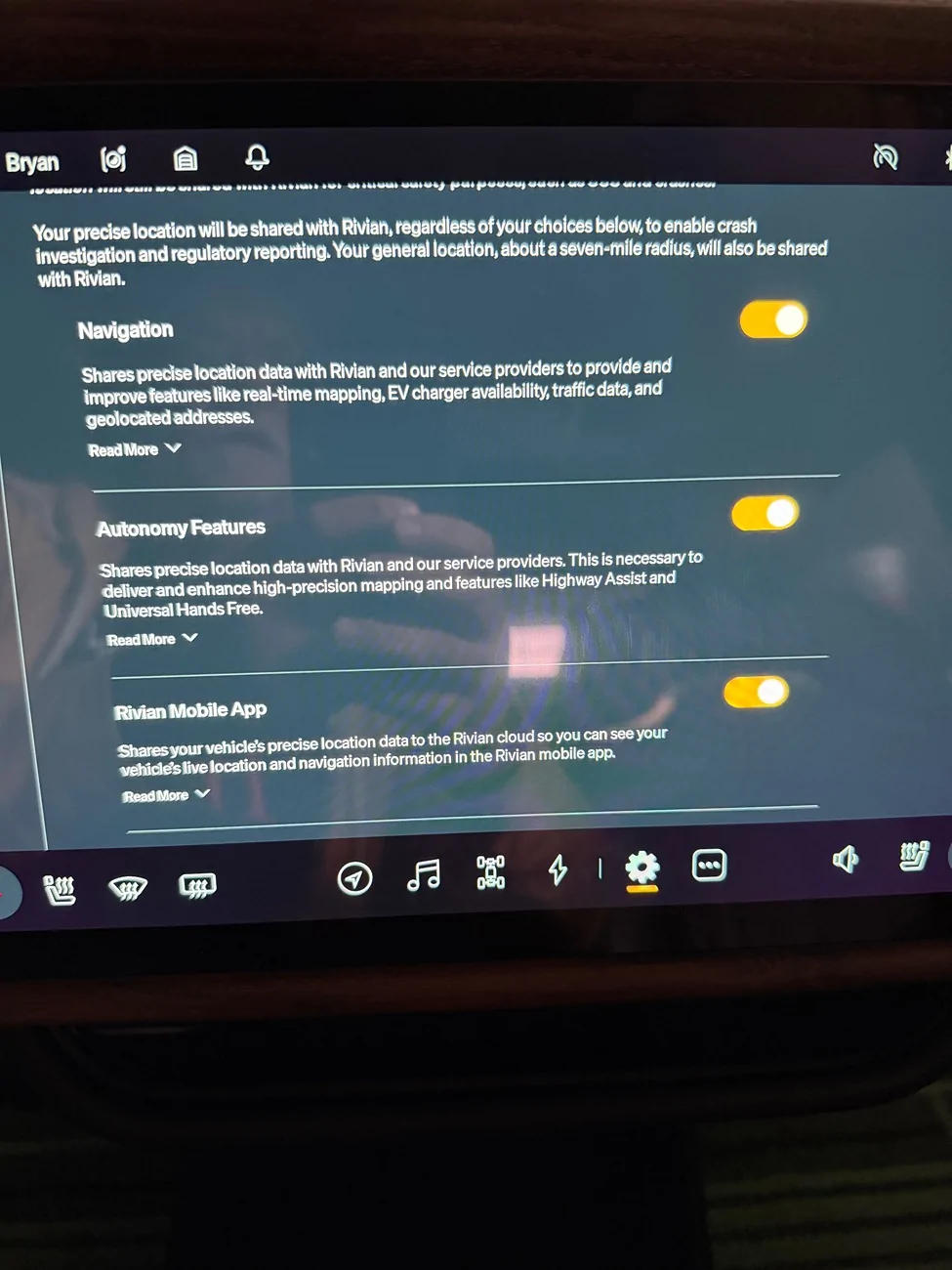
I’ve confirmed I have precise location sharing on in the vehicle. I’m on software 2026.03.0. What’s interesting, the 2022 is still on my account and I can see its location.

Rivian R1T R1S Requires Location Sharing IMG_0703


Rivian R1T R1S Requires Location Sharing IMG_0704


Rivian R1T R1S Requires Location Sharing IMG_0702
Sponsored


pickupman2022

Well-Known Member
First Name
Kenneth
Joined
Feb 6, 2023
Threads
0
Messages
92
Reaction score
96
Location
Murfreesboro, TN
Vehicles
2025 Rivian R1T
Occupation
Fleet Support
Not sure about location for the 2026. But, if you’re thinking like I did that your 2022 will get removed, it won’t. You remove it by taping you initials in the app, tap manage account then tap remove vehicle.
 

Husky44

Active Member
Joined
Apr 14, 2026
Threads
6
Messages
38
Reaction score
20
Location
Vashon WA
Vehicles
23 R1T
Having this same issue on my new to me 2023. Hoping someone can help figure out what setting is incorrect.

When I ask (me) to share, I don't get a message like it says I will.
 
OP
OP
bhopkins

bhopkins

Well-Known Member
First Name
Bryan
Joined
Mar 15, 2022
Threads
13
Messages
242
Reaction score
377
Location
Saginaw, MI
Vehicles
R1T
Here’s what I did which seemed to fix It. Go into the settings on the vehicle (gear icon), go to Data and Privacy. Toggle Rivian Mobile App off then back on (under precise location). Then, go to Vehicle, Service and select restart. About an hour later I could see the vehicles location in the app. Not sure if the vehicle restart is required, may just need the toggle and then some time to pass.
Sponsored


Top