Sponsored

Fogging around ADAS Cameras

vkern83

New Member
First Name
vinney
Joined
Jun 2, 2025
Threads
1
Messages
2
Reaction score
0
Location
Nashville
Vehicles
2025 R1S DMP
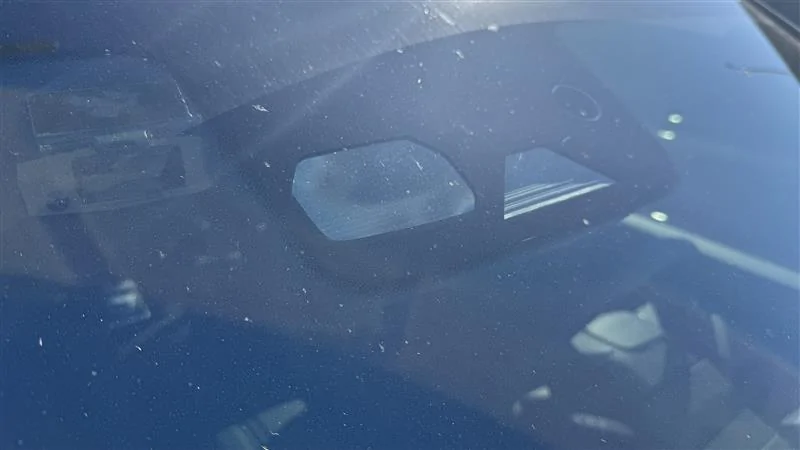
I had my windshield replaced approximately 3 months ago by a Rivian Certified Collision Center. They used OEM parts and conducted all of the calibrations post install. I have had zero issues with the driver assistance features since the install. Recently, the temperatures have shifted and on an early morning drive to work I received a "Driver Assistance Unavailable" notice on the instrument cluster. When I arrived at work I noticed the two cameras closest tot the passenger side of the windshield appeared to have fogging inside the housing.

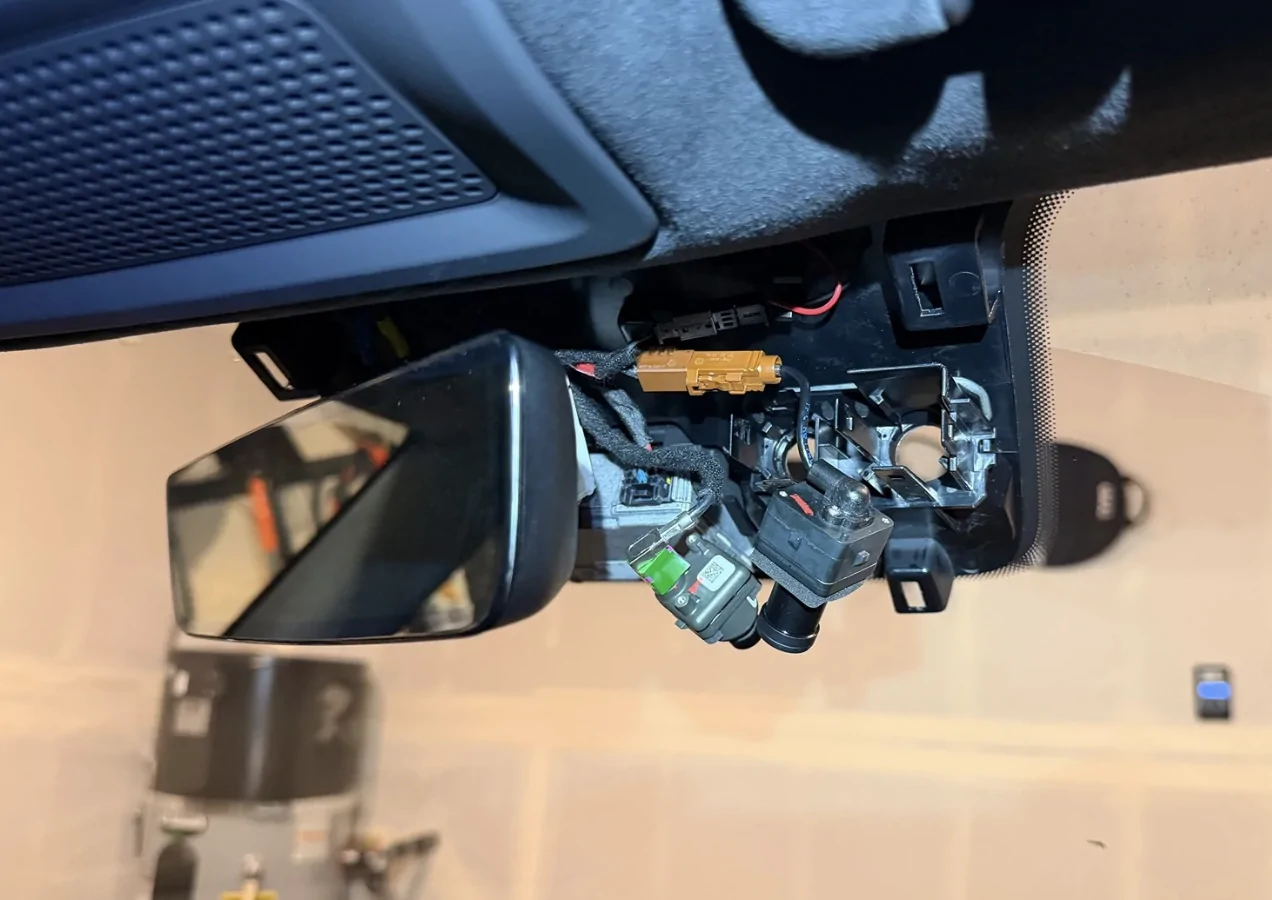
I posted this question to the Rivian Reddit forum and one user mentioned this is not normal and that a camera seal is missing or improperly installed. I have since pulled the rearview mirror trim off to inspect the cameras in question. There is no seal present and there appears to be a gap around the lenses by design. Does anyone have access to the Rivian Service Portal that could look up a parts diagram and confirm or deny a camera seal part number? I have been unable to find any information online.

2025 Gen 2 R1S

Rivian R1T R1S Fogging around ADAS Cameras Imag
Sponsored


HapticWagon

Well-Known Member
Joined
Aug 9, 2024
Threads
19
Messages
290
Reaction score
294
Location
PNW
Vehicles
R1S Gen2
@vkern83 I have this same exact issue after getting windshield replaced by rivian. I mainly observe it after driving with heat on, and then park outside in cold/wet weather for couple hours. Do you have any updates? I recently got it checked out at the service center, they confirmed there is no seal there, there are vents, and designed to be open to rest of cabin, and this is their findings:

Our technicians found it normal. The secondary cover has clear vents on the back, but they’re duplicating them to clear the area using defog. It may take longer than the rest of the windshield and cameras due to its location.
I am pretty sure it’s being caused by sediment on that section of glass near the cameras. Or it might be due to the timing of which rivian enabled the newer ADAS cameras. I believe the heat generated by the new ADAS cameras is attracting condensation.

Would love to hear from other members if they observed the same. I had received warnings stating that front ADAS cameras is blocked due to this condensation. and the condensation remains for up to a day after it builds up.
 
Last edited:
OP
OP

vkern83

New Member
First Name
vinney
Joined
Jun 2, 2025
Threads
1
Messages
2
Reaction score
0
Location
Nashville
Vehicles
2025 R1S DMP
@HapticWagon I ended up pulling the rearview mirror shroud and popping both of those cameras out. I made sure the car was asleep before doing this. In my case I found that it was hazing I think from the glass cleaner used during install. Upon first use of the defogger it hazed. So I popped both cameras out, and used a hemostat with a lint free cleaning swatch that I misted with glass cleaner. I moved it around in the housing to remove the hazing. I repeated this several times until it was clean. I did that shortly after this post and have not had an issue since. No issues with ADAS either.
 

HapticWagon

Well-Known Member
Joined
Aug 9, 2024
Threads
19
Messages
290
Reaction score
294
Location
PNW
Vehicles
R1S Gen2
@HapticWagon I ended up pulling the rearview mirror shroud and popping both of those cameras out. I made sure the car was asleep before doing this. In my case I found that it was hazing I think from the glass cleaner used during install. Upon first use of the defogger it hazed. So I popped both cameras out, and used a hemostat with a lint free cleaning swatch that I misted with glass cleaner. I moved it around in the housing to remove the hazing. I repeated this several times until it was clean. I did that shortly after this post and have not had an issue since. No issues with ADAS either.
I was planning on doing the same. thanks for the reply. I’m very disappointed that my rivian SC was not able to do this mitigation.

I will plan on using glass cleaner and lint free swatch. any other tips you have for this procedure? :) how did you ensure car was asleep? just left doors open, and left it alone for 45 mins?
 

forestwalker

Well-Known Member
First Name
Forest
Joined
Jan 20, 2026
Threads
6
Messages
88
Reaction score
103
Location
Battle Ground, WA
Vehicles
2023 R1S
Occupation
Ops Manager - Diesel Repair
@HapticWagon I ended up pulling the rearview mirror shroud and popping both of those cameras out. I made sure the car was asleep before doing this. In my case I found that it was hazing I think from the glass cleaner used during install. Upon first use of the defogger it hazed. So I popped both cameras out, and used a hemostat with a lint free cleaning swatch that I misted with glass cleaner. I moved it around in the housing to remove the hazing. I repeated this several times until it was clean. I did that shortly after this post and have not had an issue since. No issues with ADAS either.
Does "popping both of those cameras out" not affect any sort of calibration of this system..?
 

HapticWagon

Well-Known Member
Joined
Aug 9, 2024
Threads
19
Messages
290
Reaction score
294
Location
PNW
Vehicles
R1S Gen2
I just did the same thanks to vkern83 for the encouragement. I put the car in camp mode and “off mode” in it, since I had trouble keeping it asleep naturally.
It was PIA to get cloth in there to clean it up. but used hemostat to get it done, and compressed air.
Rivian R1T R1S Fogging around ADAS Cameras 1771976237236-m


@forestwalker do you have the same issue? I believe there might have been a bad batch of replacement windshields that were not properly cleaned.

ADAS does self calibrations now: https://www.rivianforums.com/forum/...-you-drive-to-improve-adas-performance.52226/
Sponsored


Top