Sponsored

vandy1981

Well-Known Member
Joined
Jul 25, 2023
Threads
22
Messages
756
Reaction score
1,526
Location
USA
Vehicles
2023 R1S PDM MP, 2019 Jaguar I-Pace HSE

Hillbilly

Well-Known Member
Joined
Apr 10, 2023
Threads
2
Messages
988
Reaction score
1,578
Location
Earth
Vehicles
Boat and tractor
Occupation
Hillbilly
Y'all can also take a laptop and open the screen with the keyboard lip wedged between the cupholder tray and center console, screen flat against the rivian screen and just watch/use your laptop.
 

erpyclause

New Member
Joined
Jan 22, 2024
Threads
0
Messages
3
Reaction score
4
Location
US
Vehicles
R1S
It seems per reviews to only worth under 5 volts but let us know.
 
OP
OP
EV Sportline

EV Sportline

Well-Known Member
Site Sponsor
Joined
May 31, 2022
Threads
114
Messages
1,875
Reaction score
3,828
Location
Los Angeles
Website
evsportline.com
Vehicles
Rivian R1T, R2 res, Tesla S, 3, X, Y, Cybertruck
Occupation
Upgrading Electric Vehicles
Clubs
 
yeah it seems like it stays in whatever mode its in. Mine was staying on night mode until I turned the setting back off and back on. Now it stays on day mode. I can't tell if it's confused about the time or just stuck. I need to experiment a bit more. Does it get the current time of day from the phone or is there a way to set it?
Okay, the device should update its internal clock time to match your phone when carplay connects. Make sure you're using the 24hr clock setting, and making times that make sense. Give this a try please.
 
OP
OP
EV Sportline

EV Sportline

Well-Known Member
Site Sponsor
Joined
May 31, 2022
Threads
114
Messages
1,875
Reaction score
3,828
Location
Los Angeles
Website
evsportline.com
Vehicles
Rivian R1T, R2 res, Tesla S, 3, X, Y, Cybertruck
Occupation
Upgrading Electric Vehicles
Clubs
 
The one I ordered should show up tomorrow. I'll report back. They get bad reviews, but I'm guessing that some of this has to do with PD/fast charge incompatibility.
we have something similar to these in testing...will report once we confirm.
 

Sponsored

scmrivian

Active Member
Joined
Mar 1, 2023
Threads
0
Messages
30
Reaction score
21
Location
Los Gatos, CA
Vehicles
R1T, R1S
Okay, the device should update its internal clock time to match your phone when carplay connects. Make sure you're using the 24hr clock setting, and making times that make sense. Give this a try please.
Im not sure sure which 24 hr clock setting you mean but the times on the auto dim are set with 24 hr time. Are you saying the phone needs to be on 24 hr time?
 
OP
OP
EV Sportline

EV Sportline

Well-Known Member
Site Sponsor
Joined
May 31, 2022
Threads
114
Messages
1,875
Reaction score
3,828
Location
Los Angeles
Website
evsportline.com
Vehicles
Rivian R1T, R2 res, Tesla S, 3, X, Y, Cybertruck
Occupation
Upgrading Electric Vehicles
Clubs
 
Im not sure sure which 24 hr clock setting you mean but the times on the auto dim are set with 24 hr time. Are you saying the phone needs to be on 24 hr time?
Sorry, I meant be sure you programmed it using 24hr logic ( ie 11 is 11am and 23 is 11pm)
 

runningdenver

Well-Known Member
First Name
Richard
Joined
Nov 12, 2023
Threads
4
Messages
227
Reaction score
279
Location
Denver
Vehicles
R1S QM
Occupation
Tech
Same issue as others. I love this screen for CarPlay BUT I have to remove the Bluetooth/carplay config on my iPhone every night when I get home otherwise the screen “grabs” my phone and it’s Bluetooth and WiFi every few minutes. Disabled unlock at home. No benefit. I’m shocked that this F23 fuse isnt one that requires vehicle entry or something more than “the car is awake”. And the button on top of the screen or the voice control of “turn off display” doesn’t actually turn it off. I’ve also considered unplugging the USB C every night when I get home. Not ideal.
why do you remove it ? Can't you just disable it with the toggle on your iPhone carplay config ? My office is next to the garage, so have the same problem - but I just disable here, and re-enable it in the car when I need it.

Rivian R1T R1S CarPlay & Android Auto Smart Dash Screen has arrived!  New from EVSportline.com Notification_Center
 

scmrivian

Active Member
Joined
Mar 1, 2023
Threads
0
Messages
30
Reaction score
21
Location
Los Gatos, CA
Vehicles
R1T, R1S
Sorry, I meant be sure you programmed it using 24hr logic ( ie 11 is 11am and 23 is 11pm)
Ah ok yeah the times are set correctly. I am going to try doing a reset on it to see if it starts working again. I am fairly sure it worked initially.
 

erpyclause

New Member
Joined
Jan 22, 2024
Threads
0
Messages
3
Reaction score
4
Location
US
Vehicles
R1S
why do you remove it ? Can't you just disable it with the toggle on your iPhone carplay config ? My office is next to the garage, so have the same problem - but I just disable here, and re-enable it in the car when I need it.
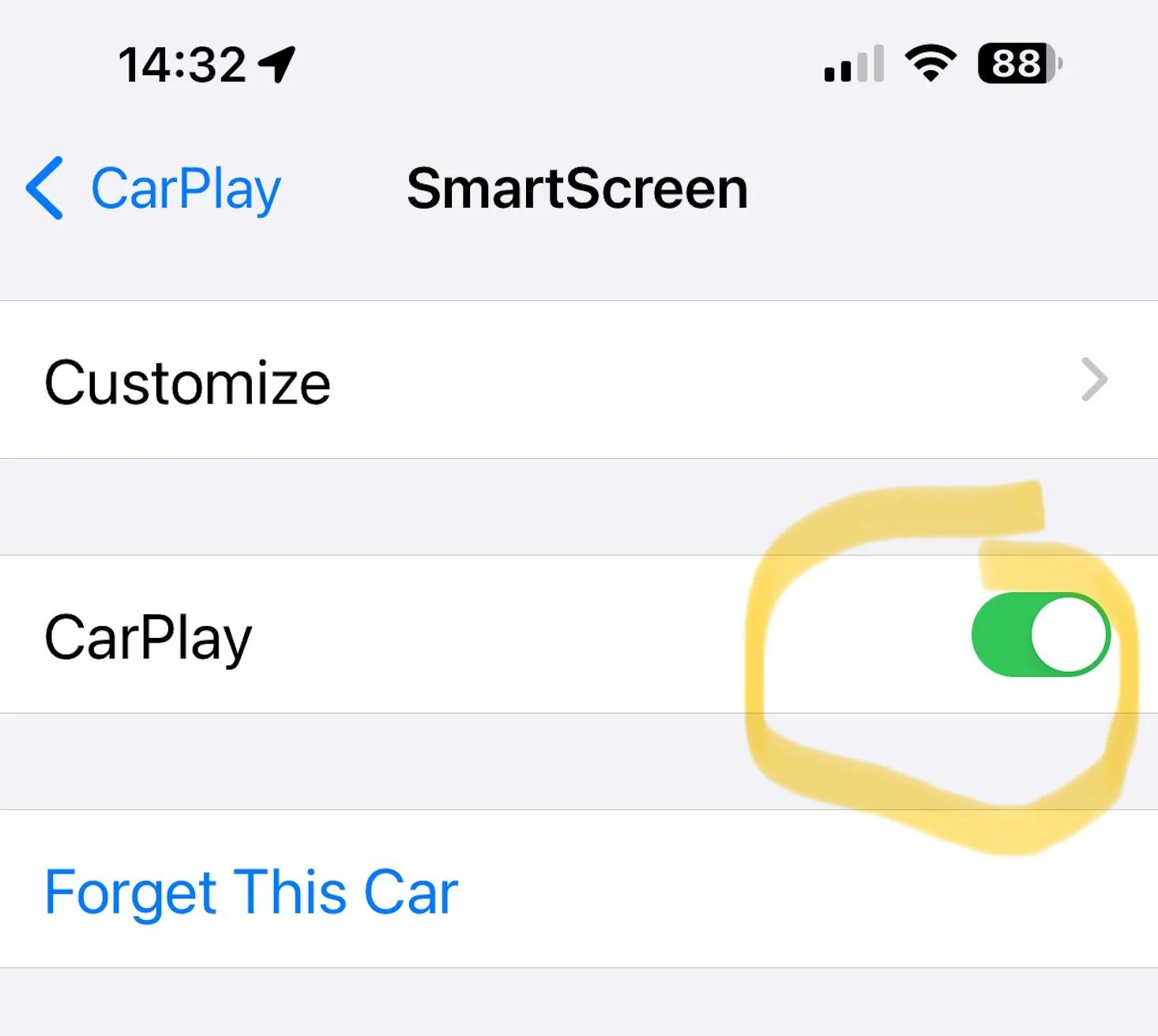
This disables CarPlay yes. But the Bluetooth connection remains. So while I’m listening to something on my AirPods, t just magically pops over to the car Bluetooth. I’ve started turning it off with the button on top and a long press. I’m not sure if that means it’s truly off though. Until I turn it back on
 

Sponsored

JackRussellRacing

Well-Known Member
First Name
Daniel
Joined
Oct 23, 2023
Threads
4
Messages
151
Reaction score
386
Location
North Carolina
Vehicles
22 R1T
Occupation
Business Owner
I have what may seemingly be an annoying question....

Has anyone tried to mount this specific unit below the center HVAC outlet, instead of up on the dash? I realize the mounting bracket is the 'secret sauce' of the kit... but I'm willing to drill and/or use VHB tape below the vent to achieve a more discrete positioning.

I could indeed buy a less expensive AA/CP thing off the interweb, but I'm interested in this specific model and cabling design.

Anyone?
 

jebinc

Well-Known Member
First Name
John
Joined
Oct 5, 2022
Threads
49
Messages
2,310
Reaction score
2,134
Location
Seattle, WA
Vehicles
2021+ Tesla MS Plaid, R1T Adventure
Occupation
Retired
I have what may seemingly be an annoying question....

Has anyone tried to mount this specific unit below the center HVAC outlet, instead of up on the dash? I realize the mounting bracket is the 'secret sauce' of the kit... but I'm willing to drill and/or use VHB tape below the vent to achieve a more discrete positioning.

I could indeed buy a less expensive AA/CP thing off the interweb, but I'm interested in this specific model and cabling design.

Anyone?
Would interfere with the slide out cup holders - 100%
 

vandy1981

Well-Known Member
Joined
Jul 25, 2023
Threads
22
Messages
756
Reaction score
1,526
Location
USA
Vehicles
2023 R1S PDM MP, 2019 Jaguar I-Pace HSE
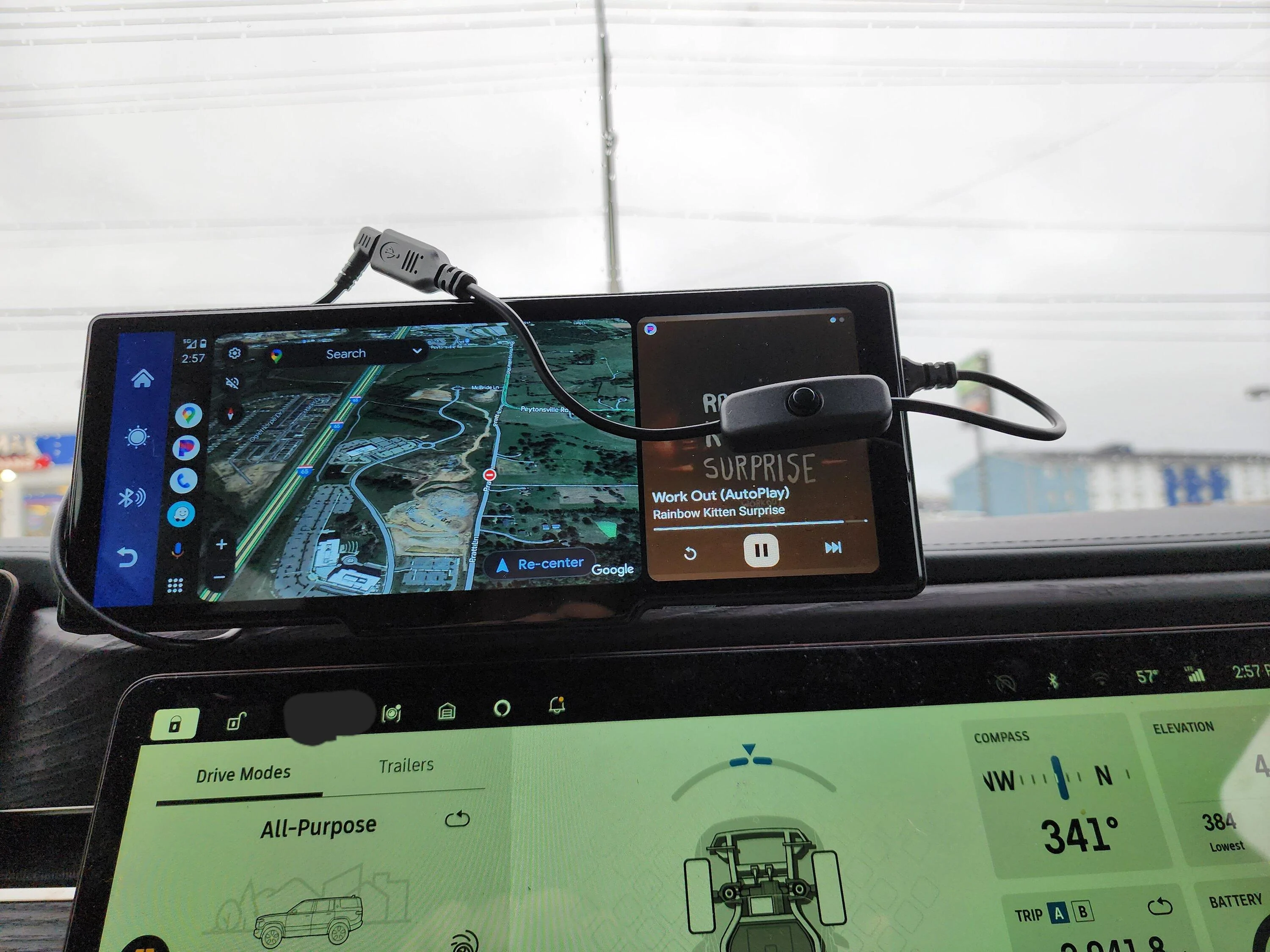
I can confirm that this switch works with the screen that I bought off Amazon. I would guess it also works with the EVSportline screen since it looks like essentially the same hardware. The plug sticks straight out of the screen's USB port so you'll probably want to buy a right angle adapter if you go this route.

GINTOOYUN USB C Cable with ON/Off Button USB Type C Male to Female Power Cable with Switch for Raspberry Pi 4B Power Supply 30cm https://a.co/d/cZbwvpE

Rivian R1T R1S CarPlay & Android Auto Smart Dash Screen has arrived!  New from EVSportline.com 20240127_145716
 

azbill

Well-Known Member
First Name
Bill
Joined
Jun 8, 2020
Threads
17
Messages
1,696
Reaction score
1,978
Location
Arizona
Vehicles
Escalade IQ, Mach E, Hummer EV SUT
Occupation
Retired
Regarding the screen staying on, i tested different variations of proximity settings in the vehicle, just to sumarize that ideally Rivian would address the Proximity polling when parked at home to be less chatty in polling for a nearby device, as this is what is keeping the device screen on at certain times. (I wonder how much this also impacts the vampire drain some people referenced in other unrelated threads)

What i've noticed (testing my Android phone here at home) is that in the Proximity settings for location behavior at home in the Rivian's in-car software settings, impacts how long and frequent the device comes on based on how often the Rivian polls and 'wakes up':

Scenario 1: if the Home proximity behavior is set to Lock and Unlock, then the car constantly unlocks when i walk nearby inside the house, and that then automatically wakes up the screen so effectively the Android Auto connection stays constantly on until i go out of range

Scenario 2: If I have it set to Lock only, it still wakes up the device screen when i am nearby and the Android Auto connection is constantly on until out of range (this feels like an opportunity to optimize the car software to not poll for the nearby phone device at all, once the car is Locked in Lock only setting)

Scenario 3: If i have it set to "Off" it wakes up way less so clearly that reduces the polling but I still see the phone randomly connect to Android Auto inside the house, maybe once every hour or two vs constantly, and then it goes back to sleep after a few seconds. I don't have to leave the proximity radius for it to turn off again.

Scenario 4: This is unusable, but was a good test to confirm that the waking up it is purely dependent on the detection by the vehicle of the nearby phone device - If I go to the App Settings in Android and go to the permissions on the Rivian app and remove "Nearby Devices" from the app permissions - then it stops waking up completely BUT now the app doesn't function with the car (it gives a note in the app asking to re-enable the feature).

So...ideally there would be some workaround/fix on the vehicle software to not poll at all when at home and once the car is Locked under a Lock-Only setting, or the Proximity Lock settings set to Off.
I would be happy in the case where it is unlocked at home, that it would not wake up until I open the door. I never lock any of my cars at home.
Sponsored


Top